Phone tag and double-booked slots quietly drain more revenue than most owners realize.
Business scheduling software fixes that by letting clients self-book against your real-time availability, then handling reminders, payments, and calendar sync on its own.
The shift is already here. Most consumers now prefer booking online over calling, and businesses running an appointment booking system report noticeably fewer no-shows.
This guide ranks the best options, starting with Trafft and Amelia, then covers Calendly, Acuity Scheduling, Square Appointments, Setmore, SimplyBook.me, Zoho Bookings, Cal.com, and Chili Piper.
By the end, you'll know:
- Which tool fits your business type
- What features actually matter (calendar sync, automated reminders, deposit collection)
- What each one costs, hidden fees included
No fluff. Just the picks and the reasoning behind them.
The 10 Best Business Scheduling Software Tools
Ordering logic: ranked by how broadly useful each tool is, most flexible all-in-one options first, then niche and enterprise picks. Every entry below is a true instance of the same central thing: an appointment booking system a business runs to let clients self-book.
Each tool is scored on the same dimensions in the same order so you can compare them cleanly. If you want the wider shortlist, our roundup of the best appointment scheduling software goes deeper.
Worth saying up front: Trafft publishes this article. The reasoning sits under every pick and each tool, ours included, gets an honest "Cons" list. Several rivals below beat Trafft outright for specific jobs, inbound sales routing, POS-tied retail, self-hosting, and we've said so plainly in each case.
How we tested: nine of the ten tools offer a free tier or self-serve trial, so we created an account on each and ran a real booking through the flow, connected a calendar, and triggered reminders where the plan allowed. Chili Piper is the exception; it has no self-serve trial, so that entry draws on its demo, documentation, and published customer data rather than hands-on use. We've flagged that in the entry itself.
| Tool | Best For | Starts At (2026) |
|---|---|---|
| Trafft | Solo + small service teams | Free / ~$12/mo |
| Amelia | WordPress-run businesses | Free Lite / $49/yr |
| Calendly | B2B meeting scheduling | Free / ~$10/user/mo |
| Acuity Scheduling | Payments + intake forms | $16/mo No free plan |
| Square Appointments | In-person retail/service | Free solo / ~$29/mo |
| Setmore | Budget-first small teams | Free / ~$5/user/mo |
| SimplyBook.me | Feature-heavy service ops | Free / ~$9.90/mo |
| Zoho Bookings | Existing Zoho users | Free / ~$5/user/mo |
| Cal.diy / Cal.com | Developers + self-hosting | Free OSS / ~$15/user/mo |
| Chili Piper | Inbound sales routing | ~$15/user/mo + fees |
Trafft - Best for solo and small service teams that want an all-in-one at a fair price

Verdict: Trafft is a hosted appointment booking system built for service businesses. It's the strongest pick for solos and small teams that want a clean booking page, staff scheduling, payments, and automated reminders without touching code or paying enterprise rates.
Best for: Solo providers and small teams (salons, barbers, consultants) who want one dashboard for bookings, staff, and payments.
Standout capability: Generates a standalone booking page in minutes even if you don't have a website.
Key features: booking page builder, staff scheduling, Google Calendar and Outlook sync, automated SMS and email reminders, Stripe and PayPal payment integration.
Pricing: Free plan; paid tiers from about $12/mo, scaling plans roughly $24 to $48/mo, plus a custom-priced white-label option. Verified April 2026.
Pros: quick setup, modern client-facing booking page, connects to Zapier, Zoom, Google Meet, and WordPress.
Cons: the mobile app is lighter than the desktop dashboard, reporting covers the essentials rather than enterprise-grade analytics, and deeper ERP or marketing integrations are handled through Zapier rather than natively.
Our experience (July 2026): we built a free account with two staff calendars, connected Google Calendar and Outlook, and published a booking page with no host website. The page went live in under ten minutes, the two-way sync blocked the test slot on both calendars instantly, and reminders fired on schedule across email and SMS. Payments through Stripe worked on the free tier, which is the detail that separates it from most free plans. Where we felt the ceiling was reporting: the dashboard covers bookings, revenue, and staff load, but there's no custom report builder, so anything analytical goes out to a spreadsheet.
Why it's on this list: the free tier already includes payments and reminders, features rivals like Acuity lock behind paid plans. That combination is rarely called out on competing lists.
Amelia - Best for businesses that run everything on WordPress
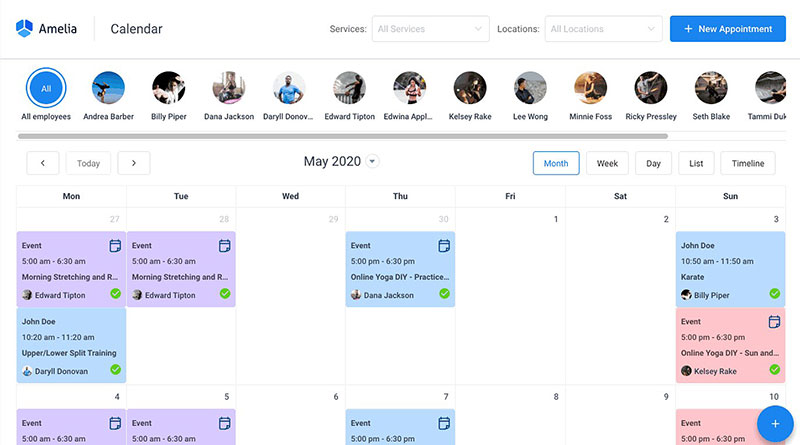
Verdict: Amelia is a WordPress booking plugin that handles appointments, events, and employee management inside your own site. It's the best pick for businesses that want to own their booking stack on WordPress and pay once instead of monthly.
Best for: WordPress-based service businesses that want data on their own site and a one-time license option.
Standout capability: A polished multi-step booking wizard plus an events module with QR-coded e-tickets, all native to WordPress.
Key features: Google, Outlook, and Apple Calendar sync, Zoom integration, custom fields, SMS and email notifications, and Stripe, PayPal, and Razorpay payments.
Pricing: Free Lite version; paid plans from $49/year, with lifetime license options and a hosted SaaS version at about $60/mo. Verified May 2026.
Pros: one-time pricing available, strong booking UX, broad payment gateway support, deep docs and video tutorials.
Cons: WordPress-native by design, so it suits teams committed to the platform.
Our experience (July 2026): we installed Amelia on a stock WordPress 6.9 site and walked the booking wizard from date and time through payment, committing a live appointment without a stumble. The admin is one of the cleanest in the WordPress booking category. We also generated a QR e-ticket from the events module, which is what you'd hand out at a workshop check-in. The wall arrives early on the free tier: Lite caps you at one employee with Square-only payments, and calendar sync itself sits on Standard and up, so a real multi-staff shop lands on a paid plan quickly. Ratings hold up: 4.6/5 from 761 WordPress.org reviews and 4.9/5 on Capterra.
Why it's on this list: the events module doubles as an RSVP and check-in system with QR tickets, which turns the same plugin into a workshop or open-day tool. Most "best plugin" pages skip that entirely.
Calendly - Best for B2B teams that just need meetings booked
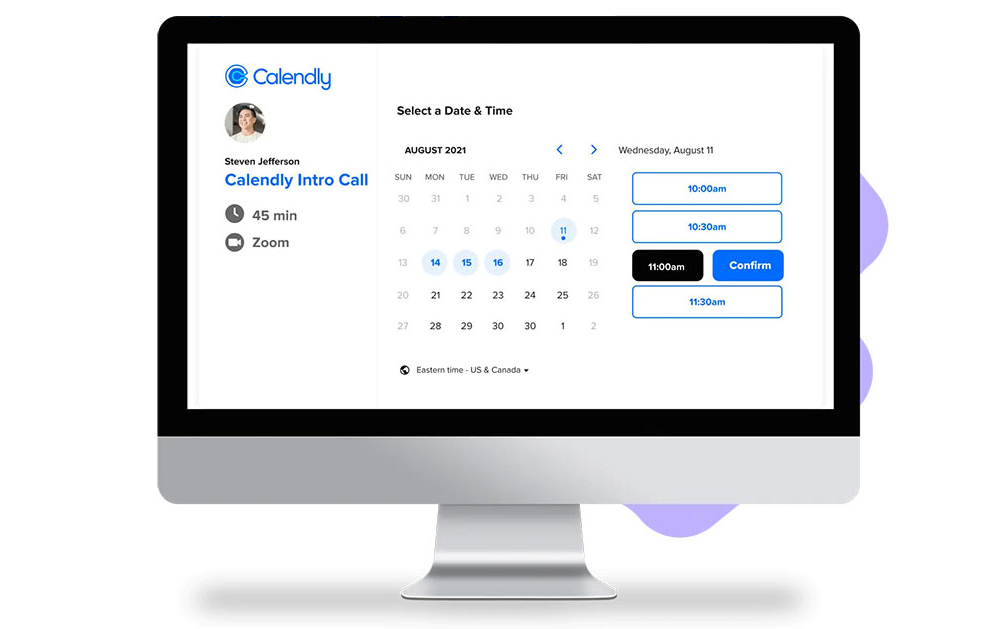
Verdict: Calendly is the default meeting scheduler for B2B teams. It's best for sales, success, and ops people who share a booking link, sync calendars, and route inbound meetings without the appointment-business overhead.
Best for: Individuals and small teams booking calls, not managing a service floor.
Standout capability: Over 100 native integrations (Salesforce, HubSpot, Zoom, Slack) plus round-robin and collective scheduling.
Key features: shareable booking links, two-way calendar sync, automated reminders, routing forms, team round-robin assignment.
Pricing: Free plan limited to one event type; paid from about $10/user/mo billed annually ($12 monthly). Verified May 2026.
Pros: near-zero learning curve, used across 100,000+ organizations, the tool your new hire already knows.
Cons: weak on payments, intake forms, and branding versus service-focused tools; per-user pricing climbs fast for teams.
Our experience (July 2026): we set up a free account, created the one allowed event type, and sent test invites across three time zones. Setup took minutes, and timezone detection converted correctly every time. Two limits showed up fast. Adding a second event type (a short intro call alongside a longer demo) hit the upgrade wall immediately, and the free plan reads only one calendar, so a busy slot sitting on our second, unconnected calendar was invisible and Calendly happily offered that time. That second one is the quieter problem, and it's where free-plan double-bookings actually come from. User reviews for Calendly and its booking flow match what we saw: frictionless link, thin the moment you need group events or payments.
Why it's on this list: it's the wrong tool for a salon and the right tool for a sales team, a distinction most generic lists blur by ranking it against service software.
Acuity Scheduling - Best for taking payments and deposits at booking
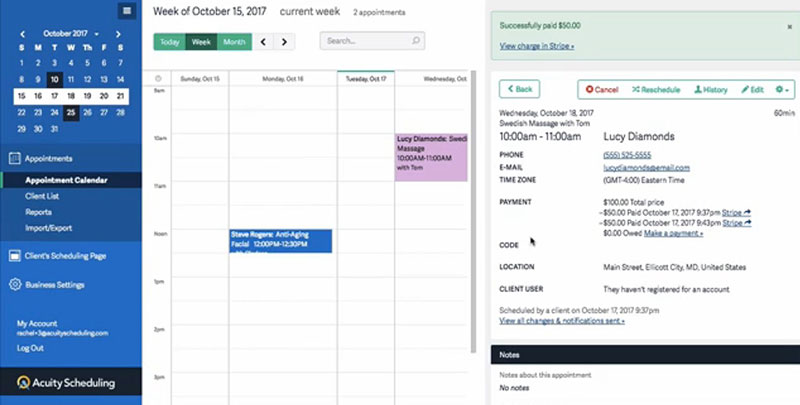
Verdict: Acuity (owned by Squarespace) is a scheduling tool built for businesses that sell their time. It's the strongest pick when payments, deposits, intake forms, and packages need to sit inside the booking flow itself.
Best for: Coaches, wellness providers, and consultants who monetize every slot and fight no-shows.
Standout capability: Deposit or full-payment capture at booking on every plan, including the entry tier.
Key features: customizable intake forms, Stripe/Square/PayPal payments, packages and gift cards, calendar sync, self-service rescheduling.
Pricing: No free plan, 7-day trial; Starter from $16/mo, Growing around $34/mo, Premium about $49/mo with HIPAA availability. Verified June 2026.
Pros: payment logic on every tier, flat-fee pricing economical at scale, strong for multi-staff in-person businesses.
Cons: no free plan, entry tier caps you at one calendar, and setup takes longer (10 to 20 minutes) than link-only tools.
Our experience (July 2026): on the 7-day trial we built a paid consultation with a conditional intake form and required a deposit at booking, then rescheduled it from the client side. The intake builder handled branching questions well, so context and payment both arrived before the session, which is exactly the anti-no-show mechanic Acuity is built around. The cost is setup time: availability rules took noticeably longer to configure than a link-only tool, and there's no free tier to practice on before the trial clock starts. Hands-on reviews of Acuity Scheduling land on the same point, with users citing payment-required booking as the feature that changed their week.
Why it's on this list: it's one of very few schedulers offering a signed BAA for HIPAA, though only on the $49 Premium tier, a real cost most pages bury.
Square Appointments - Best for in-person shops already taking card payments
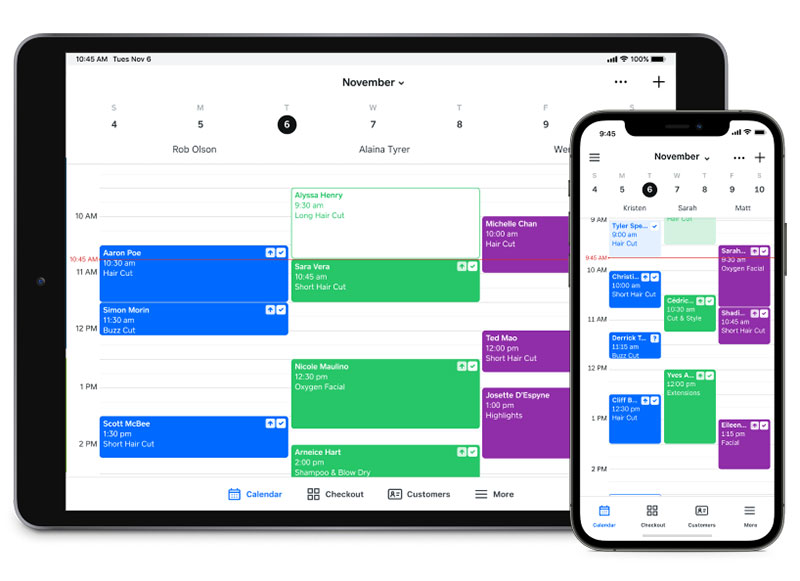
Verdict: Square Appointments ties online booking to Square's payments and POS. It's best for physical-location service businesses that want scheduling, customer management, and checkout in one connected system.
Best for: Retail and in-person service businesses (barbershops, nail salons) running on Square hardware.
Standout capability: Native POS and payment processing, so booking and checkout live in the same ecosystem.
Key features: online booking, automated confirmations, waitlist, multi-staff scheduling, calendar sync on paid plans.
Pricing: Free for a single location/solo; paid Plus and Premium from about $29 to $49/mo per location, plus Square's 2.6% + $0.10 in-person processing. Verified June 2026.
Pros: genuinely usable free tier for solos, tight payments integration, no monthly fee to start.
Cons: no built-in video (add Zoom separately), per-location pricing adds up, and you're locked into Square for payments.
Our experience (July 2026): we opened the free single-user plan, published a booking page, and ran a test card payment through the checkout, which felt identical to any Square retail transaction. Confirmations went out reliably. Two things strained. There's no built-in video, so a remote consultation means bolting on Zoom separately, and the calendar logic ran out of road as soon as we wanted layered rules across multiple staff. The "free" plan also isn't free in practice once you count the 2.6% + $0.10 on every in-person payment. User reviews of Square Appointments single out that free solo plan as the reason they switched.
Why it's on this list: it only makes sense if you're already inside Square. Outside that ecosystem, the payment lock-in becomes a liability rather than a perk.
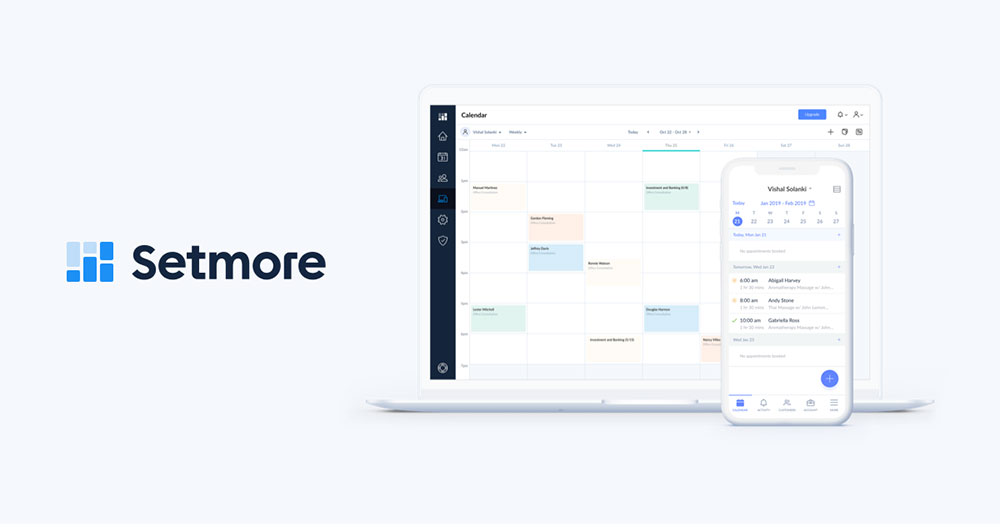
Setmore - Best for budget-conscious small teams
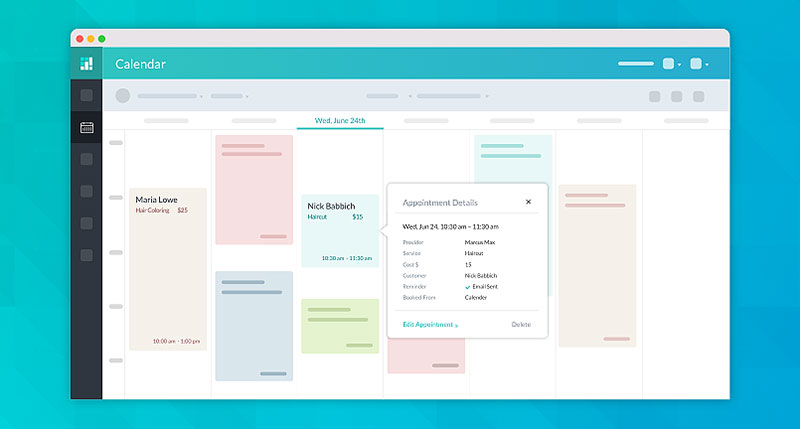
Verdict: Setmore is a low-cost online scheduling tool leaning hard on its free plan. It's best for tiny teams and side businesses that need booking pages and reminders without a real software budget.
Best for: Solo operators and 1-2 person teams testing paid booking for the first time.
Standout capability: A free plan covering up to 200 appointments a month, generous for a starting business.
Key features: free booking page, calendar sync, staff profiles, email reminders, payment links on paid tiers.
Pricing: Free up to 200 appointments/mo; Pro from about $5/user/mo (annual) for 1-2 users, plus a Team tier. Verified April 2026.
Pros: cheapest absolute monthly cost among mainstream tools, easy free start, clean enough interface.
Cons: limited customization and integrations, feature depth thins out fast, and businesses tend to outgrow it quickly.
Our experience (July 2026): we stood up the free plan with two staff profiles and had a customizable booking page live in a few minutes with no card required. Email reminders sent fine. The limits are exactly where the marketing doesn't put them: two-way calendar sync sits behind Pro, so on free the sync is read-only, and SMS reminders are paid-only too. There's also no round-robin, which any team distributing leads across people hits quickly. Feedback on Setmore describes the same arc, businesses start free and migrate once those limits bite.
Why it's on this list: the honest read is that "free" is a customer-acquisition play. Factor a likely migration into the total cost before committing.
SimplyBook.me - Best for service businesses that need lots of booking add-ons
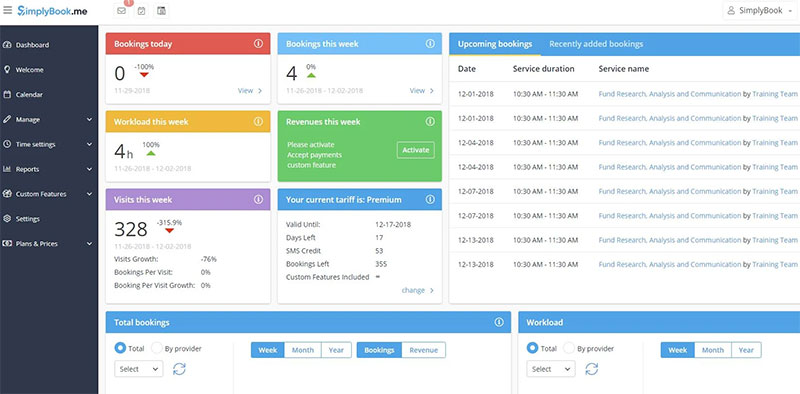
Verdict: SimplyBook.me is an appointment booking system for service businesses that need layered features, classes, memberships, packages, and the broadest payment-processor support. It's best when your booking flow is complex.
Best for: Salons, spas, clinics, tattoo artists, and fitness studios juggling classes, packages, and multiple locations.
Standout capability: The widest range of payment processors of any tool here, plus deep operational controls.
Key features: branded booking pages, class and membership sales, multi-location management, deposit collection, recurring appointment support.
Pricing: Free plan (50 bookings/mo); Basic around $9.90/mo, Standard about $24.90/mo, Premium roughly $59.9/mo, custom Enterprise. Verified May 2026.
Pros: huge feature set, forever-free tier, scales from solo to multi-location without changing accounts.
Cons: the interface feels dated, booking limits on lower tiers, and the add-on model gets fiddly.
Our experience (July 2026): we set up the free plan with one provider, switched on a couple of modules, and configured a recurring class booking, which it handled better than most tools here. Its handling of repeat and recurring appointments is a genuine strength for class-based businesses. The friction is the module system itself: you toggle each capability on individually, and it took real time to work out which combination produced a finished booking page. The free tier's caps (50 bookings a month, one provider, one custom feature) escalate faster than most, and the admin does look dated next to Acuity or Trafft. Reviews of SimplyBook.me praise the depth while admitting the same about the UI.
Why it's on this list: for consumer-facing brands where the booking page is part of the experience, that dated look is a quiet cost most feature-count comparisons ignore.
Zoho Bookings - Best for teams already inside the Zoho suite
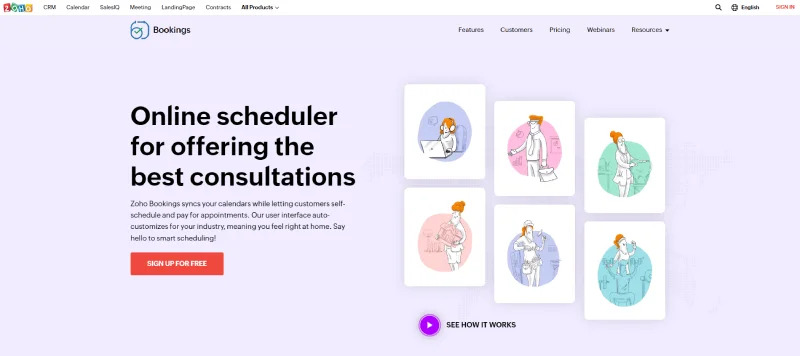
Verdict: Zoho Bookings is a scheduling tool built to plug straight into Zoho CRM, Mail, and the rest of the suite. It's best for businesses already running Zoho that want booking data to flow into existing workflows.
Best for: Existing Zoho users who want scheduling native to their stack.
Standout capability: Deep native Zoho integration, booking events can trigger CRM updates and workflows automatically.
Key features: two-way calendar sync (Google, Microsoft 365, Zoho Calendar), email/SMS/WhatsApp notifications, payment collection, team and multi-service scheduling.
Pricing: Free tier; paid plans from about $5/user/mo. Verified 2026.
Pros: low per-user cost, real-time conflict checking, WhatsApp notifications, strong for teams standardized on Zoho.
Cons: much less compelling outside the Zoho ecosystem, and standalone polish lags dedicated schedulers.
Our experience (July 2026): we set up the free single-staff plan, claimed a personalized booking URL, and connected both Google Calendar and Zoho CRM. The CRM tie-in is the whole argument for this tool, a booking updated the contact record without any manual step or Zapier bridge. Real-time conflict checking worked cleanly across both calendars. Two weak spots: the mobile app felt stripped down next to the web dashboard, missing controls we'd just used on desktop, and stood on its own outside Zoho the product is noticeably less polished than a dedicated scheduler at the same price.
Why it's on this list: it's an ecosystem play, not a best-in-class scheduler. If Zoho isn't your CRM, skip it. That framing rarely shows up on ranking pages.
Cal.diy / Cal.com - Best for developers and teams that want to self-host
Verdict: Cal.com is the managed scheduling platform; Cal.diy is the MIT-licensed community edition left after Cal.com moved its production code private in April 2026. Together they're the best route for developers and privacy-minded teams that want unlimited event types, API depth, and the option to keep booking data in-house.
Best for: Developers, technical teams, and businesses that need data ownership or custom scheduling logic.
Standout capability: A self-hostable MIT-licensed edition with no per-user pricing, plus a strong API surface on the managed product.
Key features: unlimited event types, calendar sync, team routing, API and webhooks, white-labeling.
Pricing: Cal.diy is free to self-host under MIT; managed Cal.com Teams plans from about $15/user/mo. Verified 2026.
Pros: no per-seat cost when self-hosted, transparent community codebase, strong API, active development.
Cons: self-hosting needs real technical skill, and the community edition is positioned for personal, non-production use with Teams, Organizations, SSO, Workflows, and Insights absent from it. Since April 2026 the production codebase is closed, so "open source Cal.com" no longer means what older roundups say it does.
Our experience (July 2026): on the free managed tier we created several event types, connected Stripe, and took a test payment, all of which worked with no paywall in the way. Routing forms captured lead answers on the free plan too. Setup took longer than the plug-and-play tools; a few calendar and workflow settings assume more comfort with configuration than a non-technical owner would have. We also read through the Cal.diy positioning before recommending it, and the honest read is that "can self-host it" and "should run it in production" are two different questions.
Why it's on this list: it's the only entry where self-hosting is a genuine option. For regulated or privacy-sensitive teams that changes the buying calculus, as long as you go in knowing the licensing shifted in 2026.
Chili Piper - Best for B2B sales teams routing inbound leads
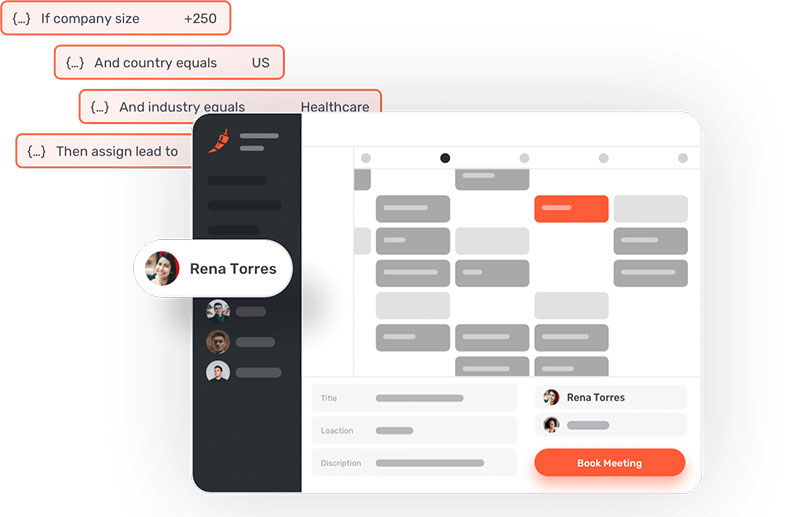
Verdict: Chili Piper is inbound scheduling plus lead routing for B2B revenue teams. It's best when a web-form fill needs instant qualification, routing, and meeting booking before the prospect leaves the page, not for appointment businesses.
Best for: B2B sales and revenue ops teams with real inbound volume and SDR capacity.
Standout capability: Form-to-meeting booking that qualifies and routes leads to the right rep in seconds.
Key features: instant inbound booking, Salesforce record routing, SDR-to-AE handoff, round-robin assignment, funnel analytics.
Pricing: No self-serve free trial; ChiliCal scheduling from about $15/user/mo, full Concierge + Distro routing from $30/user/mo each plus $150 to $1,000/mo platform fees. Enterprise starts around $15K/year. Verified April 2026.
Pros: category leader for inbound routing, deep Salesforce logic, measurable conversion lift.
Cons: confusing modular pricing, heavy admin dependency, and real cost climbs fast with lead volume.
Our experience (July 2026): this is the one tool here with no self-serve trial, so our assessment comes from its demo, documentation, and published data rather than an account we ran. In the demo, the form-to-meeting flow is the genuine differentiator, a submitted form qualified and routed to a rep with a booked slot before the prospect left the page, which no link-based scheduler attempts. The company reports a 66.7% form-to-meeting rate against a 30% industry average across roughly 4 million submissions. What we couldn't verify hands-on is the admin burden, though reviews of Chili Piper consistently flag "expensive with unexpected fees" as the top complaint.
Why it's on this list: the $15 headline is scheduling only. Most teams run Concierge + Distro and land near $950/mo for ten seats, a gap between sticker and reality most pages don't spell out.
Quick pick by situation
One table, not two. Find the row that describes you, then compare only inside it.
| If You Are... | Start With | Why |
|---|---|---|
| A solo service provider | Trafft·Setmore | Payments and reminders without enterprise cost |
| A multi-staff shop or studio | SimplyBook.me·Acuity | Per-provider calendars and shared rosters |
| Running an in-person shop on Square | Square Appointments | Booking and checkout in one ledger |
| Running on WordPress | Amelia | Own your booking data, one-time license |
| A B2B team that just needs meetings | Calendly | Shareable links, deep CRM integrations |
| A B2B team routing real inbound volume | Chili Piper | Form-to-meeting qualification and rep routing |
| Already standardized on Zoho | Zoho Bookings | Bookings feed the CRM with no bridge |
| Technical, and you need data in-house | Cal.diy / Cal.com | Self-hostable MIT edition, no per-seat cost |
Match the tool to your actual booking motion. A salon and a sales team need different software, and the biggest mistake is picking a meeting scheduler for a payments-and-staff business (or the reverse).
What is business scheduling software and how does it work
Business scheduling software lets clients self-book a service or meeting against a provider's real-time availability, then confirms and syncs it automatically.
It replaces phone tag and email threads with a booking page that runs day and night.
The category is big and growing. Market Research Future values the appointment scheduling software market at $14.33 billion in 2024, projected to reach $46.96 billion by 2035.
Demand tracks a clear behavior shift. SchedulingKit reports 82% of consumers now prefer booking online over calling.
Appointment scheduling vs staff shift scheduling
These two get confused constantly, and they solve different problems.
Appointment booking: client-facing self-booking (Trafft, Calendly, Acuity Scheduling).
Shift scheduling: internal staff rota and time tracking (a separate tool class entirely).
Picking a meeting scheduler to run a staff floor, or the reverse, is the most common buying mistake. Match the tool to whether the calendar faces customers or employees.
Hosted tools vs self-hosted and WordPress plugins
Where the software lives changes who owns the data.
Hosted SaaS like Calendly and Zoho Bookings runs on the vendor's servers. Amelia installs as a WordPress booking plugin on your own site, and the Cal.diy community edition can be self-hosted outright.
The core loop is the same across all three: client picks a slot, the system checks calendar conflicts, syncs to Google Calendar or Outlook, and fires a confirmation. If you want the mechanics in plain terms, this breakdown of how a booking system actually works covers the full flow.
Core features that matter in a scheduling tool
Not every feature earns its keep. A handful do the heavy lifting, and they're the ones to compare across tools.
| Feature | What It Does | Found In |
|---|---|---|
| Calendar sync | Two-way conflict blocking | Google Calendar·Outlook |
| Automated reminders | Cuts no-shows via SMS/email | Most tools |
| Payment integration | Deposits at booking | Stripe·PayPal·Square |
| Staff scheduling | Multi-provider calendars | SimplyBook.me·Acuity |
The reminder channel matters: Bookeo reports 60% of clients prefer text notifications over email.
Beyond the basics, look for deposit collection, buffer times, recurring appointments, custom intake forms, and integrations with Zoom, Zapier, and WhatsApp. A dedicated automated appointment reminder tool is the feature most owners underestimate until they see the attendance numbers move.
How to choose the right scheduling software for your business type
The table above tells you where to start. This section covers the three judgment calls that decide whether that starting point actually holds once you're set up.
Solo providers vs multi-staff teams
A one-person operation and a five-chair shop need different things, and the switch usually happens sooner than owners expect.
Solo: reminders and payments on the cheapest tier, fast setup, clean mobile booking page.
Multi-staff: per-provider calendars, role permissions, and multi-location support.
The trap is per-seat pricing. A tool that looks cheap at $5/user costs $25 the moment a five-person team is on it, while a flat-rate or one-time-license tool doesn't move. Solo operators comparing lean options should weigh the trade-offs covered in this guide to booking systems built for small businesses before paying for seats they won't use.
Service businesses vs sales teams
Salons, clinics, and studios sell time slots and collect payment, so salon and service scheduling software prioritizes deposits, staff rosters, and intake forms.
Sales teams want the opposite: booking links, calendar routing, and CRM sync, not a payments page.
The distinction runs deeper than features. A service business needs the client to commit money before the slot is held; a sales team needs the prospect to commit as little as possible so the meeting actually gets booked. Tools built for one direction feel wrong in the other. OnceHub found 61% of customers prefer to cancel or reschedule online rather than by phone, which matters more for consumer service brands than for B2B.
When compliance changes the shortlist
Regulated fields cut the list fast. Healthcare providers need HIPAA support, and EU-facing businesses need GDPR-compliant data handling.
Acuity offers a signed BAA on its Premium tier, one of few medical scheduling software options that do. Confirm the vendor will actually sign that BAA before any patient data goes near the system, and treat "HIPAA-ready" marketing language as a claim to verify rather than a guarantee.
Businesses that process card payments should also consider payment security requirements alongside healthcare and privacy regulations. While booking platforms typically rely on providers such as Stripe, Square, or PayPal for payment processing, organizations with stricter security policies may also need to verify whether their payment workflows support the requirements of a PCI DSS audit.
How much business scheduling software costs
Pricing spreads from free to five figures a year, and the sticker rarely equals the real bill.
| Pricing Model | Example | Typical Entry |
|---|---|---|
| Free tier | Setmore·Square solo | $0 |
| Per-user monthly | Calendly·Zoho Bookings | ~$5–$10/user |
| Flat monthly | Acuity·SimplyBook.me | $9.90–$16 |
| One-time license | Amelia | $49/yr |
Watch the hidden costs: SMS credits, integration gating, per-seat scaling, and payment-processor cuts.
Chili Piper shows the gap plainly. Its scheduling headline reads about $15/user, but running Concierge plus Distro pushes a ten-seat team near $950/mo once platform fees stack.
Free plans genuinely work for low-volume solos. Comparing the limits across free online booking systems is the cheapest way to test whether paid features are worth it yet.
How scheduling software cuts no-shows and admin time
The payoff shows up in two places: fewer empty slots and fewer hours lost to booking admin.
Capterra reports 70% of businesses using scheduling software see fewer no-shows. Bookeo puts the typical drop from automated reminders at 20% to 30%.
No-show recovery: a Harvard Business Review study found deposits and incentives reduced no-show rates by 23%.
Time saved: Heallist reports online booking saves businesses over 8 hours a week versus manual scheduling.
Captured revenue: 40% of bookings happen outside business hours, and 24/7 self-booking drives up to 37% more appointments.
One concrete result: Complete Health Partners hit a 1% no-show rate by moving to 95% online self-scheduling, freeing more than 33 staff hours a week (Schedly).
The admin win compounds. Removing manual booking is a straightforward piece of small business automation that pays back faster than most software a service business buys.
Beyond saving time, modern scheduling platforms also improve customer engagement by making it easier for clients to book, reschedule, receive reminders, and stay connected with the business throughout the entire appointment journey.
FAQ About Business Scheduling Software
What is Trafft used for?
Trafft is a hosted appointment booking system for service businesses. It generates a booking page in minutes, handles staff scheduling, automated reminders, and Stripe or PayPal payments, making it a strong fit for solos and small teams.
What is Amelia and how does it work?
Amelia is a WordPress booking plugin that runs appointments and events inside your own site. It offers a multi-step booking wizard, calendar sync, Zoom integration, and a one-time license option instead of a monthly fee.
What is business scheduling software?
It's a tool that lets clients self-book services or meetings against real-time availability. The system checks calendar conflicts, confirms the slot, syncs to Google Calendar or Outlook, and sends reminders, replacing phone tag and manual entry.
How does an online booking system work?
A client picks a service and open slot on your booking page. The software blocks the time, collects payment or a deposit if required, adds it to every synced calendar, and fires confirmation and reminder messages automatically.
Is there free business scheduling software?
Yes. Setmore offers a free plan up to 200 appointments monthly, Square Appointments is free for solo providers, and Calendly's free tier covers one event type. Free plans usually limit staff, integrations, or payment features.
Does scheduling software reduce no-shows?
It does, measurably. Capterra reports 70% of businesses using scheduling software see fewer no-shows, driven by automated reminders and required deposits that create commitment before the client leaves the booking page.
Can scheduling software take payments and deposits?
Most tools do. Acuity Scheduling, Square Appointments, and SimplyBook.me collect full payment or a deposit at booking through Stripe, PayPal, or Square, which is the single feature most tied to no-show reduction.
Does it sync with Google Calendar and Zoom?
Yes. Nearly every option offers two-way calendar sync with Google Calendar and Outlook, plus Zoom or Google Meet links in confirmations. Trafft and Zoho Bookings also connect through Zapier for wider automation.
Is Cal.com still open source?
Not fully. Cal.com moved its production code private in April 2026. The open source edition now lives on as Cal.diy under the MIT license, positioned for personal, non-production use, so Teams, Organizations, and SSO aren't included in it.
Which scheduling tool is best for small businesses?
It depends on how you get paid. Solo service providers lean toward Trafft, Acuity, or Square, while WordPress-run businesses prefer Amelia. Budget-first teams often start on Setmore or Zoho Bookings.
How do I set up an online booking system?
Pick a tool, add your services and staff availability, connect a calendar and payment processor, then publish the booking page or embed it. Most setups take under an hour. This setup walkthrough covers each step.
Conclusion
The right business scheduling software pays for itself in recovered slots and reclaimed hours, whether you run a barbershop, a clinic, or a sales desk.
Trafft and Amelia lead for flexibility and ownership.
Beyond them, the pick comes down to fit: Acuity Scheduling for deposit collection, Square Appointments for in-person checkout, Cal.com for self-hosting, Chili Piper for inbound lead routing.
Weigh the features that move the needle, calendar sync, recurring appointments, multi-location support, and honest pricing before you commit.
Start with a free trial. Test the booking page on mobile, fire a few reminders, and watch how a real client would move through it.
Then choose the tool that quietly runs the front desk for you.