Your scheduling tool is doing one of two things right now. It's helping you close deals, or it's quietly losing them for you.
That's the lens to put on Calendly versus Chili Piper, because the real split isn't about features. It's about which problem you're actually trying to fix. Are you just trying to stop the email tag over meeting times? Or are you trying to catch hot inbound leads before they cool off and book somewhere else? Those can look like the same problem from a distance. Up close, they're nothing alike.
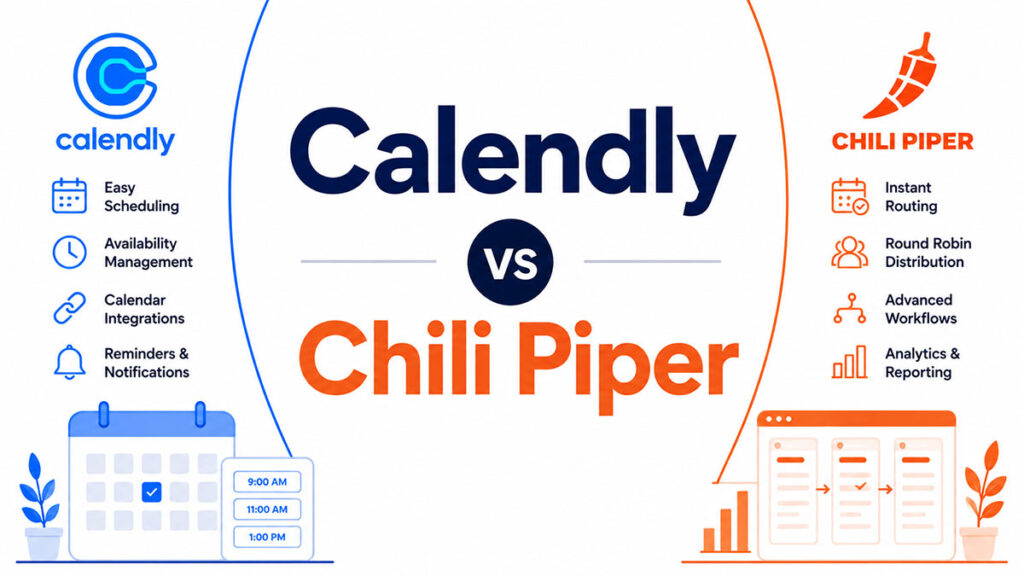
Calendly built its whole thing around being simple and getting everywhere. Chili Piper went a completely different direction, aiming squarely at B2B revenue teams that need inbound leads routed to the right rep, meetings booked on the spot, and Salesforce hooked in deep.
What's below digs into where each one fits, what it costs, how far the CRM connection really goes, how fast it gets a lead in front of someone, and which kind of team it suits. Enough to make the call without hedging.
What Is Calendly?
Calendly is the self-serve scheduling tool you've almost certainly been sent a link to. You share your URL, the other person sees your live availability, they grab a slot. Done.
Tope Awotona started it in Atlanta back in 2013, and the whole point was killing the back-and-forth email loop with a single shareable link. Funny enough, its first real traction came from teachers, one link sent out to a whole roster of parents booking conference times. That use case quietly hard-wired the architecture it still runs on today: one sender, many receivers.
The growth has been steep. Sacra puts Calendly at around $270 million in ARR by the end of 2023, up roughly 46% on the year before, and it held a 21.45% slice of the scheduling-tool market as of 2022 (SignHouse, 2024).
Who's it for? Pretty much everyone, which is sort of the point. Freelancers, recruiters, consultants, the small sales team that just needs links that work. What it was never built for is inbound lead routing or the heavier revenue-operations machinery. That's not its job, and it doesn't pretend otherwise.
Core Architecture
Calendly operates on a pull model. The prospect decides when to book.
- Shareable booking links with live calendar availability
- One-on-one, group, collective, and round-robin event types
- Automated timezone detection and buffer time controls
- Integrations with Google Calendar, Microsoft Outlook, Zoom, and Slack
Calendly earned a 4.7 out of 5 on G2 across over 2,600 verified reviews (G2, 2026), making it one of the highest-rated scheduling tools by review volume.
Pricing Structure
Free plan: 1 event type, unlimited one-on-one meetings.
Standard: $10/seat/month. Adds unlimited event types, multiple calendar integrations, and group events.
Teams: $16/seat/month. Adds round-robin routing, collective scheduling, and team-level reporting.
Enterprise: $15,000/year minimum. Adds SSO, SAML, Salesforce and Microsoft Dynamics integration, audit logs, and domain control.
What Is Chili Piper?
Chili Piper is an inbound lead conversion platform that qualifies, routes, and books meetings from web form submissions in real time, without manual follow-up.
Founded in 2016 by Nicolas Vandenberghe and Alina Vandenberghe in New York, it was built specifically for B2B revenue teams. The platform converts a form submission directly into a booked meeting on the right rep's calendar before the prospect leaves the page.
Chili Piper reached $43 million in ARR as of 2025, serving 13,300 companies, with 141% net revenue retention reported by the company (Founderpath, 2024).
Its buyers are demand generation managers, revenue operations teams, and sales development leaders. It is not a general scheduling tool and is not designed for individual use.
Product Suite
Chili Piper is sold as a set of separate products, each targeting a specific stage of the revenue workflow.
- Concierge (Form Routing): Qualifies and routes inbound leads the moment a web form is submitted, then books the meeting on the spot.
- Distro (Lead Distribution): Handles territory-based, account-owner, and round-robin lead assignment across the sales org.
- Handoff: Manages SDR-to-AE and AE-to-CSM meeting transfers without manual coordination.
- Instant Booker: Lets reps book on behalf of the prospect directly inside Salesforce, Gmail, or Salesloft.
Pricing Structure
No free plan. No self-serve signup at the platform level.
ChiliCal Teams: Starts at $15/user/month plus a $225/month platform fee.
Concierge and Distro: Custom pricing. Concierge platform fees range from $150 to $1,000/month based on total form submission volume. Mid-market teams typically spend $1,000 or more per month for the full platform.
Onboarding and configuration costs are not included in list pricing and add to total cost of ownership for most buyers.
How Do Calendly and Chili Piper Differ in Core Use Case?
Calendly solves scheduling friction. Chili Piper solves lead response speed. They are not competing for the same problem.
The distinction matters because buying the wrong tool based on feature overlap is a common mistake. A company choosing between them based on round-robin scheduling alone will miss the actual difference: one tool waits for the prospect to act, the other acts the moment the prospect submits a form.
The Pull vs. Push Distinction
With Calendly, you send a link and then you wait. The prospect opens it whenever they get around to it, picks a time, books. The whole thing runs on their schedule, which might mean hours later. Might mean days.
That lag is the problem, and the numbers on it are brutal. Reach out inside the first 5 minutes and you're 21 times more likely to qualify a lead than if you wait a mere half hour, per research Amplemarket cited in 2024. Now sit with the reality: the average B2B response time is still 42 hours (HubSpot). Forty-two. By then the prospect has moved on, maybe to you, probably to whoever answered first.
Chili Piper's whole pitch is erasing that wait. A prospect fills out a demo request, and Concierge goes to work immediately: it checks them against your ICP rules, figures out which rep should own them, and throws that rep's live calendar onto the confirmation page so they can book before the tab ever closes.
Who Each Tool Actually Serves
Calendly is for the people who face outward. Sales reps, recruiters, consultants, customer success managers, anyone whose day involves handing their availability to someone outside the building.
Chili Piper is a different animal, and it really serves revenue operations more than any individual. You need a RevOps engineer or a sales ops person to set up the routing logic, keep the Salesforce field mappings clean, and babysit the territory rules. No one in that seat? Then this thing is genuinely hard to stand up and keep running. That's not a knock, it's just the cost of what it does.
Calendly's CEO Tope Awotona has said roughly 25% of a typical company's headcount sits in those outward-facing roles Calendly is chasing (SaaStr, 2025). Chili Piper aims at a much tighter target: teams drowning in inbound demand who've already got an ops layer to feed it.
How Do Calendly and Chili Piper Compare on Scheduling Features?
Both tools handle round-robin scheduling, calendar sync, and automated reminders. The overlap stops there.
Calendly's scheduling features are designed for flexibility across use cases. Chili Piper's are designed for one specific outcome: getting a qualified lead in front of the right rep as fast as possible.
Round-Robin Routing
Chili Piper's round-robin is tied directly to rep availability, capacity weighting, and territory rules pulled from Salesforce field data.
Calendly Teams supports round-robin across a pool of reps based on calendar availability. It does not apply CRM field logic to determine which rep receives the lead.
Chili Piper Distro accounts for rep vacations, off-hours, SLA rules, and account ownership. A lead from a known Salesforce account routes to the account owner automatically, not to the next rep in the queue.
Embedded Booking vs. Shareable Links
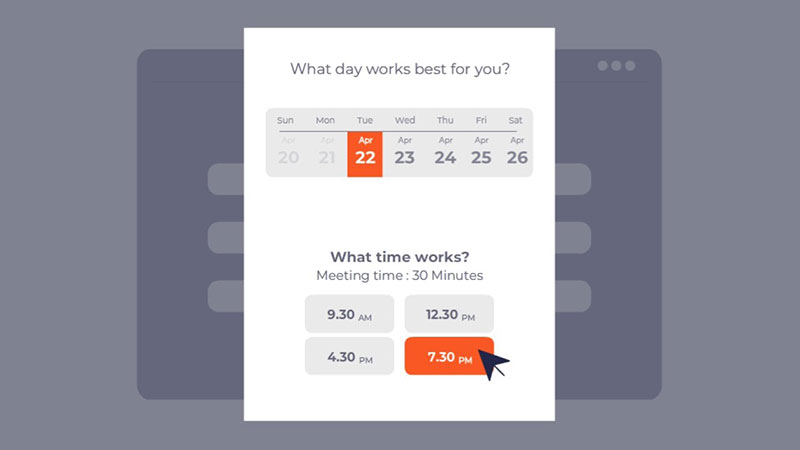
By default, Calendly works one way: a person sends a link to another person. Someone has to actually share it before anything can happen. That human step is baked in.
And that step costs you. Letting customers book the second they submit a form roughly doubles inbound conversion, from 30% up to 66.7% on average, per Chili Piper's 2024 Benchmark Report, which chewed through 2.9 million form submissions to land on that figure.
Here's the kicker, though. Only 8% of top B2B SaaS companies actually have form-to-meeting booking live on their site (Chili Piper, 2025). That tiny number is the exact gap Chili Piper exists to fill. Yes, Calendly can drop a booking widget onto a landing page, but it won't run any qualification logic or CRM routing while the prospect books. It just takes the meeting and stops there.
How Do Calendly and Chili Piper Integrate with CRMs and Sales Tools?
This is where the tools split most clearly. Both connect to Salesforce and HubSpot. The depth of that connection is not comparable.
| Integration Type | Calendly | Chili Piper |
|---|---|---|
| Salesforce sync direction | Event-based, one-way write | Bi-directional, record-level |
| Routing from CRM data | No | Yes (territory, account owner, deal stage) |
| HubSpot sync | Meeting events, contact creation | Full property sync, meeting lifecycle tracking |
| Salesforce required | No | Required for some instant-booking features |
| Native connectors | 100+ via Zapier and direct APIs | Salesforce, HubSpot, Salesloft, Outreach, Gmail |
Salesforce Integration Depth
Calendly's Salesforce behavior is tidy but shallow. When a booking lands, it writes the meeting event in, spins up a contact if there isn't one already, and logs the activity. On most plan tiers, that's the whole story. Booking happened, Salesforce knows, end of scene.
Chili Piper reads Salesforce before anyone books. That's the real difference. It looks up who owns the account, which territory the lead falls into, what the lead fields say, and uses all of that to decide where the prospect should go. Then once the meeting's done, it loops back to write the activity, hand off lead ownership, and trip any Salesforce workflow rules you've got waiting.
If you're running territory-based or account-based selling, that one capability basically is the case for Chili Piper. Calendly can't match it out of the box. You'd be stitching together a custom Zapier or API workaround to even get close, and at that point you're maintaining a second project.
HubSpot Integration Depth
Over on HubSpot, Calendly logs meetings as engagements and creates or updates the contact when someone books. It nails the fundamentals, and for most small and mid-size teams living in HubSpot, that's plenty.
Chili Piper goes a lot further. Its HubSpot connection syncs property data both ways and follows the whole arc of a meeting, from the form submission through the qualification call, the routing result, the booking, whether the meeting actually happened, and how it went. All of that flows back into HubSpot so your pipeline reporting reflects reality instead of guesswork.
You can see the split in who picks what. Atlassian leaned on Calendly to smooth out scheduling friction between teams (Calendly, 2023). Segment went with Chili Piper Concierge instead, automating its form-to-meeting routing for inbound demand, and that only works because of the deeper CRM read that Calendly simply doesn't do natively.
How Do Calendly and Chili Piper Compare on Pricing?
The price gap between these two tools is significant, and it reflects the difference in buyer profile more than feature count.
Calendly is accessible at every budget level. Chili Piper is priced for companies with a revenue operations function and a high enough inbound volume to justify the cost.
Side-by-Side Cost Comparison
| Plan Tier | Calendly | Chili Piper |
|---|---|---|
| Free | Yes, 1 event type | No |
| Entry paid | $10/seat/month | $15/user/month + platform fee from $150/month |
| Mid-market | $16/seat/month (Teams) | Custom, typically $1,000+/month |
| Enterprise | $15,000/year minimum | Custom |
A 10-person sales team on Calendly Teams pays roughly $1,920 per year. The same team on Chili Piper's mid-market plan could pay $12,000 to $20,000 or more annually, before implementation costs.
Chili Piper's onboarding involves configuring Salesforce field mappings, building routing rules, and setting up territory logic. That setup work is not always covered in the base subscription and can add days of RevOps time or external consultant fees.
When the Price Difference Is Worth It
The ROI case for Chili Piper rests on inbound conversion volume. If a team processes 500+ qualified form submissions per month, shaving lead response time from 24 hours to under 5 minutes directly impacts pipeline.
Companies investing in lead response automation see 20 to 30% increases in qualified opportunities within 6 months (Gartner, cited in GreetNow, 2025). At a $5,000 average deal value and 500 monthly leads, that improvement can justify Chili Piper's cost inside a single quarter.
For teams with fewer than 100 inbound demo requests per month, Calendly's Teams plan covers the routing and scheduling need at a fraction of the price.
How Do Calendly and Chili Piper Perform on Lead Response Speed?
Lead response speed is the core metric that separates the two tools in sales contexts. Calendly does not address it. Chili Piper was built around it.
The data on lead response time is consistent across multiple sources. Responding within 1 minute increases conversions by 391% compared to responding after 2 minutes (Velocify, cited in GreetNow, 2025). Responding after 5 minutes drops lead qualification odds by 80%.
The Response Time Gap in Practice
Walk through what a Calendly inbound flow actually looks like. The prospect fills out a demo form. The rep gets an email about it, eventually opens it, then sends back a Calendly link. The prospect, on their own time, clicks it and books. Add all those handoffs up and most SDR teams are looking at 24 to 48 hours before a meeting is even on the calendar.
And the wider data says that's not unusual. Average B2B response time sits at 42 hours (HubSpot). Worse, a 2024 RevenueHero study of 1,000-plus companies found more than 63% never responded to inbound leads at all. Only 17% answered right away. Read that again, because it means most of your competitors are leaving the door wide open. The team that just shows up fast wins more than it has any right to.
Chili Piper removes every manual step from that sequence. The prospect submits the form, qualification rules run in real time, and the right rep's calendar appears on the confirmation page. The booking happens before the prospect closes the tab.
Measured Outcomes from Chili Piper Users
One Chili Piper customer reported a 50% lift in inbound meetings booked immediately after implementation, and eventually reached 5x as many meetings with half the original sales team size (Chili Piper customer testimonial, 2024).
Chili Piper's own benchmark data from 2024, analyzing 2,948,575 form submissions, shows that allowing immediate post-form booking raises conversion rates from 30% to 66.7% on average.
Calendly does not publish equivalent inbound conversion data because that metric is not the problem it was designed to solve. Its Forrester TEI study shows a 318% ROI across its full customer base (Calendly, 2023), but that figure covers time saved across all scheduling use cases, not specifically inbound lead conversion speed.
How Do Calendly and Chili Piper Handle Team Collaboration and Admin Controls?
Both tools let admins manage users and standardize scheduling across a team. Where they differ is in how deep that control goes and what triggers it.
Calendly's admin layer is built for org-wide consistency. Chili Piper's is built for routing governance, which is a different problem entirely.
| Capability | Calendly Teams/Enterprise | Chili Piper |
|---|---|---|
| Role-based access | Yes, including group admins | Yes, with rep-level routing overrides |
| SSO / SCIM | Enterprise plan only | Yes, standard |
| Routing rule management | Basic round-robin | Territory, account owner, SLA-based |
| Admin audit logs | Enterprise plan | Included with routing products |
| No-show handling | Reminder automations | Automatic rule-based re-routing |
Admin Permissions and Controls
Calendly Enterprise gives admins SAML SSO, SCIM provisioning via Okta, OneLogin, and Microsoft Azure, role-based access controls, and full activity logs.
Admins can create Managed Events, which are lockable event templates assigned across the team to keep booking pages consistent. Group admins handle day-to-day user management without pulling in IT.
Calendly is SOC 2 Type 2 and ISO/IEC 27001 certified, which matters for financial services teams and regulated industries (Calendly, 2024).
Lead Routing Rules at Scale
G2 reviewers describe needing "hours each week" of admin time to keep Chili Piper's routing rules accurate as territories shift and reps join or leave (Docket, 2026).
That is not a criticism of the product. It is a description of the problem it solves. Complex territory-based routing with custom Salesforce fields, account ownership logic, and SLA enforcement requires active maintenance. Chili Piper does that work. Calendly does not attempt it.
Shopify replaced a combination of Calendly and YouCanBook.me with Chili Piper because the fragmented toolset created an inconsistent scheduling experience across their sales org (Chili Piper, 2024). The move was driven by the need for routing adaptability, not just cleaner booking pages.
What Are the Reported Weaknesses of Each Tool?
No tool covers everything. The weaknesses of both Calendly and Chili Piper are well-documented across G2, Capterra, and verified user reviews, and they follow a predictable pattern.
Where Calendly Falls Short
Inbound routing logic: Calendly cannot read CRM field data to determine which rep receives a lead. That gap requires a custom Zapier workflow or manual SDR intervention.
No-show handling: Automated rescheduling reminders and no-show re-routing are limited on lower tiers. Chili Piper handles this natively through rule-based re-assignment.
Two more limitations users consistently flag:
- Calendar sync issues, particularly with Zoho Calendar and some Office 365 configurations (GetApp, 2024)
- Per-seat pricing that scales aggressively for teams above 25 users, making the Teams plan expensive without enterprise volume discounts
Where Chili Piper Falls Short
Chili Piper earns a 4.6 out of 5 on G2 across 736 reviews. The support score sits at 9.4 (G2, 2026). But the complaints are consistent.
Setup complexity: routing and queue management UI can feel complex, with repetitive configuration steps and no clear save-state indicator, which makes troubleshooting human errors time-consuming (Docket, 2026).
Three other reported issues:
- Annual contracts auto-renew and are hard to cancel mid-term
- Occasional Zoom link failures when an SDR routes a meeting to an AE (Software Advice, 2024)
- No qualification or nurture layer included; the platform books meetings but does not score or sequence leads
Chili Piper assumes you have a RevOps engineer or dedicated sales ops professional to own routing rule maintenance. That is not a small assumption. Teams without that internal function will find the platform difficult to keep accurate as their org scales.
Which Teams Should Use Calendly and Which Should Use Chili Piper?
The right answer depends on inbound volume, CRM dependency, team size, and whether you have a RevOps function. These are not comparable on features alone.
About 80% of B2B teams fit Calendly's use case, according to analysis from Prospeo (2026). Chili Piper's sweet spot is the remaining slice: enterprise revenue orgs with high inbound volume, Salesforce as their system of record, and someone whose job it is to maintain routing rules.
When Calendly Is the Better Choice
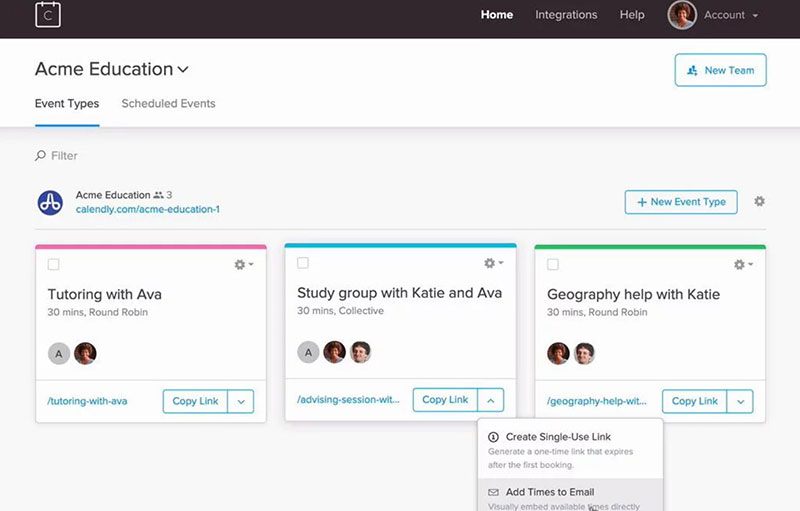
Calendly works well when scheduling is the bottleneck, not lead routing.
- Freelancers, consultants, and recruiters sharing booking links with external contacts
- Sales teams under 50 reps without a dedicated RevOps function
- Teams on HubSpot or Pipedrive where deep Salesforce routing is not relevant
- Organizations needing a scheduling tool across multiple departments (CS, recruiting, finance, sales) from one platform
- Budgets under $2,000/year for the full team
Calendly's product-led growth model means individuals can adopt it without IT approval, and enterprise expansion follows organically. Samsara saved 600 hours annually by using Calendly's Prelude integration for structured interview scheduling (Contrary Research, 2024). That kind of use case, structured internal workflow, is where Calendly's breadth wins.
When Chili Piper Is the Better Choice
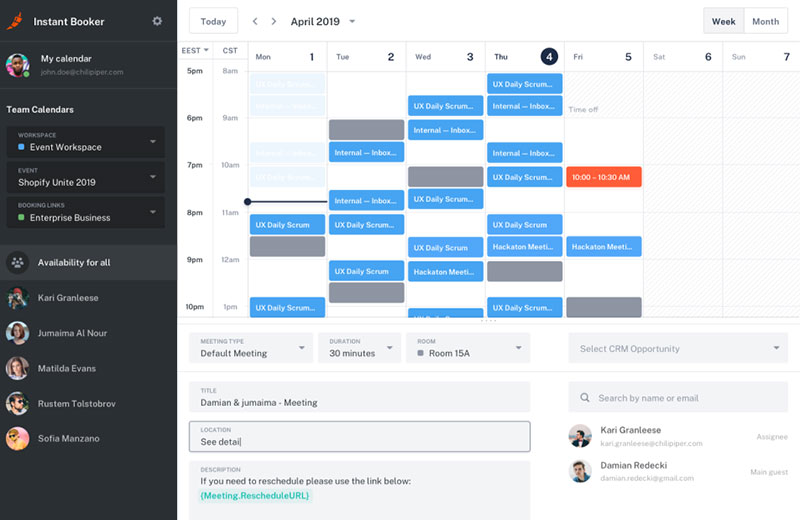
Chili Piper justifies its cost under specific conditions. Miss one, and the ROI calculation breaks down.
The 3 conditions that make Chili Piper the right call:
High inbound volume: Processing 500 or more qualified form submissions per month. Below that, the per-meeting cost of the platform rarely pays off.
Salesforce as the source of truth: Territory-based and account-based routing requires reading live Salesforce field data. Without Salesforce, Chili Piper's core routing advantage does not activate.
Dedicated RevOps capacity: Someone needs to own routing rule maintenance as territories shift, reps join or leave, and ICP definitions evolve. G2 reviewers consistently flag this as a prerequisite, not an afterthought (Docket, 2026).
Shopify, Twilio, Spotify, Intuit, Airbnb, and Gong all run Chili Piper (CheckThat, 2024). Those are not small teams making ad-hoc scheduling decisions. They are organizations with structured inbound motions, Salesforce-anchored pipelines, and ops teams built to support revenue infrastructure.
If that description fits your org, reading verified Chili Piper reviews from similar companies before committing to the platform is worth the time. If it does not fit, Calendly covers the scheduling need at a fraction of the cost and complexity.
For teams that find both tools either too limited or too expensive, looking at Calendly alternatives or comparing Acuity vs Calendly can surface options better matched to mid-market scheduling and routing needs without enterprise-level overhead.
FAQ on Calendly vs Chili Piper
Is Chili Piper better than Calendly?
It depends on your use case. Chili Piper is better for B2B revenue teams that need inbound lead routing and instant form-to-meeting booking. Calendly is better for individuals, small teams, and anyone who needs straightforward self-serve scheduling without CRM complexity.
What is the main difference between Calendly and Chili Piper?
Calendly is a self-serve scheduling platform. Chili Piper is an inbound lead conversion platform. Calendly waits for the prospect to book. Chili Piper routes and books the meeting the moment a form is submitted, before the prospect leaves the page.
Does Chili Piper work without Salesforce?
Partially. ChiliCal Teams works with Google Calendar and Outlook. But Chili Piper's core strength, real-time lead routing based on territory, account ownership, and CRM field data, requires Salesforce. HubSpot is supported for some features, but Salesforce unlocks full functionality.
Is Calendly free?
Yes. Calendly offers a permanent free plan with one event type and unlimited one-on-one meetings. Paid plans start at $10 per seat per month. Chili Piper has no free plan. Its entry point starts at $15 per user per month plus a separate platform fee.
Can Calendly route inbound leads automatically?
Calendly has basic round-robin routing on its Teams plan. It does not read CRM field data to route leads by territory or account ownership. For rule-based inbound lead distribution tied to Salesforce data, Chili Piper's Distro and Concierge products are the stronger option.
How much does Chili Piper cost for a 10-person team?
A 10-person team on ChiliCal Teams pays roughly $1,800 per year in user fees, plus platform fees depending on which products are active. Adding Concierge or Distro for routing automation pushes total cost significantly higher, often exceeding $12,000 per year for mid-market configurations before implementation costs.
Which tool is easier to set up?
Calendly. Most teams are live within hours. Chili Piper's setup and configuration, particularly mapping Salesforce fields, building territory routing rules, and testing Concierge, typically takes one to four weeks and requires dedicated RevOps or sales ops involvement.
Does Chili Piper integrate with HubSpot?
Yes. Chili Piper syncs with HubSpot for meeting lifecycle tracking, contact updates, and some routing logic. The integration is less deep than its Salesforce connection. Teams running HubSpot as their primary CRM may find Calendly's HubSpot integration sufficient for most scheduling needs.
What do users complain about with Chili Piper?
The most common complaints involve setup complexity, routing UI that lacks a clear save-state indicator, annual contracts that are hard to exit mid-term, and occasional Zoom link failures when SDRs hand off meetings to account executives, based on G2 and Capterra reviews.
Which tool is right for a startup?
Calendly. Startups rarely have the inbound volume, Salesforce infrastructure, or dedicated revenue operations capacity that Chili Piper requires to justify its cost. Calendly's free and Teams plans cover demo booking, round-robin scheduling, and CRM sync at a price point that fits early-stage budgets.
Conclusion
This conclusion is for an article presenting Calendly vs Chili Piper as two tools that solve fundamentally different problems in the B2B sales scheduling workflow.
Calendly wins on simplicity, price, and broad team adoption. Chili Piper wins on inbound lead conversion speed and Salesforce-native routing depth.
Neither tool is universally better. The decision comes down to inbound demo request volume, CRM infrastructure, and whether you have a revenue operations function to maintain routing rules.
Small teams and cross-functional orgs default to Calendly. High-volume B2B demand generation teams running territory-based sales motions default to Chili Piper's Concierge and Distro products.
Pick the tool that matches the problem you actually have, not the one with the longer feature list.