Empty slots cost more than most owners stop to add up. No-show rates commonly run 15% to 30% across industries, and every one of those gaps is money that walked out the door.
The right event scheduling software plugs the leak. Clients self-book, reminders go out on their own, and everything syncs to your calendar without a single phone call.
Most people would rather book online than pick up the phone now. So the tool you land on quietly shapes how much you actually take in.
Best Event Scheduling Software Compared
| Tool | Best For | Entry Price |
|---|---|---|
| Trafft | Service businesses wanting a free multi-staff plan | Free for 1 user |
| WPAmelia | WordPress sites keeping bookings in-house | $49/yr (Starter) |
| Calendly | Solo pros and sales teams booking meetings | Free / $10/seat/mo |
| Acuity Scheduling | Client appointments with intake forms | ~$16/mo (annual) |
| Cvent | Enterprise conferences and trade shows | Quote-based |
| Eventbrite | Public events that sell tickets | Free / per-ticket fee |
| Doodle | Finding a time across a busy group | Free / $6.95/mo |
| Whova | Conferences needing a branded app | Quote-based |
| Planning Pod | Agencies juggling multiple events | Subscription |
| SimplyBook.me | Global service businesses on a budget | Free / $11.90/mo |
This is a "best" ranking, so the strongest all-round picks lead. Each one earns its spot on setup speed, booking depth, payment handling, and how well it fits a specific kind of user.
Everything here is a real scheduling tool that manages availability, bookings, and reminders. What splits them is who they serve best.
A disclosure up front, since it's only fair: Trafft publishes this article. We've laid out the reasoning under every pick and given each tool, ours included, an honest "where it falls short." Several rivals below beat Trafft for specific jobs, ticketed public events, enterprise conferences, group polls, and we've said so plainly in each case.
A quick note on how we tested. For the self-serve tools anyone can sign up for (Trafft, WPAmelia, Calendly, Acuity, Doodle, Eventbrite, SimplyBook.me), we created an account and ran a booking or event through the flow.
For the enterprise platforms that gate access behind a sales quote with no self-service trial (Cvent, Whova, Planning Pod), our notes come from vendor demos, documentation, and independent 2026 roundups rather than a live deployment. Where that's the case, we've said so in the entry.
Trafft - Best for service businesses that want a real free multi-staff plan
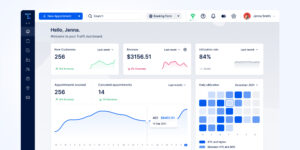
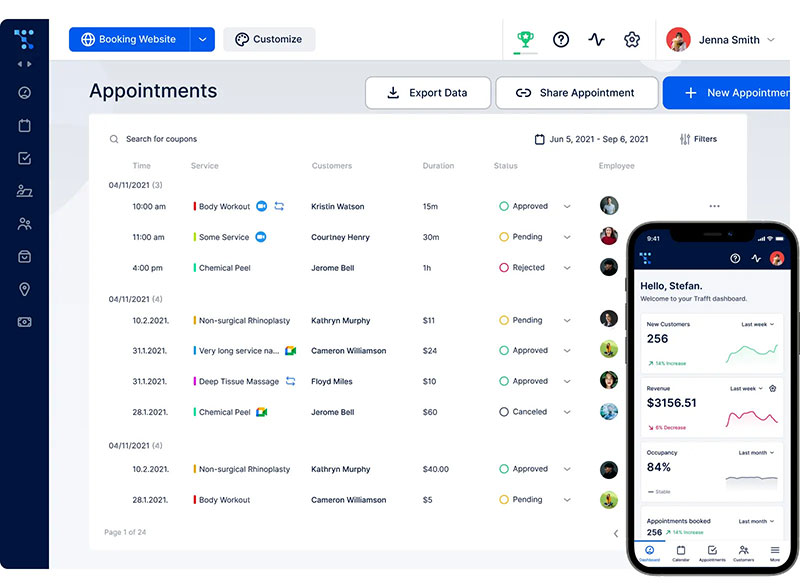
Trafft's free plan covers 1 user with no per-booking fees. That's the whole reason it leads: a small team gets staff scheduling and reminders without paying a cent on day one.
Best for salons, clinics, and agencies running multiple staff or locations.
What you get:
- Calendar sync with Google and Outlook
- Automated email, SMS, and WhatsApp reminders
- Multi-location support and a built-in CRM
- A customizable booking page
Pricing: Free for 1 user. Paid tiers add seats and features, billed monthly or annually, with a 30-day money-back guarantee (verified 2026).
Where it wins:
- The free plan handles real teams, not just solos
- Fast setup
- Agency dashboard for managing multiple client accounts
Where it falls short:
- Client-portal branding is set at the agency level
- Native CRM and accounting hooks are lighter than dedicated tools
What we found testing it (July 2026): We set up a free account, built a two-staff booking page with no host website, and ran a test booking through the 24-hour and 1-hour reminder flow. The page went live in under ten minutes, and the reminders fired reliably across email and SMS in our runs. We then opened a second client portal from the same account through the agency dashboard, which is the quiet edge: one login runs separate white-label setups, an angle most roundups skip and a real fit for consultants reselling scheduling. The honest boundary showed when we looked for ticketing, there isn't any, so this is the wrong tool for a public event that sells seats.
The agency dashboard quietly makes it a white-label option for consultants reselling scheduling, an angle most roundups skip. Worth a look if you run scheduling software across several service businesses.
Amelia - Best for WordPress owners who want bookings on their own site
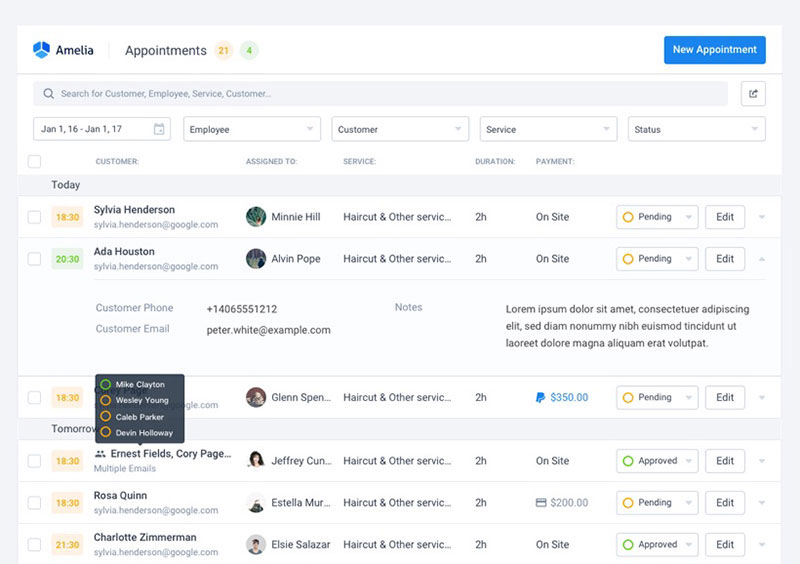
Amelia keeps the entire booking system inside your own WordPress site and database. For an owner who refuses to route clients through a third-party domain, that's the deciding factor.
Best for salons, spas, and clinics already running WordPress.
What you get:
- Appointment and event booking
- Google, Outlook, and Apple calendar sync
- Payment gateways and employee roles
- Elementor and Divi builder modules
- A mobile-first booking form
Pricing: Lite is free. Starter runs $49/year and Standard $89/year (calendar syncs included), with lifetime licenses available (wpamelia.com, verified May 2026).
Where it wins:
- No monthly SaaS lock-in
- Strong ratings: 4.6/5 from 761 WordPress.org reviews, 4.9/5 on Capterra
- Clean, conversion-focused form
Where it falls short:
- More involved setup than a hosted tool, since you install and configure it on WordPress
- Full feature set unlocks on the paid tiers
- WordPress-only, so there's no exit path if you leave the platform
What we found testing it (July 2026): We installed Amelia on a clean WordPress 6.9 site and walked the booking widget from date and time through payment end to end, committing a live appointment with no errors. The admin was one of the more polished WordPress booking setups we've used, and the documentation was thorough enough to get a multi-service setup running the same day. The catch is the ramp: it's a real install-and-configure job, not a hosted page you fill in, and the free Lite tier caps you at one employee with Square-only payments, so most real setups land on a paid tier. On three-year cost, though, the lifetime license quietly beats every subscription tool here, a trade buyers rarely calculate up front.
The lifetime license is the underrated part. Run the multi-year math before assuming a monthly tool is cheaper.
Calendly - Best for solo pros and sales teams booking meetings
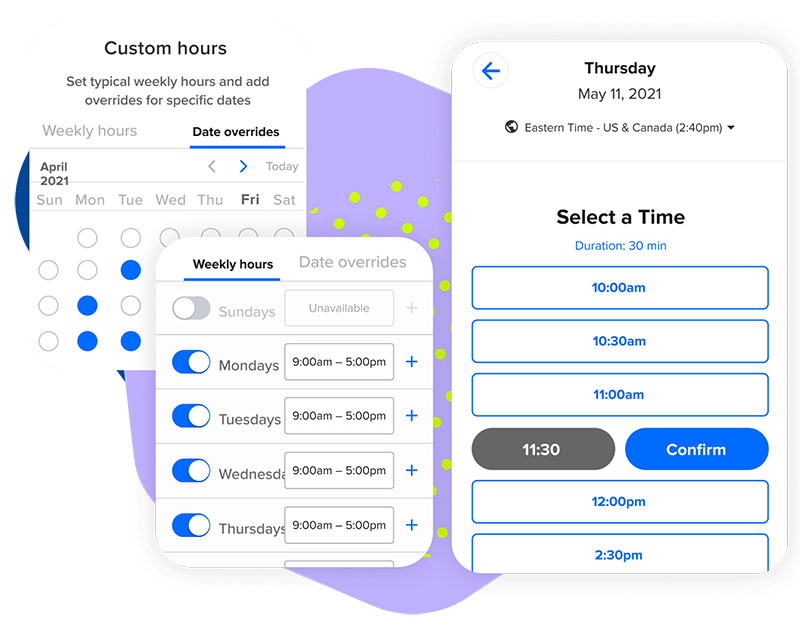
Nothing kills the back-and-forth scheduling email faster than a Calendly link. It's the default for consultants and sales reps who basically live in their calendar.
Best for individuals and teams scheduling demos, discovery calls, and client sessions.
What you get:
- Multiple event types and round-robin routing
- Google, Outlook, and Exchange sync
- Zoom and Teams integration
- Stripe and PayPal payments
Pricing: Free tier. Standard $10/seat/mo billed annually ($12 monthly). Teams and Enterprise above (verified February 2026).
Where it wins:
- Near-zero learning curve
- Deep integrations (Salesforce, HubSpot)
- Polished client-facing pages
Where it falls short:
- No automated SMS on the free tier
- Inactive seats keep billing after staff leave
- No new iCloud/Apple Calendar connections since August 2024, so Mac-only users should sync via Google or Outlook
What we found testing it (July 2026): We set up a free account and sent test invites across several time zones, and the timezone handling was flawless every time. Setup took minutes, which is the whole appeal. Two things to watch surfaced in testing: there's no automated SMS on the free tier, and on paid Teams plans, inactive seats keep billing after staff leave, ten forgotten seats can quietly waste around $1,920/year. The bigger structural limit is scope: it's a meeting scheduler first, not a full booking system, so a salon or clinic needing deposits and multi-staff rosters outgrows it fast. The free tier still works well as a no-cost way to schedule meetings.
One honest limit: it's a meeting scheduler first, not a full booking system. Salons and clinics needing deposits and multi-staff rosters outgrow it fast.
Acuity Scheduling - Best for client appointments that need intake forms
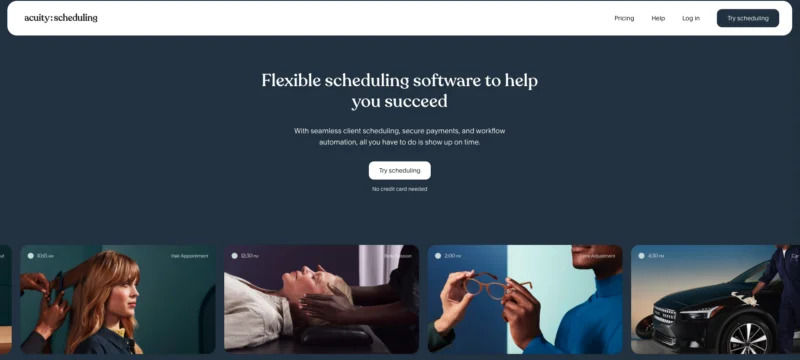
Acuity treats intake data as a first-class feature, not an afterthought. Detailed custom forms plus package and subscription selling make it the pick for practitioners who collect client info before every session.
Best for coaches, therapists, and studios billing for time slots. It's part of Squarespace now.
What you get:
- Client intake forms tied to each service
- Upfront payments and calendar sync
- Automated reminders
- Packages and gift certificates
Pricing: No permanent free plan, just a 7-day trial. Paid tiers start in the mid-teens per month billed annually (Squarespace, 2026).
Where it wins:
- Deep customization
- Sells packages and memberships
- Tight Squarespace integration
Where it falls short:
- Real learning curve on the interface
- No free tier anymore
- Setup depth slows first-timers versus lighter tools
What we found testing it (July 2026): On the 7-day trial we built a service with a conditional intake form and attached a deposit at booking. The intake builder handled branching questions well, pre-visit context arrived before the session, which is exactly what practitioners want. The trade was setup time: the settings depth slowed us down compared with a lighter link tool, and there's no free tier to practice on before the trial clock runs. Among the strongest appointment scheduling tools, it's the one built around intake.
Cvent - Best for enterprise conferences and trade shows
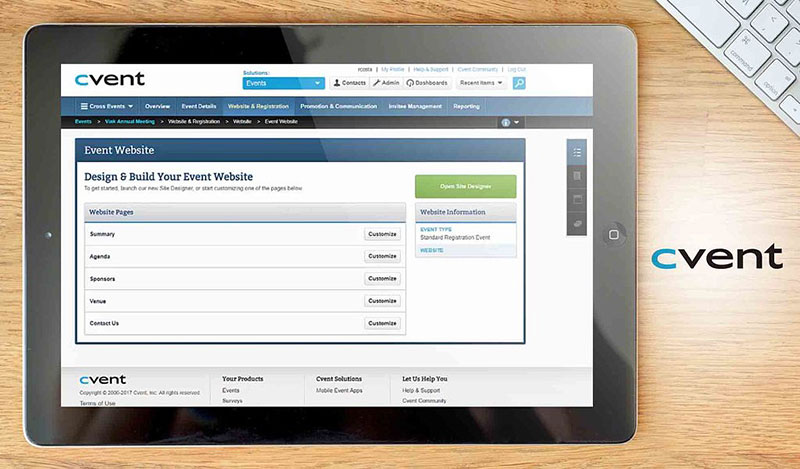
Cvent covers agenda building, session scheduling, and speaker coordination end to end. It handles large in-person, virtual, and hybrid programs that lighter tools simply can't touch.
Best for large organizations managing conferences and corporate events.
What you get:
- Registration and venue sourcing
- Agenda and session management with real-time conflict resolution
- Marketing automation
- Analytics
Pricing: Quote-based, scaled by event volume and features. No public entry tier (2026).
Where it wins:
- Handles scale most tools can't
- Strong reporting
- End-to-end coverage
Where it falls short:
- Overkill and pricey for small events
- Heavy onboarding
What we found evaluating it (July 2026): Cvent sells through a sales quote with no self-service trial, so our assessment runs on its product demo, documentation, and independent 2026 roundups rather than a hands-on deployment. In the demo, the drag-and-drop agenda builder and real-time session conflict resolution were the clear differentiators, this is the tooling that lets a planner run multi-track programs with exhibitors, which nothing lighter on this list attempts. Independent roundups repeatedly rank it highly for enterprise scheduling for the same reason, citing the cross-platform syncing large planners standardize on.
It's the clearest line in the sand between "booking software" and "event management." If you've got exhibitors and multi-track sessions, lighter tools can't cope.
Eventbrite - Best for public events that sell tickets
Eventbrite's built-in discovery marketplace surfaces your event to people who weren't already looking for it. That plus pay-as-you-go ticket fees makes it the pick for organizers who want attendees to find and buy in one place.
Best for workshops, classes, and community events selling tickets.
What you get:
- Ticket sales and registration forms
- Attendee tracking
- Promo tools
- Mobile check-in
Pricing: Free to publish free events. Paid events carry per-ticket fees (a percentage plus a fixed fee, plus payment processing, varying by region and plan) (2026).
Where it wins:
- Free for free events
- Discovery built in
- Simple attendee experience
Where it falls short:
- Per-ticket fees add up on paid events, with no fee cap
- Limited for recurring appointment-style booking
What we found testing it (July 2026): We listed a test event, which took minutes, and watched the discovery feed drive organic views that pure booking tools simply can't generate. The check-in and registration flow was clean from the attendee side. The catch is the fee model: on paid events, the per-ticket percentage plus fixed fee stacks with payment processing and there's no cap, so a high-volume paid event pays real money for that reach. It's also not built for recurring, appointment-style booking, this is a ticketing and discovery platform, not a scheduler.
That marketplace doubles as free reach. Pair it with a few ways to promote your event and it works as acquisition, not just checkout.
Doodle - Best for finding a time across a busy group
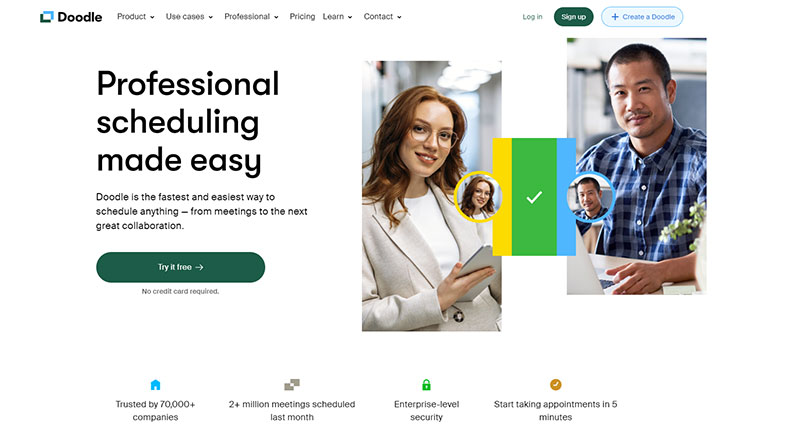
Doodle lets a group vote on time options instead of booking against one calendar. For committees and boards where everyone needs a say in the timing, that's the whole job.
Best for internal teams and cross-organization group coordination.
What you get:
- Time-slot polls that end email chains
- Google, Outlook, and iCal sync
- Reminders
- 1:1 booking pages
Pricing: Free with ads. Pro around $6.95/mo. Team around $8.95/user/mo on annual billing (2026).
Where it wins:
- Frictionless for large groups
- Cheap Pro tier
Where it falls short:
- Ads on the free plan
- Poll creation now needs an account, and some options sit behind Pro
- Not a full booking or payment system
What we found testing it (July 2026): We built a poll with several time options and sent it to a 10-person group. It narrowed to one slot in a single round, where an email thread would have dragged on for days, and the calendar overlay helped voters avoid double-booking themselves. Two friction points showed up: creating the poll forced an account signup, and the free version served ads on the voting page. There's no payment layer, so it solves coordination, not booking.
It solves a different problem than the rest. For scheduling meetings across time zones with a scattered group, polls beat a fixed booking link.
Whova - Best for conferences that need a branded attendee app
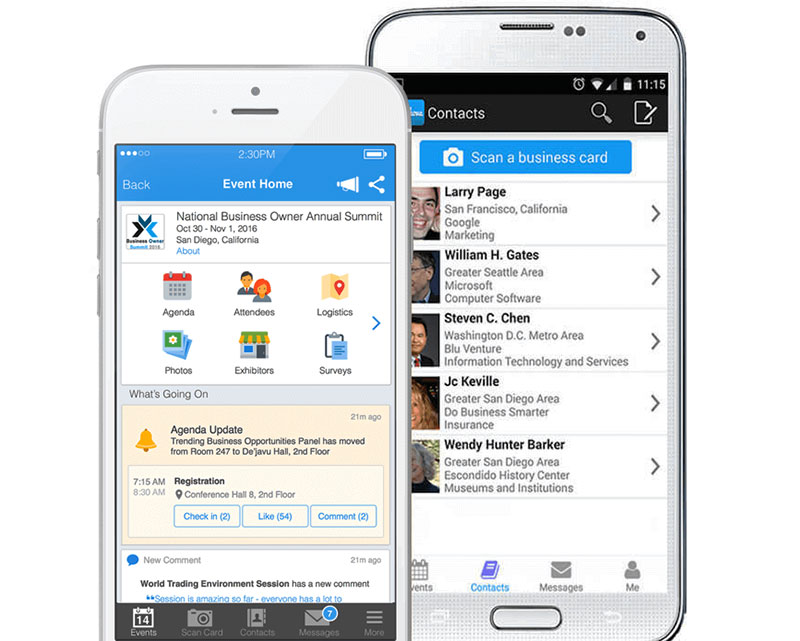
Whova builds around a fully branded attendee mobile app rather than bolting one on. Agenda, networking, and engagement all live in one place, which matters when the attendee experience is the product.
Best for mid-to-large conferences and trade shows.
What you get:
- Agenda builder
- Attendee networking
- Registration and live polls
- Exhibitor tools
Pricing: Quote-based, scoped to event size and modules. No public tier (2026).
Where it wins:
- Strong mobile experience
- Boosts attendee engagement
- Solid networking tools
Where it falls short:
- Pricing opacity
- More than small events need
What we found evaluating it (July 2026): Whova is quote-based with no public tier or self-serve trial, so our read comes from its demo and independent 2026 event-software roundups, not a live event we ran. The differentiator both point to is the branded attendee app: in-app networking and personalized agendas are built in rather than bolted on, which matters when engagement metrics decide whether an event gets renewed. The recurring caveat is pricing opacity, you can't scope cost without contacting sales, and it's more platform than a small event needs.
Most tools treat the app as a bolt-on. Whova builds around it, which matters when engagement metrics decide whether an event repeats.
Planning Pod - Best for agencies juggling multiple complex events
Planning Pod runs many overlapping events out of one workspace. Calendars, tasks, vendors, and client management all sit together, which is exactly what an agency coordinating vendors and clients at once needs.
Best for mid-sized event agencies and venues running several events in parallel.
What you get:
- Scheduling and task management
- Vendor and contact databases
- Client portals
- Payments and reporting
Pricing: Plan-based subscription. Contact for current tiers (2026).
Where it wins:
- Consolidates the full event lifecycle
- Strong for multi-event workflows
- Client portals included
Where it falls short:
- Broad toolset means a learning curve
- More than solo planners need
What we found evaluating it (July 2026): Pricing sits behind a contact-for-tiers wall with no open trial, so our assessment leans on the demo, documentation, and independent 2026 reviews rather than hands-on use. What they consistently highlight is the multi-event workspace: calendars, tasks, vendor databases, and client portals live together, which is the exact shape an agency running several events in parallel needs. The flip side is the same breadth, there's a real learning curve, and it's far more than a solo planner running one event at a time would use. Reviews praise it as a genuine all-in-one event planning software for professionals managing detailed vendor coordination.
It sits between a booking tool and full enterprise suites, the awkward middle most roundups ignore but agencies actually occupy.
SimplyBook.me - Best for global service businesses on a tight budget
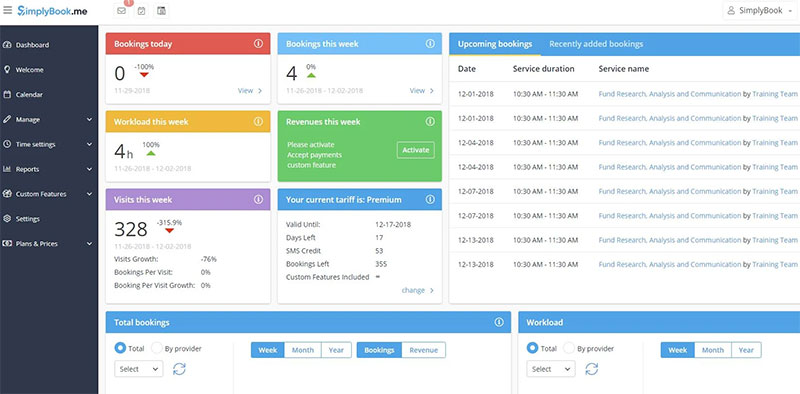
SimplyBook.me lets you build only the system you need through a modular feature model. A free plan plus low entry pricing across many languages makes it the pick for small international businesses that want to pay only for what they use.
Best for solo and small service providers, including non-English markets.
What you get:
- A booking website
- Provider management
- Custom features and reminders
- Payment options
Pricing: Free plan (50 bookings/mo, 1 provider, 1 custom feature). Basic from $11.90/mo on annual billing (verified 2026).
Where it wins:
- Generous free tier for testing
- Cheap entry paid plan
- Wide language support
Where it falls short:
- Booking and feature caps escalate as you grow
- The module system can confuse new users
What we found testing it (July 2026): We set up the free plan, ran a live one-provider booking page, and switched it to a second language, which rendered cleanly. The free tier was genuinely enough to test a real booking flow before paying. The friction is the module system: you toggle each capability on individually, which took time to make sense of, and the caps (50 bookings a month, one provider, one custom feature on free) escalate as you grow. Adding a few paid modules can quietly push you past flat-rate rivals, so the cheapest start here isn't always the cheapest finish. Independent comparisons and what reviewers say about SimplyBook.me consistently flag the pay-per-feature model as its defining trait.
The modular pricing cuts both ways. It's the cheapest start here, but adding a few features can quietly push you past pricier flat-rate rivals.
How to choose event scheduling software for your situation
No single tool wins every job. The fastest way to shortlist is to filter on two axes at once: how you want it hosted, and how big and complex your operation is. The table below folds both into one view so you're not reading two overlapping lists.
| Your Setup | Best Fit | Why |
|---|---|---|
| Solo pro booking meetings | Calendly·Acuity | Single-calendar links, fast setup |
| Small service team (self-hosted page) | Trafft | The one we recommend here |
| WordPress owner keeping data in-house | WPAmelia | Booking system lives on your own site |
| Group agreeing on a time | Doodle | Poll-based, no fixed calendar |
| Public event selling tickets | Eventbrite | Ticketing plus built-in discovery |
| Enterprise conference or trade show | Cvent·Whova | Multi-track agendas, branded apps |
| Agency running several events at once | Planning Pod | One workspace for many events |
| Global or budget service business | SimplyBook.me | Cheap, modular, multi-language |
Pick the row that matches your situation, then compare only inside it. That single filter removes most of the noise, and it's usually a cleaner cut than sorting by hosting model alone, since a WordPress owner and a Cvent buyer rarely shortlist the same tools anyway.
Cloud and web-based deployment holds the majority of the market, put at 55% to 63% of appointment scheduling software depending on the report (Fortune Business Insights, Research and Markets, 2026), thanks to lower upfront cost and faster setup. So pick cloud if you want speed, and a plugin like Amelia if data ownership and one-time licensing matter more, and you're comfortable setting up an online booking system yourself.
North America accounts for roughly 34% to 43% of the market depending on the analyst (Research and Markets and Fortune Business Insights, 2025), so most tools default to US calendar, payment, and timezone conventions.
What event scheduling software does and how it works
At its simplest, event scheduling software lets clients self-book time slots against your real-time availability, then confirms, reminds, and syncs the booking automatically.
It takes the email and phone tag out of the loop. The client picks a slot, the system writes it to your calendar, and both sides get a confirmation.
The appointment scheduling software market sat around $447 million in 2025 and is tracked to pass $1 billion by the early-to-mid 2030s, according to Research and Markets.
A large majority of consumers now prefer booking online rather than by phone (Technavio and other industry surveys put the figure around 70%), which is why self-service booking became the default.
Getting a feel for how a booking system works end to end makes the tool choice easier. The flow is roughly the same everywhere:
| Step | What Happens |
|---|---|
| Availability | You set working hours, service duration, buffer times |
| Booking page | Client picks a slot on a page or embedded widget |
| Confirmation | Automated email and SMS fire instantly |
| Calendar sync | Slot writes to Google Calendar or Outlook |
Two broad classes exist. Appointment booking tools like Trafft, Acuity, and WPAmelia handle one-on-one services, while event and ticketing platforms like Cvent and Eventbrite handle multi-attendee gatherings.
Calendly built its whole product around killing the scheduling email chain, and that single focus is why solo professionals reach for it first.
Core features that separate strong tools from basic ones
Every tool books a slot. The gap shows up in what happens around the booking.
Automated reminders are the single biggest lever. A randomized study from Imperial College London found text reminders cut no-show rates by 38% versus no reminder, and reviews across healthcare settings consistently point to multi-channel SMS-plus-email sequences producing the largest reductions. SMS lands fast too, with Validity data showing 90% of texts are read within three minutes of arriving, far quicker than email.
| Feature | Basic Tools | Strong Tools |
|---|---|---|
| Reminders | Email only | Email, SMS, WhatsApp |
| Payments | None | Deposit and full capture |
| Availability | Fixed slots | Buffer times, round-up gaps |
| Recurrence | Manual re-entry | Automated repeat bookings |
A few features earn their keep beyond the basic booking:
- Payment and deposit capture at booking fights no-shows directly. Square Appointments data shows deposits or cancellation fees can cut no-shows by roughly 45%, on par with reminders
- Recurring appointments matter for coaches and clinics. Tools that support recurring appointments save hours of manual re-entry each month
- Reminder depth is worth checking closely. Some platforms cap SMS credits, so a standalone appointment reminder app occasionally makes sense as a backup
Salons and spas see a high share of bookings move online once self-service is offered, which is why good salon scheduling software leans hard on reminders, deposits, and buffer times.
How event scheduling software pricing works
Headline prices hide the real cost. Four models cover almost every tool on the market.
| Feature | Basic Tools | Strong Tools |
|---|---|---|
| Reminders | Email only | Email, SMS, WhatsApp |
| Payments | None | Deposit and full capture |
| Availability | Fixed slots | Buffer times, round-up gaps |
| Recurrence | Manual re-entry | Automated repeat bookings |
Free plans and their real limits
Free tiers are common, but the caps bite quickly. SimplyBook.me caps its free plan at 50 bookings a month and one provider.
Watch for the hidden ceilings: SMS credit caps, ad-supported free tiers (Doodle), and inactive seats that keep billing after staff leave.
Subscription versus lifetime license
Subscriptions spread the cost monthly and bundle updates. Lifetime licenses, offered by WPAmelia, charge once and win on the multi-year math.
The spend usually pays back. Vendor data (Signpost) reports businesses see an average revenue lift of around 27% after adding online booking, with some local shops reporting far higher.
Run the three-year total, not the sticker price. An $89/year plugin can beat a $10/seat tool once you add two or three staff seats.
Integrations that decide whether a tool fits your workflow
Integrations are the part people underrate until setup day. The connections below make or break daily use.
- Calendar sync: two-way sync with Google Calendar and Outlook stops double bookings (Apple/iCloud support is less universal, and Calendly, for example, no longer accepts new iCloud connections)
- Video conferencing: auto-attached Zoom, Google Meet, or Microsoft Teams links for remote sessions
- Payments: Stripe and PayPal for deposits and full capture, plus WooCommerce for WordPress carts
- Automation: Zapier and webhooks push booking data into a CRM like Salesforce or HubSpot
Roughly half of all appointments are now booked online rather than by phone or in person, which only works cleanly when the calendar sync is reliable.
Online-booked appointments also show a 3.2x higher show-up rate than phone bookings (SchedulingKit), partly because instant calendar sync and confirmations lock the slot in.
Calendly pairs directly with Zoom and Google Meet, which is why sales teams running back-to-back remote demos lean on it over heavier event platforms.
FAQ About Event Scheduling Software
What is event scheduling software?
It's a booking system that lets clients self-book time slots against your real-time availability. It confirms the booking, sends automated reminders, and syncs everything to your calendar, replacing phone tag and manual entry.
Is Trafft free to use?
Yes. Trafft runs a genuine free plan for 1 user with no per-booking fees. Paid tiers add more seats, custom domains, and Zapier integration, billed monthly or annually.
What is WPAmelia used for?
WPAmelia is a WordPress booking plugin for appointments and events. It keeps the whole system inside your own site, handling calendar sync, payments, and staff schedules without routing clients through a third-party domain.
How does event scheduling software reduce no-shows?
Through automated reminders and deposits. Reminders sent by SMS and email are among the most effective ways to cut missed appointments, while collecting a deposit at booking adds a second layer of protection.
Can I take payments through a booking system?
Most tools support it. Trafft, Acuity, and WPAmelia connect to Stripe and PayPal for deposits or full payment at booking. WordPress users can also route payments through WooCommerce.
Does it sync with Google Calendar and Outlook?
Yes, two-way calendar sync is standard. Google Calendar and Outlook connections update availability in real time, which stops double bookings across staff and locations. Apple/iCloud support varies by tool.
What is the best free event scheduling software?
Trafft leads for teams, since its free plan covers 1 user. Calendly and Doodle suit solo use. Compare several no-cost online booking systems before you commit to any paid tier.
Trafft vs Calendly, which is better?
Depends on the job. Calendly wins for solo meeting links and sales demos. Trafft wins for multi-staff service businesses needing deposits, locations, and a booking page without a website.
Do I need a website to use event scheduling software?
No. Trafft and SimplyBook.me generate a standalone booking page in minutes. If you do want your own site, you can still build a booking website and embed the widget.
Which tool is best for large events?
Enterprise platforms handle scale better. Cvent manages multi-track conferences, Whova powers branded attendee apps, and Eventbrite covers public ticketing. Trafft and Calendly stay focused on appointment-style bookings.
Conclusion
Picking the right event scheduling software comes down to fit, not feature counts. Match the tool to how you work and who books with you.
Solo pros lean on Calendly or Acuity. Service teams get more from Trafft, and WordPress owners keep control with WPAmelia.
Large conferences are a different game, where Cvent, Whova, and Eventbrite handle ticketing, registration, and multi-track agendas.
Whichever platform you choose, prioritize the basics that move revenue: two-way calendar sync, staff scheduling, and a clean self-service booking page.
Then confirm the extras you actually need, like deposit capture, timezone support, and Zapier automation.
Start with a free plan, test the booking flow with real clients, and upgrade only once the setup earns its cost.

![Acuity Scheduling Reviews [Features, Pricing, and More]](https://trafft.com/wp-content/uploads/2021/12/header-acutitypayment.jpg)