
A free appointment calendar template is quick to set up, and that is most of the appeal. You pick a layout, rename a few columns and start typing bookings in.
The layouts vary. Some are weekly time-slot grids, others give each day its own page, a few trashow the whole month in boxes, and some skip the grid for a log with one row per booking. You can get them in Excel, Google Sheets, Word and PDF.
Salons, clinics, tutors and consultants lean on them to hold bookings in fixed slots. The good ones record client name, service and status, and flag overlapping times before they turn into double bookings.
Status and reminder columns look like minor extras. They aren't. A Cochrane review of mobile text message reminders (2013) reported 78.6% attendance with reminders against 67.8% without across healthcare appointments.
Which Appointment Calendar Template Layout Fits Your Schedule?
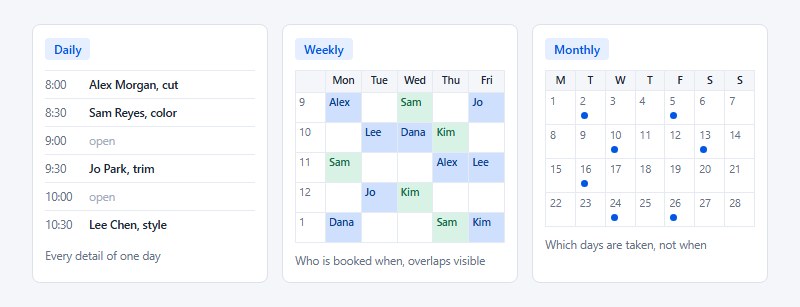
Weekly is the default I'd pick. Daily pages make sense once a day holds enough bookings to need columns for contact details and notes, and a monthly grid only works when bookings are sparse and planned weeks ahead.
The layout decides what you can see at a glance. A weekly grid shows who is booked when. A daily page gives you everything about one day, and a monthly grid only tells you which days are taken.
Daily layout
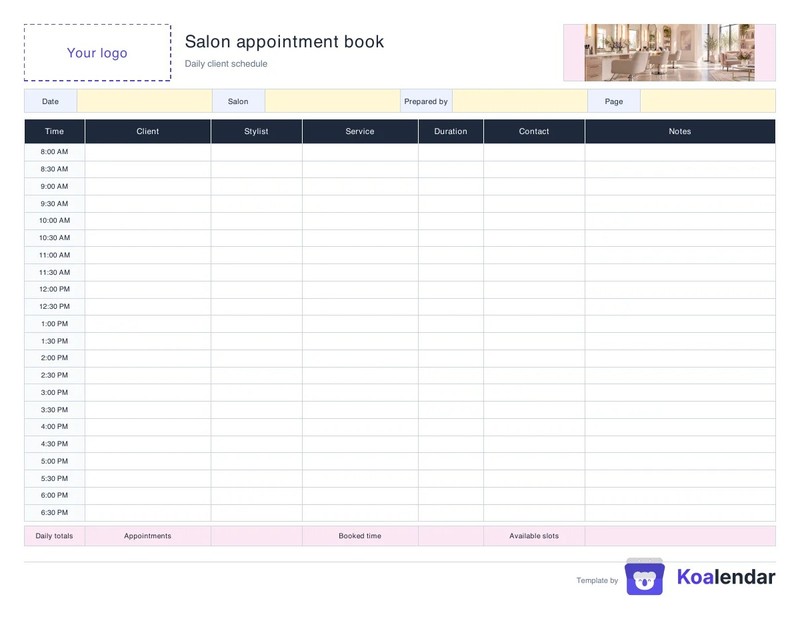
A daily page gives one day the whole sheet, so there is room for detail a weekly grid can't hold.
Koalendar's salon appointment book is built this way, with half-hour slots starting at 8:00 AM and columns for client, stylist, service, duration, contact and notes. It also totals appointments, booked time and open slots for each day (Koalendar, 2026).
It suits salons, clinics and busy front desks. The weak spot is the missing view of the week, so gaps and overload show up late.
Weekly layout
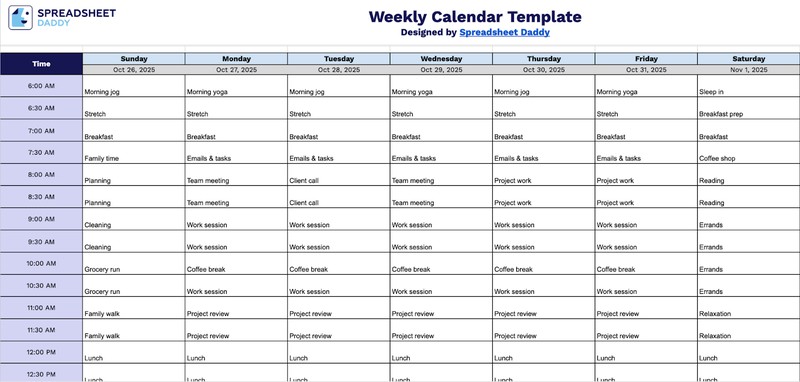
Spreadsheet Daddy's free weekly template runs 30 half-hour rows from 6:00 AM to 9:00 PM across all seven days, with an editable date at the top of each column.
Vertex42's Excel schedule starts with five days and keeps columns for a sixth and seventh hidden, added in its November 2021 update.
Most free appointment templates default to this view because overlaps are visible at a glance. That is the whole appeal. Each week gets one page, and next week is a copy of the sheet with the dates changed.
Monthly layout
A monthly grid shows each day as one box. It records that someone is booked, not when.
That makes it a planning view for long lead times (a consultation booked three weeks out, say) and a poor record for anything with hourly overlap.
Pair it with a weekly sheet, the month for the overview and the week for the actual slots.
Choosing a slot interval
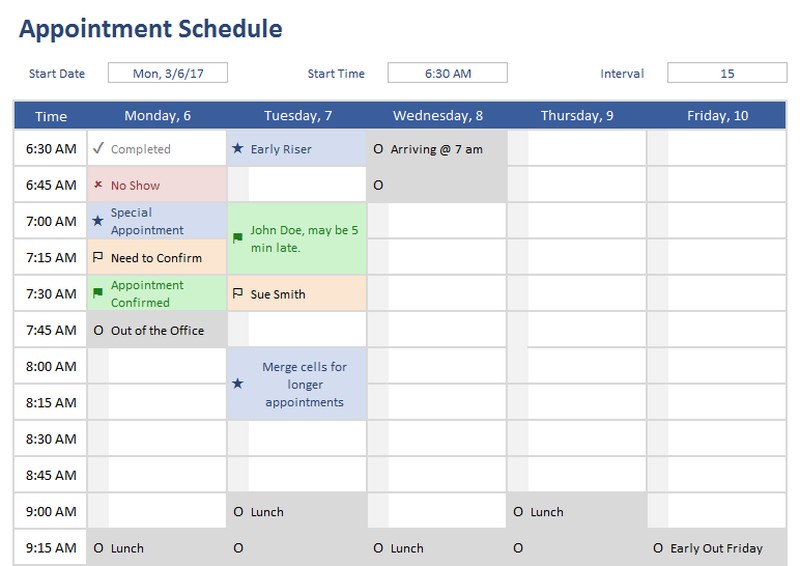
Match the interval to your shortest service, then let longer services span several rows.
| Interval | Fits | Trade-off |
|---|---|---|
| 15 minutes | Quick checks, short consultations | Tall grid, more rows to scan |
| 30 minutes | Salons, most client work | Long jobs need merged cells |
| 60 minutes | Tutoring, coaching | Short visits waste a full row |
Vertex42 lets you set the start date, start time and interval (such as 15 or 30 minutes) and merge cells for longer bookings.
Buffer time belongs in the grid too. Koalendar's tips say to block the full service time including processing, and to leave gaps for walk-ins and overruns.
Free Appointment Calendar Templates You Can Download and Print
Each template below is a full-size image, 1200 pixels wide. Right-click one and choose Save image as, then print it on Letter or A4 paper in landscape. For a version you can type into, download the Excel workbook with the same templates built in. It also opens in Google Sheets through File, then Import.
The workbook has a weekly grid and one log sheet each for a salon, a medical office, tutoring and consulting. The log sheets already contain the End formula, status drop-downs, row colors, the double-booking rule and the no-show rate, so the setup steps later in this article are done for you.
Weekly appointment calendar template
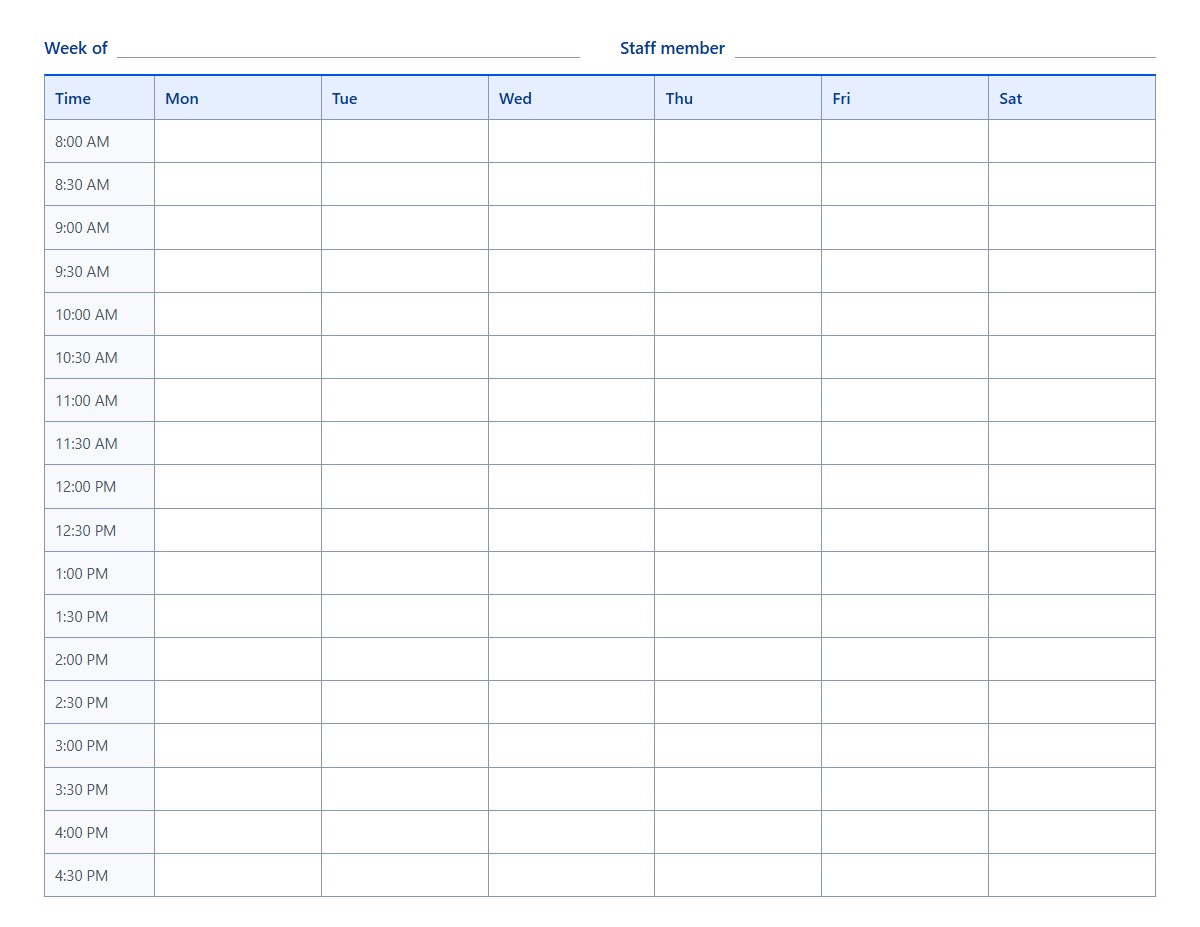
This is the layout most people start with. Write the week's start date at the top, fill a slot with the client's name and print a fresh copy each week. The rows are half-hour slots from 8:00 AM, and a longer service takes the next row down.
Daily appointment schedule template
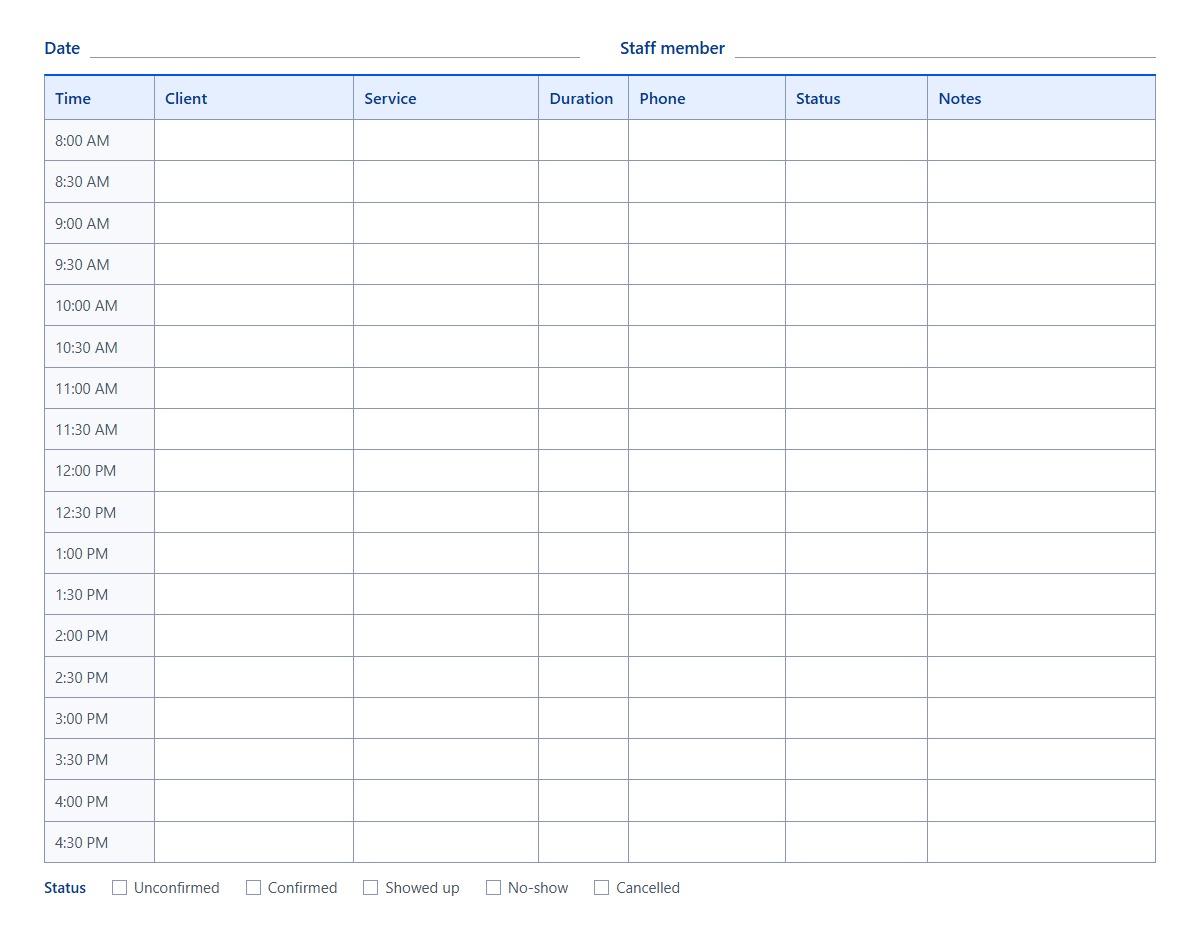
Use this one when a day holds enough bookings to need contact details and notes. Each row is one half-hour slot, with columns for client, service, duration, phone, status and notes.
Monthly appointment calendar template
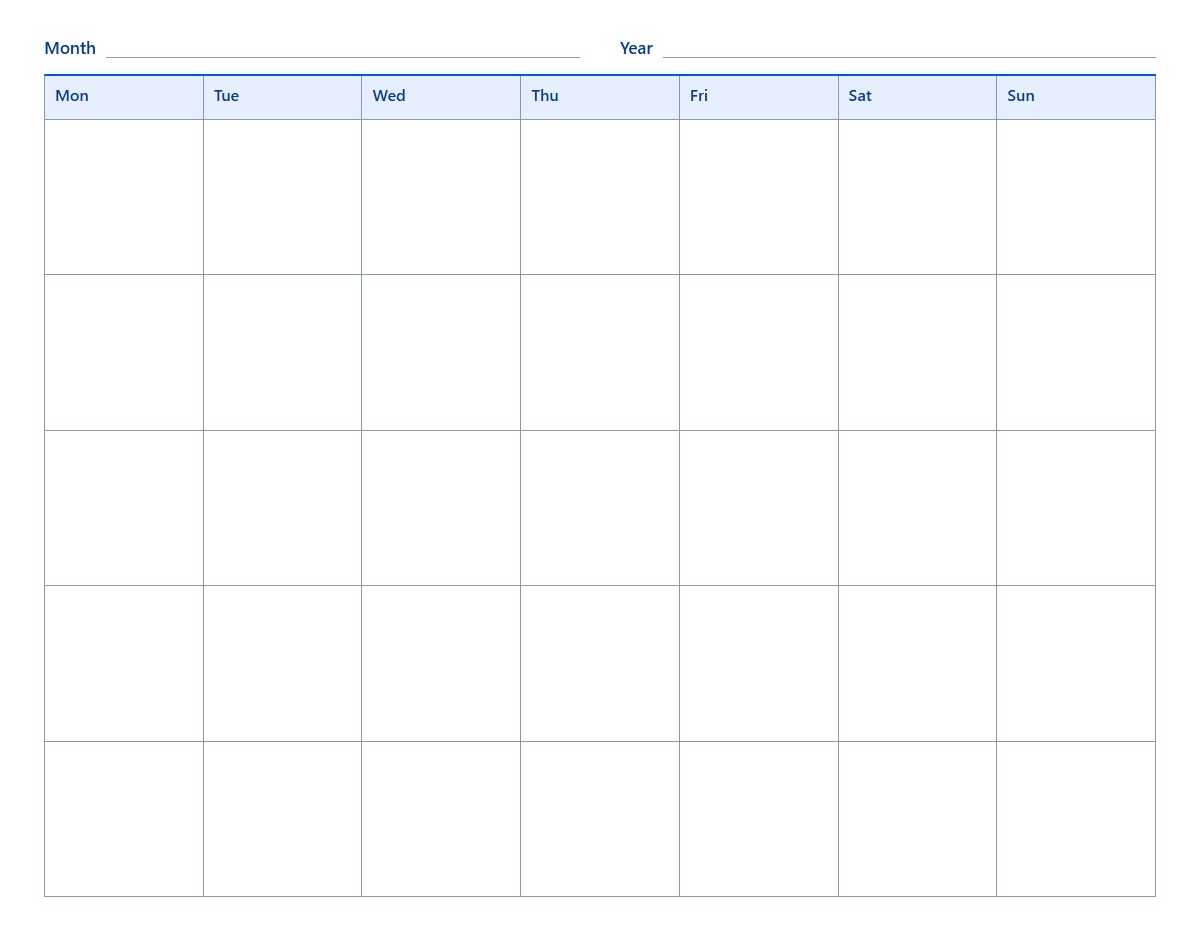
A blank month grid for long lead times. Write the day numbers in each box, then keep it next to a weekly sheet, since it shows which days are taken and not when.
Salon appointment template
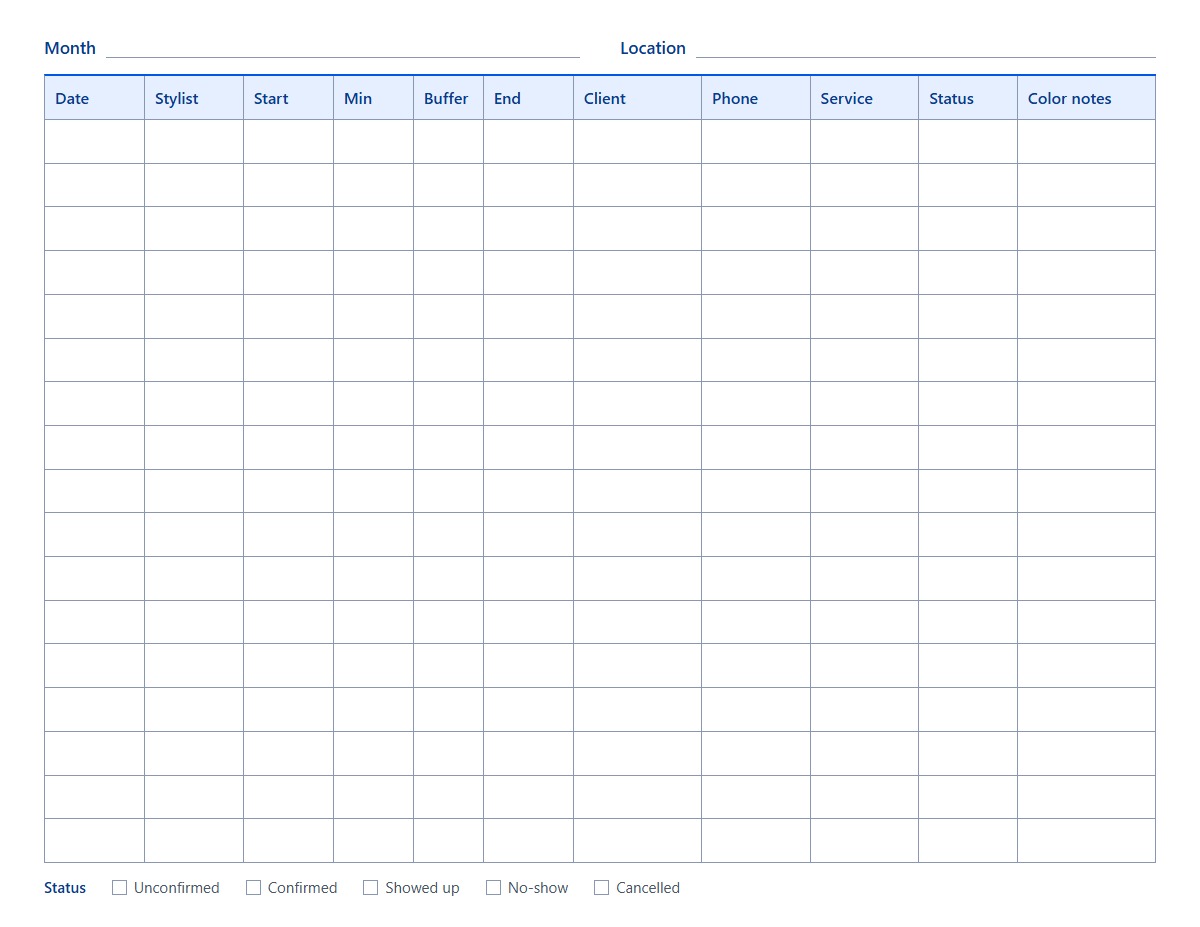
One row per booking, with the stylist and color notes the front desk needs. The End time is Start plus Duration plus Buffer, so processing time counts as booked time.
Medical office appointment template
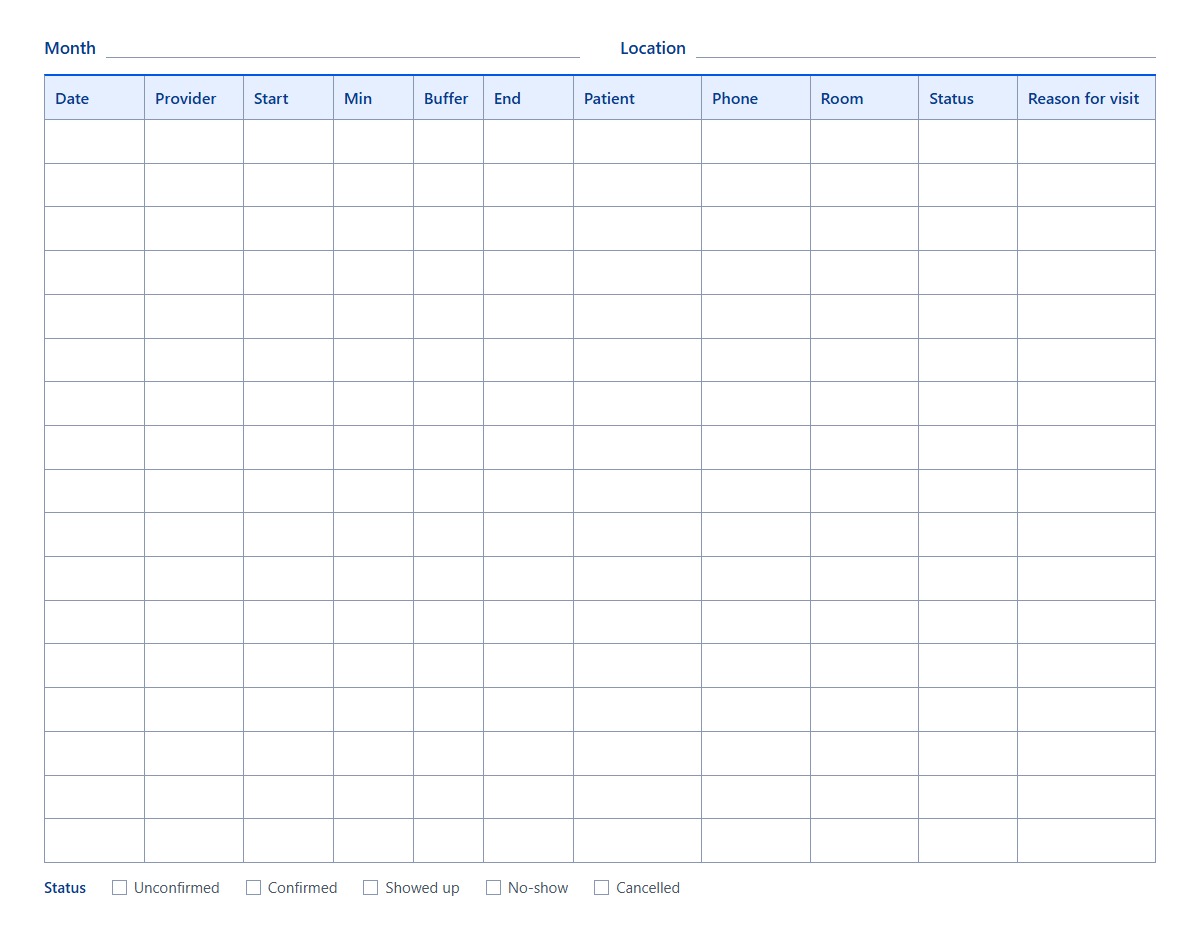
Clinics book against a provider and a room, so the provider has a column and the room is written next to the patient. Keep the reason for the visit short and leave diagnoses and other health details out of any sheet shared with staff.
Tutoring appointment template
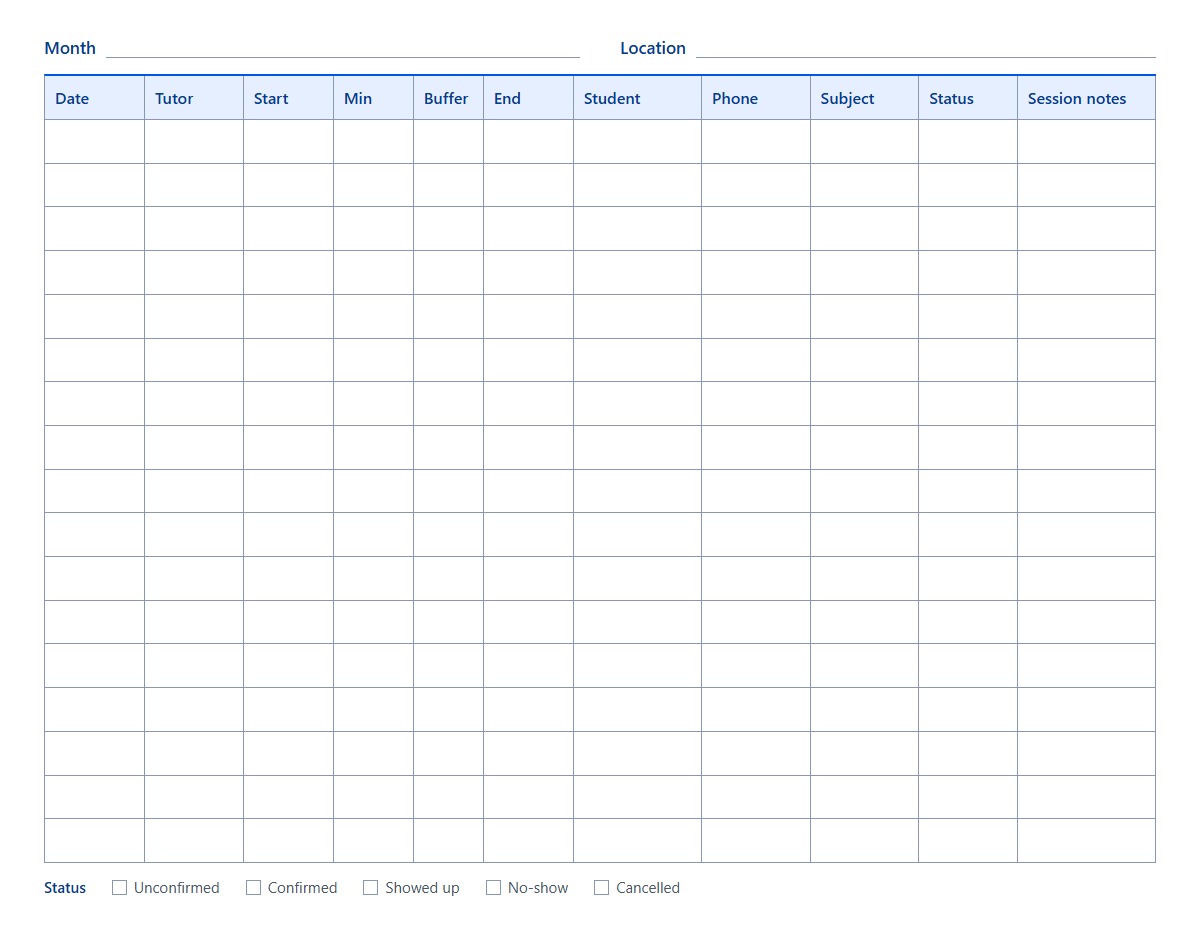
Tutors see the same student every week, so fill one row, copy it forward for the term and tick the status as sessions happen. The notes column holds what was covered and what is due next.
Consulting appointment template
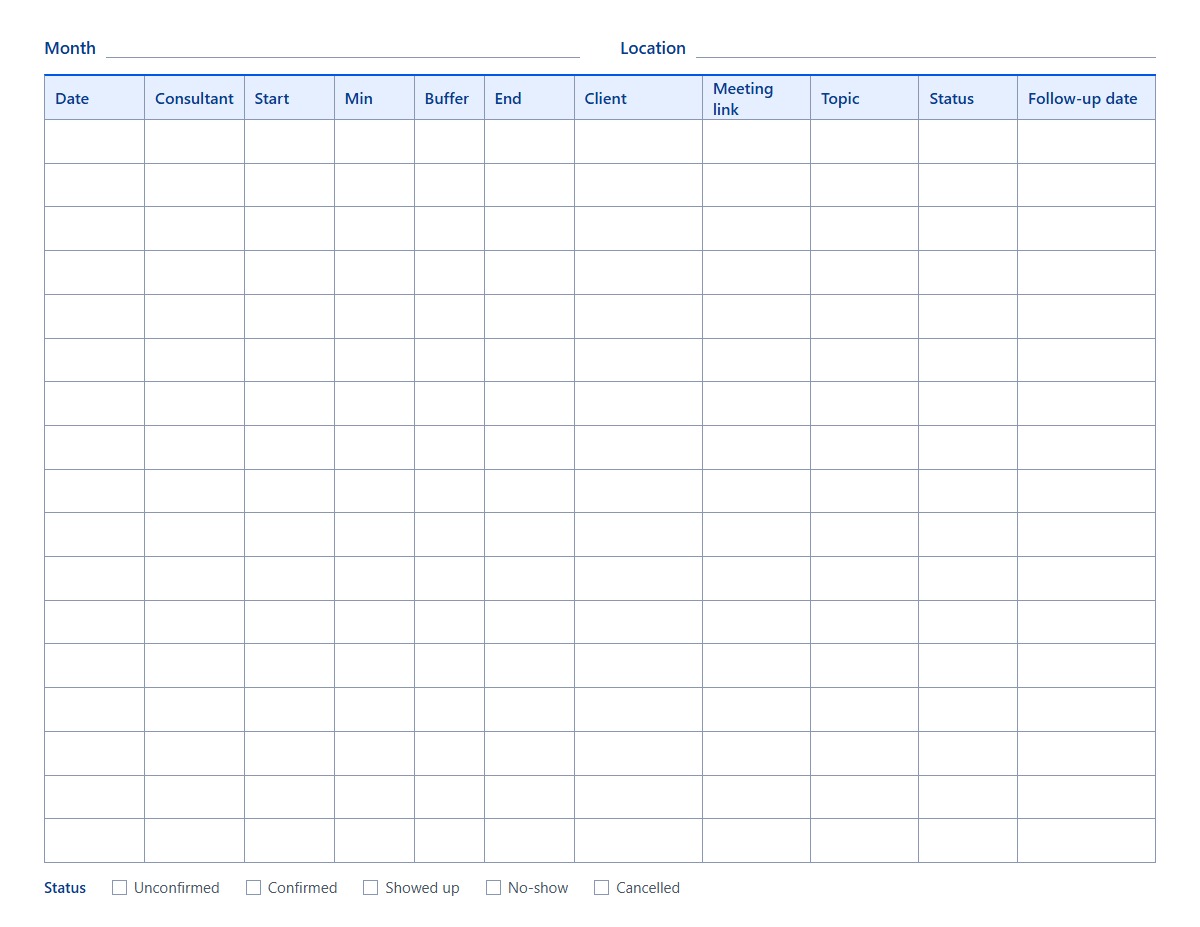
Consultants book fewer, longer meetings, so the log carries a meeting link and a follow-up date in place of a wide grid.
The four log templates share the same first six columns (Date, Provider, Start, Min, Buffer and End), which is why the double-booking formula later in this article works on any of them in the Excel version. Swap the Provider column name for Stylist, Tutor or Consultant and the formula does not change.
Appointment Calendar Template Examples by Industry
The grid barely changes from one industry to the next. The columns do. A salon adds a stylist, a clinic needs a provider and a room, and a tutor mostly cares about the subject.
Salon appointment book
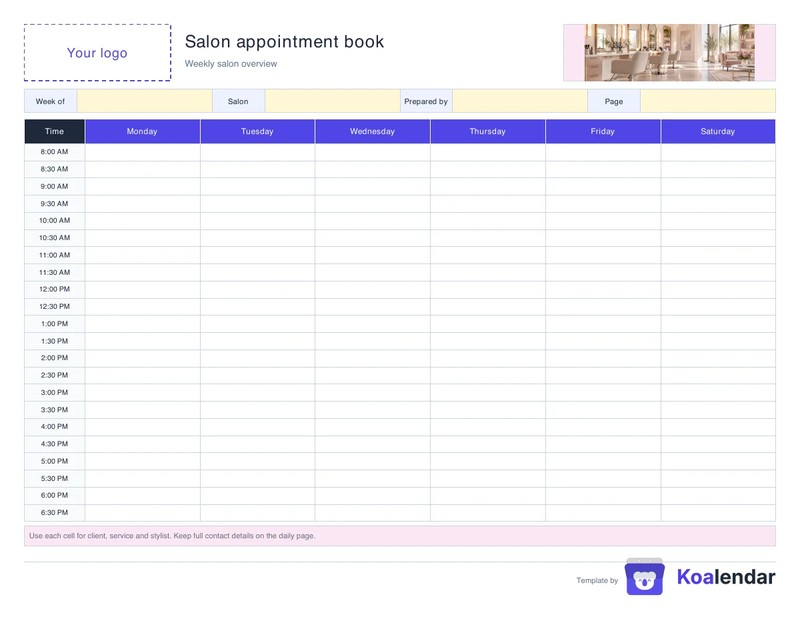
Koalendar's free salon book pairs a daily client page with a Monday to Saturday weekly overview, offered as PDF, Excel, Word and Google Sheets.
The daily page carries time, client, stylist, service, duration, contact and notes. The weekly overview writes client, service and stylist into each cell. A PDF works at the front desk, while a spreadsheet makes more sense when several stylists need the same book.
Color formulas and client preferences go in the notes column. Koalendar's own advice is to keep contact details on the daily page, not the weekly one.
Medical office schedule
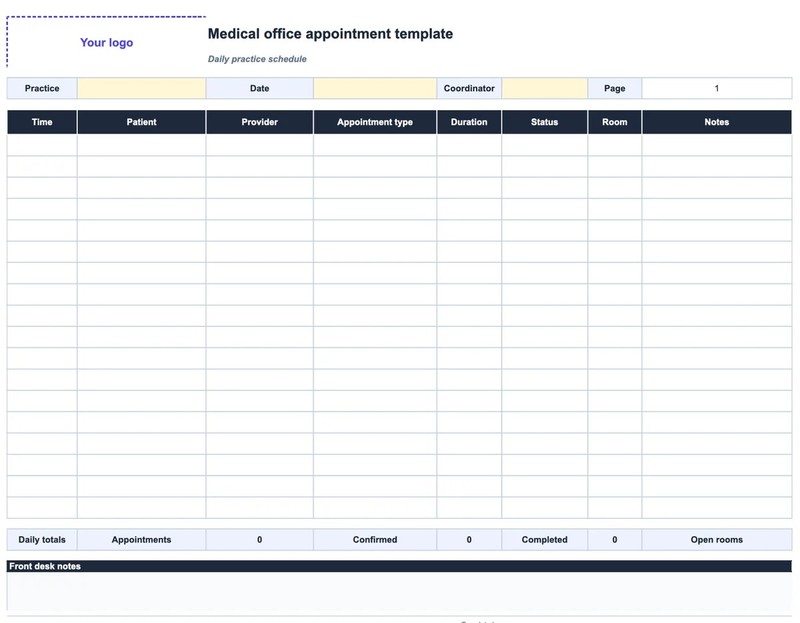
Clinics book against people and rooms, so the grid needs more than a time column.
Koalendar's medical office template is a daily practice schedule that allocates patients to providers, rooms and time slots and tracks each appointment's status. It comes in Excel, Google Sheets and Word formats.
A systematic review of 105 outpatient studies puts the average no-show rate at about 23% (Dantas et al., Health Policy, 2018). A 2024 systematic review in Health Science Reports notes that published no-show rates range from 12% to 42%.
Read together, that is roughly one booked slot in four going unused, with wide swings between clinics. A status column is not decoration here.
Tutoring and coaching
Tutors and coaches see the same people at the same time every week, so the template needs a repeat pattern more than a wide grid.
Fill a standing slot once, copy it forward across recurring weekly appointments, then mark individual cancellations as they happen. Beyond the usual columns, a student name and a field for session notes cover it, plus the subject or goal if you teach more than one.
Consulting
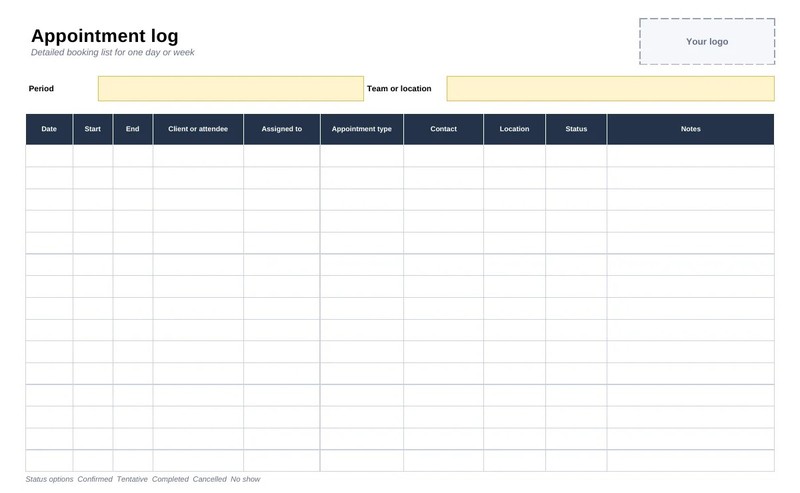
Consultants book fewer, longer sessions. One row per meeting with a start time, end time, meeting link and follow-up date does the job.
A grid of 60-minute rows wastes space here. A log sorted by date works better, and Koalendar's general schedule template combines both, with a weekly time-slot calendar plus a detailed appointment log.
Excel, Google Sheets, Word, PDF or Canva: Which File Format Should You Pick?
Spreadsheets win when the schedule changes daily. Word and PDF win when it lives on paper, and Canva fits printed cards better than live schedules.
| Format | Best for | Editing | Main limit |
|---|---|---|---|
| Excel | Drop-downs, color rules | Full, offline | Copies drift apart |
| Google Sheets | Shared staff schedules | Browser, live | No built-in conflict check |
| Word | Branded printable books | Table editing | No formulas |
| Front-desk paper copy | Handwriting | Fixed layout | |
| Canva | Designed cards, posts | Drag and drop | Not built for tracking |
Availability varies by source. Vertex42 ships its appointment schedule as Excel and Google Sheets, template.net offers its weekly calendar in Word, Google Docs, PDF and Apple Pages, and Spreadsheet Daddy covers Excel, Google Sheets and PDF as of its September 2026 update.
Pros and cons of each format
- Excel gets you drop-downs and conditional formatting that flag status automatically, though every emailed copy becomes its own version.
- Google Sheets keeps one shared copy for the whole team. Two people typing into one slot is nobody's problem until it is everybody's.
- Word is easy to brand with a logo, per Koalendar, but it calculates nothing.
- PDF prints cleanly with zero setup. A crowded day turns into crossed-out handwriting, though.
- Canva has the most polished look, with no data validation and no way to total a day.
Printable or digital?
Printable suits one person taking bookings at one desk. Digital suits anyone who shares the schedule or needs a status at a glance.
Conditional formatting and drop-down lists are the reason an Excel appointment template beats a printed grid once several clients a day need a confirmed or no-show flag.
Many owners end up running both, a spreadsheet as the master and a printed weekly page at the counter.
What Fields Should an Appointment Calendar Template Include?
Date, start time, end time or duration, client name, phone number and service make up the working minimum. Status and notes come next, and anything past that depends on the industry.
Duration, status, notes and a deposit flag are the usual operational extras. Stylist, provider, room and subject are the industry-specific ones.
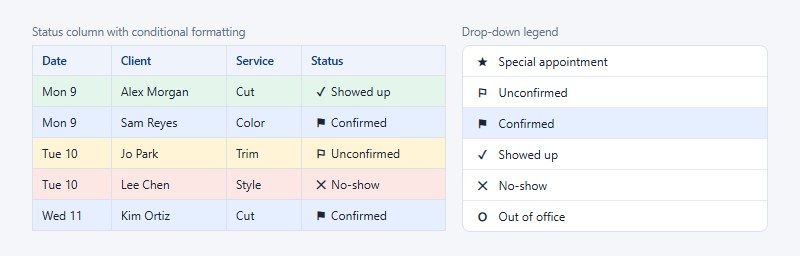
Status earns its column. Vertex42's schedule uses a drop-down of six symbols. A star marks special appointments, one flag means unconfirmed, another means confirmed, a check mark means the client showed up, an x is a no-show, and an O is time out of office.
The symbols drive the cell colors through conditional formatting, so the legend is the only place you edit them. Customize it before you enter appointments, because changing it later does not update values already picked.
Someka's Excel appointment calendar puts an integrated notes section inside each appointment. Notes are where preferences and follow-ups live, so they should sit next to the booking, not on another sheet.
| Industry | Extra fields | Safe to drop |
|---|---|---|
| Salon | Stylist, processing time, color notes | Home address |
| Medical office | Provider, room, appointment status | Billing details |
| Tutoring | Student, subject, session notes | Room |
| Consulting | Meeting link, follow-up date | Provider, room |
Each extra column slows entry, and a row that takes 30 seconds to fill stops getting filled. Leave card numbers and health details out of any sheet shared with staff.
Where to Find Free Appointment Calendar Templates
Vertex42 and Koalendar have the most complete free sets, Spreadsheet Daddy has the cleanest blank grid, and CalendarLabs covers printable books. Pick by license and file type first, design second.
- Vertex42 is free for private use only. The license bars distribution and resale, so the file is yours to run, not to pass to other businesses.
- Koalendar offers nine free templates, from a weekly schedule and a doctor visit record to appointment cards and written cancellation and no-show policies. No sign-up needed.
- Spreadsheet Daddy gives you a blank weekly grid in Excel, Google Sheets and PDF. Its page invites you to add or remove columns and rows, so treat it as a starting frame.
- template.net is the route for Google Docs and Apple Pages users who want a printable weekly calendar in a word processor.
- CalendarLabs has printable weekly appointment calendars, appointment trackers and appointment books in Word, PDF and image formats.
- Jotform builds a salon appointment calendar as a table. Each booking submitted through the form appears automatically, viewable as a spreadsheet, a calendar or cards.
Three of the six (Koalendar, Spreadsheet Daddy and Jotform) sell software, so the template page doubles as the pitch. That is no reason to skip them, only a reason to read the download terms before building a schedule on one.
Jotform sits between a template and booking software, since the form does the data entry for you.
How to Build an Appointment Calendar Template in Google Sheets
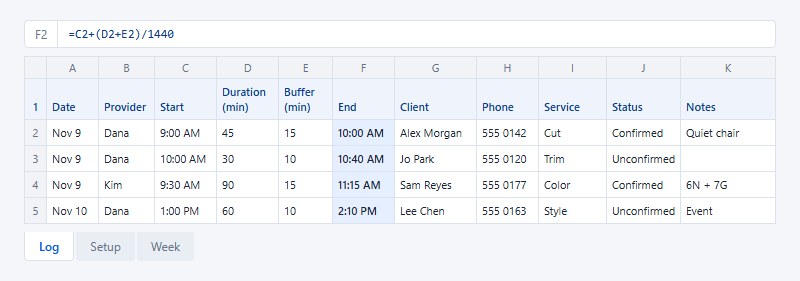
Build it as a log with one row per appointment, then view the week through a filter. A log can be checked by formula, which a hand-typed grid cannot.
- Name the columns in row 1: Date, Provider, Start, Duration (min), Buffer (min), End, Client, Phone, Service, Status, Notes. Freeze the row from the View menu.
- Format Date and Start as date and time under Format, then Number. In the End column, enter
=C2+(D2+E2)/1440and fill it down, so buffer minutes count as booked time. - List your services, providers and status values on a separate Setup tab.
- Select the Service, Provider and Status columns, open Data, then Data validation, and add a dropdown that reads its items from the Setup tab (Google Docs Editors Help).
- Add one conditional formatting rule per status value so each row takes its color.
- Link a Google Form for appointment requests through the Responses tab and Link to Sheets. Submissions land on their own tab, and staff copy confirmed ones into the log.
- Share the file with Editor access for the people who book and Viewer access for everyone else, then protect the header row and the End column from the Data menu.
- Add a Week tab that filters the log by a start date typed into one cell, so the grid stays a view and nobody types into it.
The request form is the step most people rush. An appointment form template supplies the question list, so the form fields match your log columns.
Where Excel differs
In Excel, data validation sits under the Data tab and conditional formatting sits under Home, then New Rule, then the option that uses a formula. Rules need bounded ranges such as $A$2:$A$500, because the open-ended $A$2:$A form from Sheets is not accepted.
Everything else carries over unchanged.
How Do You Prevent Double Booking and No-Shows in a Template?
Start with an overlap rule, then add color coding, a reminder column and a status column that feeds a no-show rate. That covers most of the risk. A spreadsheet flags conflicts after they are typed. It does not stop them.
Flagging double bookings
One conditional formatting rule turns any overlapping row red.
Apply it to A2:K500 with the custom formula option:
=AND($A2<>"",COUNTIFS($A$2:$A,$A2,$B$2:$B,$B2,$C$2:$C,"<"&$F2,$F$2:$F,">"&$C2)>1)The rule counts rows with the same date and provider that start before this row ends and end after this row starts. Any count above 1 is an overlap, because every row matches itself once.
Fill the Provider column on every row, even with a single provider, so each row has a value to match against. Because End includes the buffer minutes, back-to-back bookings that ignore the buffer light up too.
Color coding
Color by status or by provider, never both. One color each for confirmed, unconfirmed and cancelled is plenty, and the legend can live on the Setup tab.
A sheet colored four different ways reads as noise. Choose the dimension you scan for every morning.
Reminders and confirmations
BMC Health Services Research (2023) reviewed 61 studies of behavioural economic interventions to reduce missed health care appointments. Reminders were the most tested, in 56 of them, and the evidence for SMS, phone and mail reminders is significant, though no delivery method clearly wins.
A sheet sends nothing. Add a Reminder sent date column, filter tomorrow's rows each afternoon, and contact each client by whichever channel they answer.
Ready-made appointment reminder templates for SMS and email save the drafting.
Tracking no-shows
The rate formula is =IFERROR(COUNTIF(J:J,"No-show")/(COUNTIF(J:J,"Completed")+COUNTIF(J:J,"No-show")),0). Read it monthly, by service and by provider, not as one blended number.
Koalendar publishes seven no-show policy templates, from fees and deposits to rules for repeat no-shows.
What the controls cannot catch
Simultaneous entry. Two staff typing the same slot in the same minute both succeed, and the rule only lights up afterwards.
Typos in date or provider. A row dated the wrong day never matches the row it conflicts with.
That is the ceiling of a spreadsheet. A tool that checks a live calendar before offering the slot does not have it.
When a Template Stops Working and Booking Software Takes Over
Clients who want to book themselves outgrow a template fast, and so does a team where several people edit the same slots. Patient data entering the sheet is a separate trigger, and a harder one to ignore. Any of them is reason enough to switch.
Where a spreadsheet breaks first
- A sheet cannot show clients open slots or accept their choice, so self-booking is out.
- Every reminder is manual unless something outside the sheet sends it.
- Time zones trip it up as well. A sheet shows the time that was typed, while Acuity converts to each client's local time on every plan.
- Bookings made elsewhere stay invisible until someone copies them in, since there is no calendar sync.
Booking software worth comparing
Plans and prices below are as listed on each vendor's site in November 2026.
| Tool | Entry tier | Reminders | Catch |
|---|---|---|---|
| Google Calendar | Free with a personal Google account: 1 booking page | Email, up to 5 per schedule, on Workspace or Google One plans | Checking other calendars for conflicts needs Workspace or Google One |
| Microsoft Bookings | Included in Microsoft 365 plans | Email; SMS needs Teams Premium | Tied to Microsoft 365 and Outlook |
| Calendly | Free: 1 event type | From Standard, $10 per seat/month yearly | Team routing starts at Teams, $16 |
| Acuity Scheduling | Starter, $16/month yearly | Email on Starter, text from Standard | HIPAA BAA only on Premium |
| Setmore | Free, up to 4 users | 1 email reminder on Free, SMS on Pro | No 2-way calendar sync on Free |
Square Appointments also has a free plan, limited to one location (Square help center).
A roundup of the best appointment scheduling software helps once the shortlist grows past these five.
A template costs no subscription, takes any column you want, and lets one person audit every row. What it lacks is self-booking. Conflicts get flagged only after entry, and reminders stay manual.
Booking software lets clients pick free slots, checks conflicts against live calendars and sends reminders on its own. In return you get per-seat or per-location pricing, features gated by tier, and client data that lives with the vendor.
Trafft as an alternative to a template
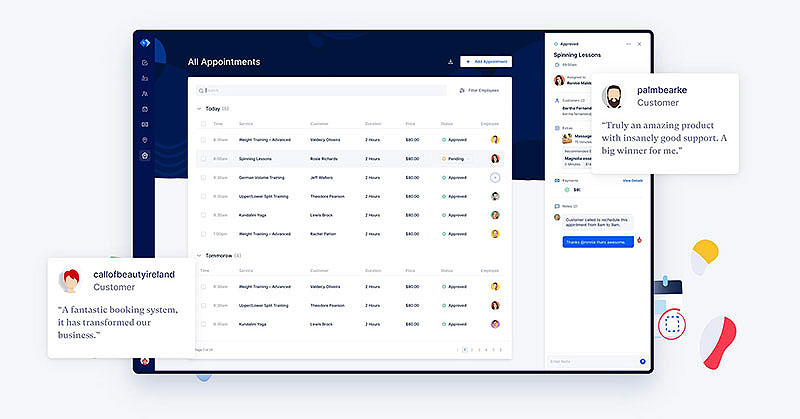
Trafft is the hosted booking software we build, and it replaces the spreadsheet rather than sitting beside it. Clients pick an open slot on a booking page at any hour, and the slot is checked before it is offered, so the double-booking formula from the previous section has nothing left to catch.
The columns of a template map onto features you no longer maintain by hand:
- Client name, phone and notes live in a built-in client database with booking history, in place of the Client, Phone and Notes columns.
- Status and reminders are automatic. Confirmations and reminders go out by email, and SMS credits are bought separately, so the Reminder sent column and the afternoon filter disappear.
- Provider and room become staff schedules with their own working hours, and several locations can run from one account.
- The Google Calendar sync keeps bookings from showing up in two places that disagree.
Trafft has a free plan, so the switch costs nothing to test. It has no booking commissions, and paid tiers add users and locations as the team grows. A template is still the right call for one person with a handful of bookings a week. Once clients want to book themselves, the calendar is the part Trafft does for you.
Patient data and HIPAA
Oregon Health & Science University paid $2.7 million in 2016 after patient information on more than 3,000 individuals sat on a cloud server with no business associate agreement in place (HHS Office for Civil Rights).
Google's HIPAA documentation, updated October 2026, says customers without a signed BAA must not put protected health information into Workspace services. A Workspace administrator accepts the BAA in the Admin console, and third-party add-ons fall outside it.
HHS adds that a cloud provider storing ePHI counts as a business associate even when the data is encrypted and the provider holds no key.
Software treats the BAA as a plan feature. Acuity offers it only on Premium, and Setmore only on Pro.
Clinics that need one should look at scheduling software built for medical practices before building a sheet, and confirm the requirements with a compliance advisor.
A decision rule
Stay on a template while one person controls the schedule, clients do not book themselves and no patient data enters the sheet.
Switch when any one of those changes.
In between, a Zapier template that creates Google Calendar events from new Google Sheets rows narrows the gap. It adds a third-party tool, which sits outside Google's BAA.
Appointment Calendar Template FAQ
What is an appointment calendar template?
It is a pre-formatted scheduling layout that divides days into fixed time slots, with fields for client, service and status.
A standard calendar records that something happens at a given time. This kind records who is booked for what, and whether they showed up.
Can I import appointments from a spreadsheet into Google Calendar?
Yes, as a .csv file saved from the sheet. The headers must be in English, and only Subject and Start Date are required (Google Calendar Help).
Import works on a computer. Repeat events from a .csv can arrive as separate one-time events, and Google Calendar accepts .ics files as well.
Does a Google Sheet sync with Google Calendar on its own?
No. A one-time import does not stay in sync afterwards.
A Zapier template creates a Google Calendar event for each new sheet row, which keeps the two close without manual copying.
How do I print an appointment calendar so it fits one page?
Set the paper size (A4 or US Letter) and orientation first, then scale the sheet to fit one page wide before printing.
A seven-day weekly grid usually prints best in landscape.
Can I manage appointments from my phone?
Yes, with limits. Google's help pages describe creating an appointment schedule as a computer task, and booked appointments then show up in the Calendar mobile app.
Setmore lists iOS and Android apps on its free plan, so a phone-first setup points to booking software.
Keeping an Appointment Calendar Template Accurate Week After Week
Accuracy comes down to habit. One person owns the edits, bookings go in while the client is still on the phone, and someone looks over overlaps and statuses at the same hour every morning.
Ownership comes first because a morning review only works on rows that were entered on time.
Archive finished months to a separate tab, but record the month's no-show rate first, because the rate formula reads the whole status column and resets when rows leave.
Row count never forces the move. Google raised the Sheets cell limit from 10 million to 20 million in September 2026 (Google Workspace Updates), which holds roughly 1.8 million rows of an 11-column log.
When the morning review starts to slip, setting up an online booking system is the next step.