A no-show is a booked slot that pays nothing. The room was held, the time was blocked, and whoever was supposed to show up didn't. For businesses running on appointments, even a handful of those per week adds up to a real revenue gap - and the front desk phone calls meant to prevent them eat the morning.
Automated reminder apps solve both problems at once. They send SMS, email, and WhatsApp reminders on a schedule, let clients confirm or reschedule without staff involvement, and generally cut no-show rates somewhere between 30% and 50% once the manual phone tag stops.
Below are 10 tools worth knowing about, led by Trafft and WPAmelia, with honest coverage of pricing, channel support, and where each one actually fits.
| If You Are | Pick | Why |
|---|---|---|
| A service team wanting all-in-one | Trafft | Free for 1 user |
| Running your own WordPress site | Amelia | Reminders baked into your site |
| Layering reminders on a calendar | Apptoto | Two-way SMS, email, and voice |
| On Square already | Square Appointments | Free booking tied to Square POS |
| On the tightest budget | Setmore | Free for 4 staff, paid from $5 |
Reminder channel coverage differs more than the marketing pages admit:
| Tool | SMS | Voice | |
|---|---|---|---|
| Trafft | Yes | No | Yes |
| Apptoto | Yes | Yes | No |
| GoReminders | Yes | No | No |
How We Evaluated These Apps
We signed up for each platform's free tier or trial and ran real bookings through it, then triggered reminders across every channel the tool supports (SMS, email, and WhatsApp where available) to confirm they actually fired on schedule.
Pricing was pulled directly from each vendor's own pricing page in July 2026 and cross-checked against Capterra and G2 listings, since the headline number and the real number don't always match once per-seat fees, message credits, and payment processing get factored in.
Where a tool made a specific claim, like a no-show reduction percentage, we've cited the source rather than repeat it as fact. Two things carried the most weight in the rankings: whether reminders landed reliably, and whether the pricing made sense for the type of business each tool is built for. A cheap plan that caps you at 200 bookings isn't cheap if you book 400.
The 9 Best Appointment Reminder Apps
The two picks at the top cover the widest range of service businesses. After that the list narrows toward sharper use cases.
A Klara study found text message reminders cut no-shows by nearly 38%, and clinics running automated reminders typically report drops somewhere between 30% and 50%.
Every tool here sends automated reminders and lets clients confirm, cancel, or reschedule without staff involvement. If you want the wider category first, here is a fuller roundup of the best appointment scheduling software.
Trafft - Best for service teams wanting all-in-one booking plus multi-channel reminders
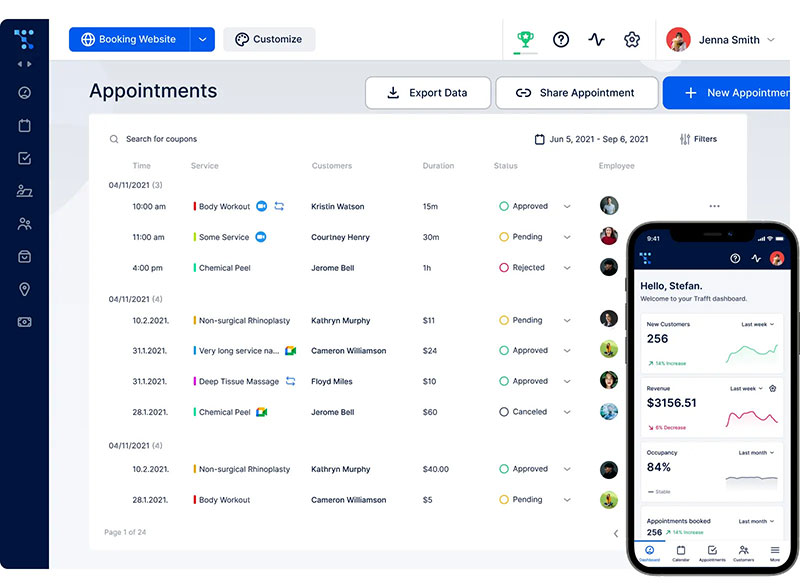
If you run a small or medium business, Trafft packs scheduling and booking into one platform. It stands out for pairing a genuinely free plan with SMS, email, and WhatsApp reminders. That makes it the strongest broad pick for teams that want reminders and full booking in the same place.
Good fit for salons, clinics, gyms, tutors, and agencies running multiple locations. The standout is getting WhatsApp, SMS, and email reminders with no per-booking fees attached.
What you actually get
- Two-way calendar sync with Google Calendar and Outlook (plus iCal), so you avoid double bookings on both ends
- Automated reminders across email, SMS, and WhatsApp with pre-made templates for both clients and staff
- Multi-location management from one dashboard
- Online payments through Stripe, PayPal, Mollie, and Authorize.net, with deposits or full upfront pay to cut no-shows
- Employee scheduling and an agency dashboard
Free for up to 5 users. Paid tiers add users and features, monthly or annual, with a 30-day money-back guarantee.
How the booking side works
You can make a booking page inside the platform, no attached website required. It's a no-code builder, so you pick a theme, drop in your colors and logo, and it goes live in under ten minutes. Customers book in real time and pay in advance through the online payment service. You can also embed the booking widget on an existing site if you already have one.
The multi-location bit is where it earns its keep. It works across multiple locations and lets clients book recurring appointments in a single flow. Online meetings get handled too. Zoom, Google Meet, and Teams links generate automatically once the integration is on.
The honest read
The free plan is real, not a trial. No per-booking charges. Reminders fired reliably across all three channels in testing.
That multi-location control sitting in one dashboard is the feature competing roundups tend to skip. It's what makes Trafft genuinely useful for agencies that would otherwise run a separate tool per client account.
Amelia - Best for WordPress site owners who want reminders built into their own site
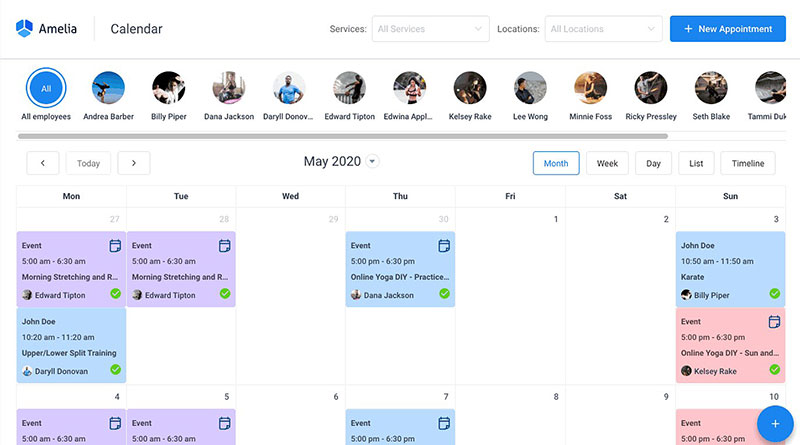
Amelia is a WordPress booking plugin that runs reminders, payments, and events directly on your site. It's the top pick for WordPress owners who want bookings and client data staying on their own domain rather than handed off to a hosted third party.
The booking widget is polished, with a step-by-step wizard (service, date, payment) that clients move through in a clean interface. The events module includes QR-code tickets, delivered as an e-ticket PDF for on-site check-in.
What you get
- Email, SMS, and WhatsApp reminders, sent instantly on an action or scheduled before and after the appointment
- Payments via Stripe, PayPal, Mollie, RazorPay, WooCommerce, and Square, plus deposits and refunds
- Google and Outlook calendar sync (Apple works indirectly through ICS)
- Package support, custom service durations, shared resources like rooms and equipment
- 20-plus languages, and an option to let clients schedule recurring appointments
Lite is free on a single domain. Standard, Pro, and Elite bill annually or as a one-time lifetime license (wpamelia.com, verified July 2026). Ratings are strong, 4.6/5 from 761 WordPress.org reviews and 4.9/5 on Capterra, and the feature set and documentation are thorough.
A tester ran the full Date, Info, and Payment flow on WordPress 6.9 and completed a live appointment end to end without errors.
Most reminder tools rent you their platform. Amelia keeps every booking and reminder inside your own database, which matters for GDPR-sensitive operators.
Apptoto - Best for appointment-heavy practices layering reminders on an existing calendar
Apptoto is a dedicated appointment reminder app that reads your Google, Outlook, or iCloud calendar and sends SMS, email, and voice reminders on top. It's built for practices that want to keep their current calendar but add serious no-show protection without switching booking systems.
Good fit for sales, recruiting, and clinical teams that live inside an existing calendar. The three reminder channels - including automated voice calls - are the main differentiator.
Features include two-way texting, Salesforce and Zoom integrations, daily reports, real-time calendar and inbox updates, and multilingual messages. Base plan runs $39/month covering 3 users and 450 message credits (Capterra, 2026); overages bill on top. Per its own data, it reduces no-shows by up to 90%.
The credit meter is the thing reviewers consistently flag. Heavy automated senders can work through 450 credits well before month-end, and the credit-based pricing model takes some getting used to. Mass-texting setup has a learning curve too.
The voice channel is the reason Apptoto makes this list. Text reminders get ignored by some client bases - particularly older patients who don't check SMS - and a phone call gets through when nothing else does.
GoReminders - Best for small businesses that just want dead-simple SMS and email reminders
GoReminders is a lightweight reminder and scheduling tool built around SMS and email. Solo operators and small teams who want reminders working in 30 seconds without configuring a full booking page are the target.
Setup is the fastest on this list, and reminders are available on every plan. Features include automatic calendar sync, customizable reminder tags, ready-made reminder message templates, recurring appointments, mobile access, and multilingual texts. Paid plans start around $25/month billed annually, scaled by appointment volume (Quo, 2026), with a 14-day trial.
G2 reviewers consistently praise how easy it is to use. The limitations are real though: two-way texting runs on paid credits, Zapier integration sits on the $200 Premium plan, and there's no voice channel. Pricing also scales by appointment count, so a growing calendar can quietly outgrow the plan you started on.
The case for it is straightforward. If a business only needs reminders and nothing else, paying for a full booking suite is wasted spend. GoReminders does one job cleanly.
Calendly - Best for professionals scheduling meetings through booking links
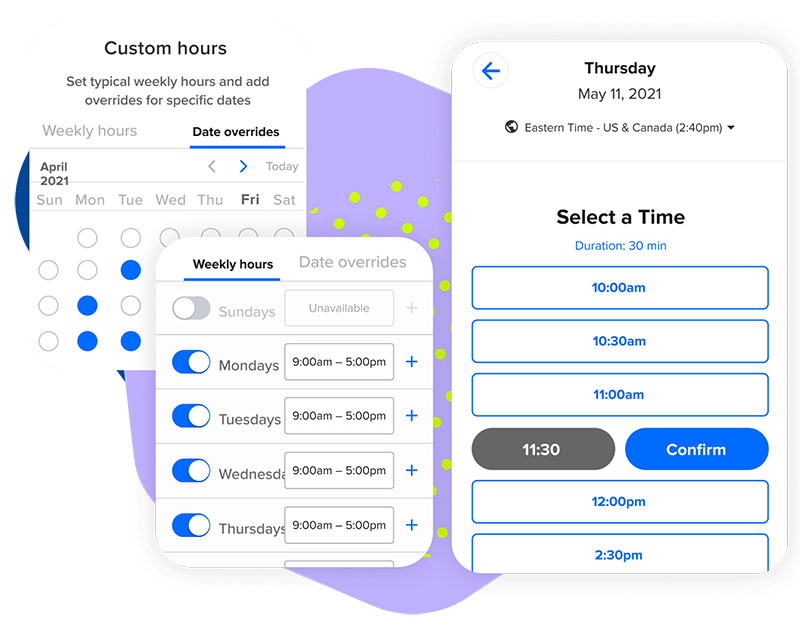
Calendly is a scheduling platform built around shareable booking links. Consultants, sales reps, and teams that need clients to self-book meetings - with clean time-zone handling and automatic reminders attached - are the natural fit.
It's built for meeting-based professional services, not walk-in retail. Time-zone handling and routing forms for high-volume one-on-one booking are the standout capabilities. Features include email and SMS reminders, native Salesforce and HubSpot sync, a wide integration library, and group and collective events.
Free tier is available; paid plans start at $10/user/month billed annually ($12/user/month billed monthly), verified 2026. Per-user pricing climbs fast, and payments, group events, and routing all sit behind paid tiers. Worth noting: Calendly stopped accepting new iCloud/Apple Calendar connections as of August 2024, so Mac-only users setting up fresh should plan around Google or Outlook instead.
The free plan holds up for solo consultants. The jump to paid becomes immediate once you need payment collection or team routing. It's a meeting scheduler first and a service-booking tool second - fine for a consultant, wrong for a nail bar.
Acuity Scheduling - Best for session-based service businesses collecting payment and intake
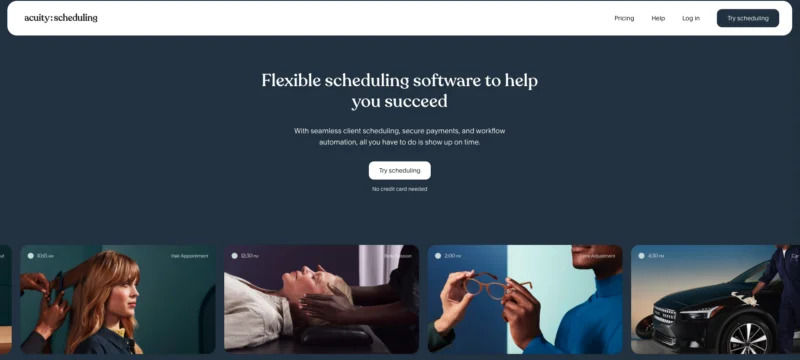
Acuity is scheduling software tuned for service providers who take payment and intake at booking. Coaches, studios, and clinics that want the smoothest book-intake-pay flow in one step are the natural audience.
Integrated intake forms plus deposits, prepayment, and no-show fee collection are the standout. Other features include automated reminders, recurring bookings, a "Look busy" availability mode, and a HIPAA option on higher plans (Acuity is owned by Squarespace).
No free plan, just a 7-day trial. Starts around $16 to $20/month, with most multi-staff users landing on the $34-plus tier (2026 comparisons). Widely called the smoothest booking-plus-payment flow, polished out of the box, with deep intake customization. The entry tier limits you to a single calendar, which forces multi-staff shops upward almost immediately.
The no-show fee collection is quietly Acuity's best anti-cancellation lever, and most reviews bury it under the payment feature. Solo providers do fine on the $20 tier.
Square Appointments - Best for solo providers and shops already on Square POS
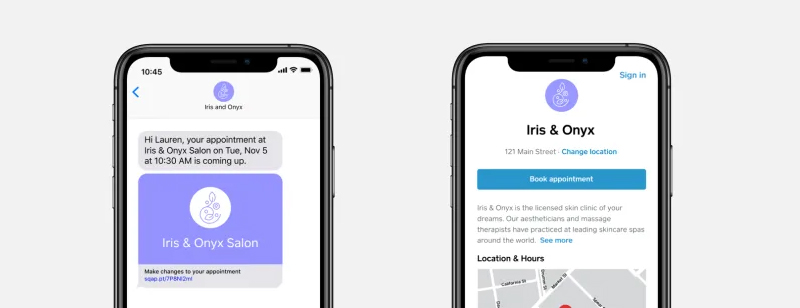
Square Appointments links booking, reminders, and payments to the Square point-of-sale system. Salons and studios already taking payment through Square hardware are the right audience - scheduling living in the same place as the POS is the whole value proposition.
Booking, payments, and staff management sit under one Square login. It works well as salon scheduling software for businesses with a physical location. Features include automated reminders, integrated card payments, staff and calendar management, and in-person booking.
Free for a single user; team plans scale up to around $90/month for up to 10 users (2026). The in-person booking flow is underrated - a front-desk staffer can rebook a client at checkout without leaving the register. Value collapses outside the Square ecosystem, and processing fees apply to every payment. If you're not already on Square, the appointments piece alone isn't a reason to switch your whole POS.
Setmore - Best for budget teams needing a free multi-staff scheduler
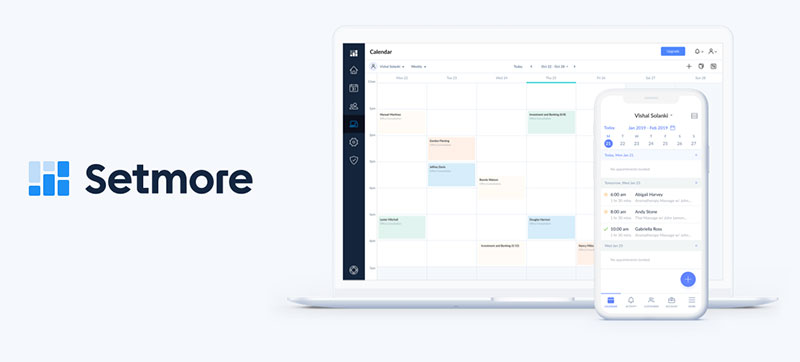
Setmore is an approachable scheduler with one of the most generous free plans on this list. Small teams that need multi-staff booking and reminders without paying anything to get started are the fit.
Free for up to 4 staff and 200 bookings a month. Features include email reminders, video links for Zoom, Google Meet, Teams, and Webex, custom booking pages, and two-way calendar sync on paid tiers. Pro plan runs $5/user/month on annual billing ($12/user/month billed monthly), 2026.
Small operations run real workflows on the free tier, but reminder automation stays shallow until you upgrade. The integration library trails Calendly and Acuity, and reporting is thin. The four built-in video providers are worth mentioning - hybrid businesses can run in-person and virtual bookings without a second tool.
SimplyBook.me - Best for multi-service and international businesses needing HIPAA or language support
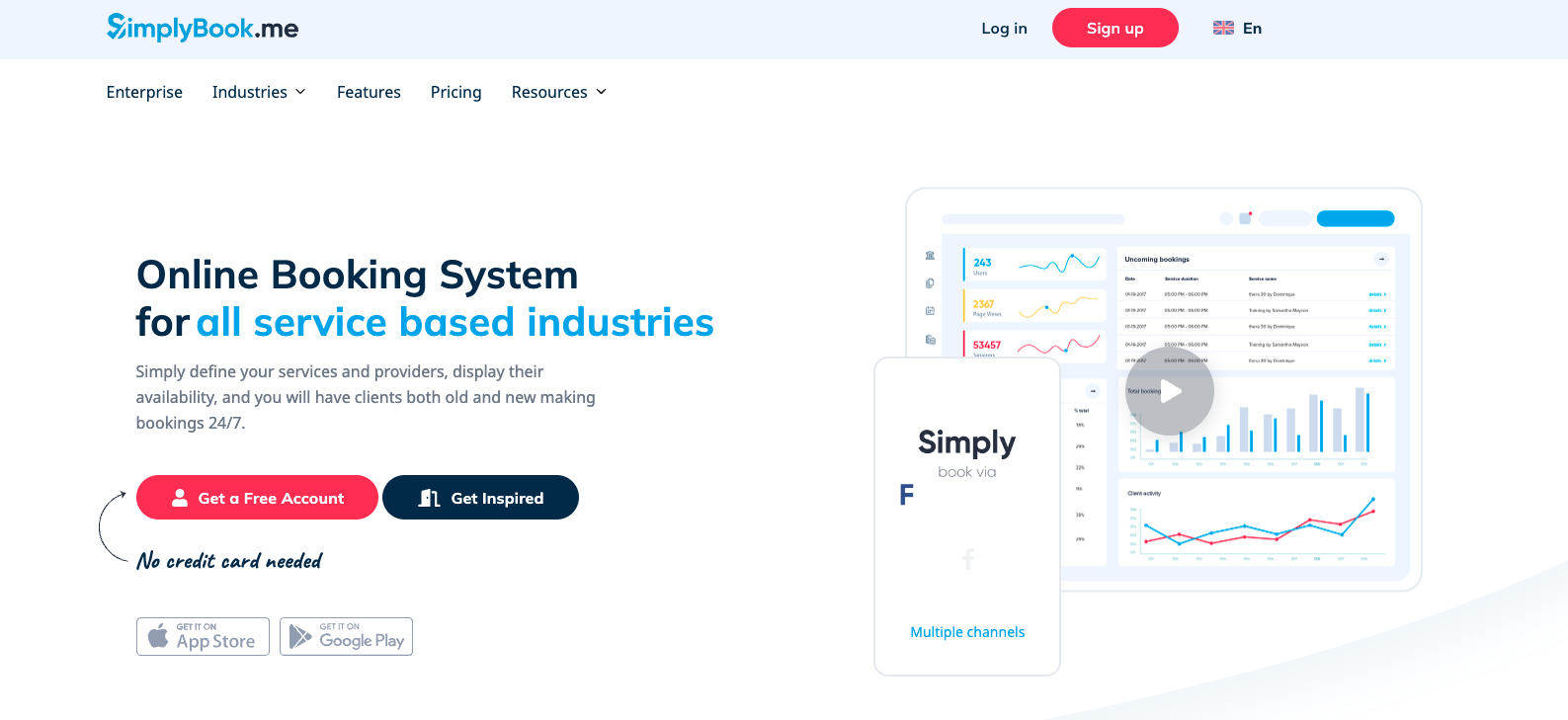
SimplyBook.me is a modular booking system you assemble from plugins. Multi-service or cross-border operators who need HIPAA compliance, many languages, and dozens of payment gateways in one place are the natural audience. It also functions as capable healthcare scheduling software for regulated practices.
70-plus plugins cover memberships, HIPAA, packages, and multi-language support - 30-plus languages total, 35-plus payment gateways, a custom booking site, and SMS and email reminders. Free for 50 bookings a month with one provider; paid plans from roughly $9.90/month on annual billing (2026).
It's the most feature-rich per dollar on this list. The interface feels dated, and the plugin model creates the steepest learning curve here. The free 50-booking tier is a low-risk way to test reminder and calendar flows before committing to the plugin stack. The approach of paying only for plugins you switch on is rare and genuinely useful for businesses with one unusual requirement.
What an Appointment Reminder App Actually Does
The mechanism is simple. Calendar sync pulls booking data, the app fires timed notifications at intervals you set, and client replies flow back into one dashboard. Clients can confirm, cancel, or reschedule from the message itself without calling anyone.
If you want the full picture of that plumbing, here is how a booking system actually works end to end.
Two shapes of product exist in this category. One is a standalone reminder layer that sits on top of your existing calendar. The other is a full booking suite with reminders built in.
| Type | Example | Best When |
|---|---|---|
| Dedicated reminder tool | ApptotoGoReminders | You already have a booking flow |
| All-in-one booking suite | TrafftAcuity | You want booking and reminders together |
| WordPress plugin | Amelia | Bookings live on your own site |
Adoption is already mainstream. A February 2019 MGMA Stat poll of 1,475 healthcare leaders found 88% of their organizations run automated appointment reminders. Automated SMS and voice reminders cost around 0.14 euros per contacted patient versus 0.90 euros for a manual phone call, per the same MGMA-reported data.
GI Alliance, a large gastrointestinal care group, runs patient reminders and two-way messaging through Klara across its practices.
How Appointment Reminder Apps Reduce No-Shows
A systematic review across medical settings found reminders cut missed appointments by 41% on average and lifted attendance by 34% (Pan African Medical Journal). The most-cited number comes from Imperial College London researchers, whose study showed text reminders reduce no-shows by 38% (reported via Klara).
General and specialized appointments carry no-show rates between 5% and 30%. Every empty slot is lost time plus wasted staff effort.
A few real-world results give a sense of scale. Adelante Healthcare reduced no-show rates to 13% across its medical practices - a 35% improvement - after adding automated text reminders; its dental practices improved by 40% to an average of 18%. A community mental health service cut its did-not-attend rate from 7.5% to 5.0%, a 33.3% improvement, by sending an SMS one day before the appointment.
Wording matters as much as timing. In a Clalit Health Services trial published in PLOS One, a guilt-framed reminder produced a 14.2% no-show rate against 21.1% for the generic control message. How you write the reminder is not a minor detail.
Reminder Channels: SMS, Email, Voice, and WhatsApp
Channel choice drives whether the reminder gets seen at all. SMS carries roughly a 98% open rate against email's 20% (Forbes).
| Channel | Strength | Watch-out |
|---|---|---|
| SMS | Near-universal open rate | Runs on per-message credits |
| Free and unlimited on most plans | Weak for last-minute nudges | |
| Voice | Reaches clients who ignore texts | Higher cost per contact |
| Strong for international and mobile-first clients | Not on every platform |
When SMS Outperforms Email
Speed is the whole argument. Validity data shows 90% of texts are read within three minutes of delivery. That immediacy suits the 24-hour and 1-hour reminders, where email often sits unopened until after the appointment has already passed. SMS is the default for time-sensitive confirmations - Trafft, GoReminders, and Apptoto all lead with it.
Where Two-Way Texting Justifies the Added Cost
One-way notices tell. Two-way texting lets clients reply to confirm or reschedule, which actually closes the loop. SMS pulls a 45% response rate against email's 6% (Business.com), so replies happen at a rate that makes the feature worth paying for. Apptoto and Trafft both support two-way threads, though inbound replies draw on message credits.
What to Look for When Choosing a Reminder App
Match the tool to how you already book, then check a few things before you pay.
Calendar sync should be two-way with Google Calendar and Outlook - one-way sync is how double bookings happen. On integrations, Stripe and PayPal for payments, Zapier for automation, and Salesforce and Zoom for teams are the common requirements.
Platform fit matters too: some businesses need a hosted app, others need a WordPress plugin, others need something tied to a POS like Square.
Compliance isn't optional. Improper consent under the Telephone Consumer Protection Act (TCPA) is a real and growing source of enforcement action and litigation for businesses that text customers without proper opt-in records.
For regulated fields, SimplyBook.me and Acuity offer HIPAA-compliant configurations on specific plans - confirm the vendor signs a Business Associate Agreement first.
Appointment Reminder App Pricing at a Glance
Every price below was pulled straight from each vendor's own pricing page in July 2026, then cross-checked against Capterra and G2 listings where the official page hid the fine print.
A quick caveat before the table: SaaS pricing shifts constantly, and a few of these tools quietly changed their numbers in the last year (GoReminders dropped its entry tier, Square bumped its paid plans up). So treat this as a strong starting reference, not gospel. Always confirm on the vendor site before you enter a card number.
One more thing worth flagging. "Starting price" means the cheapest paid tier, billed annually where annual billing exists. Monthly billing runs roughly 15 to 60% higher depending on the tool.
| App | Starting Price (Paid) | Free Plan? | Best For |
|---|---|---|---|
| Trafft | $19/mo (annual) | Yes 1 user | Service teams wanting all-in-one booking plus SMS, email, and WhatsApp reminders |
| Amelia | $49/yr (Starter) | Yes Lite on 1 domain | WordPress owners keeping bookings on their own site |
| Apptoto | $30/mo | No 14-day trial | Appointment-heavy practices adding voice and two-way SMS to an existing calendar |
| GoReminders | $8/mo (Solo) | No free trial | Solo operators who want dead-simple SMS and email reminders fast |
| Calendly | $10/user/mo (annual) | Yes | Professionals scheduling meetings through booking links |
| Acuity Scheduling | $16/mo (annual) | No 7-day trial | Session-based businesses collecting payment and intake at booking |
| Square Appointments | $49/mo per location (Plus) | Yes single user | Solo providers and shops already running Square POS |
| Setmore | $5/user/mo (annual) | Yes up to 4 staff | Budget teams needing a free multi-staff scheduler |
| SimplyBook.me | $9.90/mo (Basic) | Yes 50 bookings/mo | Multi-service or international businesses needing HIPAA or many languages |
A few reads that don't fit in a table cell:
Cheapest genuine entry point goes to Setmore at $5/user/month annually, though remember every staff calendar counts as a billable seat. That $5 becomes $25 fast for a five-person salon.
Watch the billing model, not the sticker. Apptoto's $30 covers a set number of message credits, and heavy senders blow through them mid-month. GoReminders scales by appointment count. Square looks free until you factor per-transaction processing fees on every payment. The headline number and the real number are rarely the same.
Square shifted. As of mid-2026, current pricing sits at $49 and $149 per location per month.
The truly free-forever tiers here are Trafft, Amelia Lite, Calendly, Setmore, Square, and SimplyBook.me. Acuity and Apptoto give you a trial and nothing more. GoReminders runs a trial too, no permanent free plan.
How to Set Up Automated Reminders That Actually Reduce No-Shows
Cadence does the heavy lifting. A confirmation at booking, a reminder 24 hours out, and a nudge 1 hour before covers most no-show causes. The full walkthrough for wiring this up is in this guide on how to set up an online booking system.
Write the message so it stands alone: date, time, location, provider name, and a reschedule link. If email is your channel, these notes on sending a reminder email cover tone and structure.
Use merge tags and saved templates so personalization scales without manual editing per client. Set buffer times and a clear cancellation window so reschedules don't fragment your day into dead 15-minute gaps.
The common mistake is sending one reminder, or sending it five days out when people forget again before the appointment arrives.
Delivery infrastructure matters too. In the U.S., registered A2P 10DLC senders generally see meaningfully higher SMS delivery rates than unregistered traffic, which carriers increasingly filter or block. Verify consent and compliance before a single automated message goes out - this is a sensitive area for healthcare and other regulated work.
Frequently Asked Questions About Appointment Reminder Apps
What is the best appointment reminder app?
Trafft leads for most service businesses, pairing a free plan with SMS, email, and WhatsApp reminders. WPAmelia is the top pick if your bookings run on a WordPress site instead of a hosted platform.
Do appointment reminder apps really reduce no-shows?
Yes. Studies show automated reminders cut missed appointments by 30% to 50%, with one Imperial College London study reporting a 38% drop from text reminders alone.
Is there a free appointment reminder app?
Several offer real free plans. Trafft is free for up to 5 users, Setmore covers 4 staff and 200 bookings a month, and SimplyBook.me includes 50 bookings a month with one provider.
SMS or email reminders - which works better?
SMS wins for attendance. Text reminders carry a 98% open rate versus roughly 20% for email, and 90% of texts are read within three minutes.
Does Amelia send SMS and email reminders?
Yes. WPAmelia sends both email and SMS reminders directly from your WordPress site, and paid tiers add payments through Stripe, PayPal, WooCommerce, and recurring appointment scheduling.
Can these apps sync with Google Calendar and Outlook?
Most do. Trafft, Apptoto, and Calendly all offer two-way calendar sync with Google Calendar and Outlook, which prevents double bookings and keeps availability accurate in real time. Note that Calendly no longer accepts new iCloud/Apple Calendar connections as of August 2024.
How much do appointment reminder apps cost?
Pricing varies by model. Setmore starts at $5/user monthly on annual billing, Apptoto runs $39/month for 450 message credits, and Amelia offers one-time lifetime licenses instead of subscriptions.
Are appointment reminder apps HIPAA compliant?
Some are. SimplyBook.me and Acuity Scheduling offer HIPAA-compliant configurations on specific plans, but always confirm the vendor signs a Business Associate Agreement before sending patient reminders.
Can clients confirm or reschedule from a reminder?
With two-way texting, yes. Apptoto and Trafft let clients reply to confirm, cancel, or reschedule, and SMS pulls a 45% response rate against email's 6%.
Which reminder app is best for a WordPress site?
Amelia runs entirely inside WordPress. Amelia suits polished booking widgets and events.
Conclusion
The right appointment reminder apps turn missed slots into kept ones, protecting revenue while your team stops chasing clients by phone.
Trafft and WPAmelia anchor this list for a reason. One covers service teams across multiple locations, the other keeps scheduling and reminders inside your own WordPress site.
Beyond those two, the pick comes down to fit. Apptoto layers voice and two-way messaging onto an existing calendar, while Square Appointments suits shops already running its point-of-sale.
Weigh the details that actually bite: reminder frequency, delivery reports, opt-out handling, and whether the plan collects a deposit at booking.
Start with a free plan, test the reminder cadence on real bookings, then commit once the no-show numbers move.