Chasing a client for last week's session fee over text message is the part nobody warns you about. That is the gap online personal trainer software fills. Booking, payment collection, and client records run in one system instead of a calendar link sitting next to a payment app next to a spreadsheet of who still owes you.
Solo trainers, small studios, and multi-location gyms rarely land on the same setup. The split usually comes down to deployment, meaning a WordPress plugin embedded in a site you already own versus a standalone platform where the vendor hosts everything.
Trafft and Amelia sit behind most of this category. Together they process more than $1.5 million in online payments every month across more than 50,000 businesses using the two platforms combined.
The Best Online Personal Trainer Software
Reminders alone move the needle more than most trainers expect. A 2008 study published in BMC Ophthalmology (Koshy, Car and Majeed) found that SMS reminders cut non-attendance at a London hospital's ophthalmology clinic by 38 percent compared with no reminder at all, and that mechanism carries over reasonably well to other service businesses built on booked time slots.
If you're setting things up for the first time, it helps to sort out how you plan to structure your online personal training business before picking software for personal trainers. The tool should fit the business model, not the other way around.
Free plans show up more than once below. Trafft, Amelia, Trainerize, and Everfit all offer one, which tracks with a broader shift toward free online booking systems across the scheduling software market generally.
| If you need | Pick | Why |
|---|---|---|
| Booking and payments in one standalone platform, no website needed | Trafft | Real free plan, payment collection built into the booking flow itself |
| Booking built into an existing WordPress site | Amelia (WPAmelia) | Runs inside wp-admin, no separate login or extra monthly bill |
| Nutrition, habits, and a branded app in one system | Trainerize | Deep exercise library plus macro tracking, group training, and community features |
| The cleanest video-feedback workflow for form correction | TrueCoach | Video upload and annotation as the core feature, minimal extra clutter |
| A flat price with a branded app included from day one | PT Distinction | iOS and Android apps included on paid plans, not gated behind a top tier |
| Community and habit-based coaching on a budget | Everfit | Usable free tier for up to 5 clients, strong check-in and streak tracking |
| One flat price regardless of how many clients you have | My PT Hub | Unlimited clients on the Premium plan instead of per-client scaling |
| A fully custom platform for a gym or larger training business | Exercise.com | Custom-branded web and mobile apps, staff scheduling, and multi-location billing |
| Built-in client discovery through a consumer marketplace | Mindbody | Consumer app surfaces your business to people searching for classes nearby |
| Localized, multi-language club management | Virtuagym | Strong language coverage and an animated exercise library for international clubs |
Trafft: best for trainers who want booking and payments in one standalone platform
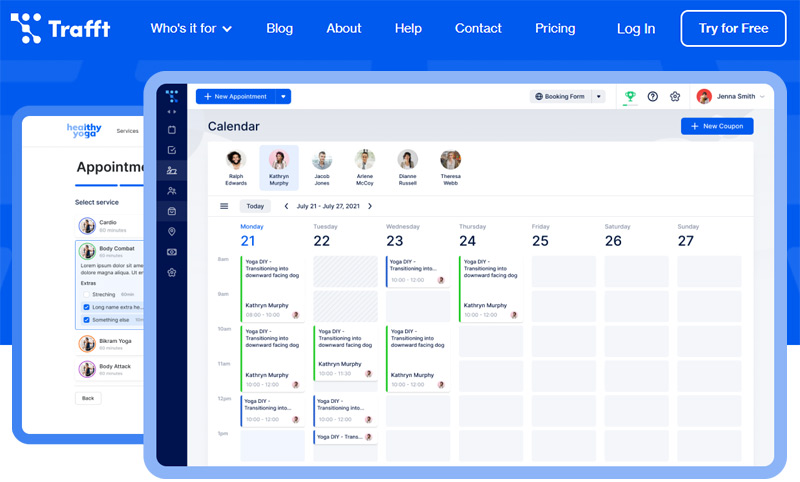
Trafft runs as its own platform, so there's no site to build first. Sign up, add your services, hand out a link. For trainers who never wanted to become part-time webmasters, that usually settles it on its own.
The free plan is a real plan, not a 14-day countdown. One user, one location, up to 100 appointments a month.
Payments are the part worth paying attention to. Deposits and full charges happen inside the booking flow itself, so nobody gets a separate invoice email three days after the session was already booked.
What you get on the scheduling side:
- Two-way calendar sync with Google and Outlook
- Recurring session bookings for ongoing client packages
- Automated reminders sent by email on every tier, with SMS and WhatsApp available on higher tiers
- Coupon codes and package pricing for session bundles
- Multi-location scheduling that handles clients who book across different time zones
- Custom booking page design without touching code
Pricing: paid plans start at $7.99 a month on the Mini tier (3 users) and scale up to roughly $60 a month for the top Business tier (30 users), based on 2026 published pricing.
Where it stops
No workout programming, no exercise library, nothing on the coaching-delivery side. Custom domains and Zapier sit on the top tier, worth checking against your plan if a custom domain is the thing you actually wanted.
Trafft and Amelia together report processing more than $1.5 million in online payments every month across more than 50,000 businesses using the two platforms, with more than 8 million appointments processed to date (Trafft, 2026). That kind of volume suggests the payment flow holds up outside of a demo environment.
Most booking tools bolt payments on afterward. Trafft treats payment collection as the default path, and that difference matters more for trainers chasing deposits on high-value packages than for anyone selling simple hourly slots.
Amelia: best for trainers who already run their business on a WordPress site
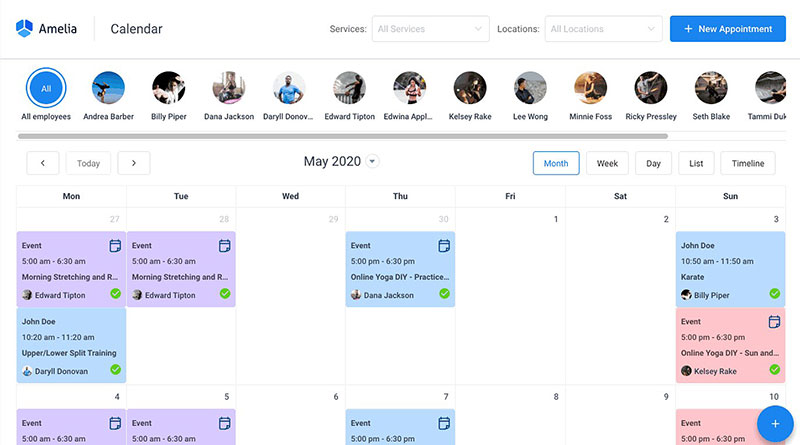
Already have a WordPress site? Amelia turns it into the booking system. No second dashboard, no second login, no second monthly bill arriving from a company you forgot you signed up with.
- Handles recurring, one-off, and multi-day event bookings from a single calendar
- Paid tiers open up Stripe, PayPal, Mollie, RazorPay, and WooCommerce alongside Square
- Custom booking fields for intake forms and health questionnaires
- Microsoft Teams, Zoom, and Google Meet integration at the Pro tier for remote sessions
- No-show tagging and employee badges for multi-trainer studios
- Event ticketing with QR-code check-in, something most booking plugins skip entirely
- Translations running to more than 20 languages
WordPress still powers roughly 41 percent of all websites as of August 2026 (W3Techs). That reach is the practical reason a WordPress-native plugin keeps beating standalone apps for trainers who already have a site and don't want to leave it.
Pricing: works differently from the SaaS model too. The Lite version is free on WordPress.org, and the paid Starter plan runs $49 a year, verified against Amelia's own pricing page in 2026. Standard, Pro, and Elite tiers add the extra payment gateways, two-way calendar and video-call sync, and the event ticketing.
The obvious catch: no WordPress site, no Amelia. Performance also depends on your hosting quality and whatever else is already installed, which is a variable the vendor can't control.
Amelia's release notes through 2025 and into 2026 show steady feature work, including an AI assistant added in version 9.1 and ongoing payment-gateway refinements. That reads as active maintenance rather than a stalled plugin.
One thing that surprises people: Amelia and Trafft come from the same parent company, TMS, which now also operates as Melograno Venture Studio, confirmed directly on Trafft's own comparison page. So the choice between them isn't about which team builds better software. It's about architecture. A plugin living inside a site you control, or a standalone platform that needs no site at all.
Trainerize - Best for coaches who want nutrition, habits, and a branded app in one system
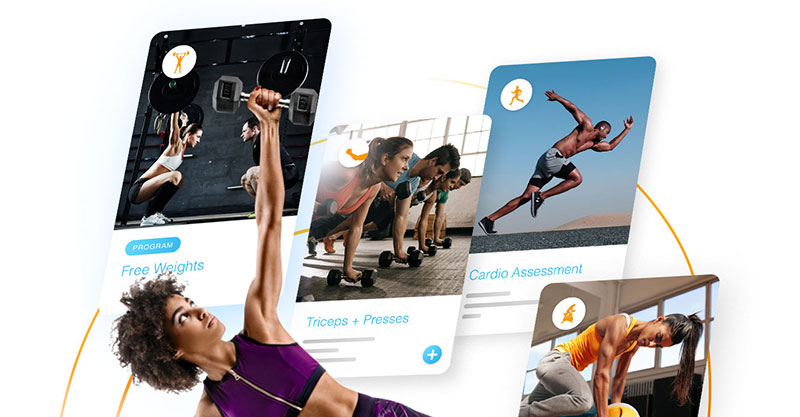
Trainerize has been around longer than most of this list, and it shows in the exercise library. Workout programming, macro tracking, habit tracking, group training, a community feed, fitness tracker integrations. Breadth is the selling point.
Breadth is also where the bill comes from. The branded mobile app is a paid add-on. Nutrition is priced separately. The sticker price and the real price drift apart fast once you switch on the modules you actually wanted.
Pricing: Trainerize's own 2026 pricing page lists the Grow plan at $10 a month for up to 2 clients and the Pro plan starting at $25 a month for up to 5 clients, scaling to $135 a month at 50 clients. There's a free plan, though it's limited to a single client.
Since ABC Fitness acquired Trainerize in September 2020, several trainer forums and comparison sites report a slower release pace and more complaints about add-on pricing. Worth checking against current reviews before signing anything long term. Trustpilot scores trail some of the newer, leaner competitors as well.
Still, the core product is stable, it handles group training alongside one-on-one work, and nothing else here matches the library depth.
TrueCoach - Best for solo coaches who want the cleanest video-feedback workflow
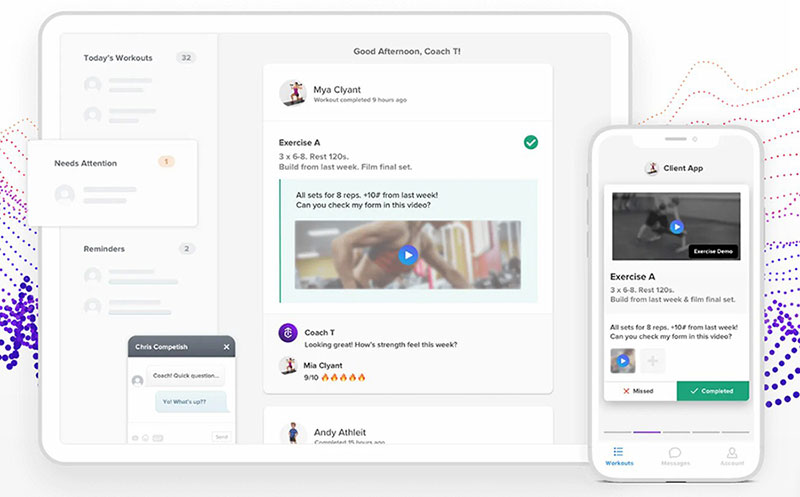
TrueCoach does fewer things. That's the point.
- Video upload and annotation for exercise-form feedback
- Workout builder with progress tracking
- Client messaging
- Session packages billed through the platform
- Onboarding flow that doesn't take an afternoon
The client app scores well on both major app stores, consistently better than the heavier all-in-one platforms.
Pricing: the Starter plan runs roughly $26 to $30 a month for up to 5 clients, lower with annual billing, higher billed monthly, with a 14-day trial.
Now the number nobody puts in the comparison table. A 5 percent platform transaction fee applies to payments processed through TrueCoach, on top of standard Stripe processing fees. For a coach billing $3,000 a month through the app, that's $150 gone before Stripe takes its cut. Buyer guides published in 2026 flag this as one of the biggest factors in TrueCoach's real cost, specifically for coaches routing deposits and package payments through the platform rather than an external processor.
There's no nutrition module at all, and fewer automation and marketing tools than the broader platforms. If your coaching leans on form correction and weekly check-ins, none of that will bother you.
PT Distinction - Best for independent coaches who want a flat price with a branded app included
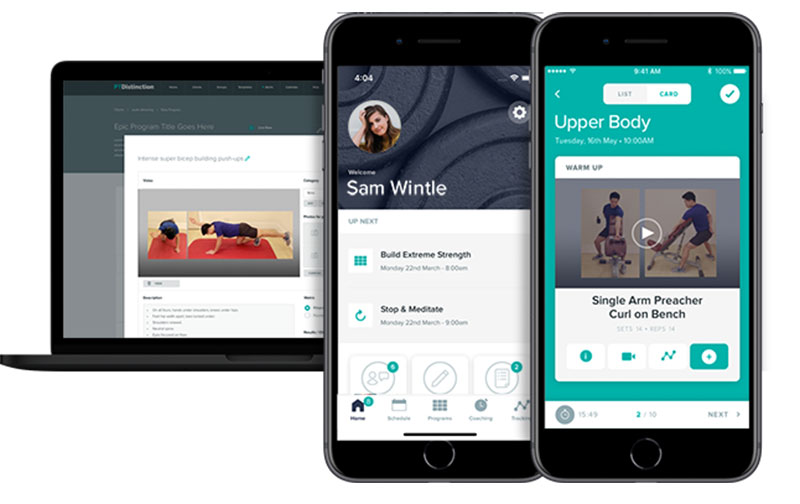
Branded iOS and Android apps come included on paid plans from day one. Not at the top tier. Not as an add-on. Included.
That's unusual enough to be the headline. Everything else is what you'd expect from a mature coaching platform: habit tracking, client check-ins, program automation, template libraries for scaling delivery.
Pricing: plans start at $19.90 a month for up to 3 clients on the Basic tier and reach $89.90 a month for up to 50 clients on the Master plan, with a 1-month free trial, based on PT Distinction's published 2026 pricing.
Flat pricing sounds like a footnote until you compare it against per-client models. Scale from 5 clients to 50 on a per-client platform and the bill can triple. PT Distinction moves in fixed steps instead.
No nutrition or meal-planning module, though. And the interface has a steeper learning curve than the leaner options, which is the usual trade for feature depth.
The company has stayed independently owned since 2010 while several direct competitors changed hands through corporate acquisitions. If platform continuity matters to you, that's a real data point.
Everfit - Best for coaches building community and habit-based coaching on a budget
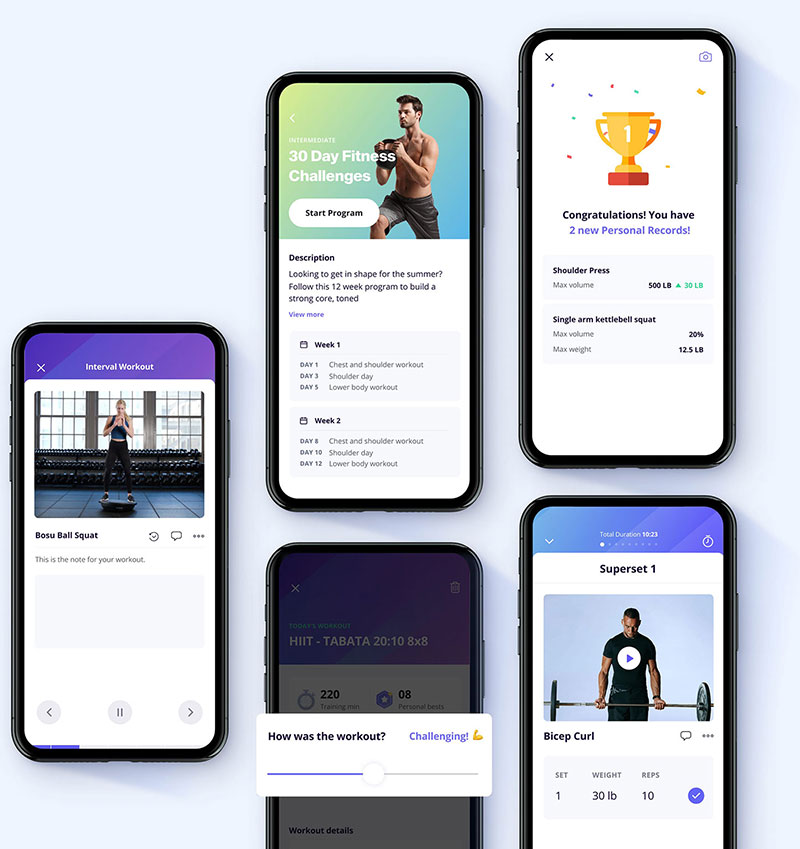
The free tier here is genuinely usable. Up to 5 clients, meaning you can run a small real roster before paying anything, which is rare enough to be the main reason Everfit lands on this list.
- Habit tracking with daily check-ins and streaks
- Client community feed
- Workout builder with video demonstrations
- Basic nutrition and macro logging
The accountability side is more developed than most competitors' version of the same feature, and that's clearly deliberate. Everfit leans harder into habit and community tooling than into workout-library depth.
Pricing: paid Pro plans start around $16 a month on annual billing (about $19 billed monthly) for 5 clients and scale with client count. AI meal-planning, automation, and payments are separate paid add-ons on top of the base tier.
Which is the catch. The generous free tier gets attention, then the add-ons stack cost back onto the plan the free tier was supposed to help you avoid. Trustpilot ratings also trail category leaders like PT Distinction.
My PT Hub - Best for trainers with large rosters who want one flat unlimited-client price
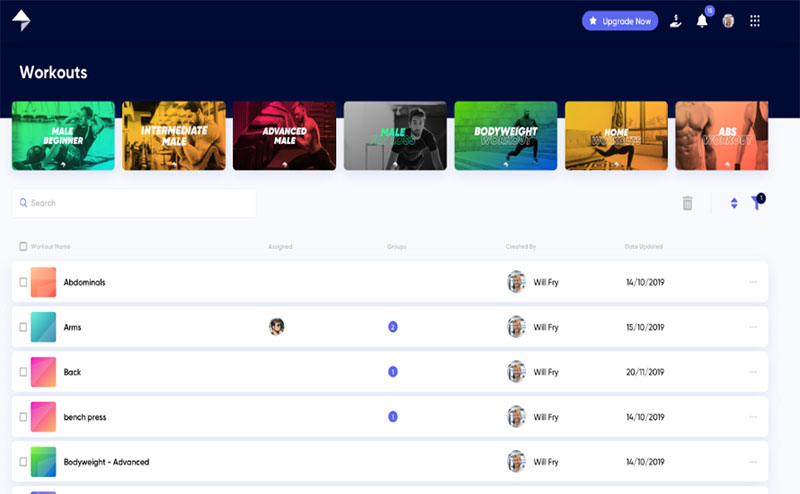
Unlimited clients, one flat monthly fee. That's the whole pitch, and it flips the standard per-client model on its head.
Pricing: the entry Starter plan runs around $22 to $25 a month for up to 3 clients. The Premium plan is a flat rate around $59 a month for unlimited clients, with a 30-day free trial, based on 2026 published pricing. Multiple independent 2026 comparison reviews land on that same roughly $59 figure, which is a rare point of agreement in a market where pricing claims often conflict between sources.
- Workout and nutrition plan delivery through a client app
- Booking and scheduling for in-person and online sessions
- Tracking client progress with photos and measurements
- Invoicing with payment collection built in
The interface feels dated next to newer entrants, and My PT Hub carries less name recognition than Trainerize or TrueCoach. Neither matters much if the math works.
And the math only works past a certain size. Below roughly 15 to 20 clients, per-client platforms usually cost less. This one is specifically for trainers who've already scaled past that line and are watching their bill grow every time they sign someone new.
Exercise.com - Best for gyms and larger training businesses needing a fully custom platform
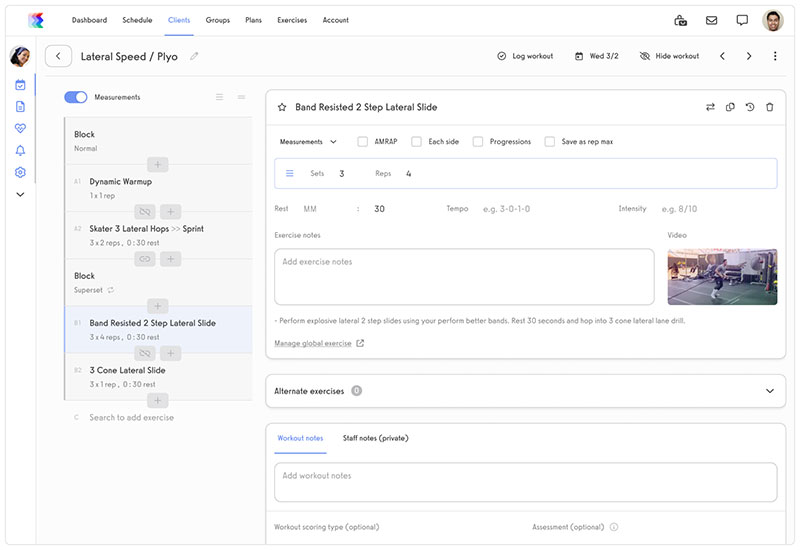
This is enterprise software.
- Custom-branded web and mobile apps for members
- Membership, package, and pay-per-class billing in one system
- Staff scheduling and commission tracking across locations
- Digital workout and assessment delivery with progress tracking
Pricing: quote-only with no published tiers and no free trial. Capterra's 2026 pricing listing shows a Basic plan at $239 a month as the only public reference point, a figure that lines up with reviewer comments describing it as a significant investment justified mainly at gym or team scale.
Review scores on Capterra and G2 are strong. The white-labeling is real white-labeling. Onboarding is reportedly steep across multiple review platforms, and quote-only pricing makes budgeting harder than it needs to be.
Exercise.com also produces enormous volumes of its own comparison content, which is why it turns up in every search regardless of fit. The platform is genuinely good. It's built for businesses with staff and locations, not for the online-only solo trainer this list mostly serves.
Mindbody - Best for studios wanting built-in client discovery through a consumer marketplace

Scheduling is not what makes Mindbody different. Plenty of tools schedule appointments. Fewer put your business in front of people who weren't already looking for you by name.
The Mindbody consumer app surfaces listed businesses to people searching for classes nearby, which turns the software into a client-acquisition channel rather than just an admin tool.
- Class and appointment scheduling across multiple locations
- Membership and package billing with automated renewals
- Staff scheduling with payroll-adjacent reporting
Pricing: starting price is listed around $99 a month per Capterra's 2026 pricing data, scaling higher with locations and staff count. Marketplace fees apply on top of the subscription for bookings sourced there.
Mindbody's reputation splits along business size in most reviews. Studio owners cite the marketplace as a genuine growth channel, while solo trainers more often flag the cost and feature overhead as mismatched to their needs. A closer look at Mindbody reviews makes that split easy to spot.
Virtuagym - Best for gyms needing localized, multi-language club management
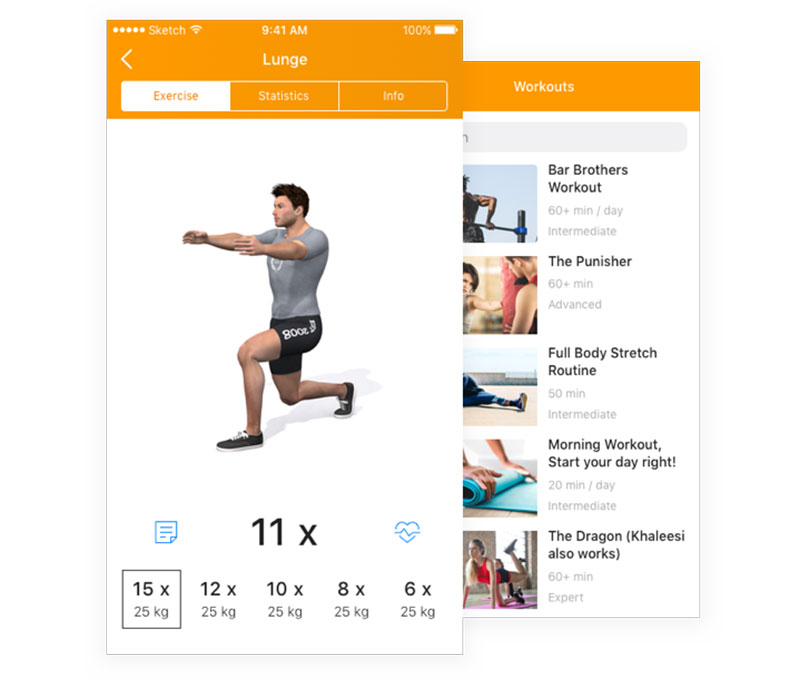
Dutch-built, club-focused, and unusually strong on languages.
- Member management with automated check-ins
- Workout planning with animated exercise demonstrations
- Nutrition tracking alongside training programs
- Per-location pricing tiers for multi-club operators
The animated exercise library ranks among the best in the category. Combined with the language coverage, it's the obvious pick for a gym running clubs across several countries or serving a client base that doesn't operate in English.
Pricing: needs a caveat. A pricing page captured in March 2026 listed three per-location tiers: Manage at $19 a month, Coach at $24, and All-in-One at $39, each with a 14-day free trial. By mid-2026, Virtuagym's public pricing page had shifted to a demo-request and custom-quote model, so treat these figures as a recent reference point rather than a live, published price, and confirm current numbers directly with the vendor.
Review sites covering Virtuagym in 2026 repeatedly flag cancellation friction as a recurring complaint, alongside praise for the exercise library. Users report long minimum contract terms and a difficult cancellation process. Factor that into any multi-year commitment. The branded app is also a paid add-on rather than something included at entry tiers.
Most personal trainer software comparisons skip Virtuagym entirely because it's built for clubs. It earns a spot here for trainers working inside or alongside a gym with an international client base, where language coverage genuinely changes the day-to-day.
Booking and payments are only one piece of running a coaching business day to day. The wider list of apps for personal trainers covers nutrition, video feedback, and habit tools that sit alongside whichever platform from this list ends up handling your calendar.
What Separates Dedicated Personal Training Software From General Booking Tools
A generic calendar link books time slots. That's genuinely all it does.
Dedicated personal trainer software adds the two pieces that a calendar link ignores completely: money and client history. Session packages draw down against a client's remaining balance. Deposits or full payments get collected at the booking step. Client records hold training details rather than a name and an email. Automated no-show reminders go out by SMS, email, or WhatsApp without anyone remembering to send them.
Calendly, one of the most widely used general scheduling tools, has no concept of a session package or a fitness intake form. It schedules meetings, and that's the whole job.
Consumer comfort with paying online at the moment of booking has risen sharply over the past several years as digital wallets and one-click checkout have become the norm rather than the exception. That shift is a big part of why payment collection now counts as a core function for booking software instead of a nice extra.
The wider category of booking systems for small businesses covers salons, clinics, and consultants too. Personal trainer software is the fitness-specific slice of that category, built around packages and recurring sessions rather than one-off visits.
WordPress Plugin Or Standalone Platform: Choosing The Right Deployment For A Training Business
Two paths, and picking the wrong one wastes a weekend. A WordPress plugin like Amelia runs inside a site you already control. A standalone platform like Trafft hosts everything on the vendor's side.
A plugin puts configuration, hosting quality, and updates on the site owner. A standalone platform takes that off your plate entirely, at the cost of not owning the underlying infrastructure yourself.
| Factor | WordPress plugin | Standalone SaaS |
|---|---|---|
| Setup requirement | Existing WordPress site | None, works from a hosted link |
| Who manages hosting | The trainer or their developer | The software vendor |
| Typical cost structure | Annual or lifetime license | Recurring monthly subscription |
| Best fit | Trainers who already run a WordPress site | Trainers with no existing website |
Trafft and Amelia are built by the same parent company, TMS, a fact confirmed directly on Trafft's own comparison page. TMS also now operates under the name Melograno Venture Studio. The two products share engineering knowledge but serve different setups on purpose, one plugin-based and one standalone.
The plugin route buys you a one-time or annual cost instead of a recurring SaaS bill, full control over hosting and data location, and deep compatibility with the wider WordPress and WooCommerce ecosystem.
What it costs you is less obvious. You need an existing WordPress site to begin with. Performance depends on hosting quality and whatever else is installed. Updates and security patching become your responsibility, which is fine right up until the week you're too busy to do them.
For a trainer with no site at all, the faster path is usually to build a booking website from scratch on a standalone platform rather than standing up WordPress hosting first just to install a plugin.
How Booking, Calendar Sync, And Client Records Work Together
These aren't three separate features. They're one loop.
A booking creates a calendar event, the calendar event blocks the slot everywhere it's synced, and the client record logs what was booked, when, and by whom. A closer look at how a booking system works makes the dependency clear. Break the sync step and double bookings follow almost immediately.
Automated Reminders And No-Show Reduction
The typical sequence starts with a confirmation the moment a client books, then a reminder 24 to 48 hours out, then a final nudge the morning of, usually by SMS.
One-way reminders alone move attendance. Two-way reminders, where a client can confirm or reschedule by replying, close more of the remaining gap.
Client Portals And Records Trainers Actually Use
Booking history is the obvious one. Every past and upcoming session tied to the client's account, so nobody argues about how many sessions are left in a package.
Intake notes come next. Injuries, goals, preferences, captured once at signup rather than re-asked every eight weeks.
Then custom fields, which is where health questionnaires and waivers get collected during the booking flow itself instead of chased by email afterward.
Trainers running multi-location or multi-employee setups also rely on no-show tagging to flag repeat offenders before it turns into a scheduling headache.
How Payment Processing Handles Deposits, Packages, And Refunds
Three charging models cover almost everything. A deposit is a partial charge taken at booking, refundable or forfeited depending on the cancellation window. Package pricing bundles sessions purchased upfront and draws them down one booking at a time. Full payment charges the entire session fee before the client ever shows up.
Requiring a deposit at booking is consistently associated with meaningfully lower no-show rates than collecting no payment upfront, a pattern documented across booking-based industries from healthcare to hospitality.
The mechanism isn't unique to fitness. Farmstead, a restaurant at Long Meadow Ranch in California wine country, cut its no-show rate from 15% to 1% after switching to required prepayment through its SevenRooms booking platform. The same loss-aversion effect applies to a missed training session.
Gateways commonly connected on the personal trainer software side include Stripe, PayPal, Square, and Mollie, with refund rules configured per service rather than applied uniformly across the account.
How Client Data Is Stored And Protected
These platforms store contact details, payment information, and often health or intake notes tied to each client record.
Where that data physically lives depends on deployment. Either a self-hosted WordPress database under the trainer's control, or a vendor-hosted server on a standalone SaaS platform.
Cumulative GDPR fines have passed 7.1 billion euros since May 2018, with roughly 1.2 billion euros issued in 2025 alone (DLA Piper GDPR Fines and Data Breach Survey, January 2026).
That enforcement pattern isn't limited to big tech. Any trainer with clients based in the EU or UK who stores health notes or payment details takes on the same basic obligations under GDPR, regardless of business size.
Three things worth checking in a vendor's terms before you commit:
- Where client data is physically hosted
- Whether a data processing agreement is available on request
- How long records are retained after a client is deleted
Does Personal Trainer Software Include Workout Programming, Or Is That A Separate Tool
Booking-first platforms like Trafft and Amelia don't include an exercise library or a workout builder. That's a separate category of software entirely.
Coaching-delivery platforms, Trainerize and TrueCoach and PT Distinction among them, are built around programming rather than booking, and most have thin or nonexistent scheduling tools by comparison.
Nearly half of coaches (48 percent) now report hybrid delivery, blending in-person sessions with virtual training, as their primary business model, according to ABC Trainerize's 2026 State of the Personal Training Industry Report.
That hybrid split is exactly why so many trainers end up running two subscriptions rather than one.
All-In-One Platforms Versus Pairing A Booking Tool With A Coaching App
An all-in-one gives you one login and one bill. It's usually weaker at whichever half, booking or programming, wasn't the platform's original focus. That weakness tends to be the half you use every day.
For trainers considering building your own personal trainer app, this is also the point where the trade-off becomes clearer: a custom product can match a specific coaching workflow more closely, but it brings development, maintenance, and integration work that an established platform already handles.
A paired setup means a booking tool for scheduling and payment plus a dedicated coaching app for programming. Two subscriptions, two logins, but each half actually does its job.
Trainerize illustrates the trade. Since ABC Fitness acquired the platform in 2020, several review sites have flagged a slower feature release pace even as its programming depth remains near the top of the category.
What Personal Trainer Software Actually Costs, From Free Plans To Client-Count Pricing
Free plans typically cap out at a handful of clients or a single user seat. Enough to test the workflow before paying anything, not enough to run a business on for long.
After that, pricing splits into two shapes. Flat pricing charges one fee regardless of client count. Per-client pricing scales the bill as the roster grows, which can triple costs between a small and a large client base.
Published 2026 pricing across the category:
- Trafft: free plan available (1 user), paid tiers from $7.99/month
- WPAmelia (Amelia): free Lite version, paid Starter from $49/year
- PT Distinction: $19.90/month for 3 clients, up to $89.90/month for 50
- My PT Hub: flat rate around $59/month for unlimited clients on the Premium plan
- Exercise.com: quote-only, entry Basic plan referenced around $239/month (Capterra, 2026)
Branded-app fees, payment transaction fees, and nutrition add-ons sit outside the base price on several platforms. That's where the real monthly cost tends to diverge from the advertised one.
What To Compare Side By Side Before Committing To A Platform
Most of the real difference between two shortlisted platforms comes down to deployment, payment gateways, client capacity, branding, and integrations. Everything else is noise you can sort out later.
| Comparison factor | What to check | Why it matters | Where it shows up |
|---|---|---|---|
| Deployment | Plugin vs standalone | Determines hosting responsibility | Trafft vs Amelia |
| Payment gateways | Which processors are supported | Limits who can actually pay you | Stripe, PayPal, Square |
| Client capacity | Free tier caps, per-client fees | Changes cost as the roster grows | Free plan limits |
| Branding | Custom domain, branded app | Affects how professional the client sees you | Higher-tier add-ons |
Test the actual client-facing booking flow during any free trial, not just the admin dashboard. Confirm payment gateway support and data hosting location directly with the vendor, since those details change more often than marketing pages get updated.
A lower monthly sticker price isn't the same as a lower total cost once branded-app fees and transaction percentages get added back in.
For a category view beyond fitness specifically, the general roundup of best appointment scheduling software is a useful cross-check before narrowing down.
Which Integrations Actually Matter For A Personal Training Business
Most integration lists run long. Only a handful change how a training business runs day to day.
Calendar And Video Integrations
Two-way sync with Google Calendar and Outlook stops a trainer's personal calendar from silently overlapping with client bookings. One-way sync only blocks time in one direction, so gaps still slip through and you find out about it when two people show up for the same slot.
Zoom and Microsoft Teams become necessary the moment any session moves online, which the hybrid-coaching numbers above suggest happens often.
Payment And Marketing Integrations
Stripe, PayPal, and Square cover most payment needs. WooCommerce integrations matter specifically for trainers already selling merchandise or programs through a WordPress-based online store.
Zapier and Mailchimp sit further downstream, pushing booking data into a CRM or an email list automatically instead of manual exports.
None of these matter equally. A solo trainer running sessions locally gets far more value from calendar sync than from a Zapier connection they'll rarely touch.
When Personal Trainer Software Does Not Make Sense
Sometimes this software is the wrong call, not just an unnecessary upgrade.
A trainer with 3 to 5 regular clients on a fixed weekly schedule usually gets more value from a free calendar link than from a paid platform with features that go unused.
A gym with an existing membership system adds duplicate client records the moment a second booking tool enters the stack, since neither system knows what the other is doing.
A trainer who never collects deposits or online payments leaves the platform's core feature sitting idle, and that feature is most of what separates this category from a plain calendar.
And if the real need is workout programming rather than booking, go straight to a coaching-delivery platform. Buying a booking tool first and bolting on programming later usually means paying for two systems that overlap on almost nothing.
How To Set Up Booking And Payments For The First Time
The order matters more than the individual steps. Skipping ahead is where most first-time setups go wrong.
- Connect a payment gateway (Stripe, PayPal, or another supported processor) before the booking page goes live
- Create services with names, durations, and prices attached to each one
- Sync an existing personal calendar first, so no double-booking happens on day one
- Set buffer times and working hours to match actual availability, not a default template
- Test the client-facing booking flow end to end, including the payment step, before sending the link to real clients
Anyone doing this for the first time benefits from following a structured guide on how to set up an online booking system rather than clicking through settings in whatever order they appear.
Common Setup And Switching Mistakes That Cost Trainers Bookings
Publishing before payments are connected is the classic. Clients book a slot with no way to actually pay for it, and you find out when the first one shows up owing money.
Skipping time zone configuration is the quiet one. A single missed setting turns every out-of-region client's booking into a guessing game.
Underestimating add-on costs catches almost everyone. The advertised monthly price rarely includes the branded app or the transaction fee that shows up after the first billing cycle.
None of these are exotic. They're the same handful of issues showing up across nearly every switch and first-time setup.
Switching Platforms Without Losing Client History
Before canceling anything:
- Export the full client list, including contact details and notes
- Export booking history, not just upcoming appointments
- Confirm the new platform's import format matches the export before deleting the old account
Bookings already paid for on the old platform don't automatically transfer. Clients mid-package need that balance tracked manually during the switch, or the trainer ends up eating the cost.
FAQ on Online Personal Trainer Software
Do These Platforms Support Recurring Billing For Ongoing Client Packages?
Yes. Trafft, Amelia, and most coaching-delivery platforms support recurring billing tied to session packages, charging automatically when a client renews.
Package pricing draws down against a set number of sessions, and the system flags renewal before the balance hits zero.
Can These Platforms Handle Group Classes Alongside One-On-One Sessions?
Most booking-first platforms handle both. Trafft and Amelia support group class scheduling with capacity limits alongside standard one-on-one appointments.
Coaching-delivery apps split further. Some support group programs and community challenges, others stay built strictly around individual client programming.
Is A Branded Mobile App Worth Paying For, Or Does A Web Booking Page Cover Most Needs?
A web booking page covers scheduling and payment for most solo trainers.
A branded app starts to matter once client retention and perceived professionalism drive revenue, which is presumably why PT Distinction bundles one in rather than charging extra for it.
What Happens To Existing Client Bookings If You Cancel Or Downgrade Your Plan?
Downgrading usually caps active clients or locations, hiding records past the new limit rather than deleting them outright.
Canceling fully often removes booking-page access immediately, so exporting client and booking data before cancellation is what prevents losing history for good.
What Should You Fix First With Online Personal Trainer Software
Decide deployment before anything else. Payment gateways, pricing tiers, and branding all depend on whether the platform runs as a WordPress plugin or a standalone system, so settling that first saves you from redoing the rest.
The order runs: deployment first, then the payment gateway that deployment actually supports, then the pricing tier matched to your current roster size.
Locking deployment first does mean accepting slower pricing certainty on a WordPress plugin, since hosting costs stay unconfirmed until a site audit finishes.
With nearly half of trainers now running hybrid programs (ABC Trainerize's 2026 State of the Personal Training Industry Report) and online payment at the moment of booking increasingly the default rather than the exception, most of today's client base is already primed for exactly the deposit-and-schedule workflow this software runs by default.
The remaining variable once the platform is set is what to charge for online personal training, a number the software tracks but never decides.