Plenty of companies paying for Microsoft 365 already own an appointment scheduler and have never opened it. That's usually how the Calendly vs Microsoft Bookings question comes up. Someone is about to put a Calendly seat on the company card, and someone in IT asks why, since Bookings is already sitting in the tenant.
Both tools get rid of the back-and-forth scheduling emails. They're sold in very different ways, though. Calendly sells booking links per seat as a standalone platform. Microsoft Bookings is a shared staff-and-service scheduling app that comes inside a Microsoft 365 licence.
Calendly reports more than 20 million users across 230+ countries in its 2026 newsroom releases. Bookings has no separate user count, because Microsoft ships it inside Microsoft 365 rather than selling it as a standalone product.
What Are Calendly and Microsoft Bookings?
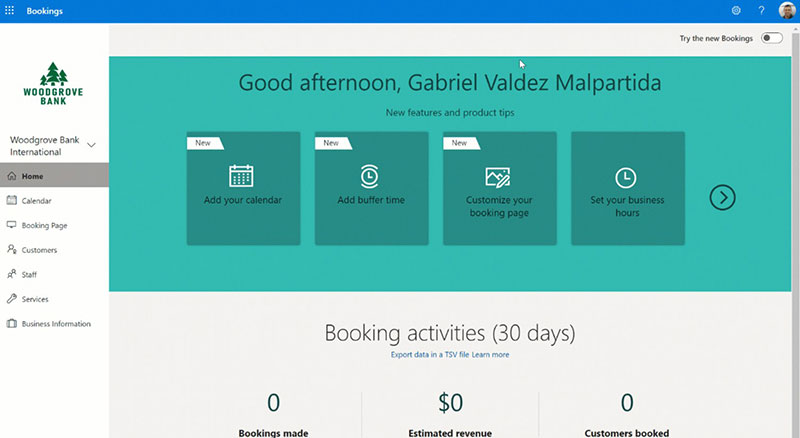
Each Calendly user gets a personal booking link tied to whatever calendars they connect. Microsoft Bookings starts from the other end. It comes bundled with Microsoft 365 and runs shared booking calendars built around staff and services.
You buy Calendly per seat, directly from Calendly. Bookings comes with a Microsoft 365 licence, and there's no way to purchase it on its own.
Before going further, one thing needs sorting out. Microsoft ships two separate scheduling experiences under similar names, and a lot of buyers end up comparing Calendly against the wrong one. Work out which one you actually mean first, or you'll waste a lot of evaluation time.
Calendly: Scheduling Links Sold Per Seat
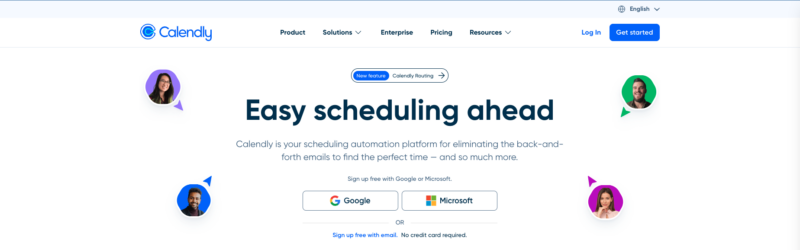
Calendly is an independent platform. You sign up, connect a calendar, build some event types and share the link.
- Event types define duration, location, and availability window
- Invitees pick a slot and the event writes to your calendar
- Buffer time, lead time, and daily limits sit inside each event type
- Works the same whether your calendar is Google, Microsoft, or iCloud
Nothing about Calendly depends on your email provider. That's probably why user reviews of Calendly tend to lead with setup speed rather than feature depth.
Microsoft Bookings: Shared Staff and Service Calendars
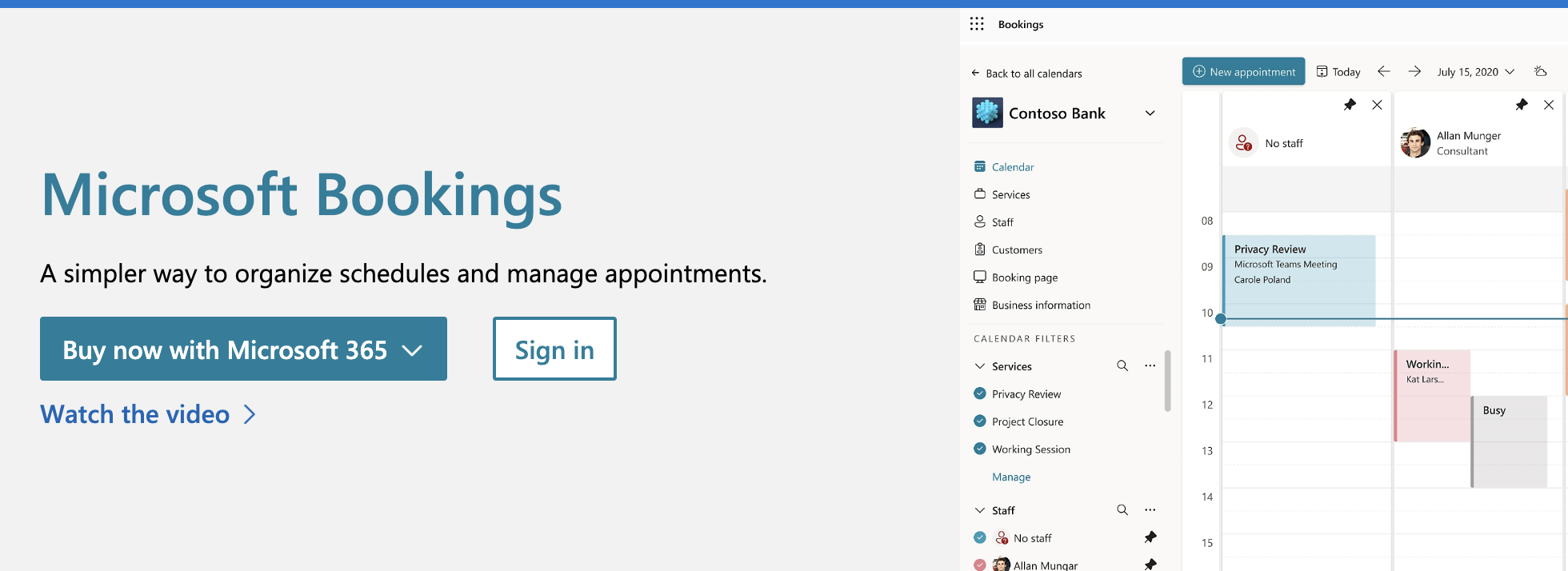
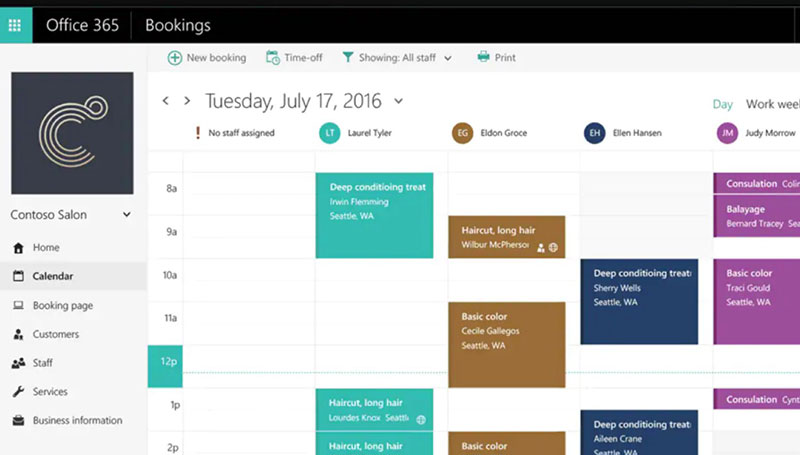
The vocabulary tells you what Bookings was designed for. You won't find event types. You set up Business Information, Services, and Staff.
Every Bookings calendar creates its own mailbox in Exchange Online. A service carries a duration, a price field, a location, and a list of assigned staff.
According to Microsoft Learn, staff get one of 4 roles in Bookings: Administrator, Scheduler, Team member, or Viewer. A fifth option, Guest, can be assigned to appointments but can't open the booking mailbox.
Microsoft's own documentation notes that staff added from outside the tenant won't share free/busy information. So their availability never feeds the booking page, which catches people off guard more often than you'd think.
Bookings With Me: The Feature Most Buyers Actually Mean
If you want the real Calendly equivalent in the Microsoft stack, it's Bookings with me, the 1:1 personal booking page inside Outlook. Microsoft also calls it Personal Bookings.
It behaves differently from the main app. No new mailbox gets created for each page, and it only reads free/busy from your own Outlook calendar. Meeting types can be public or private, and the private ones generate single-use links.
Microsoft Learn confirms attendees can book through a Bookings with me page without holding a Microsoft account. That takes care of the usual objection about forcing clients into someone else's ecosystem.
If you'd like the underlying mechanics of link-based systems before comparing the two, read up on the way a booking system works end to end first.
Calendly vs Microsoft Bookings at a Glance
Licensing decides more rows in this table than features do. Figures verified September 2026.
| Attribute | Calendly | Microsoft Bookings | Better fit for |
|---|---|---|---|
| Cost model | Per seat, per month | Included in eligible Microsoft 365 licences | Bookings, on existing tenants |
| Free entry point | 1 event type, 1 calendar | None, licence required | Calendly |
| Calendar providers | Google, Outlook, Office 365, Exchange, iCloud | Exchange Online only | Calendly |
| Video platforms | Zoom, Google Meet, Teams, Webex | Microsoft Teams | Calendly |
| Team distribution | Round robin, collective, routing forms | Staff assignment per service | Calendly for sales, Bookings for clinics |
| Payments at booking | Stripe and PayPal | Price shown, no processing | Calendly |
| Admin governance | SSO and SCIM on Enterprise | Tenant toggle, Entra ID inherited | Bookings |
| API access | Calendly API | Microsoft Graph bookings endpoints | Tie |
I'd treat the last column as a starting position and not much more. For most teams, the calendar providers row and the cost model row override everything else. That's why generic rankings of the best appointment scheduling tools rarely settle this particular matchup.
What Does Each One Cost Per User?
You can't line these two up price for price. Calendly bills per seat every month, while Bookings costs nothing extra because it's already inside the Microsoft 365 licence you pay for.
So the better question is what one more seat costs you.
These numbers were verified in September 2026:
- Microsoft 365 Business Basic costs $7.00 per user per month, paid yearly (Microsoft, 2026)
- Bookings is listed as included in the version with Teams across Business Basic, Standard, and Premium (Microsoft, 2026)
- Calendly Teams is $16 per seat per month, dropping to $14.50 for seats beyond the first 30 (Calendly Help, 2026)
- The Calendly free plan gives you 1 event type and 1 connected calendar per user (Calendly Help, 2026)
- Microsoft 365 business tenants cap out at 300 provisioned licences across the business plan family (Microsoft, 2026)
Two details in there trip people up. The no-Teams versions of the Microsoft 365 business SKUs don't carry Bookings. And Microsoft doesn't sell a standalone Bookings licence at any price.
Calendly Per-Seat Tiers
The ladder goes Free, Standard, Teams, Enterprise. On 19 August 2026 Calendly added Standard Plus and Teams Plus, which bundle its AI notetaker and scheduling assistant.
Moving from Free to Standard gets you unlimited event types and multiple calendars, plus Stripe and Zapier. Teams is where round robin and routing forms show up, along with Salesforce. Enterprise adds SSO, SCIM, audit logs, and a custom contract.
Volume discounts on Teams start at seat 31. A 12-person team pays full list rate on every seat.
The Microsoft 365 Licences That Include Bookings
For a small business, Business Basic at $7.00 per user per month is the cheapest legitimate route to Bookings.
Enterprise and education licences that include it run through Office 365 E1, E3, E5, A3, and A5, plus the Microsoft 365 equivalents.
I wouldn't buy Microsoft 365 just for appointment scheduling. It makes no financial sense. The math only works when you already need Exchange email, Teams, or Office apps, and in that case scheduling costs you nothing incremental.
Where the Bundled Licence Stops Being Cheaper
Most comparison pages skip the break-even, so here it is.
A 10-person team already on Business Standard pays $0 extra for Bookings. Put the same team on Calendly Teams and it's $1,920 a year at list rate.
Flip it around and the logic reverses fast. A solo consultant on Google Workspace would have to add a $7 Microsoft licence, migrate calendars, and live with Teams-only video, just to avoid a Calendly seat that does more anyway. For that person, the shortlist of no-cost booking systems is a more sensible place to start than either paid route.
Which Calendars and Video Platforms Does Each Tool Connect To?
On the Calendly side you get Google Calendar, Office 365, Outlook.com, Microsoft Exchange, and iCloud. Microsoft Bookings reads Exchange Online mailboxes inside your tenant and nothing else.
Calendly Help confirms the connection cap scales with the plan: 1 calendar on the free tier and up to 6 per user on higher tiers, with conflict checking across all of them.
There's one limitation on every tier. Calendly checks all connected calendars for conflicts but writes booked events to a single nominated calendar.
Calendar Sources and Conflict Checking
Calendly lets you mix providers freely. You can mark all-day events as free so they stop blocking slots, and you choose one calendar as the write target.
In Bookings, availability comes from each staff member's Microsoft 365 calendar, but only when "Events on Microsoft 365 calendar affect availability" is switched on for that person.
You can add staff from outside the tenant to a Bookings calendar with a valid email address. Their free/busy never syncs, though. They get booking notifications and that's all.
Video Conferencing Links
Calendly generates meeting links for Zoom, Google Meet, Microsoft Teams, Webex, and GoTo Meeting. Bookings generates Microsoft Teams links.
If your team lives in Zoom, that one row often decides the whole thing. The usual workarounds like connecting Zoom to Google Calendar won't help, because Bookings still attaches a Teams link to the appointment it creates.
Google-first organisations run into the same problem from the other side. You can't get a Google Meet link created automatically at booking through Microsoft Bookings.
The Mixed-Stack Problem
Say your agency runs Microsoft 365 for the leadership team and Google Workspace for the creative side.
Bookings can't see the Google calendars at all. Those people either get double booked or stay off the booking page entirely. Calendly doesn't care, since each user connects their own provider.
How Does Each Tool Split Meetings Across a Team?
In Calendly, one event type gets spread across multiple hosts. Bookings takes a service, attaches a list of staff, and books whoever's free.
Microsoft Learn puts the ceiling at 50 services per Bookings calendar, and Microsoft's support documentation puts the staff limit at 100 per booking calendar. Plenty for a clinic. A two-person consultancy will never get near either number.
Round Robin and Collective Events in Calendly
All of this sits on the Teams tier.
Round robin rotates bookings across hosts, and you can add priority and weighting on top. Collective events only offer slots where every required host is free.
Then there are routing forms. They qualify the invitee first and send them to the right owner or event type, and combined with the Salesforce integration, that's what sales teams are really paying for. Nothing in Microsoft Bookings replicates lead qualification routing.
Staff, Services, and Assignment in Microsoft Bookings
By default, Bookings assigns one staff member per booking slot. That's how it prevents double booking.
If you turn off "Allow customers to choose a specific staff member for this booking", the system picks whoever's available. It's the closest Bookings gets to round robin. You don't get weighting or a priority order, and nothing tracks whether bookings were spread fairly over the month.
Group sessions run through the Maximum attendees per event setting, which creates a 1:N service. So 15 people can book the same slot with the same staff member until capacity fills.
Repeat clients are manual work in both. Neither tool books a series in one action, so appointments that repeat on a fixed cycle get created one at a time or pushed into the host's calendar directly.
What Does the Invitee See on the Booking Page?
Same split as everywhere else. Calendly lets you control more of the page, and Bookings hands you something that already looks like Microsoft.
Neither tool makes the invitee create an account. Both send confirmation emails and calendar invites to each side.
Branding and Page Control
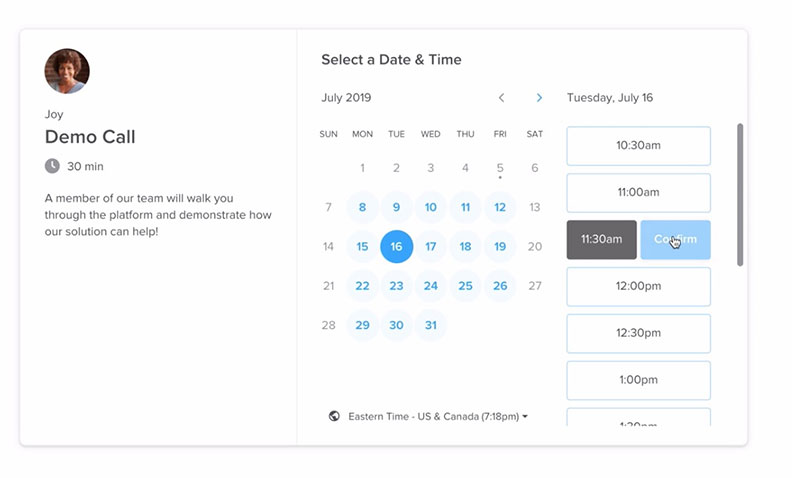
Bookings gives you a banner image, a colour theme, and your business details. That's close to the limit of what you can change.
On paid Calendly plans you can remove Calendly branding, control colours and logo, and embed the page on your own site inline, as a pop-up text link, or as a pop-up widget.
If the booking page is part of your brand and not just an internal utility, that gap matters. The usual rules of designing a booking page that converts are simply easier to apply to what Calendly gives you.
Forms, Time Zones, and Rescheduling
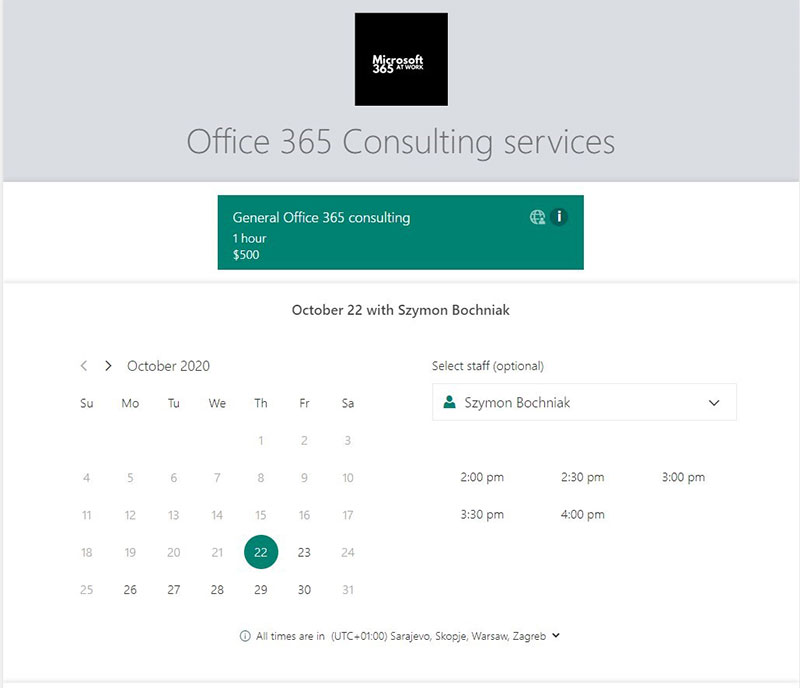
Both tools collect custom intake fields and pass the answers into the calendar invite and confirmation email.
Both also detect the invitee's local time and show slots accordingly. That matters if you regularly book meetings with people in other time zones.
Rescheduling works a bit differently. Calendly invitees reschedule or cancel from links in the confirmation email, while Bookings with me attendees do it from the booking page itself.
The URL Problem Nobody Mentions
Calendly links read as calendly.com/yourname. Bookings with me links resolve through outlook.office.com and they're long.
In finance, legal, and healthcare, people treat unfamiliar long URLs as phishing and just don't click. That's a real conversion cost, and it hits both tools, not only one of them.
Can You Take Payments at the Time of Booking?
With Calendly, yes, through Stripe and PayPal. Microsoft Bookings shows a price and collects nothing.
Microsoft removed the payment button from Bookings. Its own community threads have businesses discovering the gap after their third-party processor link stopped working. Any money changes hands somewhere else.
How Calendly Payments Behave
Some mechanics to know before you switch it on:
- Payment is required per event type, not per account
- Funds route straight to your Stripe or PayPal account, and Calendly never holds them
- Failed payment means the booking does not complete
- Refunds are processed in Stripe or PayPal, not inside Calendly
- Each event type accepts one processor, so Stripe and PayPal cannot appear side by side
Calendly doesn't calculate or collect VAT or sales tax, per its own help documentation. You build tax into the price or state it in your payment terms.
Coupon codes only work through Stripe. PayPal has no discount mechanism at all, and the documented workaround is cloning the event type at a lower price and sharing it as a secret link. Clunky, but it works.
What Bookings Does Instead
The price field on a Bookings service is display text. It shows up on the booking page and in the confirmation email, and that's where it ends.
In practice you get no deposits and no prepayment, so there's no automated no-show protection either. There's also a "Payment Amount" line on the form that confuses customers who assume they're about to be charged.
Prepayment is the only reliable lever against no-shows, and Bookings doesn't offer it. Clinics and treatment rooms that need a deposit at booking usually end up looking at scheduling software built for medical practices instead of stretching Bookings to fit.
Which Integrations and API Access Does Each Tool Give You?
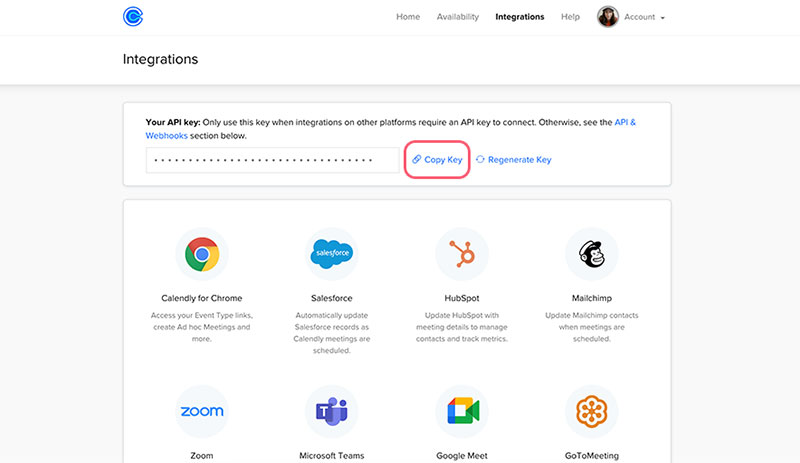
Calendly plugs into third-party business software directly. Bookings connects to the rest of Microsoft 365, and reaches everything else through Power Automate or code.
Put simply, Calendly was built to talk to your CRM. Bookings was built to talk to your tenant.
| Automation route | Calendly | Microsoft Bookings |
|---|---|---|
| CRM sync | Salesforce, HubSpot | None native |
| General automation | Zapier | Power Automate |
| Developer access | Calendly API v2 | Microsoft Graph bookingBusiness |
| Reporting output | In-app analytics | TSV export |
Microsoft Learn documents a cap that people usually hit mid-build: only 5 flows can be created per Bookings mailbox. The limit applies to the mailbox, not to each admin.
Appointment triggers in Power Automate fire on created, updated, and cancelled, and only Bookings admins can create them. A Team member, Scheduler, Viewer, or Guest has to ask someone else to build the flow.
If you plan to route booking data into a CRM or ticketing system, size the job against proper workflow automation tools before assuming either scheduler covers it.
For developers, Calendly's documentation states that GET and POST requests work on any subscription including Free, with a handful of Enterprise-only endpoints. Webhooks are the exception. They need Standard, Teams, or Enterprise.
Graph exposes bookingBusinesses, services, staffMembers, customers, and appointments, gated behind Bookings.Read.All or Bookings.Manage.All. It's more powerful than the Calendly API and a lot less approachable.
How Do Admins Control Access, Security, and Compliance?
Bookings inherits everything from the tenant. Calendly builds its own controls and charges for the serious ones.
If your IT team already runs conditional access and retention policies in Microsoft 365, this usually ends the evaluation before features get a vote.
Tenant Controls in Microsoft Bookings
Global admins switch Shared Bookings on or off under Settings, Org settings in the Microsoft 365 admin center, or with Set-OrganizationConfig -BookingsEnabled $false in Exchange Online PowerShell.
Microsoft also documents some more granular settings:
- Block bookings from outside your organization, so only authenticated internal users can book
- Block social sharing of booking pages
- Require staff approval before someone is added to a booking calendar
- Enforce a naming policy on new Bookings calendars
Microsoft Learn warns that tenant setting changes may take up to four hours to apply. Worth remembering before you decide a policy failed.
Personal Bookings has its own control path. Admins now manage access through Set-OwaMailboxPolicy instead of the older EWS organization configuration, and the two can be switched independently.
Identity and Access Controls in Calendly
SAML single sign-on needs the Teams plan with the SSO add-on, or Enterprise. SCIM provisioning is Enterprise only, and SSO has to be live first. Just-in-time provisioning isn't supported, per Calendly's own documentation.
Default session timeout is 21 days, and Owners and Admins can change it. Multi-factor authentication gets configured in your identity provider, never inside Calendly.
There's an operational trap in the seat model too. SCIM provisioning fails outright when every seat is allocated, and it's the identity provider that reports the error, not Calendly.
Data Handling and Compliance Posture
Bookings data lives in Exchange Online inside your tenant, so your existing residency, retention, and eDiscovery rules already cover it.
Calendly holds invitee data on its own infrastructure. Enterprise accounts get audit logs, activity tracking, domain control, and a data deletion API for compliance workflows.
For a healthcare or financial services buyer, that's basically the whole argument. Adding a second processor of client data means a review. Turning on a Microsoft 365 feature doesn't.
Pros and Cons of Calendly and Microsoft Bookings
Both do the core job fine. Where they differ is cost over time and governance, not whether someone can book a slot.
Calendly: What Works and What Does Not
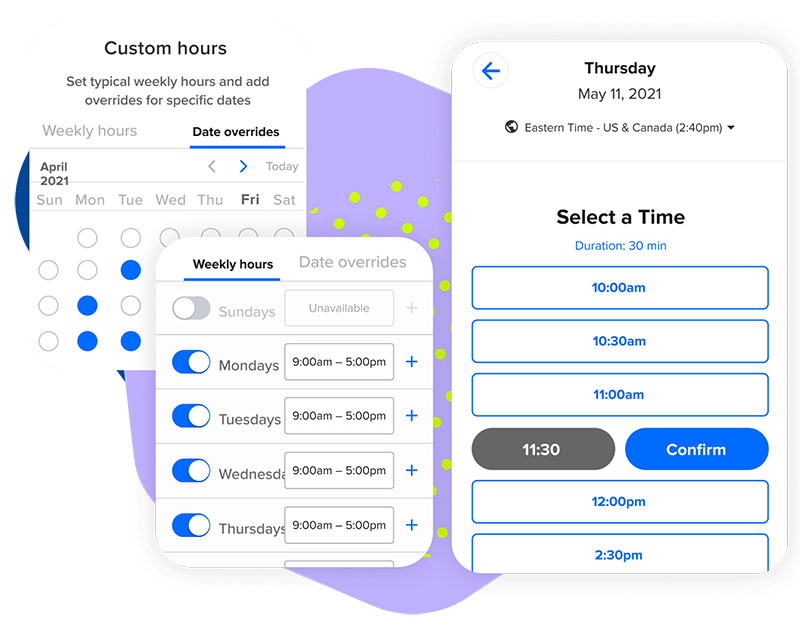
Where Calendly is strong
- Fastest setup of the two, with no admin involvement needed
- Works regardless of which calendar provider each person uses
- Deepest meeting distribution logic for revenue teams
- Polished invitee-facing page that holds up on mobile
- Payment collection built in rather than bolted on
Where it hurts
- Cost scales linearly with headcount, with no relief below 31 seats
- Useful features move between tiers, and SSO sits behind an add-on
- Client data leaves your tenant, triggering a vendor review in regulated sectors
- Six visible tiers since the August 2026 additions, which makes the buying decision harder than it was
Microsoft Bookings: What Works and What Does Not
Zero marginal cost is the headline advantage, and it's a real one. Everything else is a compromise compared to a purpose-built scheduler.
It wins on governance and native Teams meetings. You don't take on a new vendor or a new data processor, and the staff and service model fits appointment-based businesses well.
The losses are just as clear. Calendars have to be Microsoft, branding is thin, and there's no payment processing or weighted distribution. Reporting stops at a tab-separated export.
Service businesses run into something else too. The interface was built for internal admins, not owners, so training a front-desk team on it takes longer than it should.
When Neither Tool Is the Right Answer
Sometimes the honest answer is neither, and most competing articles skip this part completely.
Any team with staff on Google Workspace loses Bookings entirely. No setting fixes that, so mixed calendar providers rule it out on day one.
Resource and room booking is another gap. Chairs, treatment rooms, equipment, and stock aren't staff members. Salons and clinics that need to book a room and a person together outgrow both tools quickly, which is why booking systems built for salons exist as a separate category.
High-volume inbound routing is its own world. Chili Piper and similar tools handle instant lead qualification, form-to-calendar handoff, and speed-to-lead targets that Calendly Teams gets close to but doesn't match.
Some recipients won't touch a public scheduling link at all because they see it as a security risk. No link-based tool works there. You need a human or an email-based assistant.
And if it's one person with one meeting type? The Calendly free tier or a Bookings with me page already covers it. Paying for a seat is waste, and the broader pool of Calendly alternatives is worth a look before any card comes out.
Exporting customer records is a Bookings-specific failure point. Microsoft support has confirmed there's no built-in feature to export the full customer list, only recent booking activity, so client data effectively stays put.
Which One Should You Choose?
Match the tool to your stack first, then your headcount. Feature lists come last.
| Profile | Pick | Why |
|---|---|---|
| Solo on Microsoft 365 | Bookings with me | Already paid for, 1:1 link in Outlook |
| Solo on Google Workspace | Calendly Standard | Bookings cannot read the calendar |
| Clinic or salon, 3 to 20 staff | Microsoft Bookings | Staff and service model fits the business |
| Sales or recruiting team | Calendly Teams | Routing and CRM sync have no equivalent |
| Regulated or IT-governed org | Microsoft Bookings | No second data processor to approve |
My take on the obvious upgrade is that most individuals and small teams never need Calendly Teams. Round robin and routing forms are the only real reasons to move up, and a two-person consultancy uses neither.
Independent advisers and coaches booking paid calls from one calendar should compare Standard against purpose-built scheduling tools for consultants instead of climbing Calendly's tier ladder.
Owner-operated businesses with a front desk have a different question to answer. It's closer to the general market for small business booking systems than to this head-to-head.
How to Switch From Calendly to Microsoft Bookings
Nothing migrates automatically. Neither vendor offers an import path from the other, so you're doing a rebuild plus a cutover window.
- Confirm every person who needs a bookable calendar holds an eligible Microsoft 365 licence with the Bookings app enabled.
- Turn Shared Bookings on at tenant level, then wait out the propagation delay before testing.
- Create the booking calendar and set its name correctly the first time.
- Rebuild each Calendly event type as a Bookings service, carrying over duration, buffers, and intake questions.
- Add staff, assign roles, and switch on "Events on Microsoft 365 calendar affect availability" for each person.
- Export your Calendly bookings and manually recreate anything scheduled past the cutover date.
- Replace the old link everywhere it lives: email signatures, proposals, website embeds, and social bios.
Step six is where most switches go wrong, because the old link keeps working while people are still clicking it. If you're rebuilding from scratch anyway, revisit the basics of setting up an online booking system rather than copying the old configuration blindly.
Turning Bookings On in the Microsoft 365 Admin Center
You need global admin rights. The checkbox reads "Allow your organization to use Bookings" and lives under Settings, Org settings.
Before you publish anything, decide whether external customers can book at all or only authenticated internal users. You'll also want to settle whether staff must approve being added to a calendar.
Colorado State University's IT documentation shows how far tenant policy can go. Bookings calendars there are created through a resource coordinator against a fixed naming convention, and owners are warned that renaming a calendar will be undone by routine maintenance.
What Does Not Transfer
Historical booking data stays in Calendly. Bookings starts empty.
The Bookings export tool covers a rolling four-month window and returns date, customer name, email, phone, address, assigned staff, service, location, and duration, along with pricing and currency fields. Answers to custom questions come through too, though Microsoft lumps every question and answer for a booking into a single "Custom Fields" column instead of breaking them out.
You also lose your Zoom and Google Meet defaults and Stripe or PayPal collection. Round robin rotation history doesn't carry over, and any Zapier automation pointed at Calendly webhooks stops doing anything.
Plan the cutover for a quiet week. Two live booking pages running at once produces exactly the double bookings both tools exist to prevent.
FAQ on Calendly Vs Microsoft Bookings
Does Microsoft Bookings send SMS reminders?
Yes, with a caveat that rules out most tenants. Microsoft's Bookings service description states SMS notifications work only in North America and the United Kingdom and require an additional Teams Premium licence on top of Microsoft 365.
How many languages does each booking page support?
Calendly natively translates the booking page and event notifications into seven languages, set per event type. In Microsoft Bookings you pick a language per service from a dropdown. Anything outside those lists falls back to browser translation.
Will either vendor sign a HIPAA business associate agreement?
For Calendly, sources disagree. Some compliance reviewers report a BAA for eligible Enterprise accounts and others report none at all, so get it confirmed in writing before any patient data touches the platform. Microsoft publishes its own list of BAA-covered services.
What happens to booked meetings if you cancel a Calendly subscription?
Downgrading to Free keeps every scheduled event intact. Extra event types go inactive instead of getting deleted, and paid features stay live until the billing cycle ends. Deleting the account is different: it cancels booked meetings and notifies invitees.
Can one person run Calendly and Microsoft Bookings side by side?
Yes. Connect the same Outlook calendar to Calendly and switch on calendar-based availability in Bookings, and each tool sees the other's appointments as busy. Two public links for the same person will confuse clients, though.
How do you stop a Bookings page from appearing in Google search?
Booking pages are indexable by default. Open the booking page settings, tick Disable direct search engine indexing, then save and publish. After that, access depends on the generated link, and admins can enforce the same rule tenant-wide.
What Should You Verify First in Calendly Vs Microsoft Bookings?
Start by checking which calendar provider every host actually uses. It goes first because it can disqualify an option outright, and nothing else on the list does that.
After that, see whether the Microsoft 365 licences already in your tenant carry the Bookings app, and think about how appointments need to reach the right person at the volume you expect. Those two only move the price and the admin workload.
Going with the bundled option means you accept a thinner self-service page and manual reconciliation in Excel. What you get back is client records that stay inside Exchange Online.
Positions verified September 2026. Microsoft's commercial packaging update of July 1, 2026 shifts renewal costs, so run the licence check again at renewal. Microsoft-first teams weighing poll-based coordination instead of a booking link will get more from the FindTime and Calendly comparison.