Even shops that already run booking software leave a lot of chair time empty. SQUIRE's State of Barbershops 2026 report, which covers 13.9 million appointments across about 7,000 US shops on its platform, puts average schedule utilization at 62%.
Trafft, Amelia, Booksy, Fresha, Vagaro, Squire, Barberly, Square Appointments, GlossGenius and Setmore all try to close that gap, and the best booking apps for barbers differ most on where new clients come from and on what card processing costs once the subscription is paid. Deposits and no-show fees sit behind different plans too.
Every one of them lets clients book and pay online, keeps each barber's calendar in sync and sends reminders.
Top Booking Apps For Barbers
Which one fits depends on what you're after. If you want your own booking page, or a marketplace that sends new clients, the choice splits early, and shops built around chairs and walk-ins need something else again.
SQUIRE's 2026 industry report says 72% to 77% of barbershops now use management software, up from the 15% to 20% that used sophisticated booking software before 2020. Both numbers are SQUIRE's own and they don't measure quite the same thing, so don't read the jump as exact.
Prices below are US list prices from each vendor's own pricing page, checked in October 2026. For a wider look beyond booking, see our guide to the best software for barbershops.
Trafft - Best for barbershops that want their own booking page
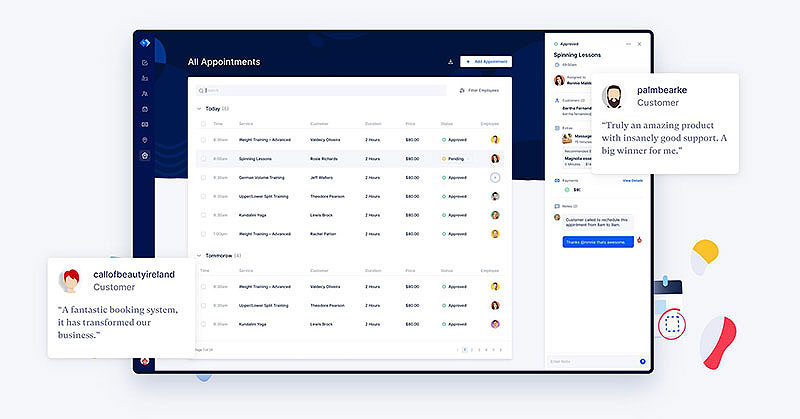
Trafft gives a barbershop a branded booking page, per-barber calendars and online payments, and it takes no commission on bookings. That suits shops that want to own the client relationship instead of paying a marketplace for their own regulars.
Solo barbers and shops of 2 to 15 barbers who fill chairs from Instagram, Google and word of mouth get the most from it. There's no commission or per-booking fee, and the free plan includes the página de reservas, QR code and Square payments.
On the feature side, a few things stand out.
- Per-barber logins and calendars, with Google y Outlook two-way sync from the Mini plan
- Deposits, recurring appointments and chairs as shared resources (Professional plan and up)
- Email reminders on every plan, with SMS and WhatsApp on Professional and Business
- A booking page, embeddable form, QR code and an iOS and Android app
The free plan is for 1 user, 1 location and 100 appointments a month. Paid plans run from Mini (3 users) to Business (30 users), with a 14-day trial and a 30-day money-back guarantee (Trafft pricing page, October 2026). Dollar prices vary between third-party trackers, so take the figures from the pricing page itself.
Here's what works in its favor.
- No commission on any booking
- The free plan is enough for a solo barber
- Square works on every plan, with Stripe and PayPal from Growth
And here's what to plan for.
- Deposits come with the Professional plan, so price that tier if no-shows are the problem you're solving
- SMS runs on credits, with a monthly allowance included on Professional and Business
- No client marketplace and no card terminals, so in-shop payments run through your own Square or Stripe reader
SHAVE Barbers & Spa books through Trafft at 10 locations in Spain and Dubai, and Trafft's case study says the automatic notifications help the shop cut no-shows (Trafft case study).
Match the plan to the job. Deposits are the strongest no-show tool here, and they sit on Professional alongside recurring appointments and shared chairs, which is the tier most multi-chair shops end up on anyway. The demos show that setup before you sign up.
Amelia - Best for shops that already run a WordPress website
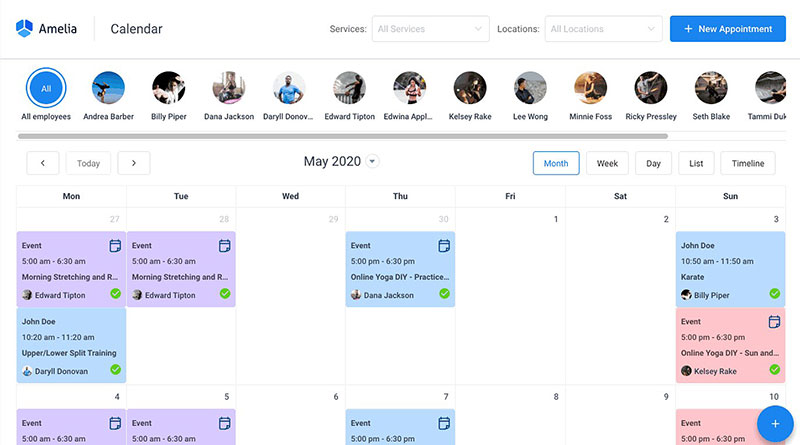
Amelia is a WordPress booking plugin that adds appointments, staff calendars and payments to a barbershop's existing website. Shops that already have a WordPress site and would rather pay a yearly or lifetime license than a monthly fee are the fit.
- Barbershops with a WordPress site and a few chairs get the most out of it
- Chairs, rooms and equipment work as shared resources on the Pro and Elite licenses, so two barbers never book the same chair
- Deposit payments, recurring appointments, service packages, buffer time and a step-by-step booking form are all included
- A free Lite plugin on WordPress.org covers one employee. Paid licenses start near $49 a year for one site (Capterra), Pro is $149 a year for 5 sites and Elite is $259 for unlimited sites at current sale prices (Amelia, October 2026)
There's no monthly fee, and the higher tiers come with a lifetime license option. Multiple payment gateways start at the Standard tier.
Two things to plan for. It runs on WordPress with your own hosting, so it fits shops already on the platform, and the Starter tier covers Cuadrado payments. There's no client marketplace either, which is the trade for keeping the booking on your own domain. Barbers who want the calendar on a phone get the business mobile app alongside the WordPress backend.
Amelia's no-show tag colors a customer by how often they miss appointments, so the front desk sees a repeat offender before accepting the booking. A reviewer at FS Code, a rival booking plugin vendor, tested Amelia v9 on WordPress 6.9.4 and called its admin one of the more polished in the category.
A lapsed license doesn't switch Amelia off. The plugin keeps working, and renewing keeps updates and support running, per Amelia's terms and conditions. The demos cover the client-facing booking flow.
Booksy - Best for barbers who want marketplace discovery and Instagram traffic
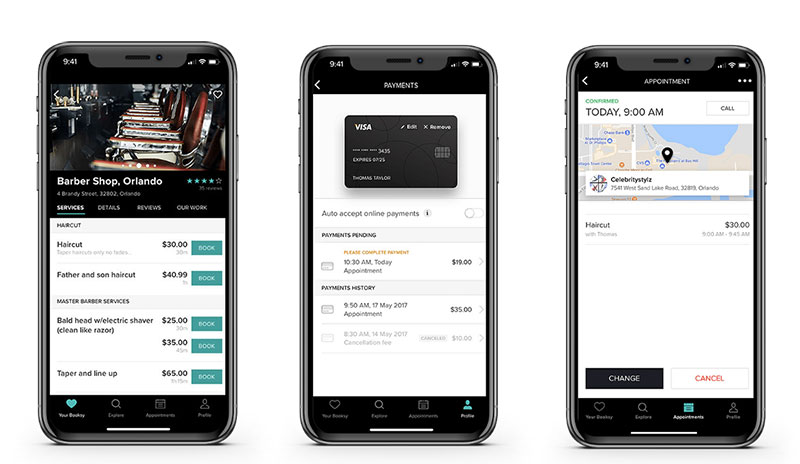
Booksy pairs a consumer marketplace with one flat subscription that includes every feature. Independent barbers who want new clients to find them inside Booksy, and who'd rather pay a fee only when those clients book, are the target.
Independent barbers and small shops that lean on Instagram and local search get the most from it. Every feature sits in one price, and the Boost marketing tool charges only on a client's first visit.
Booking runs 24/7, and the app includes no-show protection, waitlists, Reserve with Google, free reminders and 2,000 free marketing texts a month.
The numbers below come from Booksy's pricing page (October 2026).
| Item | Coste |
|---|---|
| Subscription (14-day trial) | $29.99 per month |
| Each extra team member | $20 per month |
| Card reader / Tap to Pay | 2.49% + $0.10 / 2.49% + $0.20 |
| Boost new-client fee | 30% of first visit, $10 minimum, max $100 |
Booksy does a few things well.
- Boost bills only a new client's first visit, and you keep 100% after that
- Reminders are free
- Next-business-day payouts are free
The costs show up elsewhere.
- Per-seat pricing climbs, and five barbers pay $109.99 a month
- Boost takes 30% of a new client's first visit
Booksy's help center tells owners to share their Booksy profile link and point their Instagram and Facebook Book Now buttons to it, so Booksy can tell existing clients from new Boost clients and not bill you for them.
The Boost cap helps less than it sounds. It only kicks in above a $333 first visit, so a $35 haircut costs $10.50. Fresha's marketplace fee on the same cut is $7, which makes Booksy's 50% higher.
Fresha - Best for barbers who want marketplace reach with a simple per-barber price
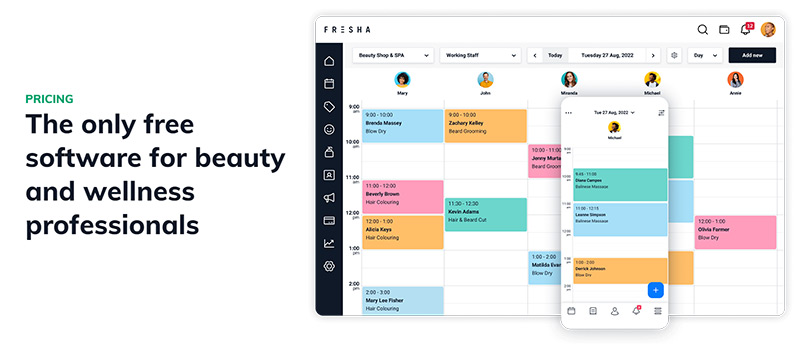
Fresha is a booking and payments platform with a large consumer marketplace and a flat per-barber subscription. Shops that want to buy new-client traffic only when it books, while direct and Instagram bookings stay fee-free, fit best.
- Shops of two or more barbers that want marketplace reach get the most from it
- Direct links, Instagram and Facebook bookings carry no fee, and the marketplace fee applies once per brand-new client
- Waitlists, group bookings, deposits and no-show fees come built in, plus commissions and timesheets on the Team plan
Independent costs $19.95 a month for one calendar. Team costs $14.95 per bookable team member, with a 7-day trial (Fresha pricing page, October 2026).
Marketplace new clients cost 20% once, with a $6 minimum, and returning clients are free. In-person cards cost 2.29% + $0.20 and online payments 2.79% + $0.20.
The upsides are short.
- The per-barber fee is predictable
- Team adds commissions and timesheets
The $6 floor makes cheap cuts costlier. On a $25 haircut the fee is $6, or 24%. Texts past the 100 free a month cost $0.02 each (100 per team member on Team), and marketing texts cost $0.08.
Fresha's own pricing page lists paid subscriptions, so older descriptions of it as a free platform are out of date.
Against Booksy's Boost it costs less per new client on a $35 haircut, $7 against $10.50. For a match-up with a rival platform, see this Vagaro versus Fresha comparison.
Vagaro - Best for growing shops and chair renters who want rent collection and a capped price
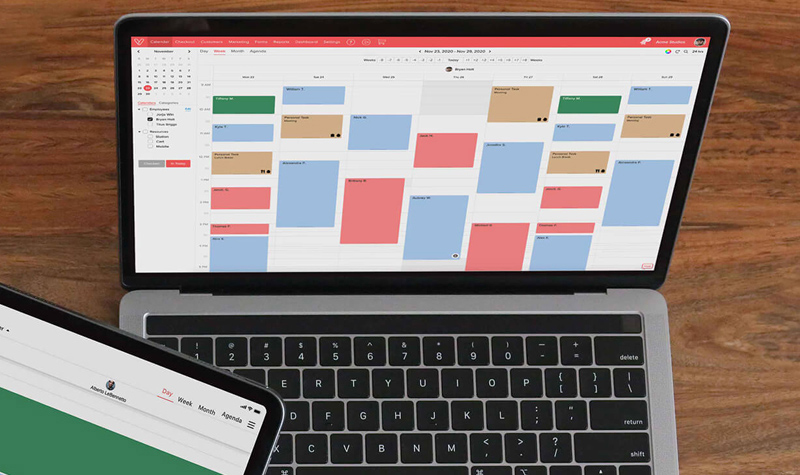
Vagaro bundles booking, card payments, marketing and a free marketplace listing into one per-calendar subscription. Growing shops and chair renters who want rent collection and a free card reader in the same account will like it, though payroll costs extra.
Growing shops and booth renters who want everything under one login are the audience.
The cost ladder stops. Each extra bookable calendar costs $10, and staff beyond seven add nothing.
Clients can book through Vagaro, Instagram, Facebook and Apple Maps. There's a waitlist, unlimited reminders, loyalty programs and 1,000 free emails a month.
List price is $30 a month for one calendar, with $23.99 offered for the first six months, plus $10 per extra calendar and a 30-day trial. The promotional rate is marked as limited-time, so recheck it before you sign (Vagaro pricing page, October 2026).
The marketplace listing is free, and so is the card reader with Vagaro Merchant Services (exclusions apply). Security standards include ISO 27001, PCI DSS, SOC 2 and HIPAA.
The downsides are practical.
- Card processing rates are missing from the pricing page, although its rent-collection page says rates start as low as 2.2%, so ask before signing
- The feature set is larger than a solo barber needs
Vagaro's pricing page puts the cap at seven licenses. A four-barber shop pays about $60 a month at list price, calculated from $30 plus three extra calendars.
The cap beats per-seat pricing on bigger teams. Eight barbers cost $90 on Vagaro, $119.60 on Fresha Team and $169.99 on Booksy. For a direct match-up with Booksy, read this Booksy and Vagaro head-to-head.
Squire - Best for full barbershops that want software built only for barbers
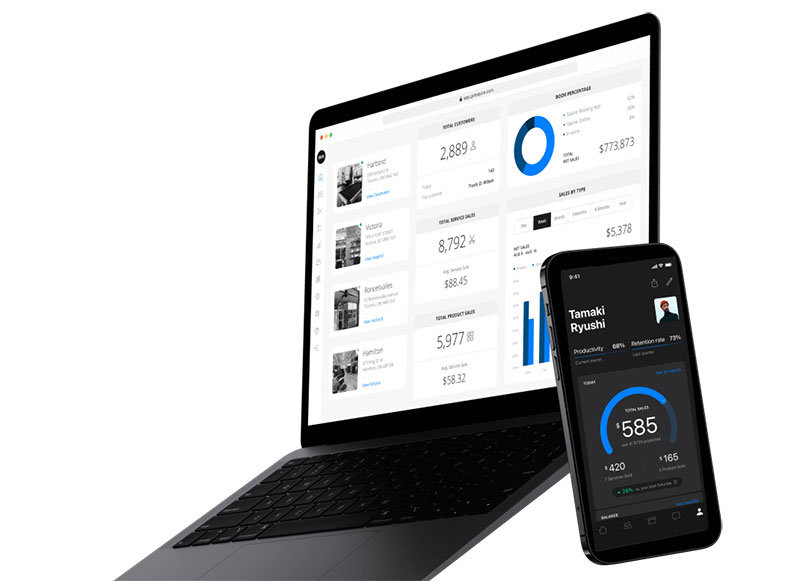
Squire is management software built only for barbershops, with online booking, no-show protection and Tap to Pay. Full shops are the natural fit, since the $50 Pro plan covers any number of barbers.
Single-location shops with several barbers use it most, and multi-location brands go to Titan. Pricing is a flat shop price instead of a per-barber fee.
Booking works through Google and Instagram, with a waitlist, automated text and email reminders, no-show protection and Tap to Pay on iPhone and Android.
Plans and prices below come from Squire's pricing page (October 2026), which lists a 14-day free trial on the Independent plan.
| Plan | Price | Adds |
|---|---|---|
| Independent | $30 per month | Solo barber tools |
| Pro | $50 per month | Multiple barber accounts |
| Executive | $150 per shop | Marketing, commissions, rent collection |
| Titan | $250 per shop | Multi-location, loyalty, gift cards, inventory |
Pro is where it makes the most sense.
- Flat pricing for any shop size on Pro
- Client transfer from your old software on Pro
- Automated email and SMS reminders
Watch for these.
- Multi-location tools and loyalty need Titan ($250 per shop)
- Reviewers report client-paid convenience or waitlist fees, which Squire's own pricing pages do not describe
A Software Advice reviewer named the convenience fee as his one drawback, and another Software Advice reviewer objected to clients being charged for the waitlist.
Shops that run booth rental pay triple the Pro price to collect rent and commissions in the app. Count that before choosing it.
Barberly - Best for walk-in shops that want a branded app, kiosk and queue in one price
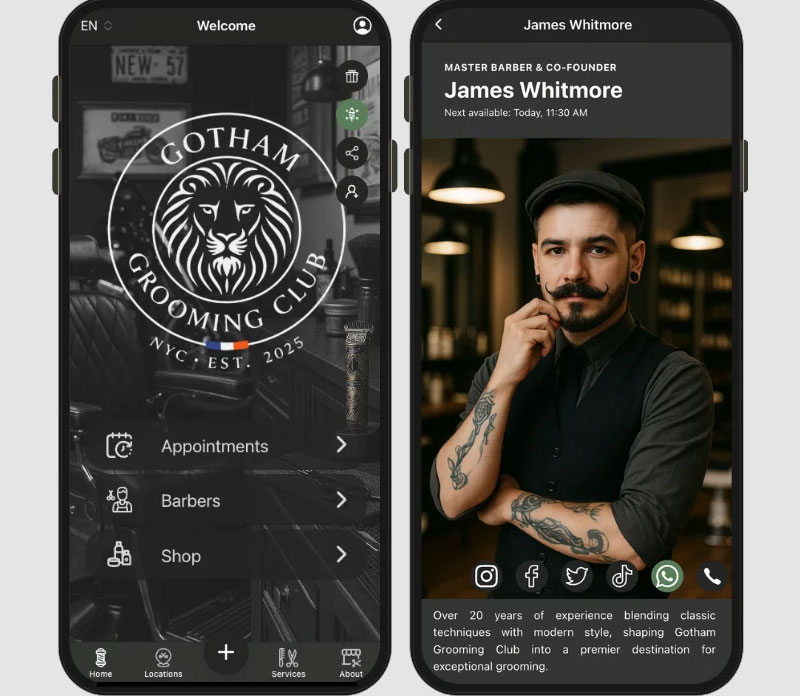
Barberly bundles a branded mobile app, website, self-check-in kiosk and walk-in queue into one monthly fee. Shops that mix appointments with walk-ins and want their own app in the App Store are the match.
- Walk-in-heavy shops and barbers who want a custom-branded app get the most out of it
- A branded iOS and Android app is published to the App Store and Google Play at no extra fee
It also has a walk-in queue, waitlist, kiosk and TV appointment board, QR booking, Google booking and a loyalty program.
The price is $25 a month for 1 team member, $45 for 2 to 5, and $9 per barber above five. A 30-day trial needs no card, and 500 SMS a month are included (Barberly pricing page, October 2026).
There's no per-booking fee, locations are unlimited and billing is in arrears.
SMS past 500 a month costs $0.03 each. Card fees go to your processor (Square, Stripe or SumUp), and the feature list has no client marketplace.
Barberly says its walk-in queue works independently, so a shop that serves only walk-ins can run the kiosk and queue board without turning on online booking (Barberly website).
Barberly invoices on the first of the next month for what you actually used. You never pay ahead.
Square Appointments - Best for barbers who already take payments with Square
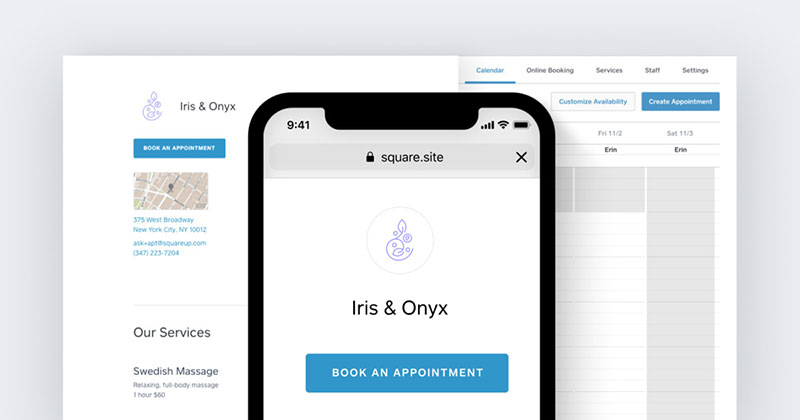
Square Appointments is a scheduling product tied to Square checkout, with a free tier and paid tiers priced per location. Barbers already on Square hardware who want bookings to flow straight into payments are the fit.
Solo barbers and small shops already using Square use it most. The free plan has unlimited staff calendars.
Features break down by tier.
- Online booking site with Book Now buttons for Instagram, Facebook and Google
- Text reminders that clients can answer to confirm, cancel or reschedule
- Plus adds cancellation fees, no-show fees and a waitlist
- Premium adds resource management
Free is $0, Plus is $49 and Premium is $149 per location per month, with a 30-day trial on paid tiers. In-person card rates fall from 2.6% + $0.15 on Free to 2.5% + $0.15 on Plus and 2.4% + $0.15 on Premium (Square US pricing page, October 2026).
The free tier is real, and Tap to Pay works on iPhone and Android. Clients can also confirm by text.
Cancellation policy and no-show fees need Plus. Pricing is per location, and Free carries the highest card rates.
Square's US pricing page lists Plus at $49 and Premium at $149 per location, and it notes that existing customers' pricing may differ, so check the live page before budgeting.
The cheapest way to enforce a cancellation fee on Square costs $49 a month per location. For user feedback, see these Square Appointments reviews.
GlossGenius - Best for solo and small-team barbers who want one flat card rate
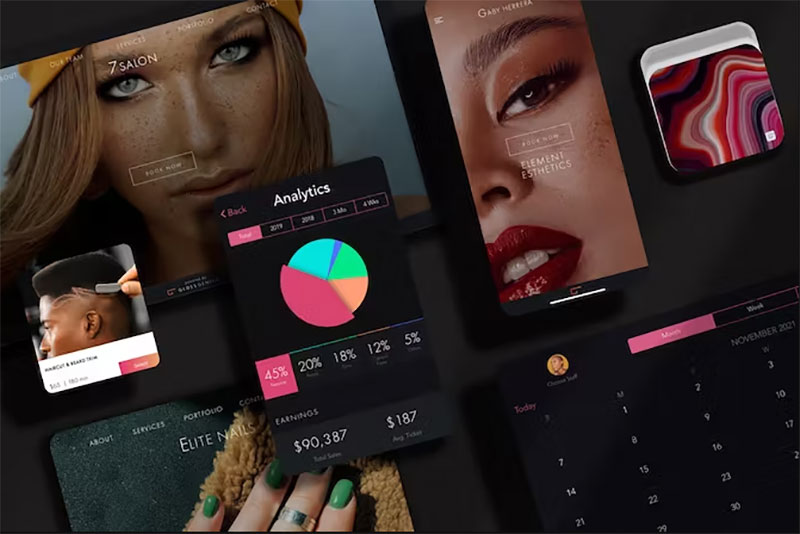
GlossGenius is a booking and payments platform for beauty and wellness businesses with a flat 2.6% card rate. Barbers who want a polished booking site and predictable payment costs, and who can live without a free plan, get the most from it.
Solo barbers and teams of up to 9 on the Gold plan are the fit.
The flat 2.6% rate carries no extra fee for Tap to Pay, card on file or manual entry.
It includes a custom booking website, login-free client booking, deposit and no-show policy tools, and free same-day payouts Monday to Thursday. Google booking and a waitlist come with Gold.
Standard is $24 a month billed annually ($28 monthly), Gold $48 ($56) and Platinum $148 ($168). A 14-day trial replaces a free plan (GlossGenius pricing page, October 2026).
Processing is flat, and transferring data from your old software costs nothing. Same-day payouts are free Monday to Thursday.
There's no free plan. Instant payouts cost 1.8%, and Google booking and the waitlist start at Gold.
On a $35 haircut paid in person, card fees come to $0.91 on GlossGenius, $0.97 on Booksy's reader, $1.00 on Fresha, $1.03 on Square Plus and $1.06 on Square Free (calculated from each vendor's October 2026 rates).
The spread is 15 cents a cut, or $60 across 400 cuts a month. Subscription and marketplace fees move a barber's costs far more than the card rate does.
Setmore - Best for new barbers who want a free plan that covers up to four users
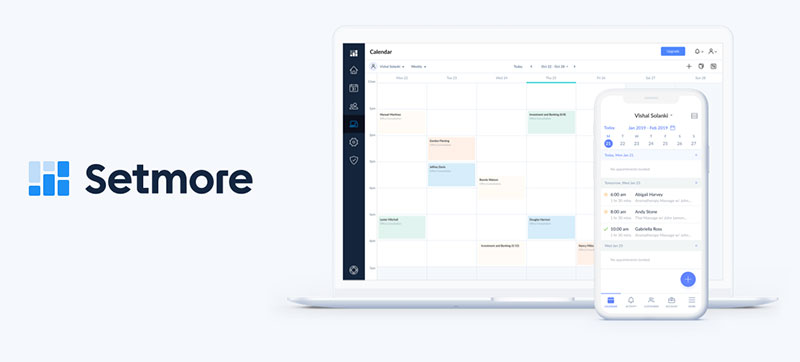
Setmore is a general appointment scheduler with a free plan for up to four users and a Pro tier from $5 per user a month on annual billing. New or part-time barbers who need a booking page and payments today, and can add deposits later, fit it best.
New, part-time and solo barbers, plus shops of up to four, use it most.
The free plan includes unlimited appointments, payments, a branded booking page and a mobile app.
The booking page comes with a QR code and Instagram, Facebook and Reserve with Google buttons. Tap to Pay is supported, along with Square, Stripe and PayPal payments.
Free is $0 for up to 4 users. Pro starts at $5 per user per month on annual billing ($12 monthly), with a 30-day refund window (Setmore pricing page, October 2026).
Payments work on the free plan, and Pro stays at $20 a month for four barbers on annual billing.
Deposits, SMS reminders, recurring appointments, 2-way calendar sync and customer blocking all need Pro. The free plan sends one reminder.
Setmore's own plan table splits those five features between tiers, and Pro includes 500 SMS credits a month.
A free-plan barber can't block repeat no-shows, because customer blocking is Pro only. Longer user write-ups sit in these Setmore reviews.
What does a four-barber shop pay per month?
List prices land anywhere from $20 to $90 a month for four barbers, depending on how the app charges. Setmore, Fresha and Booksy charge per seat, Vagaro caps at seven calendars, Squire charges a flat shop price and Barberly a tiered one.
| App | Plan | Monthly cost, 4 barbers |
|---|---|---|
| Setmore | Pro, annual billing | $20 |
| Barberly | 2 to 5 team members | $45 |
| Squire | Pro | $50 |
| Fresha | Team | $59.80 |
| Vagaro | One location, 4 calendars | $60 |
| Booksy | Subscription + 3 extra users | $89.99 |
GlossGenius Gold ($48 billed annually) and Square Plus ($49 per location) land in the same band. Trafft and Amelia sit outside the table because Trafft prices by plan tier and Amelia sells yearly site licenses.
Card processing, SMS overages and marketplace fees come on top of every figure.
Do deposits and reminders cut barbershop no-shows?
Probably, though the best-known number comes from a vendor. SQUIRE's 2026 industry report credits automated reminders and deposits together with an 89% drop in no-shows and never splits the credit between them. It's SQUIRE's own data, not an independent study.
So check where each app puts its no-show tools.
- Trafft puts deposits on Professional
- Setmore puts deposits and SMS reminders on Pro
- Square Appointments starts cancellation and no-show fees at Plus ($49)
- Fresha runs deposits and no-show fees through its payment system
- Booksy and Squire include no-show protection in the base plan
Reminder wording matters too, and these appointment reminder templates cover SMS and email.
How should a barber choose between these apps?
Start with where your clients come from, then check which plan unlocks deposits.
- If your clients come from your own channels, look at Trafft or Amelia
- For new-client traffic, look at Booksy or Fresha, after comparing the 30% and 20% first-visit fees
- Running booth renters and rent collection points to Vagaro or Squire Executive
- When walk-ins drive the day, Barberly is the one
- If you already use Square hardware, Square Appointments is the obvious pick
A solo barber with a steady book doesn't need to pay on day one. Start on a free plan (Trafft, Square or Setmore) and upgrade when deposits matter.
If none of these fits, browse other free online booking systems first.
What should a booking app for barbers be able to do?
Clients book, reschedule and pay online, and the barber's calendar, reminders and payments stay in sync behind the scenes. That's the whole job in plain terms.
Unlike general appointment scheduling software, it has to cope with services of different lengths and several barbers in one shop. Clients who show up without booking are part of the picture too.
What counts as a barber booking app (and what does not)
The apps above sort into different types depending on what they're built around.
- Booking tools handle calendars, reminders and payments for appointments (Trafft, Setmore)
- Management platforms add POS, payroll, commissions and rent on top of booking (Squire, Vagaro, Barberly)
- Marketplaces are consumer apps that list the shop and charge for new clients (Booksy, Fresha)
- Website plugins run booking inside your own site (Amelia)
Most products mix two or three types. Booksy is a marketplace and a management tool at once.
Which scheduling features matter most
Service durations come first. A 20-minute lineup and a 45-minute fade with a beard trim need different slots, or the calendar fills with gaps nobody can book.
- Per-barber calendars with split shifts and days off
- Buffer time between cuts
- Two-way sync with Google or Outlook, so a personal appointment blocks the slot and double bookings stop
- Client profiles with visit history and notes
- Rebooking prompts and a waitlist for cancelled slots
Rebooking matters more than most shops assume. Savant Trois Barbershop in Bountiful, UT says in a testimonial SQUIRE published that almost every appointment from its SQUIRE Engage campaigns comes from a returning client.
Which booking channels bring clients in
Clients can reach a barber's calendar several ways, and each app supports a different mix.
- A booking link works as one URL for the Instagram bio, text replies and the shop sign
- A QR code can be printed for the mirror or the door
- Instagram gets an action button on your profile (Setmore, Square Appointments and Vagaro support it)
- Google shows a Book online button through Reserve with Google, or a plain booking link on the Business Profile
- A branded app puts the shop's own icon in the App Store (Barberly, Squire)
- A marketplace listing sits inside Booksy, Fresha or Vagaro
For how the pieces connect behind the scenes, see how a booking system works.
SQUIRE's State of Barbershops 2026 report covers 13.9 million appointments across about 7,000 US shops (May 2025 to April 2026). Those are SQUIRE's own platform figures, and some metrics rest on a smaller cohort of shops that were active for the full year.
- About 2 in 3 bookings happen through customer self-service
- About 25% of self-service bookings land between 6 pm and midnight
- 44.63% of visits come from returning clients
- 48.5 days pass on average between repeat visits
After-hours demand is why a 24/7 booking page beats a phone line.
What does a barber booking app really cost?
The subscription turns out to be the smaller bill. Take a four-barber shop cutting 800 haircuts a month at $35. Card fees run about $730 to $820 there, which is 9 to 17 times the software fee.
The table assumes every client pays by card in person and leaves card readers out. Rates come from each vendor's pricing page (October 2026).
| App and plan | Subscription | Card fees (800 cuts) | Monthly total |
|---|---|---|---|
| Booksy (3 extra users) | $89.99 | $777.20 | $867.19 |
| Fresha Team | $59.80 | $801.20 | $861.00 |
| Square Appointments Plus | $49.00 | $820.00 | $869.00 |
| GlossGenius Gold (annual billing) | $48.00 | $728.00 | $776.00 |
GlossGenius's flat 2.6% wins here because the card-rate gap, not the subscription gap, drives the total. Against GlossGenius, Booksy costs $49 a month more in card fees, Fresha $73 and Square Plus $92.
Apps price in a few different ways. Booksy, Fresha and Setmore charge per seat, Vagaro per calendar with a cap, and Squire and Barberly per shop.
Go from four barbers to eight and per-seat apps roughly double. Squire Pro stays at $50, and Barberly reaches $72.
Marketplace fees sit outside the table. Twenty new clients a month cost $210 through Booksy Boost (30% of a $35 cut) and $140 through Fresha (20%).
A few more costs hide outside the headline price.
- SMS gets billed past the free allowance, at $0.02 a text after 100 a month on Fresha and $0.03 after 500 on Barberly
- Hardware costs extra too. Booksy's Stripe Reader M2 costs $53.10 plus shipping, and Fresha terminals start at $139
- Plan gating hides features, since no-show fees need Square Plus ($49), commissions need Squire Executive ($150), and the waitlist needs GlossGenius Gold
- Fast payouts carry a charge, with Booksy at 1.5% for 30-minute payouts and GlossGenius at 1.8% for instant ones
Larger shops that want a full register can compare salon POS systems.
Which no-show controls work, and where do they sit in each plan?
Reminders come with most apps, and deposits and card-on-file cancellation fees also help against no-shows. Those last two sit behind a paid tier in Trafft (Professional), Setmore (Pro) and Square Appointments (Plus).
Reminders target forgetfulness, a common reason for a missed slot. A Cochrane review of seven studies and 5,841 participants found text reminders raised attendance by a relative 14% over no reminders, from 67.8% to 78.6% (risk ratio 1.14, 95% CI 1.03 to 1.26) (Cochrane, 2013).
Those trials covered healthcare appointments, not haircuts, so read the result as evidence the mechanism works.
Trafft's reminder guidance suggests a first reminder 2 to 3 days before the appointment and a second the day before, with an optional 2-hour text for same-day or high-risk bookings. Let clients confirm or reschedule by replying. If your booking tool limits SMS, a standalone appointment reminder app can cover it.
Deposit or card on file?
| Option | Pros | Cons |
|---|---|---|
| Deposit at booking | Money held before the visit | Adds a step for first-timers; fixed fees bite small amounts ($10 costs $0.48 on Fresha online) |
| Card on file | No money moves unless the policy is broken; fee can be a percentage or flat amount | Clients can delete the saved card before a no-show |
Sellers on Square's community forum report exactly that failure, where a client removes the card and the fee can't be charged.
Use deposits for first-time clients and long services, and card on file for regulars. Booksy's Trusted Client setting lets reliable regulars skip both.
Where the paywall sits
| App | Tool | Needs | How the fee works |
|---|---|---|---|
| Booksy | Deposit, cancellation fee | Base plan ($29.99) | You set the percentage of the service price per service |
| Citas de Square | Cancellation fee on a held card | Plus ($49) or Premium | Flat per appointment, flat per service or a percentage; chargeable up to 14 days after |
| Trafft | Deposit | Professional plan | Taken at booking |
| Setmore | Deposit | Pro ($5 per user, annual) | Taken at booking |
| Fresha | Upfront payment, no-show fee | Fresha's payment system | Optional if you skip Fresha payments |
How to set the cancellation policy
- Pick a cancellation window clients can meet, such as 24 hours.
- Decide who pays upfront, with deposits for first-timers and long services and card on file for everyone else.
- Set the fee as a percentage of the service price (Booksy and Square both allow it).
- Show the policy on the booking page and in the confirmation text before payment. Our guide to a salon cancellation policy is a starting point for the wording.
- Exempt trusted regulars and block repeat offenders.
- Compare no-show counts a month later, then adjust the percentage.
Which booking app fits a solo barber, a chair-rental shop or a multi-chair shop?
Match the app to how the shop earns. A solo barber needs a low-cost page, chair renters need rent and commission tools, and walk-in shops need a queue. Multi-location brands need per-location pricing.
| Shop type | Best-fit approach | Check first |
|---|---|---|
| Solo barber | Free plan with Tap to Pay (Setmore Free, Square Free, Trafft Free) | Where deposits start |
| Chair renters | One brand, separate books (Vagaro, Squire Executive, GlossGenius) | Which plan includes rent collection |
| Walk-in-heavy shop | Digital queue with kiosk (Barberly) | Queue and bookings on one timeline |
| Multi-location brand | Barberly, Squire Titan, GlossGenius multi-location | Fee stacking per location |
Chair renters keep their own books under one shop brand. Vagaro sells a booth-renter edition with rent collection (payroll is a paid add-on), Squire collects rent and commissions from Executive, and GlossGenius gives booth renters separate bank accounts.
Multi-location pricing varies widely. Barberly includes unlimited locations at no extra cost, Squire Titan costs $250 per shop, and GlossGenius gives a 15% discount on each additional location.
Marketplace app or your own booking page
Booksy and Fresha work as marketplaces.
- New clients find you inside the app
- A fee applies once per new client, at 30% of the first visit on Booksy Boost ($10 minimum, capped at $100) and 20% on Fresha (minimum $6)
Trafft, Amelia, Barberly and Setmore give you your own page instead.
- There's no fee per booking, and you keep the client relationship
- Traffic is yours to build
Booksy's Boost fee applies to new clients it brings in, and it tells owners to share their profile link so returning clients are not billed. Fresha says clients who arrive through your own website, Instagram or Facebook profile carry no fee. If regulars fill the book, skip the marketplace.
An own-page strategy needs traffic, so pair it with barbershop advertising on Instagram and Google.
Walk-ins and appointments in one calendar
Barberly's kiosk offers two walk-in modes, and the board merges them with bookings.
- In walk-in appointment mode, clients pick the next or a later slot today
- In classic queue mode, clients get a numbered ticket and wait to be called
- A TV board combines the queue, online bookings and staff-created appointments on one timeline
Barbers accept, skip or reassign walk-ins from their phones, and the queue runs without online booking at all (Barberly's queue guide). Trafft barbers add a walk-in to the calendar manually from the mobile app.
How do you set up a booking app for your barbershop?
Work through setup in the order a client will meet the app, starting with services and ending with links. Our guide to how to set up an online booking system covers the general flow.
- List every service with a real duration and price.
- Add each barber with hours, split shifts and days off, and assign chairs where the app supports resources.
- Connect payments, then choose deposits or card on file.
- Sync each barber's personal calendar to block double bookings.
- Turn on email and SMS reminders, and collect SMS consent in the booking form.
- Publish the booking page and add the links.
- Import the client list, test a booking from a phone, then announce.
Where do you put the booking link?
Use the same link everywhere, in the Instagram bio, on the Google Business Profile, on a QR code at the mirror and in your text replies.
- Google Business Profile accepts up to 10 booking links per category and lets you mark one as preferred (Google Business Profile Help).
- Reserve with Google adds a Book online button, but availability depends on your country and on a scheduling provider that supports it.
- Instagram's action button is set under Edit profile, Contact options, Add action button, where your booking provider appears as an option. Only one action button shows at a time.
Keep the page itself simple, with service, barber and time and nothing else. These booking page design ideas help.
How do you move clients from paper or an old app?
Import beats re-entry. GlossGenius transfers appointments and client data free, Vagaro's team moves data in 1 to 2 business days, and Fresha imports client details and product inventory, with paid packages for complex migrations.
Clean duplicate phone numbers first, then test with five regulars before announcing.
What goes wrong at rollout?
- Personal calendars stay unsynced, and double bookings follow.
- Durations are guesses, which leaves gaps nobody can book.
- An old booking link stays on the Google Business Profile until you replace it, so clients keep landing on the previous provider.
- Regulars book the wrong way on a marketplace app. Fresha charges its new-client fee only on brand-new clients and says bookings through your own links carry none, so send regulars to the direct link.
- Automated texts go out without consent. US rules require prior consent for automated texts to mobile phones.
- The Instagram Book button vanishes. A Square Community thread links this to the Facebook Business Manager admin being a different person, so keep a link in the bio as the fallback.
When is a booking app the wrong tool for a barbershop?
A booking app is the wrong tool when the shop runs on walk-ins with no queue support, when marketplace fees land on regulars, or when per-seat pricing outgrows the shop.
- Walk-in shops without a queue tool find a calendar adds friction, so pick a queue-first tool such as Barberly, which runs the queue without online booking
- Regulars booking through a marketplace get caught by fees, and Booksy tells owners to share the profile link so Boost does not bill returning clients
- Teams of five or more on per-seat pricing pay more, since Fresha Team costs $74.75 at five barbers against $50 for Squire Pro
- Free plans don't help when no-shows already hurt, because Setmore Free excludes deposits and Square Free excludes cancellation and no-show fees
- Shops that won't enforce a card or deposit rule gain little, since strict policies turn away casual first-timers and the app only records the rule
If the problem is how the shop runs, software will not fix it. Start with how to run a successful barbershop, then pick the tool.
Booking Apps for Barbers FAQ
Do clients need to download an app to book?
No. Most apps give clients a booking page that opens in a browser from a link, QR code or Instagram button. GlossGenius states that client booking needs no app download, while Booksy and Fresha add optional consumer apps on top.
Is there a good free booking app for barbers?
Yes. Setmore Free covers up to 4 users at $0, Square Appointments Free has unlimited staff calendars, and Trafft Free serves one barber with 100 appointments a month. Deposits and no-show fees sit on the paid tiers.
What do text reminders require legally?
In the US, automated texts to mobile phones need the client's prior consent under FCC rules (47 CFR 64.1200), and marketing texts need prior express written consent. EU clients add GDPR obligations. Collect consent in the booking form and keep the record. This is general information, not legal advice.
Which payment processors do booking apps support?
It varies by app. Trafft supports Square on every plan, with Stripe, PayPal and Mollie from Growth. Setmore supports Square, Stripe and PayPal, and Barberly works with Square, Stripe and SumUp. Booksy, Fresha and GlossGenius run built-in processing.
Can I keep my client list if I switch apps?
Usually, if the old app exports clients. Trafft allows customer export from the Growth plan up, so check your tier first. On the receiving side, GlossGenius transfers data free, Vagaro migrates in 1 to 2 business days, and Squire's Pro plan includes client transfer.
How to Test a Booking App for Barbers Before Committing
A booking app for barbers earns its fee only when a trial shows fewer empty chairs than the shop had before. Judge it on no-shows and card fees first and double bookings second, not on features.
Run the test in this order, because reminders and deposits need live bookings to measure.
- Days 1 to 3, import clients and publish the link
- Days 4 to 7, switch on reminders and the cancellation policy
- Day 14, compare no-shows and card fees with the prior fortnight
A 14-day trial covers less than a third of the 48.5-day average gap between repeat visits, and a 30-day trial less than two thirds. Measure rebooking at day 60 on the paid plan.
Prices and trial terms were verified in October 2026, and any new fee or plan change should restart the test.
Once the app passes, building clientele is the next job, because a full calendar pays for the software.