Booking, client records, payment collection, and gallery delivery usually live in four different places until one of them breaks. Photography studio management software pulls those jobs into one system organized around how a shoot actually runs, from the first inquiry to the delivered files.
Most studios arrive here from a spreadsheet, a generic calendar app, or a CRM that was never built for session work. Solo shooters and multi-photographer teams tend to start on the booking side first, either with a standalone tool like Trafft or a WordPress plugin like Amelia, then look at the dedicated platforms such as Tave or HoneyBook once the calendar stops causing problems.
Trafft alone reports processing appointments for more than 30,000 businesses to date, according to SaaSWorthy's 2026 tracking of the platform's own published usage figures.
The Best Photography Studio Management Software Tools Compared
The order below reflects overall fit for a studio's day to day workflow, weighted toward booking depth, integration breadth, and value per dollar. Trafft and Amelia sit at the top because they cover the booking and scheduling layer at the lowest entry cost here, before a studio even needs a full CRM.
| If you need | Pick | Why |
|---|---|---|
| Lowest cost, works across several verticals | Trafft | Free-forever tier, multi-location scheduling |
| Booking built into an existing WordPress site | Amelia | Runs inside wp-admin, no separate login |
| Native gallery delivery in the same account | Tave (VSCO Workspace) | Proofing and sales built in, not bolted on |
| A polished proposal-to-payment client flow | HoneyBook | Branded proposals, e-signatures, and payment in one Smart File |
| One system for photography plus unrelated side work | 17hats | Scheduling, contracts, and payments across any service line, not just photography |
| Native gallery integrations without heavy setup | Studio Ninja | Pic-Time, ShootProof, Fundy, and Pixieset included on every plan |
| Galleries and light bookkeeping bundled together | Sprout Studio | Client galleries, proofing, booking, and basic bookkeeping in one subscription |
| Branded client portals without a steep setup | Iris Works | Ready-made prep guides, agreements, and portals out of the box |
| Gallery delivery and print sales as the main need | Pixieset | Client galleries, proofing, and a print store, with a permanently free tier |
| Deepest custom workflow logic | Dubsado | Branching conditional forms and automation |
Trafft: best for studios that want free scheduling without a WordPress dependency
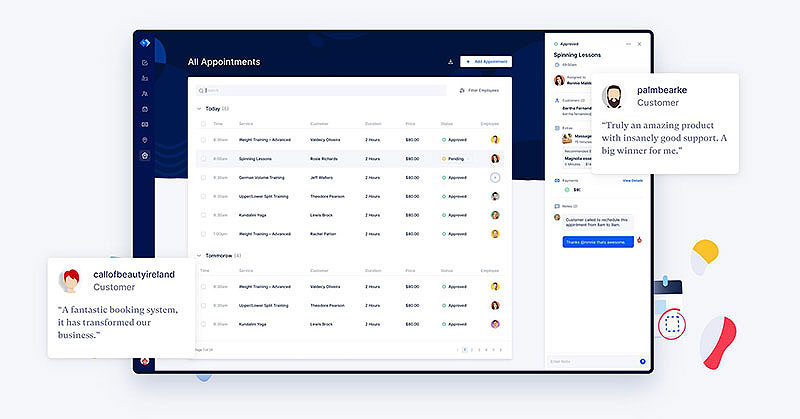
Trafft runs booking and scheduling for service businesses, and its free tier is not a trial in disguise. It stays free. The product was built around staff, rooms, and locations, which maps neatly onto a studio running two or three shooters and renting the space out on quiet weekdays.
No WordPress install needed underneath it, which rules it in for photographers whose site sits on Squarespace or Webflow.
The part worth noticing is that multi-location and resource scheduling show up on the free tier. Gear and rooms get their own calendars, not just people.
- Multi-location scheduling with staff-level calendars
- Resource and equipment booking alongside people
- Recurring bookings for repeat clients like monthly family sessions
- Native Google Calendar and Zoom sync
- Automated SMS, email, and WhatsApp reminders
Pricing starts at a free-forever plan. Paid tiers begin around $12 to $13 a month and scale to roughly $60 a month at the top tier (2026 pricing).
What you get for that: a free plan people actually run their business on, coverage across many service verticals so the tool scales past pure photography, and Zoom built in for consultations. What you give up: branding removal and the deeper automation features sit on higher tiers, and nothing ships with photography-specific templates. You'll be naming your own session types on day one.
Trafft reports more than 30,000 businesses have used the platform for upward of 5 million appointments to date (SaaSWorthy, 2026). That scale runs across many verticals, not photography alone, which is a fair trade-off for the price.
Not being photography-specific is the actual edge. A studio that also rents out its space, or runs mixed services, gets one free booking system instead of two subscriptions covering two business lines.
Amelia: best for photographers who already run their site on WordPress
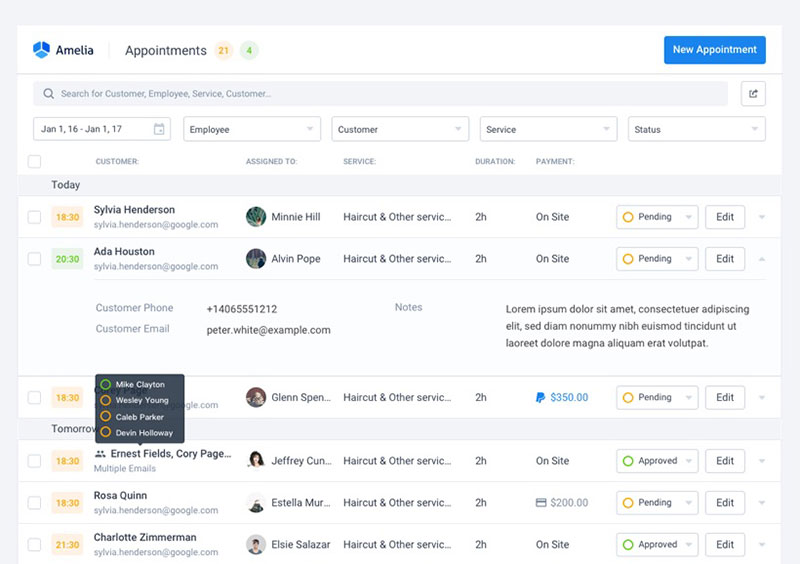
Amelia is a self-hosted WordPress plugin. Appointments, packages, and ticketed events all run out of wp-admin, so booking lives inside the site rather than on a platform with its own login and its own subdomain.
For a studio where the site is already WordPress and staff already have accounts there, that means nobody learns a second dashboard. Events with QR check-in are a real module here, not a checkbox, which matters if you run workshops or mini-session days.
| Tier | Price | Unlocks |
|---|---|---|
| Lite | Free | 1 employee, Square payments only |
| Standard | $89/year | Stripe, PayPal, WooCommerce, Mollie |
| Pro | $149/year | Calendar sync, Zoom/Meet, QR ticketing |
There's a free Lite tier on WordPress.org, and paid licensing starts at $49/year, running up to Elite at $259/year (2026 pricing, verify against current promos).
The constraints are structural. It's WordPress-native with no standalone option, and admin work happens through the WordPress backend in a browser tab if you're out on a shoot rather than in a dedicated app.
Amelia holds a 4.6/5 rating across 761 reviews on WordPress.org, a strong adoption signal among WordPress-native booking plugins tracked in 2026.
Which points at the real ongoing consideration with any plugin route. It isn't the license, it's that you own the update schedule. A hosted competitor patches server-side and you never know it happened. On WordPress you decide when to update, which means staging a release before a busy booking week rather than taking it blind.
Tave (VSCO Workspace) - Best for wedding and portrait studios wanting native gallery delivery
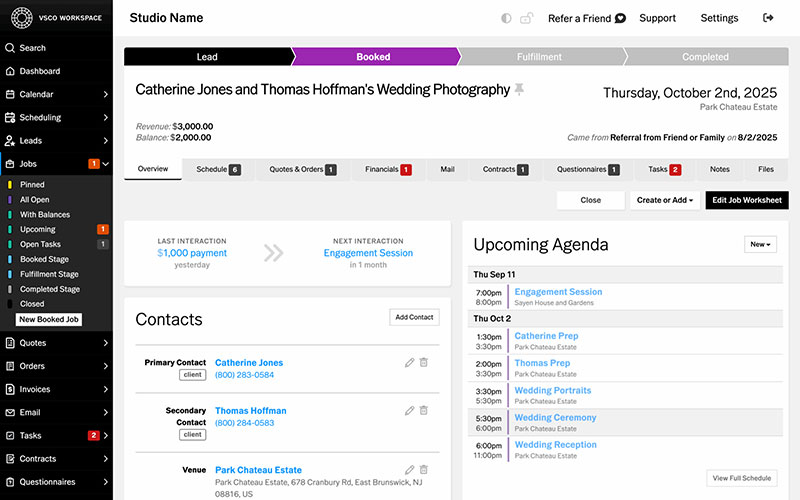
Tave, rebranded VSCO Workspace, was built for photography studios specifically. Booking, invoicing, and gallery delivery sit in the same account, so the whole client lifecycle runs under one login and you're not paying Pixieset separately just to hand over files.
Wedding and portrait studios are the obvious fit, particularly ones tired of maintaining two client lists.
- Session-type templates mapped to specific product packages
- Shoot-day scheduling views
- Contract and questionnaire automation
- Direct integrations with Pixieset and ShootProof for studios that still want a separate gallery brand
Solo runs $22.49/month, Boutique $31.49/month, and Studio $44.99/month, unchanged as of April 2026. Support covers phone and chat alongside email, which is rarer in this price band than you'd think.
The open question is direction. VSCO acquired Tave in May 2025 and completed the rebrand to VSCO Workspace in August 2025, folding the original six-person Tave team into a larger VSCO group. User reports on the transition split roughly evenly between smooth and rocky, per a 2026 alternatives roundup.
So buying in today means betting on VSCO's roadmap rather than the original team's. That's a different risk profile than a stable independent product, and most comparison pages skip it entirely.
HoneyBook - Best for studios that want a polished proposal-to-payment client flow
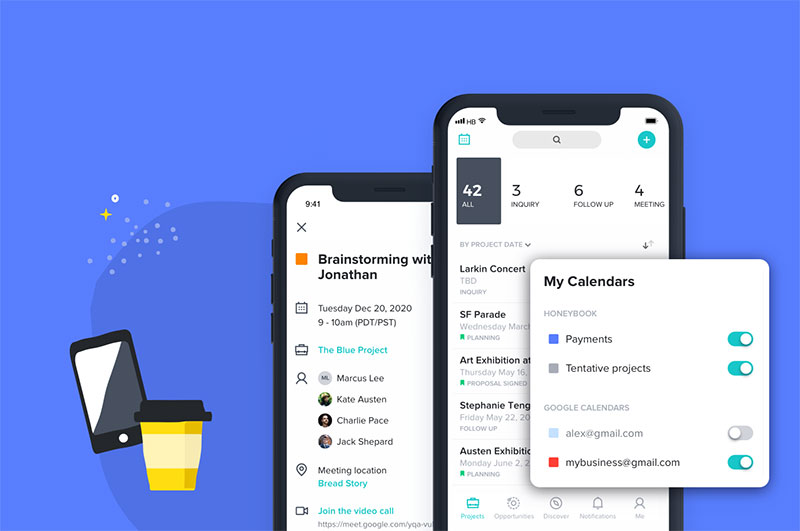
HoneyBook packages branded proposals, contracts, and invoices into a single Smart Files flow. The client opens one link, reads the proposal, signs, and pays, all in the same step. If your priority is getting a deposit collected before the lead cools off, that's the pitch.
Branded proposal templates, built-in e-signatures, automated follow-up emails, and a mobile app all come with it. Payment collection ties back to the same file.
Starter runs $36/month, up from $19/month before a February 2025 price increase (an 89% jump). Essentials runs $59/month and Premium runs $129/month on monthly billing, or $29/$49/$109 per month respectively if billed annually.
HoneyBook's June 2025 "Automations 2.0" update added conditional logic and branching to the automation builder across all plans, which narrowed the automation gap with Dubsado considerably, though Dubsado's form-level branching and setup depth still run further.
That Starter jump from $19 to $36 a month landed in February 2025 and still shapes how the product gets discussed. Sampling HoneyBook user feedback from photographers who lived through the change, the recurring complaint isn't the feature set. It's the price-to-feature ratio at the new Starter tier.
The increase reset the comparison math for everyone. Studios that picked HoneyBook years ago on its old entry price should re-run the numbers against Trafft or Studio Ninja before the next renewal, which is why some are now shopping for a HoneyBook alternative.
17hats - Best for solo photographers who also want one system for unrelated side work
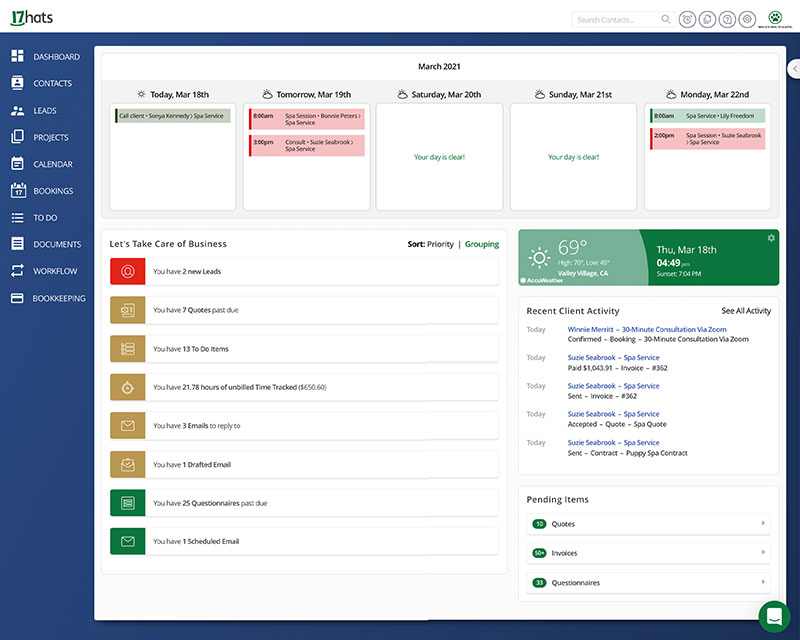
hats covers scheduling, contracts, and payments for small service businesses generally, not photography in particular. Which sounds like a weakness and sometimes isn't. Plenty of photographers also teach, consult, or run a second service line, and 17hats treats all of it as one business.
- Contract and questionnaire templates across industries
- QuickBooks integration for bookkeeping
- Scheduling and payment collection in one dashboard
It reads more like general workflow automation software than a photography-specific tool, which is exactly the trade-off buyers are making.
Expect roughly $50 to $60 a month before add-ons (17hats consolidated its former three-tier pricing into a single all-inclusive plan in 2025). No free-forever tier, just a 7-day free trial.
The gaps are specific and worth reading twice: zero native gallery integrations with Pixieset, ShootProof, or Pic-Time. No native mobile app. QuickBooks only, no Xero.
On cost, 17hats runs $50 to $60 a month before add-ons, roughly 3 to 4 times Studio Ninja's starter tier, per an April 2026 comparison.
The biggest limitation isn't a missing feature. It's a missing category of feature. Zero connections to any gallery platform means a manual export-and-upload step every single time a studio delivers a set of photos.
Studio Ninja - Best for photographers who want native gallery integrations without heavy setup
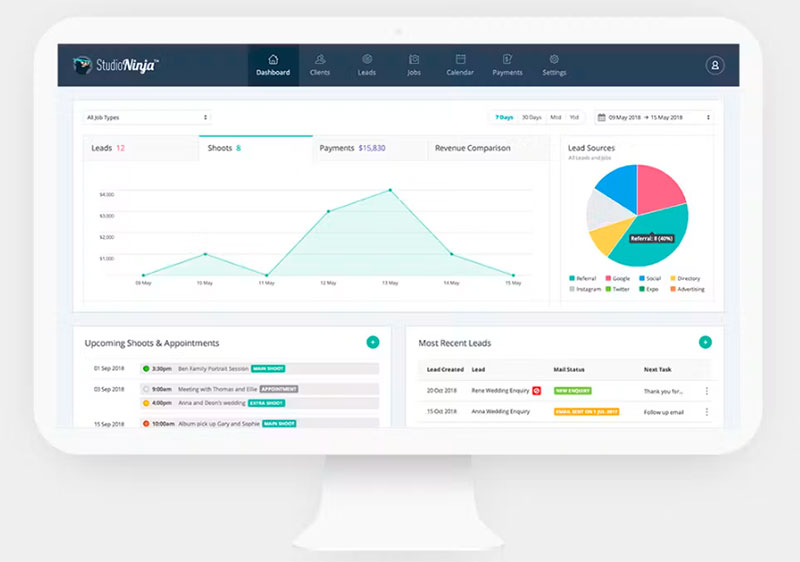
A photographer built Studio Ninja, and it shows in one decision: native integrations to Pic-Time, ShootProof, Fundy, and Pixieset come on every plan, including the cheapest one. No premium tier gate on the thing photographers actually need daily.
Setup is short. You're tracking jobs against galleries within an afternoon rather than blocking out a weekend.
| Feature | Starter | Pro |
|---|---|---|
| Active jobs | Capped at 5 | Unlimited |
| Gallery integrations | Included | Included |
| Price | ~$16/month | ~$27/month |
Workflow automation is included from the start, and there are mobile apps for iOS and Android. The Starter cap of 5 active jobs is tight for anyone shooting weekly, and there's no multi-currency support at all.
Studio Ninja was founded in Australia and holds its strongest user base across Australia, the UK, and New Zealand, per an April 2026 vendor comparison.
Four native gallery integrations at this price is rare. The missing multi-currency support quietly rules it out for destination wedding photographers billing clients in more than one currency, a detail most side-by-side comparisons leave out.
Sprout Studio - Best for photographers who want galleries and light bookkeeping bundled together
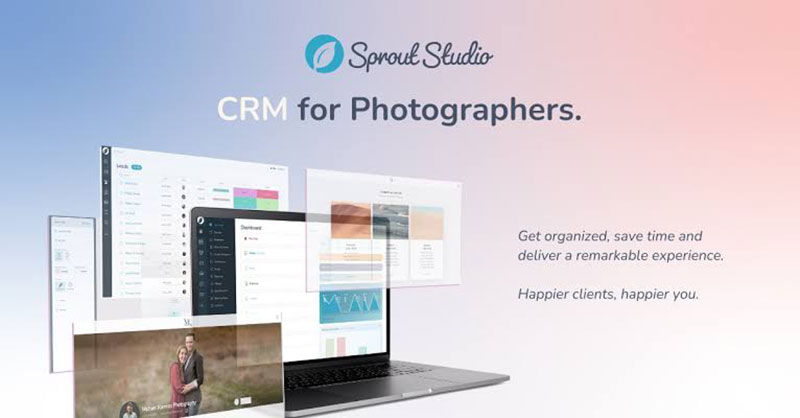
Client galleries, proofing, booking, and basic bookkeeping all come in one subscription with Sprout Studio, which was also built by photographers. For a studio selling prints directly, that removes the usual two or three tool stack.
Booking proposals can be customized, clients pick a package at checkout, contracts get signed, deposits get collected, and Zapier connects out to PayPal, Stripe, WordPress, and Facebook.
Pricing starts around $17/month, per a March 2026 Capterra listing (the vendor's own pricing page currently lists the entry tier at $19/month).
Customer service rates highly relative to competitors, and the Zapier flexibility helps if you already have a marketing stack you like. The integration ecosystem is smaller than HoneyBook's or Dubsado's, though, and support leans on email and self-help resources rather than phone or live chat.
That support gap matters most mid-shoot, when a billing question can't wait for an email reply.
Bundling bookkeeping into a photography tool sounds convenient right up until support becomes the bottleneck rather than the feature set.
Iris Works - Best for photographers who want branded client portals without a steep setup
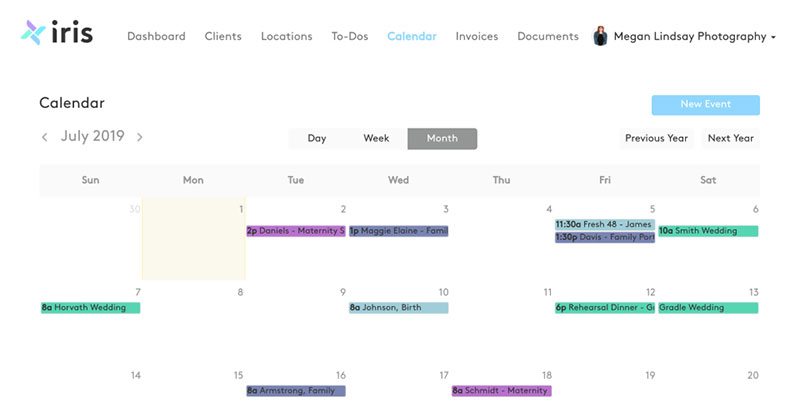
Iris Works organizes everything around what the client sees. Prep guides, session agreements, and portals come as ready-made templates, so the guided booking experience exists before you've written a word of it.
- Booking, inquiry forms, and CRM in one flow
- Automated workflows tied to job stages
- Contracts and online galleries
- 14-day free trial
Starter is $14.95/month ($149/year), Basic $29.95/month ($299/year), Pro $39.95/month ($399/year), and Pro Plus $49.95/month ($499/year), per current 2026 pricing.
Onboarding is straightforward and the whole thing is tailored to photographers rather than generic service businesses. Reporting is lighter than dedicated CRM platforms, and the price climbs fast between Starter and Pro Plus.
Iris Works positions itself around customizable client prep guides and session agreements that create a branded experience from booking through to gallery delivery.
Those templates are the real differentiator, not CRM depth. Most CRMs make a photographer build a prep guide from nothing. Iris Works ships one, then the price more than triples on the way to Pro Plus.
Pixieset - Best for studios whose main need is gallery delivery and print sales
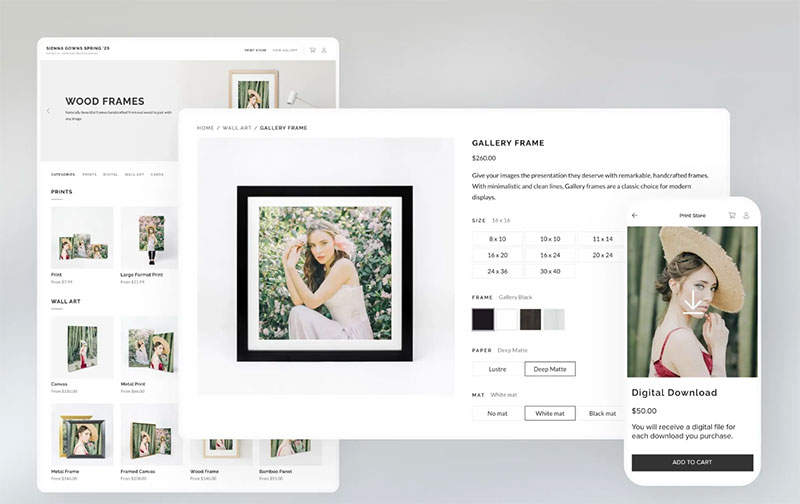
Pixieset comes at this from the delivery end. Client galleries, proofing and approval tools, an online print store, and a portfolio-website builder are the core product, with a Studio Manager module added on top.
If the thing costing you hours every week is getting photos to clients and selling prints, rather than chasing contracts, this is the shorter path.
A permanently free plan is available (3GB storage, unlimited galleries, 15% commission on store sales), with paid tiers starting around $8/month billed annually (about $10/month billed monthly) on the Basic plan and scaling up to roughly $40-50/month on the Ultimate plan.
There are no native contract tools, so studios still need a separate CRM or e-signature tool for agreements. Pixieset has operated since 2013 and is based in Vancouver, Canada, one of the longer track records among dedicated gallery-delivery platforms.
The Studio Manager label creates a false assumption. It sounds like it should handle contracts too. It doesn't, and studios that assume otherwise end up signing agreements over email until they notice the gap.
Dubsado - Best for multi-vertical creative businesses needing custom workflow logic
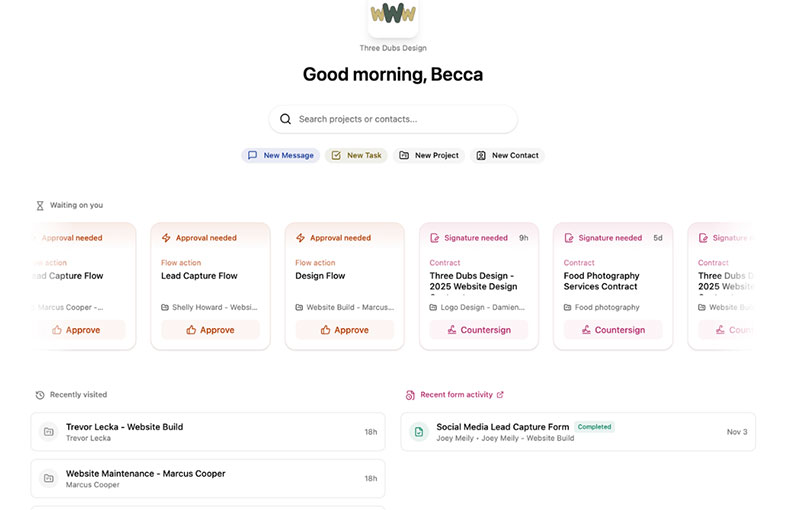
Dubsado's conditional-logic forms branch based on what a client answers, and its workflow automation goes deeper than anything else here. A studio shooting weddings, portraits, and commercial work under one account can build genuinely different paths for each without three separate systems.
Flexibility over templates, in other words. Which cuts both ways.
| Pros | Cons |
|---|---|
| Deepest form and workflow logic here | Zero native photo-gallery integrations |
| 3 users included free | Setup commonly runs 15 to 25 hours |
| Two months free on annual billing | Starter and Premier both rose sharply in Dec 2025 (Starter +75% to $35/mo, Premier +38% to $55/mo) |
Starter now runs $35/month ($335/year, about $28/month billed annually), and Premier now runs $55/month ($525/year, about $44/month billed annually), after a December 1, 2025 price increase (up from $20/month and $40/month respectively).
Setup commonly runs 15 to 25 hours, a pattern documented across Capterra, G2, and Reddit reviews (Agiled, 2026). That learning curve is steep enough that a small cottage industry of paid Dubsado-setup consultants now exists around it, with published rates ranging from roughly $200-300 for a single strategy call up to $3,000-plus for a full done-for-you setup.
The flexibility that wins over multi-vertical studios is the same flexibility that produces a multi-day setup. A studio that needs a contract signed tomorrow should look elsewhere first, then come back once the workflow logic is worth building.
When dedicated studio management software does not apply
None of this is right for every studio at every stage.
- A studio doing fewer than a handful of paid shoots a year rarely earns back a monthly subscription over a shared calendar and a free invoice template.
- A studio already inside a larger multi-service business (an events venue, a marketing agency) may already have booking and CRM covered by that parent system.
- A studio whose entire workflow already runs through one gallery platform (Pixieset or ShootProof) doesn't need a second full CRM just to add booking, a lighter scheduler bolted on top is usually enough.
What Is Photography Business Management Software
Think of it as business management software shaped around the shoot lifecycle. Inquiry, booking, payment, delivery, follow-up, all inside one system rather than five.
It sits closer to a studio management platform than a plain calendar app, because scheduling is only one of its jobs.
- Appointment scheduling and staff calendars
- Client relationship management (CRM)
- Payment collection and invoicing
- Automated reminders and follow-ups
- Gallery or print-delivery integration, native or connected
The category stretches from dedicated photography business software like Tave and Sprout Studio to general booking engines such as Trafft and Amelia, which photography studios adopt because the price and flexibility work better than an industry-specific tool.
Either path counts as a booking system built for small businesses, the difference is how much photography-specific logic ships out of the box.
How It Differs From A Generic Scheduling Tool Or CRM
A generic scheduling tool handles calendar slots and reminders. Nothing about client history, packages, or galleries.
A generic CRM tracks contacts and deals well, but has no session-day calendar logic, no resource booking, and no gallery hooks.
Studio management software merges both jobs plus a third one, delivery, so a booking automatically creates a client record, and a completed shoot can trigger an invoice and a gallery link without re-entering the same data three times.
Calendly and Acuity Scheduling are strong at the first job and stop there. HoneyBook and Dubsado are strong at the second and third but weaker on native scheduling depth than a purpose-built booking engine.
How The Booking And Scheduling Engine Works
Underneath, a shared calendar checks staff availability, room or gear availability, and buffer time before it confirms a slot. How a booking system works usually comes down to a few linked pieces.
- Staff calendar sync, often through Google Calendar or Outlook
- Resource management for studio rooms, backdrops, or rented gear
- Recurring appointment logic for repeat clients (monthly minis, annual family sessions)
Multi-location scheduling adds a layer on top. One dashboard, several studio addresses, each with its own staff calendar and working hours.
Where it breaks tends to be predictable. Timezone mismatches on destination shoots or virtual consultations cause most of it, which is why scheduling across time zones needs its own setting rather than a default assumption. Equipment that isn't tracked as a separate calendar object from staff gets double-booked eventually. And buffer time left at zero will book sessions back to back with no gap for setup or teardown, which nobody notices until the day it happens.
How Automation Reduces Manual Studio Admin
Text message reminders increase attendance at healthcare appointments by about 10% relative to no reminders (risk ratio 1.10), according to a Cochrane systematic review of reminder interventions (Gurol-Urganci et al., Cochrane Database of Systematic Reviews, 2013). Individual real-world deployments have reported considerably larger drops in no-shows, but the review's own pooled estimate is a modest, statistically reliable increase in attendance rather than a specific percentage cut in missed appointments.
Modest but reliable is still why every platform in this category treats reminders as a default rather than an upsell.
Email automation covers booking confirmations, pre-shoot prep guides, and post-shoot delivery notices. SMS handles the 24-hour and 1-hour nudges, which carry most of the no-show reduction. No-show tracking tags repeat offenders so a studio can start requiring a deposit or apply a stricter cancellation policy to those clients specifically.
Most platforms also ship ready-made reminder templates for SMS and email rather than asking a studio to write copy from scratch.
Automation stops being useful past a point. It can send a reminder. It can't judge whether a client's unusual request needs a human reply instead of a template.
How Payment And Invoicing Works Inside The Platform
Deposit capture at the moment of booking protects a studio's calendar more directly than any other feature in this category. Invoice automation picks up after the shoot, generating a balance-due notice on a schedule you set once and then forget.
For studios that want more control over branding or line items, it also helps to make an invoice template once and reuse it across sessions instead of rebuilding the same document for every client.
| Timing | Deposit at booking | Invoice after delivery |
|---|---|---|
| Purpose | Confirms the slot | Collects the balance |
| Gateway examples | Stripe, PayPal, Square | Stripe, PayPal, WooCommerce |
| Failure risk | Declined card, currency mismatch | Late payment, disputed invoice |
Gateway choice gates other features in several tools here. Amelia's free Lite tier only supports Square, and Stripe or PayPal require the Standard plan or above.
Studios handling card data through any of these platforms should confirm the vendor's PCI DSS compliance status, since that standard covers how payment data is stored and transmitted, not just whether a "pay online" button exists.
Tax management is the quiet feature that separates a basic invoice tool from a real accounting-adjacent one, since automatic tax line items save a manual step on every single invoice.
How Photography CRM Features Work
An inquiry form feeds straight into a client record, so nothing gets copy-pasted out of an inbox. Every email, SMS, and note attaches to that one client instead of scattering across apps. And a client portal lets people reschedule, view invoices, and reach their gallery without phoning you about it.
A studio using nothing but a free contact management tool can cover the basics, but loses the automatic link between a contact record and a specific booking or invoice that a dedicated photography CRM builds in by default.
Questionnaires sent before a session close a gap a plain contact list can't. Style preferences, allergies for on-location shoots, timeline requests, all of it attaches to that client's file automatically instead of sitting in a thread you have to search for.
Any platform storing client contact details and communication history in the European Economic Area, or serving clients there, needs to handle that data under GDPR, which is a compliance detail worth checking before migrating a client list into a new system.
How Gallery And Print Delivery Integration Works
Gallery delivery either lives inside the same account as the booking tool, or it lives somewhere else and gets connected through an API or a shared login link. In more asset-heavy workflows, a digital asset management app can sit alongside the gallery platform to organize finished images, working files, and other client deliverables before they are published or archived.
Tave and Sprout Studio build proofing and delivery natively into the CRM. Trafft, Amelia, HoneyBook, and Dubsado do not, which means a studio on any of those four still needs a dedicated gallery tool such as Pixieset, ShootProof, or Pic-Time for client-facing delivery and print sales.
- Native integration: one login, one client record, gallery status visible next to the booking
- Connected integration: two logins, a shared link or webhook keeps the data loosely in sync
- No integration: manual export and re-upload every time a gallery ships
Studio Ninja's native connections to Pic-Time, ShootProof, Fundy, and Pixieset on every plan, including its starter tier, show that a booking-first tool can still close this gap without building a gallery product from scratch.
The trade-off shows up at delivery time. A disconnected stack means whoever runs the studio re-types the same client name and session date into a second system.
What Reporting And Analytics These Platforms Provide
Revenue tracking and booking-volume counts are close to universal here, standard even on entry-tier plans in most cases. Staff utilization and no-show-rate reporting are where the category splits apart.
Almost every plan gives you monthly revenue totals, upcoming booking counts, and basic client-count summaries. What tends to sit behind higher tiers, or barely exist at all, is staff utilization by hour, no-show rate trends over time, and package or add-on sell-through rate.
hats and Iris Works both lean lighter on reporting depth than dedicated CRM platforms, which matters once a studio is deciding whether to raise prices or hire a second shooter and needs actual utilization numbers to justify it.
Reporting only earns its keep once a studio checks it monthly. A dashboard nobody opens is not a feature, it's a line item.
WordPress Plugin Or Standalone SaaS: Choosing A Deployment Model
WordPress still powers roughly 41% of all websites tracked, according to W3Techs' 2026 usage survey, which is why a WordPress-native booking plugin like Amelia has a large built-in audience.
The deployment choice affects more than where the admin panel lives.
| Factor | WordPress plugin | Standalone SaaS |
|---|---|---|
| Login | Same as the site's wp-admin | Separate vendor login |
| Updates | Studio controls timing, own update risk | Vendor patches server-side |
| Mobile app | Often none (Amelia has none) | Common (Studio Ninja, HoneyBook) |
| Site-platform lock-in | Tied to WordPress | Independent of the website |
Going the plugin route buys you one login for staff, booking pages that match site branding without extra work, and usually a lower entry price. It also hands you the update risk, since a plugin update can break payment processing without warning, as happened to Amelia's December 2025 release before it was patched.
SaaS flips both sides. The vendor handles maintenance, mobile apps are more common, and none of it cares what your website runs on. In exchange you check a second dashboard every day and your booking page design is bounded by whatever the vendor's builder allows.
What Photography Studio Management Software Costs
The range runs from genuinely free to roughly $60 a month, and the gap between tiers usually maps to specific unlocked features rather than a vague "more stuff" upgrade.
Four figures worth anchoring a budget conversation to:
- Trafft: free-forever plan available, paid tiers from about $12 to $60 a month depending on features and seats (SchedulingKit, 2026)
- Amelia: $49 to $259 a year across four paid tiers, plus a free Lite version on WordPress.org (Capterra, 2026)
- HoneyBook: Starter jumped 89%, from $19 to $36 a month, in a February 2025 price change (Agiled, 2026)
- Dubsado: after a December 2025 price increase, Starter now runs $35 a month ($28/month billed annually) and Premier runs $55 a month ($44/month billed annually) (Agiled, 2026)
Feature gating is the pattern to watch, not the sticker price alone. Amelia's free tier only unlocks Square as a gateway, Stripe and PayPal require Standard or above, and calendar sync sits behind Pro. The entry price rarely reflects what a studio actually ends up paying once real usage starts.
Which Features Matter At Each Studio Size
A solo photographer and a five-shooter studio buy the same category of software for almost opposite reasons.
| Studio size | Priority feature | Feature that's often wasted spend |
|---|---|---|
| Solo | Deposit capture, simple reminders | Multi-staff resource scheduling |
| Multi-shooter | Staff calendars, resource allocation | Enterprise-level API access |
| High-volume | Reporting depth, integration breadth | Basic contact forms alone |
Solo operators evaluating a CRM built for solopreneurs generally do better with a lighter, cheaper tool than with an enterprise-leaning platform they'll use maybe a third of.
Multi-shooter studios flip that logic. Staff calendars, resource management for shared gear, and role-based permissions stop being nice-to-haves the moment more than one calendar has to stay in sync.
High-volume studios are the only segment where reporting depth and integration breadth (Zapier, WooCommerce, native gallery connections) consistently pay for themselves, since the manual-entry time saved compounds across hundreds of bookings a year.
How To Migrate From Spreadsheets To Studio Management Software
Most studios switching off an appointment spreadsheet lose data at the same two points: during export, and during the first week of parallel running.
A clean migration follows a fixed order.
- Export the existing client list and booking history before touching the new tool
- Set up services, pricing, and staff or resource calendars inside the new platform first, with no public bookings open yet
- Import the client list and manually spot-check a sample against the original spreadsheet
- Run the new system and the old spreadsheet in parallel for one full booking cycle before retiring the spreadsheet
- Turn on public booking once the parallel run shows no missed or duplicated appointments
Studios that skip straight from setting up an online booking system to going fully live, without the parallel-run step, are the ones most likely to double-book a client or lose a deposit record in the switch.
The most common failure isn't the software. It's turning off the old system before the new one has handled a full booking cycle end to end.
FAQ on Photography Studio Management Software
Which Payment Gateways And Calendar Tools Does This Software Connect To
Most platforms connect to Stripe, PayPal, Square, and WooCommerce for payment gateway integration, plus Google Calendar, Outlook, and Zoom for calendar sync.
Zapier extends that further into email and marketing tools like Mailchimp, and Amelia adds Mollie and RazorPay on its higher tiers.
What Should A Studio Compare Before Switching Off Spreadsheets Or Generic Tools
Compare deposit handling, resource scheduling, gallery integration, and reporting depth against current pain points, not feature counts.
A studio juggling one calendar rarely needs multi-location scheduling. Price tiers matter less than which specific features sit behind them.
Is There A Genuinely Usable Free Option
Trafft, Amelia, and Pixieset all ship a genuinely usable free tier, though each caps something specific: Trafft brands the booking page, Amelia Lite allows one employee and Square only, and Pixieset's free tier caps storage at 3GB and takes a 15% commission on store sales.
Dubsado permits free use up to three clients rather than an ongoing free tier. None of these cover a growing multi-shooter studio long term.
What Common Setup Mistakes Cause Studios To Abandon Or Underuse The Tool
Skipping automation setup is the most common one, since reminders and follow-ups only work once triggers are configured.
Leaving payment gateways on defaults, ignoring client questionnaires, and never checking the reporting dashboard also waste most of a subscription's value.
What Data Should A Studio Be Able To Export If It Ever Switches Software Again
Client contact records, booking history, invoice and payment records, and signed contracts, at minimum.
Studios relying on a platform's native gallery delivery need confirmation that gallery links or files export separately, since that data rarely migrates cleanly between vendors.
What Should You Fix First in Photography Studio Management Software
The fastest return comes from fixing booking and deposit collection first, before touching automation, reporting, or gallery integration. An unconfirmed booking cancels out every other feature bought around it.
A workable rollout order runs like this:
- Booking and deposit capture, to stop no-shows and protect revenue
- Automation and reminders, once bookings are reliably confirmed
- Reporting, resource allocation, and gallery integration once the workflow is stable
Fixing booking first means tolerating thin reporting and no resource allocation for a while. Worth accepting, since a missed session costs more than a missing dashboard.
That order breaks down past one staff calendar, since a free-tier client portal rarely syncs two calendars without a paid plan.
Studios with the software sorted typically move next to running a successful photography business overall, where pricing and client acquisition become the harder problems.