Few people leave HoneyBook because the whole product fails them. It's usually one piece, like automations behind a paywall or card fees that add up, that tips the decision.
Trafft, Amelia, Dubsado, Bonsai, 17hats, Plutio, Studio Ninja, Pixieset Studio Manager, Zoho CRM and Acuity Scheduling each take over a different chunk of it, which is why the best HoneyBook alternatives depend on which chunk you're replacing. Prices and plan limits come from each vendor's own page as of October 2026.
HoneyBook sells proposals, contracts, invoices, a client portal and a scheduler, with plans from $29 a month billed yearly. Automations don't appear until the $49 Essentials plan (HoneyBook, 2026).
Leaving doesn't cut card fees on its own. HoneyBook charges 2.7% + 10 cents per card payment, and Bonsai Payments charges 2.9% + $0.30 (HoneyBook and Bonsai Help Center, 2026).
HoneyBook Alternatives
What you actually use in HoneyBook decides the answer. Dubsado and 17hats go after the workflow engine. Bonsai and Plutio add project and time tracking on top. Photographers get Studio Ninja and Pixieset, and Trafft, Amelia and Acuity make more sense when bookings drive the business.
What HoneyBook costs today
HoneyBook runs on Starter at $29 a month billed yearly ($36 monthly), Essentials at $49 ($59) and Premium at $109 ($129). Automations, the scheduler and the QuickBooks Online integration all begin at Essentials, which also covers 2 team members.
Card payments start at 2.7% + 10 cents and ACH transfers cost 1.5% (HoneyBook pricing page, October 2026). The plan comparison table on that same page still shows 2.9% + 25 cents, and some third-party pricing guides repeat that figure. I'd trust 2.7% + 10 cents, because it's the rate in HoneyBook's fee section and FAQ.
Everything below gets measured against that baseline. If you want feedback on the platform itself, read what users say about HoneyBook.
Annual cost of the plan that matches HoneyBook Essentials
Essentials is where automations and the scheduler begin, so each tool gets matched to that tier. All figures are vendor list prices from October 2026.
| Tool | Closest plan | Annual list price |
|---|---|---|
| HoneyBook | Essentials (2 team members) | $588 |
| Trafft | Free (1 user, 100 appointments a month) | $0 |
| Amelia | Pro (annual license, 5 sites) | $199 |
| Dubsado | Premier | $525 |
| Bonsai | Premium (per user) | $348 |
| 17hats | Single plan (paid add-ons extra) | $600 |
| Plutio | Core (9 active clients, monthly billing) | $228 |
| Studio Ninja | Pro (3 users, unlimited jobs) | $270 |
| Pixieset Studio Manager | Free forever tier | $0 |
| Zoho CRM | Free (up to 3 users) | $0 |
| Acuity Scheduling | Standard (6 calendars, annual billing) | $324 |
Trafft - Best for service businesses that need booking and payments before a CRM
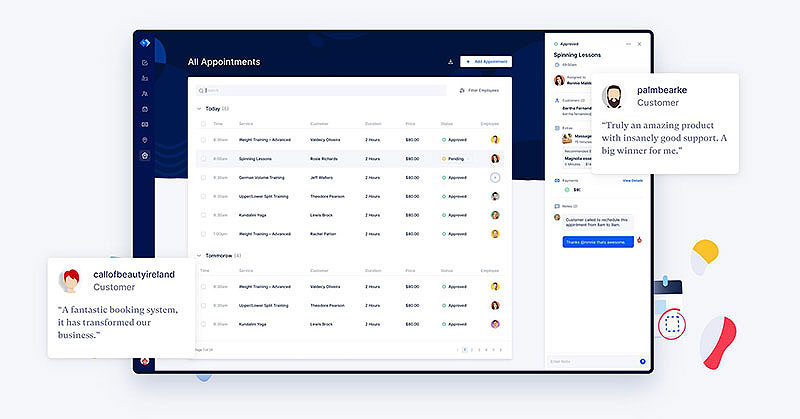
Trafft handles booking and scheduling, has a free plan and takes no per-booking commission. People who used HoneyBook mainly for the scheduler, reminders and payments will feel at home, particularly if multi-staff calendars matter more than proposals.
- Salons, clinics, coaches and consultants who sell timed appointments get the most out of it
- The free plan covers 100 appointments a month, and no booking carries a commission
- Every plan has a booking website and embeddable form, group bookings and Square payments. Stripe and PayPal arrive at Growth, Google, Outlook and Apple calendar sync at Mini, and recurring appointments at Professional and above
- Free is for 1 user. Paid tiers run Mini (3 users), Growth (5), Professional (15) and Business (30), with a 14-day trial and up to 25% off annual billing (Trafft, October 2026)
Bookings carry no commission, every plan includes a booking chatbot, and a WordPress plugin exists for sites you already run.
Know the scope before you switch. There are no proposals, contracts or e-signature, since this is booking software rather than a CRM. Invoices start at Growth and deposit payments at Professional, SMS credits are bought separately below Professional (which includes 5 a month), and calendar sync comes with the paid plans.
A consultant reviewing Trafft on Capterra credits it with cutting the back-and-forth of confirming bookings (Trafft pricing page, 2026).
The cheapest way out of HoneyBook is to stop paying for a CRM you never touch. Next to most free online booking systems its free tier is generous, and the demos show the booking flow before you sign up. Third-party trackers list several different paid price sets, so check plan limits on the pricing page itself.
Amelia - Best for WordPress sites that want to own their booking system
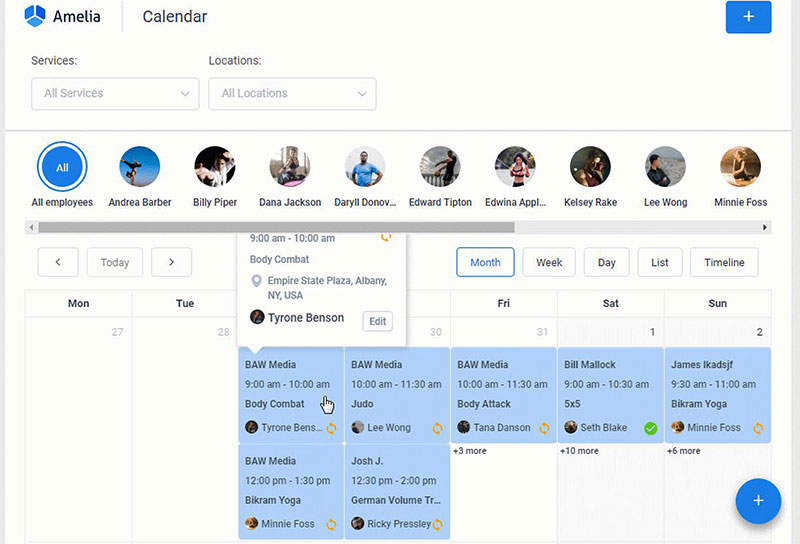
Amelia lives inside WordPress and is sold as an annual or lifetime license. It suits site owners who'd rather keep appointments, events and payments in their own install than pay a per-user subscription.
Salons, studios and consultancies already on WordPress are the obvious match.
Events are where it pulls ahead. Tickets, waitlists and recurring events sit right next to one-to-one appointments.
The rest of the feature list is long.
- Step-by-step booking wizard and catalog forms
- Stripe, PayPal, Square, Mollie and Razorpay payments
- Google, Outlook and Apple calendar sync, along with Zoom, Google Meet and Teams
- Deposits, taxes, invoices, packages and resources
A free limited version is available on WordPress.org. Pro lists at $199 a year for 5 sites, though the pricing page showed a promotional $149 when checked. A Pro lifetime license costs $349, backed by a 15-day money-back guarantee (Amelia, October 2026).
The good parts first.
- Licenses are priced by site count, not by user
- Customer and employee panels come with role-based access
- A mobile app is listed
Now the scope notes.
- It's WordPress-native, so it fits sites already on the platform
- No proposals, contracts or e-signature, since this is booking rather than a CRM
- Annual licenses renew to keep updates and support running, and the plugin keeps working either way
Amelia's own site cites 4.9 out of 5 across 182 Capterra reviews. FS Code, a rival booking plugin vendor, tested Amelia on WordPress 6.9.4 and called its Events module a genuine differentiator among booking plugins (FS Code, 2026). The demos cover both the appointment and event flows.
Every other paid entry here bills monthly or yearly. Amelia also sells a lifetime license, which makes sense for a site you plan to keep for years.
Dubsado - Best for repeatable client workflows in photography, events and coaching
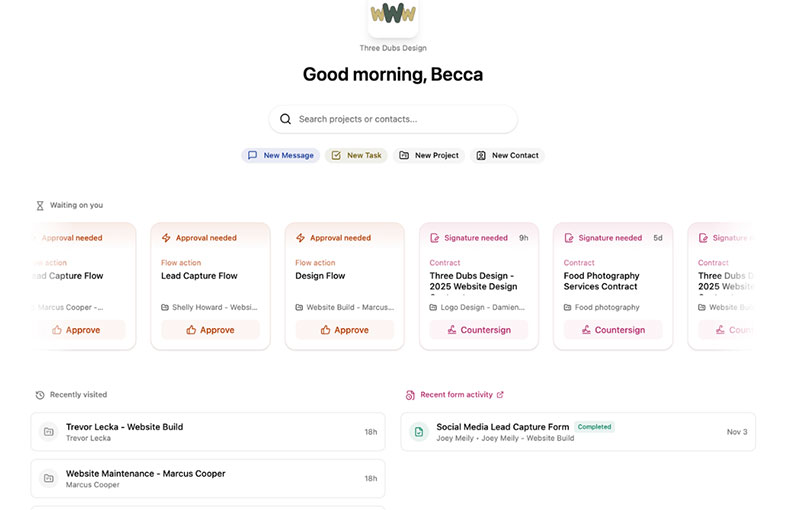
Dubsado is built around forms, contracts and automated workflows. If rigid automation is your problem with HoneyBook, this is the nearest like-for-like swap, and Premier costs $525 a year. For service businesses with repeatable processes, it offers workflow automation that can move a client from inquiry through forms, contracts, invoices and follow-ups.
- Service businesses with a fixed process from inquiry to final payment get the most from it
- Its workflow automation chains emails, forms, contracts and invoices into one sequence
- Features include client portals, invoicing with payment plans, lead capture forms, scheduling, public proposals and Zapier
- Starter costs $335 a year and Premier $525, with a 21-day trial that gives full Premier access. Extra brands cost $10 a month, and teams of 4 to 10 users add $25 a month (Dubsado, October 2026)
- Both plans allow unlimited clients and projects
- Client portals and the mobile app come with Starter
- Starter has no scheduling, automated workflows, public proposals, Zapier or bookkeeping integrations
- Starter is limited to one active lead capture form
Third-party price guides quote Dubsado at $20 and $40, or $35 and $55, a month. Its own pricing page lists $335 and $525 a year.
At $525 against $588, Premier saves only $63 a year compared with HoneyBook Essentials. Switch for the configuration depth, not the savings.
Bonsai - Best for freelancers and consultants who bill by project or hour
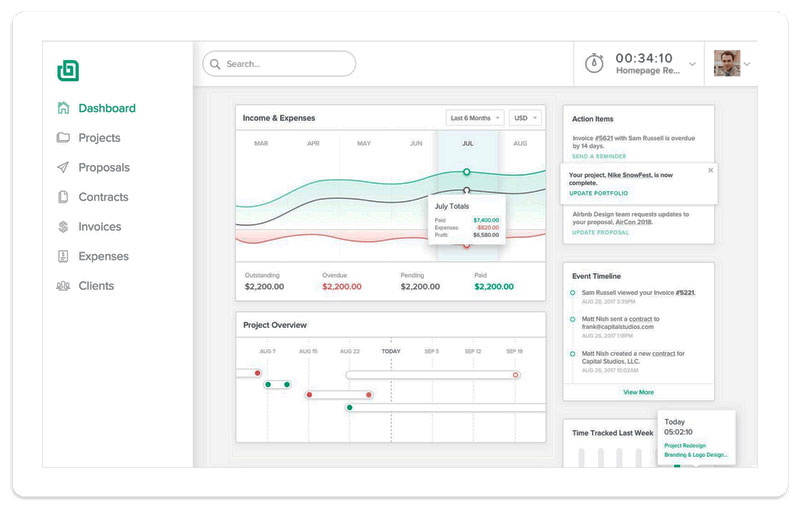
Bonsai targets freelancers and bundles proposals, contracts, invoices and time tracking, billed per user. Essentials covers the core client workflow at $19 per user a month on annual billing.
| Best for | Freelancers, consultants and small agencies billing hourly or by project |
|---|---|
| Standout capability | Logged hours flow into invoices, so a separate time tracking app is optional |
| Key features | CRM, proposals and contracts, forms, client portal, expense tracking, Gantt view on Premium |
| Pricing | Per user, billed annually: Basic $9, Essentials $19, Premium $29, Elite $49 (3-user minimum). 7-day trial (Bonsai, October 2026) |
Expense and income tracking sit beside invoices, giving freelancers some of the functionality they might otherwise look for in separate expense management software. Premium adds integrations with QuickBooks, Xero, Zapier, Calendly and Google.
For teams dealing with employee spending, however, features such as processing reimbursements may still require a dedicated expense platform rather than a freelancer-focused client management suite.
- Pricing is per user, so the math changes once you add a second seat
- Scheduling on Essentials is limited to one event type
- Branding can only be removed on Premium
Zabal Media, a 45-person agency, credits Bonsai with saving $150,000 a year after replacing ten tools. The figure is the founder's own estimate and comes largely from cutting manual spreadsheet work, not software fees (Bonsai customer story).
At one user, Bonsai Premium costs $348 a year against $588 for HoneyBook Essentials. Add a second user and it hits $696, which is more than HoneyBook, because Essentials already includes two team members.
17hats - Best for solo wedding and event pros who want one plan with nearly every feature
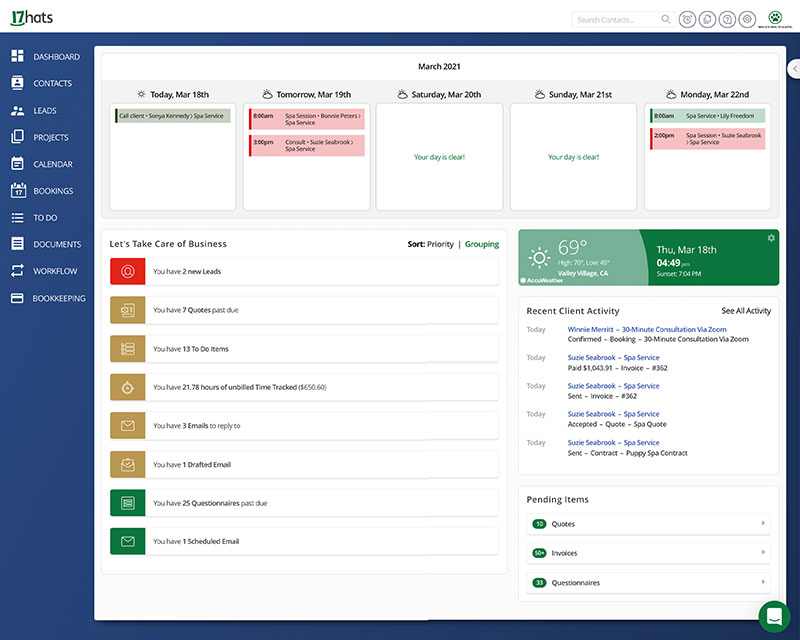
17hats puts leads, quotes, contracts, invoices, questionnaires and workflows on one plan. Solo operators who want a single price and no tier decisions tend to like that, and the company has run a sale aimed at HoneyBook switchers.
Solo wedding and event professionals are the target, including anyone who takes leads from The Knot and WeddingWire.
Nearly every feature sits on the one plan, so there's no automation tier to unlock.
That covers unlimited contacts and projects, quotes, contracts with e-signature, invoices with payment schedules, questionnaires and workflows.
It costs $60 a month, $600 a year or $800 for two years, with a 7-day trial and a 30-day money-back guarantee. 17hats has also promoted 50% off the first year to HoneyBook switchers, so check the offer is still live. Paid add-ons include online scheduling ($5 or $10 a month), time tracking ($5), recurring billing ($10), bank connect ($5), extra users ($5 each) and extra brands ($10 each) (17hats, October 2026).
With one plan there's little feature gating, and a free CRM tier covers unlimited contacts and four invoices per quarter.
Price is the catch. The single plan lists at $600 a year, above HoneyBook Essentials at $588. Scheduling, time tracking, recurring billing and bank connect all cost extra, as do additional users and brands.
Its pricing page promotes a "Sweet Escape" sale to HoneyBook members, which it ties to HoneyBook's pricing changes (17hats pricing page, 2026). Capterra still lists older 17hats tiers at $15, $30 and $60 a month, which no longer match the single plan on the vendor's page.
It's the only flat-priced entry that lands above HoneyBook Essentials at list price, so the first-year offer, if it's still running, is the real reason to try it.
Plutio - Best for freelancers who need project management beside proposals and invoices
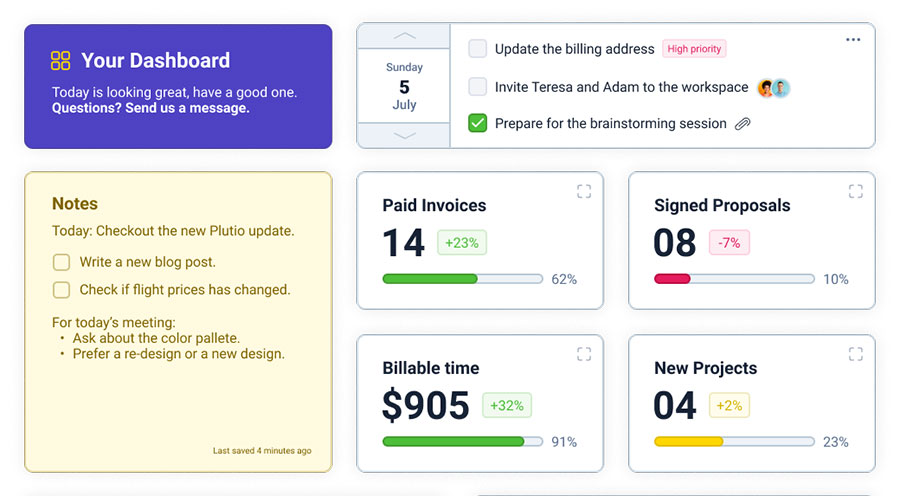
Plutio puts projects, tasks, proposals, contracts, invoices and a client portal on every plan. It's meant for freelancers who keep tracking work after the contract is signed, with invoice creation sitting alongside project management and client communication in the same workflow. Pricing starts at $15 a month on annual billing ($19 monthly).
- Solo freelancers and small agencies running several projects at once are the intended users
- Kanban and Gantt task boards live in the same account as invoices and contracts
- Proposals and contracts with e-signature, scheduling, forms, time tracking, a client portal and Stripe, PayPal and Square payments are all included
- Core is $19 a month, or $15 billed annually (9 active clients). Pro is $49, or $39 annually (unlimited clients, 30 contributors). Max is $199, or $159 annually. The 7-day trial needs no card (Plutio, October 2026)
It does a couple of things right.
- Plutio itself charges no transaction fees
- Every plan has the same feature set
The limits are more specific.
- Core caps concurrent active clients at 9 and allows no extra contributors
- White-label is an add-on below Max
- Workflow actions (900 a month on Core) and AI credits are metered
Plutio says it takes no cut of invoice payments, while HoneyBook's card fees start at 2.7% + 10 cents. Stripe or PayPal still charge their standard rates (Plutio pricing page, 2026).
The 9-client cap counts active clients only, and archiving a finished client frees the slot, so Core works fine for a steady solo practice.
Studio Ninja - Best for photographers and videographers who want a photography-only CRM
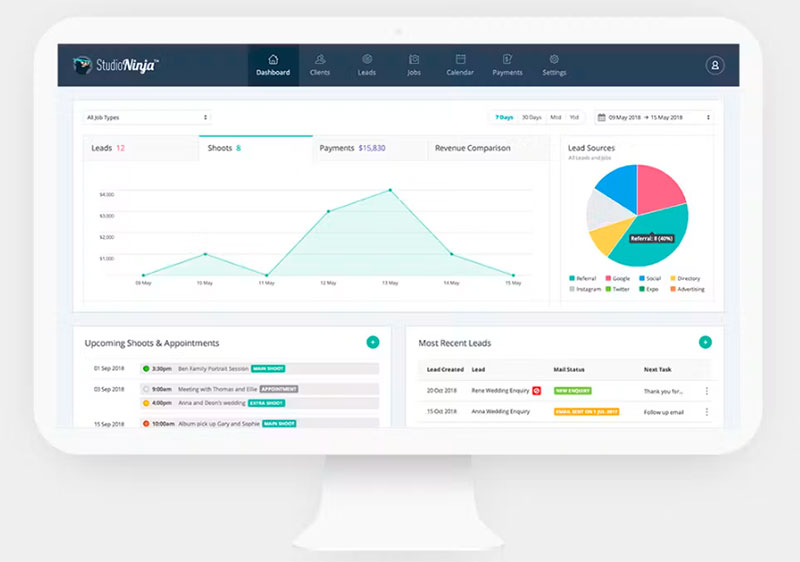
Studio Ninja is photography studio management software built around leads, jobs, contracts and payments. Every plan includes workflow automation, and Starter costs $160 a year.
| Best for | Portrait, wedding and mini-session photographers and videographers |
|---|---|
| Standout capability | Workflow automation on every plan, including the cheapest |
| Key features | Online booking forms, client portal, contracts and questionnaires, payment schedules, Stripe and PayPal |
| Pricing | Starter $16 a month ($160 a year), Pro $27 ($270), Master $40 ($400). 7-day trial, no card (Studio Ninja, October 2026) |
- Subscribe and it migrates your client list, templates, packages and workflows for free
- Gmail, Google Calendar, Xero, QuickBooks, Stripe, PayPal and ShootProof connect natively
- Starter caps you at 1 user and 5 active jobs
- No public API, webhooks or Zapier app turned up in Studio Ninja's materials, so data leaves only as per-object CSV downloads
Supergood's API review, last verified in September 2026, graded Studio Ninja D, citing a closed list of native connectors, no public API and no webhooks.
Automation comes included at $160 a year, so the gate is job volume rather than plan tier. That's the reverse of HoneyBook and Dubsado.
Pixieset Studio Manager - Best for photographers who already deliver galleries through Pixieset
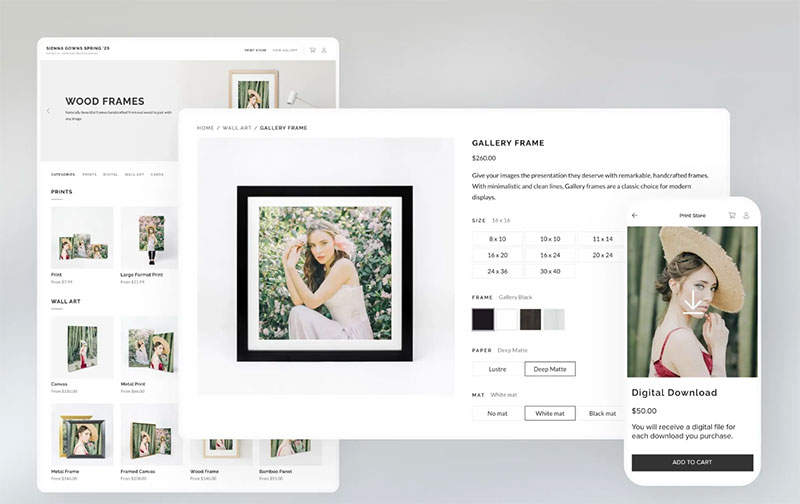
Pixieset Studio Manager is the CRM and booking module inside Pixieset's photography platform. It's aimed at photographers who want clients, invoices and galleries under one login, and it has a free forever tier.
Portrait, wedding and mini-session photographers already on Pixieset are the best fit.
Booking and invoices run on the same platform that handles delivering photos to clients.
The feature list is short but practical.
- An online booking site, with retainer collection on Pro or full payment at booking
- Invoices, contracts, questionnaires and quotes
- Payment schedules, reminders, tips and tap to pay on mobile
- A mini sessions creator and a visual project board
The free forever tier includes unlimited invoices, 3 contracts, 3 quotes or questionnaires and 1 session type. Plus costs $12 a month billed annually ($15 monthly) and Pro costs $18 ($24 monthly) (Pixieset, October 2026).
Through Pixieset Payments, available in the US and Canada, clients can pay by card, Apple Pay, Google Pay, Affirm or Klarna. A mobile app comes with it.
- Its Studio Manager page lists no multi-step workflow builder, only automatic reminders, follow-ups and booking confirmations
- It's built for photographers only
- The free tier caps contracts, quotes and session types, and tips start on Plus
Bri'Anne Elizabeth Photography books about 100 senior sessions between June and November and credits the booking site with easier scheduling (Pixieset testimonial).
If HoneyBook and a separate gallery host add up to two bills for you, this puts both behind one login. Expect less CRM depth than Dubsado.
Zoho CRM - Best for solo operators who want a free CRM and will add the rest from other tools
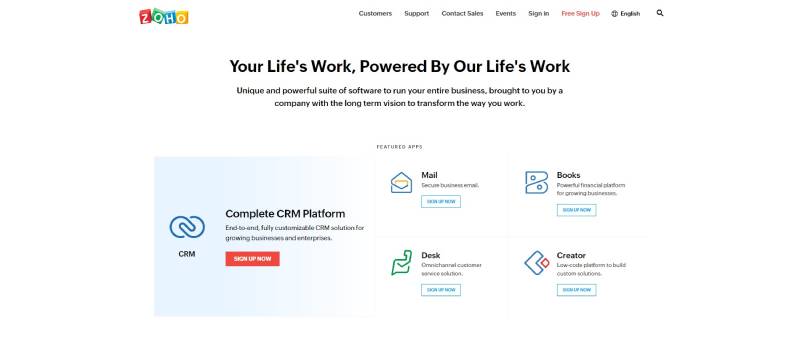
Zoho CRM is free for up to three users, and paid tiers are priced per user. It covers the contact and pipeline side of HoneyBook, but not proposals, contracts or invoices.
- Solopreneurs and teams of up to three who need a CRM for solopreneurs rather than a client portal are the match
- The free edition stays free forever for 3 users, and its pricing page lists workflow automation, standard reports and a mobile app
- Contact management, workflow rules, email templates, standard reports and 5,000 API calls a day come with it
- Paid editions charge per user, and independent 2026 guides list Standard at $14 per user a month on annual billing (Zoho, October 2026)
It's free forever for three users, and Zoho also runs separate free products for forms, e-signature and booking. For solo operators that need more than contact storage, its workflow rules can also cover basic sales automation, such as moving leads through a pipeline and triggering follow-up actions.
What the Free edition leaves out is the limit. It lists contacts, workflows, standard reports and a mobile app, but not invoicing, contracts or a client portal, so each of those means another Zoho app or an outside tool.
Zoho's own pricing pages list Zoho Forms, Zoho Sign and Zoho Bookings as separate free products beside the CRM.
This route costs setup time, not money. Stitching free apps together only replaces HoneyBook if you're fine configuring four separate tools.
Acuity Scheduling - Best for appointment-led businesses that sell packages and memberships
Acuity Scheduling covers appointments, payments, intake forms and client self-booking. It fits businesses that used HoneyBook mainly to take bookings and payments, and Standard costs $27 a month on annual billing.
Coaches, tutors, stylists and wellness providers selling timed sessions use it most.
From the Standard plan, you can sell appointment packages with payment plans, subscriptions, memberships and gift certificates.
The rest of the feature set looks like this.
- Payments and deposits through Stripe, Square, PayPal or Venmo
- Custom intake forms with terms and conditions
- Automatic time zone conversion
- Text reminders and a waitlist on Standard and above
- Zoom, Google Meet and GoToMeeting links
Starter is $16 a month on annual billing ($20 monthly, 1 calendar), Standard is $27 ($34, 6 calendars) and Premium is $49 ($61, 36 calendars). The 7-day trial needs no card (Acuity, October 2026).
- Intake forms and payments come on every plan
- Logo branding is customizable on every plan, while custom CSS and API access are Premium only
- A HIPAA business associate agreement is available on Premium
Which HoneyBook features do the alternatives actually replace?
Only Dubsado, Bonsai, Plutio, 17hats, Studio Ninja and Pixieset handle the full quote, contract and invoice chain. Trafft, Amelia, Acuity and the free Zoho CRM edition each swap out a single slice of HoneyBook.
HoneyBook's own function list sets the benchmark, and it runs from proposals and contracts with e-signature to invoices, a client portal, questionnaires and lead forms. The scheduler starts at Essentials, and Starter allows 2 live lead forms against 10 on Essentials (HoneyBook pricing page, October 2026).
| HoneyBook function | Covered by | Missing or gated |
|---|---|---|
| Proposals and contracts | Plutio, Bonsai, 17hats, Studio Ninja, Pixieset, Dubsado | Dubsado public proposals need Premier. Not listed on Trafft, Amelia, Acuity, Zoho Free |
| Invoices and payments | Dubsado, Bonsai, Plutio, 17hats, Studio Ninja, Pixieset, Amelia, Acuity | Trafft from Growth. Zoho Free lists none |
| Scheduling | Trafft, Amelia, Acuity, Plutio, Studio Ninja, Pixieset | Dubsado Premier only. Bonsai Essentials limited to 1 event type. 17hats scheduling is a paid add-on |
| Client portal | Dubsado, Plutio, Studio Ninja, Bonsai | Bonsai from Essentials. Amelia has a customer panel only |
| Questionnaires and forms | Dubsado, Bonsai, Plutio, 17hats, Studio Ninja, Pixieset, Acuity | Trafft and Amelia offer booking-form custom fields only |
If scheduling is the only function you need replaced, a tool built as business scheduling software is the lighter route.
Client portal, branding and mobile access
Portals come with both Dubsado plans, every Plutio plan and Bonsai from Essentials. Studio Ninja's branded portal lets clients review quotes, sign contracts and pay.
Removing the vendor's branding sits on a mid or top tier almost everywhere. HoneyBook drops "Powered by HoneyBook" at Essentials, Bonsai removes its branding at Premium, Acuity at Premium and Trafft at Business.
Every tool in this article lists a mobile app, so that one won't settle anything.
Payment fees and pricing models compared
Leaving HoneyBook doesn't automatically lower payment fees. Bonsai's published card rate is higher than HoneyBook's, so any savings come from tools that charge no platform commission of their own.
The published fee schedules look like this.
- HoneyBook charges cards from 2.7% + 10 cents (its plan comparison table still shows 2.9% + 25 cents), ACH 1.5% and instant deposit 1% (HoneyBook pricing page, October 2026)
- Bonsai Payments charges cards 2.9% + $0.30 and ACH 1.0% with a $1 minimum, and instant payouts add 1.5% (Bonsai Help Center, 2026)
- Bonsai with Stripe or PayPal adds an extra 1% platform fee where Bonsai Payments is available
- Trafft takes no commission on bookings (Trafft pricing FAQ)
- Plutio has no transaction fees of its own, though Stripe and PayPal charge theirs (Plutio pricing page)
Payment processors and transaction fees
Run the two schedules above on a $1,000 card payment and HoneyBook costs $27.10 while Bonsai Payments costs $29.30.
HoneyBook's integrations page also lists Stripe and Square, so the processor isn't the only variable. The fee schedule you end up on is.
Before comparing anything, find your real number. HoneyBook's Payments completed report gives a detailed overview of income, tips, discounts and refunds (HoneyBook Help Center). Download a full year of it and total the processing fees if your export includes them, or pull your processor statements instead, so you know what you actually pay.
Dubsado's integrations page lists Stripe-powered payments in 135+ currencies with cards, ACH, buy now pay later and instant payouts, but no rates. Read its payment terms before assuming a saving.
Flat, per-user and per-site pricing
Some tools stay friendly as your team grows.
- Dubsado has a flat plan price with 3 additional users free
- Plutio Pro includes 30 contributors
- Studio Ninja gives you 3 users on Pro and unlimited on Master
- Amelia is licensed by site count, not by user
Others get pricier with every seat.
- Bonsai runs $9 to $49 per user a month on annual billing
- Zoho CRM prices its paid editions per user
- Trafft plans cap users at 3, 5, 15 and 30
HoneyBook Essentials includes 2 team members, so per-user tools lose price advantage with every added seat.
Free tiers and what they cap
Several tools in this article have a free tier, and each one caps something different.
- Trafft stops at 100 appointments a month, 1 user and 1 location
- Zoho CRM allows up to 3 users, with no invoicing or contracts listed
- The 17hats free CRM covers four invoices per quarter
- Pixieset Studio Manager is free forever, with 3 contracts, 3 quotes or questionnaires and 1 session type
- Amelia Lite is a limited free version on WordPress.org
Add-ons move the bill more than the headline price. 17hats charges $5 a month for bank connect and $5 or $10 for online scheduling, Dubsado $10 a month per extra brand, and Trafft sells SMS credits separately.
Log these as service business expenses from the first month so the comparison with HoneyBook stays honest.
Where HoneyBook automation stops and the alternatives pick up
HoneyBook automation stops at the plan boundary, not at the feature level. It supports triggers, waits and conditions, but only on Essentials and Premium (HoneyBook automations page, 2026).
Triggers cover new inquiries, scheduling changes, file actions, signed contracts, completed payments and project milestones. A condition can branch the flow, for example a follow-up that fires only when a contract is still unsigned after three days.
Some comparison pages call HoneyBook's automation linear. Its own documentation lists waits and conditions, so test branching in a trial instead of trusting a competitor's summary.
Where automation starts depends on the tool.
- HoneyBook starts it at Essentials, $49 a month billed yearly
- Dubsado starts it at Premier, $525 a year, and its own example chains a welcome packet, a follow-up meeting and pricing after a lead inquiry
- Studio Ninja includes it on every plan, even the $160 Starter
- Plutio includes it on every plan but meters it at 900, 5,500 or 50,000 workflow actions a month on Core, Pro and Max
- Zoho CRM lists workflow automation on the Free edition on its pricing page, though Zoho's edition comparison PDF does not, so confirm it in a trial
Automations don't travel with you. HoneyBook's export articles cover contacts and reports, and Plutio's HoneyBook migration guide says HoneyBook email templates and automation sequences cannot be exported.
If automation is the whole reason you're leaving, look at dedicated workflow automation software before committing to a client-management suite.
How the alternatives connect to accounting, calendar and automation tools
Accounting sync and Zapier access sit on mid-tier or higher plans almost everywhere, so check the plan before the logo. HoneyBook adds QuickBooks Online from Essentials, Bonsai adds QuickBooks and Xero at Premium, and Dubsado's Zapier access starts at Premier.
HoneyBook lists QuickBooks on its integrations page, but not Xero, FreshBooks or Wave. Dubsado (from Premier) and Studio Ninja list both QuickBooks and Xero.
Zapier connects HoneyBook, Dubsado (Premier), Bonsai (Premium) and Trafft (Professional). Trafft adds webhooks and an API on Business, and Plutio lists unlimited API access on every plan.
Studio Ninja has none of that. Its help center lists no API, webhooks or Zapier app, and Supergood's API review found no public API and no documented webhooks, so data leaves only as per-object CSV downloads.
On the calendar side, Trafft and Amelia sync Google, Outlook and Apple calendars, Acuity links Zoom, Google Meet and GoToMeeting, and Dubsado generates Zoom, Meet or Teams links. HoneyBook connects Google Calendar, Zoom and Calendly.
If a tool lacks a native video link, here is how to integrate Zoom with Google Calendar by hand.
Photographers get their own set. HoneyBook connects Pic-Time and CloudSpot, Studio Ninja lists Pic-Time, ShootProof, Fundy and ProSelect, and Pixieset builds galleries in.
Which HoneyBook alternative fits your type of business?
Start from the reason you're leaving. Gated automation points to Dubsado Premier or Studio Ninja, fees point to commission-free tools, project and time tracking point to Bonsai or Plutio, and scheduler-only use points to Trafft, Acuity or Amelia.
Team size shifts the answer too. HoneyBook Essentials covers 2 team members, Dubsado adds 3 users free, Plutio Pro includes 30 contributors and Bonsai charges per seat.
Photographers and videographers
Where your galleries live settles most of this.
- Studio Ninja is a photography-only CRM with Pic-Time, ShootProof, Fundy and ProSelect connections, plus free migration of your client list and templates
- Pixieset Studio Manager puts booking, invoices, contracts and questionnaires beside the gallery tool, with a free forever tier
- Dubsado has the deepest workflows for studios with a fixed process
Already on Pixieset for delivery? Start there. Otherwise pick on workflow depth.
Wedding and event professionals
17hats is the specialist here.
It gives leads from The Knot and WeddingWire special handling through a lead capture email rule, and a completed lead capture form can start a workflow (17hats integration and help pages, 2026). Dubsado also publishes a use case page for management, events and coordination businesses.
Freelancers, consultants and agencies
Bonsai puts hourly billing, expense tracking and proposals in one account, priced per user.
Plutio offers task boards and a client portal on every plan, with 30 contributors included on Pro.
Consultants who only need booking can compare the best apps for consultants before paying for a suite.
Appointment-led service businesses
If most of your HoneyBook use was the scheduler, reminders and deposits, the full suite is overpaying. Trafft, Acuity and Amelia replace that job, and the wider category of booking systems for small businesses is worth a look.
- Trafft takes no per-booking commission and has a 14-day trial
- Acuity offers packages, memberships and gift certificates from Standard
- Amelia runs events and appointments inside WordPress
Solo operators on a zero budget
Zoho CRM's free edition covers up to 3 users with workflow automation, standard reports and a mobile app listed on its pricing page.
Think of it as free contact management software with pipelines, not a HoneyBook replacement. Each free tier fills one gap. Trafft's free plan covers bookings, and Pixieset's free Studio Manager covers invoices and up to three contracts for photographers.
When staying on HoneyBook is the better choice
Stay if the workflow already runs on one Essentials plan and price is your only reason to leave. Dubsado Premier, the closest like-for-like match, lands close to it.
Switching costs you pay once
HoneyBook's help center documents CSV exports for contacts and reports. Competing migration guides add that documents, templates and automations have no bulk export, so the move is manual work.
Plutio's HoneyBook migration guide puts initial setup at 2 to 4 hours for most freelancers and a full migration at 2 to 4 weeks when done alongside client work.
Those are vendor estimates, so treat them as a floor, not a promise.
HoneyBook functions to check before leaving
HoneyBook Finance shows up on its pricing page with a balance account, debit card, savings buckets and a tax hub. Confirm your replacement covers whichever ones you use.
HoneyBook AI drafts emails, takes meeting notes and builds automations. Plutio and Zoho advertise AI assistants of their own, so compare features, not labels.
On banking, Bonsai's pricing page references Stripe Treasury accounts and prepaid cards, so check it first if you use HoneyBook Balance. Move any funds out of HoneyBook Balance before you cancel.
Keeping HoneyBook for part of the work
A split setup works, but it rarely saves money.
HoneyBook Starter ($29 a month billed yearly) keeps proposals, contracts, invoices and the client portal, and Acuity Starter adds scheduling for $16 on annual billing. Together that is $45 a month against $49 for Essentials.
HoneyBook's integrations page lists a Calendly connection but not Acuity, so weighing Acuity or Calendly is the first decision if you go this way.
How to move clients, contracts and templates out of HoneyBook
Export contacts as a CSV, download contracts and invoices one by one, rebuild templates and automations by hand, and run both tools for one billing cycle before you cancel.
- List the functions you use every week, so the trial tests real work.
- Start a free trial of the new tool while HoneyBook stays active.
- Export contacts and the reports you need for bookkeeping.
- Download signed contracts, invoices and project files.
- Rebuild your top templates and automations in the new tool.
- Import contacts and run a test client through the full process.
- Finish in-flight projects on HoneyBook and point new leads at the new tool for one billing cycle.
- Settle retainers and payment plans, tell clients about the change, then cancel from the Membership tab.
What HoneyBook lets you export
Contacts export on demand. The richer reports are narrower.
| Data | Format | Where |
|---|---|---|
| Contacts | CSV: name, email, phone, address, notes, created date | Clients, Contacts, triple-dot menu, Download spreadsheet |
| Payments, projects, archived projects, booked projects per client | CSV reports (the projects and booked-projects reports need Essentials) | Reports, Download reports |
| Clients report (total client worth) | CSV, Premium plan only | Reports, Download reports |
| Signed contracts and invoices | PDF per file, through HoneyBook's print or save as PDF option | Each project |
CSV reports download only for account owners and super admin team members (HoneyBook Help Center). HoneyBook has a help article for saving a file as a PDF, but only one file at a time, and the bulk-export gap comes from third-party guides.
What you rebuild by hand
- Proposal, contract and invoice templates
- Email templates
- Automations
Rebuild the three or four templates you send every week and skip the rest. Studio Ninja migrates your client list and templates for free once you subscribe, which cuts this step for photographers.
HoneyBook's own community forum has a thread of members asking how to export lead forms and questionnaires, which shows the gap is real (HoneyBook Community).
What happens to your account when you cancel
HoneyBook says your account stays usable through the current billing period, and cancelling does not delete it. Permanent deletion goes through its support team (HoneyBook Help Center).
Settle open payments before you cancel, because HoneyBook says archiving a project stops its automated messages and payment reminders. Archive any project you don't want chasing a client.
One third-party guide warns that documents may become inaccessible after cancelling. Because sources disagree, download everything first, and remember the 60-day money-back window runs from your membership start date.
HoneyBook Alternatives FAQ
Why do people leave HoneyBook?
Mostly because automations start at the $49 Essentials plan, card payments cost 2.7% + 10 cents, and documents, templates and automations have no bulk export.
The first two come from HoneyBook's pricing page, the last from competing migration guides.
Which HoneyBook alternative has the longest free trial?
Dubsado wins, at 21 days with full Premier access. Trafft gives 14 days, while Plutio, Bonsai, 17hats, Studio Ninja and Acuity give 7.
HoneyBook itself offers 30 days. Amelia has no trial but a 15-day money-back guarantee, and Pixieset Studio Manager and Zoho CRM offer free tiers instead (vendor pricing pages, October 2026).
Can I use HoneyBook outside the US?
Only in four countries. HoneyBook currently supports professionals located in the US, Canada, UK and Australia (HoneyBook pricing page, 2026).
Elsewhere, Bonsai takes Stripe Payments in any country Stripe supports, while Bonsai Payments covers only those same four countries (Bonsai Help Center, 2026).
Are contracts signed in HoneyBook still valid after I leave?
Signed contracts generally stay enforceable after a software change, because the agreement carries the force, not the platform. Download each signed file as a PDF before cancelling.
HoneyBook keeps your account after cancellation unless you ask support to delete it. This is general information, not legal advice.
Confirming the Switch Away From HoneyBook Paid Off
The move to one of these HoneyBook alternatives has paid off once the first full billing cycle shows fees at or below the old total and every rebuilt automation fires on schedule. Clients shouldn't be asking where a document went either.
Run the checks in this order, because the old fee data is easiest to pull before the account is cancelled.
- Compare the old Payments completed total against the new processor statement
- Send one test client through every workflow
- Open each signed contract from its saved copy
The parallel run costs one extra month of HoneyBook membership, which is the price of catching a broken workflow before a paying client does.