




Appointlet's free plan covers 5 members, 25 meetings a month and 1 scheduling page. Premium costs $9 per member per month on annual billing (Appointlet pricing page, November 2026).
Teams tend to start looking at alternatives once one of those limits gets in the way. Usually it's the meeting count, or the day someone wants payments or reminders and finds them sitting behind Premium.
Appointlet's own Calendly comparison page, last modified in March 2025, still describes the free plan as unlimited, so the pricing page is the controlling source for every cap in this comparison.
Which tools are the strongest Appointlet alternatives?
Amelia and Trafft lead for service businesses. Calendly, Setmore, Acuity Scheduling and YouCanBookMe fit narrower jobs.
The split matters because Appointlet leans toward team scheduling, with round robin, Salesforce and intake forms. Amelia and Trafft are built around staff, deposits and packages, so the shortlist divides by job before it divides by price. The order below follows what each plan unlocks (payments, calendar sync, reminders, staff and location limits) rather than headline price.
- Amelia is a WordPress plugin for appointments and events, licensed per site instead of per staff member.
- Trafft is hosted booking software with a free plan (1 user, 100 appointments a month) and tiers sized by users and locations.
- Calendly handles meeting links and team routing, which makes it the nearest match to what Appointlet does.
- Setmore is free for up to 4 users, with Pro from $5 per user per month on annual billing.
- Acuity Scheduling starts at $16 a month for intake forms, then adds packages and memberships from $27 a month on Standard. A 7-day trial comes with it.
- YouCanBookMe gives you meeting links, round robin on the Team plan and a free plan capped at 30 bookings a month.
Only Acuity Scheduling skips the permanent free tier. It lists a 7-day trial and paid plans from $16 a month.
The caps decide whether a free plan survives a busy month.
If neither job fits, a wider look at the top appointment scheduling software reaches tools outside these six.
Where Appointlet’s free and Premium plans stop fitting
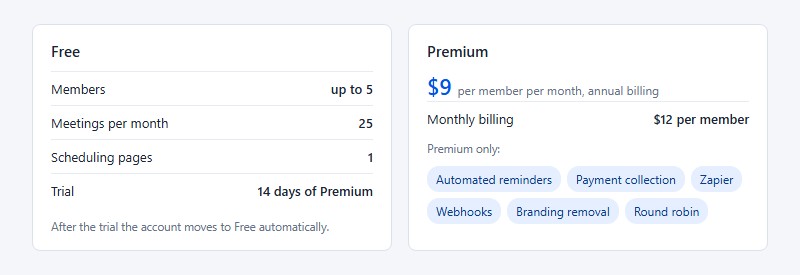
The free plan runs out at 5 members, 25 meetings a month and 1 scheduling page, and most of what teams add next sits behind Premium. Here's what the pricing page says as of November 2026.
- Free allows up to 5 members, 25 meetings per month and 1 scheduling page.
- Premium costs $12 per member per month, or $9 on annual billing.
- Automated reminders, payment collection, Zapier, webhooks, branding removal and round robin are all Premium-only.
- The trial gives you 14 days of Premium, then moves the account to Free automatically.
- Enterprise is priced on request and includes priority support and quarterly account reviews.
There is no tier between Free and Premium. A team that only needs payments still pays the full Premium rate for every seat.
A five-person team pays $540 a year on annual billing and $720 on monthly billing.
Appointlet's own pages disagree on the free plan. Its Calendly comparison page (modified March 2025) says the free plan supports unlimited members and bookings, while the pricing page lists the caps above.
This article follows the pricing page. That page also says every plan sends confirmation and reminder emails, yet its feature list places automated reminders under Premium, so a test booking on the free plan settles the question.
Stibo Systems' onboarding team books prospect meetings through Appointlet and pushes the lead data into Salesforce and Intercom, according to a testimonial on the pricing page. That is a team-scheduling job, which is why Calendly and YouCanBookMe belong on the shortlist next to Amelia and Trafft.
Amelia for WordPress sites
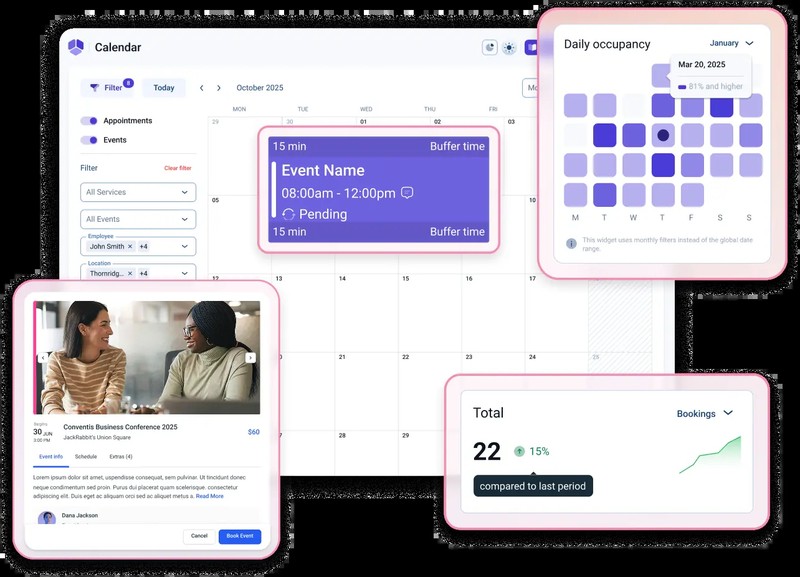
Melograno Venture Studio makes Amelia, a self-hosted WordPress plugin that adds appointment and event booking to a site you already run. Licenses are sold per domain, not per staff member.
The WordPress.org plugin directory shows 90,000+ active installations and a 4.6 out of 5 rating across 793 reviews (November 2026).
Plans and renewal
Annual licenses come in Starter, Standard, Pro and Elite. Lifetime licenses exist for Standard, Pro and Elite only, so there's no lifetime Starter.
Starter opens at $49 a year. Pro lists at $199 and shows $149 in the October 2026 promotion, and Elite lists at $432 and shows $259. Annual licenses renew automatically, and the plugin keeps working after a lapse.
A three-person team on Appointlet Premium pays $324 a year on annual billing, against $49 for one Starter site license (before hosting and SMS credits). Starter lists Square as its only payment method, so most teams that take cards online land on Standard or higher.
Renewal carries more weight here than on a hosted tool. When a paid license lapses, monthly updates and support stop (Amelia pricing page FAQ), and 13 of the 15 releases from 2.4 to 2.4.14 list a security fix in the WordPress.org changelog.
Booking features and integrations
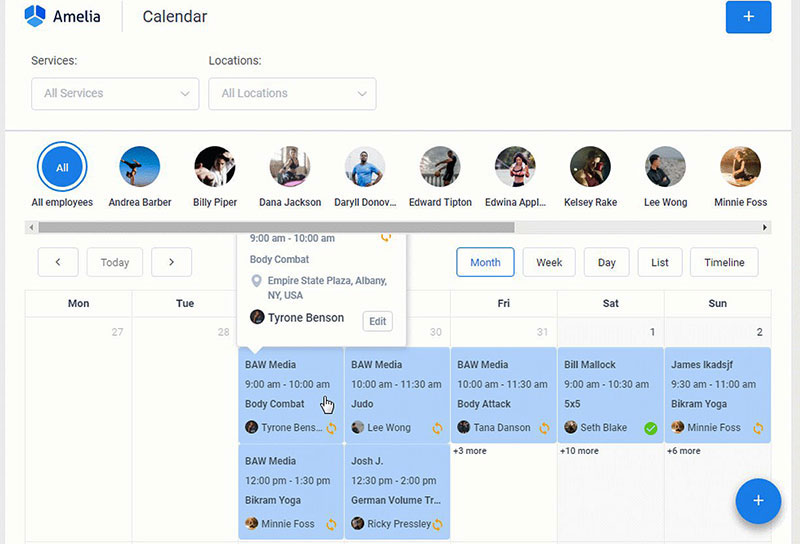
Amelia Lite is a usable free tier. It takes payments through Square and embeds step-by-step, catalog and event forms with shortcodes. It also prevents double bookings, gives you a calendar view and imports customers from CSV.
Paid tiers bring recurring appointments, packages, coupons and group bookings. Custom notifications, reminders and multilingual support come with them, along with payments through PayPal, Stripe, Mollie, WooCommerce and Razorpay. Resources are limited to Pro and Elite.
Calendar and video links cover Google Calendar, Outlook, Apple Calendar, Zoom, Google Meet and Microsoft Teams. WhatsApp reminders and webhooks sit alongside them, and the staff mobile app is limited to Elite.
What works and what doesn't
The flat license is the real draw. One fee covers the whole team with no per-member charge, and the booking forms sit on your own domain. Event tickets and waiting lists come with the paid tiers, and lifetime licenses are available from Standard up.
The downsides mostly come from running WordPress yourself. Hosting, updates and backups are your job, and since security fixes land in most releases, skipping updates isn't really an option. The mobile app is Elite only. The pricing page also lists no round robin or CRM routing, so team meeting setups need another tool.
Trafft as a hosted booking tool
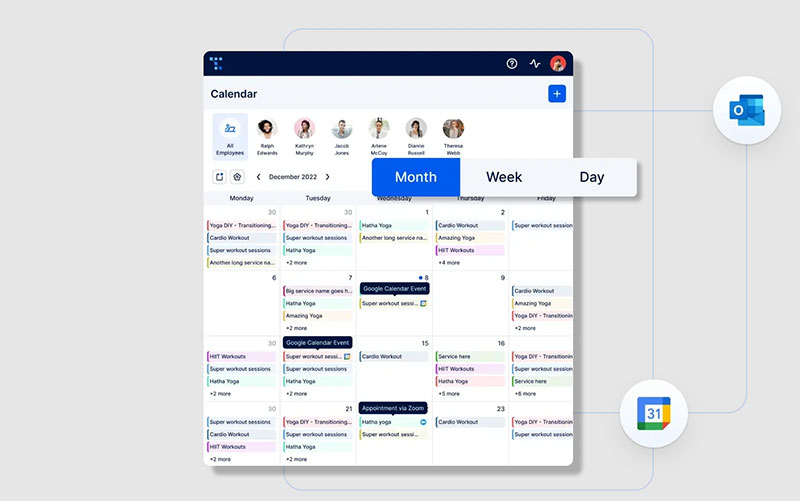
Nothing to update on the server side with Trafft, because it's hosted. A WordPress plugin is included anyway for sites that want the form on their own pages, and plans are sized by users and locations instead of a per-site license.
Plans and free tier
| Plan | Users | Locations | What starts here |
|---|---|---|---|
| Free | 1 | 1 | 100 appointments a month, Square payments |
| Mini | 3 | 3 | Group bookings, buffer time, calendar sync |
| Growth | 5 | 5 | Stripe, PayPal, Zoom, custom notifications |
| Professional | 15 | Unlimited | Recurring appointments, packages, Zapier |
| Business | 30 | Unlimited | WhatsApp, API, webhooks, branding removal |
Allowances and feature gates come from Trafft's pricing page, last updated October 28, 2026. Each paid plan includes a user allowance and charges per additional user.
Trafft's homepage FAQ lists Mini at $7.99, Professional at $39.99 and Business at $64.99 per month as of September 2026, with annual billing saving up to 25%. It lists Growth at $9.99, while Capterra and Software Advice show $19.99, so confirm Growth at checkout.
Directory listings differ on the free tier too. A Toolradar page shows 5 users and unlimited appointments, while Trafft's own pricing page shows 1 user and 100 appointments a month.
Booking features and notifications
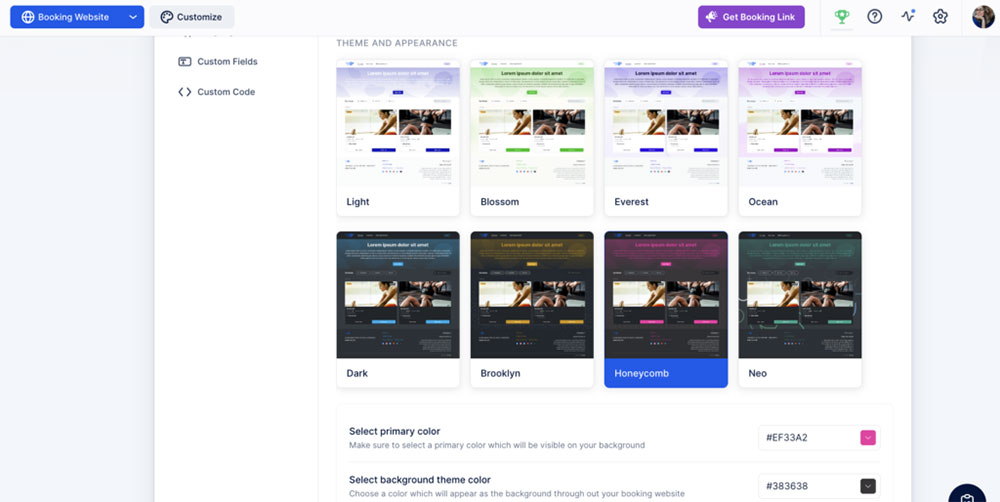
Group bookings and buffers both start on Mini, and the Free plan has neither. Support for recurring appointments for regular clients, plus packages, resources and deposit payments, starts on Professional.
The Free plan sends 200 automated email notifications, while paid plans send unlimited email. SMS runs on purchased credits, with 5 included each month on Professional and 10 on Business.
Custom notifications start on Growth, and ready-made reminder templates for SMS and email cut the drafting time. WhatsApp messaging is listed for Business only in Trafft's comparison table, although the plan cards list it on every plan.
What works and what doesn't
No server, plugin or update schedule to manage is the main selling point. Every plan includes a booking website plus an embeddable form and the WordPress plugin, and users and locations scale by tier, with unlimited locations from Professional.
The Free plan is tight at 1 user and 100 appointments a month. Stripe and Zoom start on Growth, and WhatsApp, API, webhooks and branding removal need Business. SMS runs on purchased credits. And like Amelia, the pricing page shows no round robin or CRM routing.
Trafft also supports Reserve with Google, which lets a service business accept bookings directly from Google Search and Google Maps.
Calendly, Setmore, Acuity Scheduling and YouCanBookMe compared
These four suit narrower jobs than Amelia or Trafft. Calendly and YouCanBookMe are for meeting links, while Setmore and Acuity Scheduling are for service businesses.
Calendly
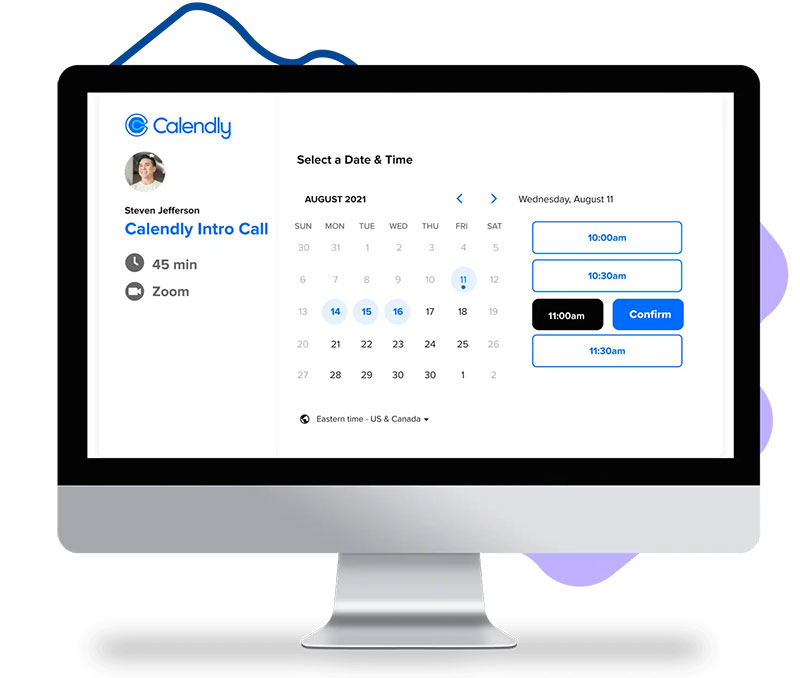
Calendly's free plan allows one event type and one calendar connection (Calendly pricing page, 2026).
Standard costs $10 per seat per month on yearly billing and adds unlimited event types, reminders and Stripe or PayPal payments. Teams costs $16 and adds round robin, lead routing and Salesforce updates.
Appointlet lists round robin on Premium at $9 per member with annual billing, so a team that only needs distribution pays less there than on Calendly Teams.
Appointlet's Calendly comparison page, modified March 2025, quotes Calendly at $12 to $20 per person. Those figures match Calendly's monthly-billing rates (Standard $12, Teams $20) and are set against Appointlet's annual $9 rate, so the page compares different billing terms. On yearly billing Calendly charges $10 and $16. A side-by-side look at Appointlet and Calendly covers the remaining feature gaps.
Calendly is the closest match to Appointlet's team scheduling, and Teams adds routing and Salesforce updates. The free tier stops at one event type, and payments and reminders start on Standard.
Setmore
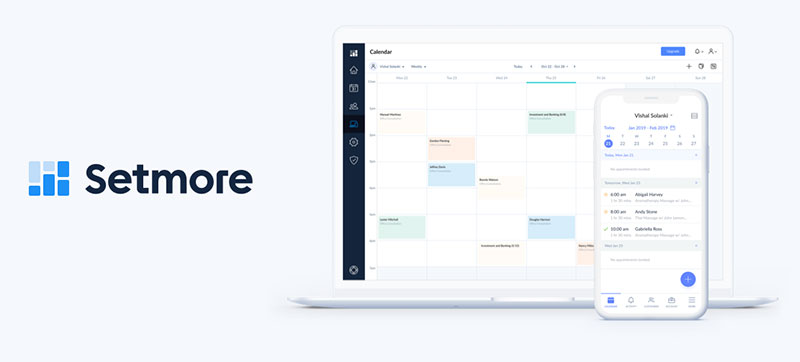
Setmore's free plan covers up to 4 users with unlimited appointments, payments through Square, Stripe or PayPal, email reminders and a branded booking page. Pro starts at $5 per user per month on annual billing and adds SMS reminders (500 credits a month), recurring appointments, two-way calendar sync, deposits and branding removal.
Setmore counts every staff calendar as a user, even when that person has no login (Setmore pricing page). Its 4-user free plan still beats Trafft's one-user free tier for a small salon team.
User feedback beyond the plan sheet is collected in these reviews of Setmore.
The free plan lacks SMS reminders, two-way calendar sync and recurring appointments, which are the usual reasons people upgrade. Paid plans stay at $5 per user on annual billing, but every staff calendar counts as a billable user, so the bill follows headcount.
Acuity Scheduling
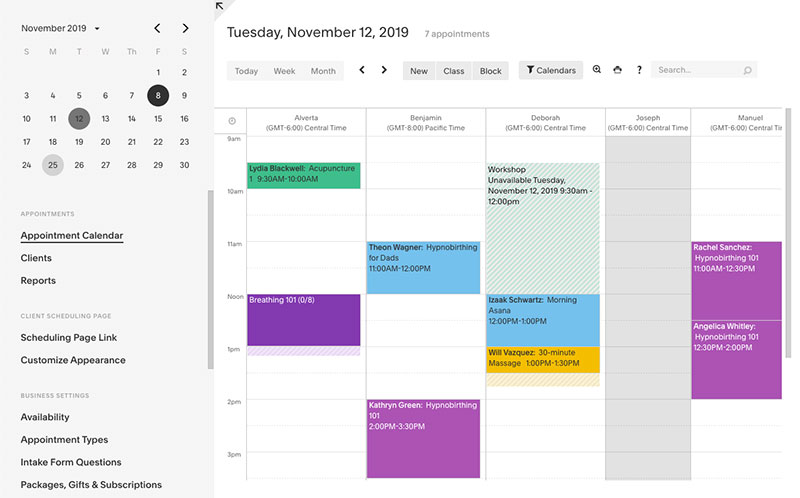
Acuity Scheduling, part of Squarespace, lists a 7-day trial and no free plan on its pricing page, and it prices by the number of calendars.
| Plan | Annual billing | Calendars | Notable inclusions |
|---|---|---|---|
| Starter | $16 a month | 1 | Stripe, Square, PayPal, Venmo; intake forms |
| Standard | $27 a month | 6 | SMS reminders, packages, memberships, waitlist |
| Premium | $55 a month | 36 | Branding removal, HIPAA BAA, AI booking assistant |
Monthly billing costs $20, $34 and $69 for the same three plans.
Packages, memberships and gift certificates arrive at $27 a month, and the trial needs no credit card. There's no free tier though, branding removal waits until Premium at $55, and cost climbs with every extra calendar.
YouCanBookMe
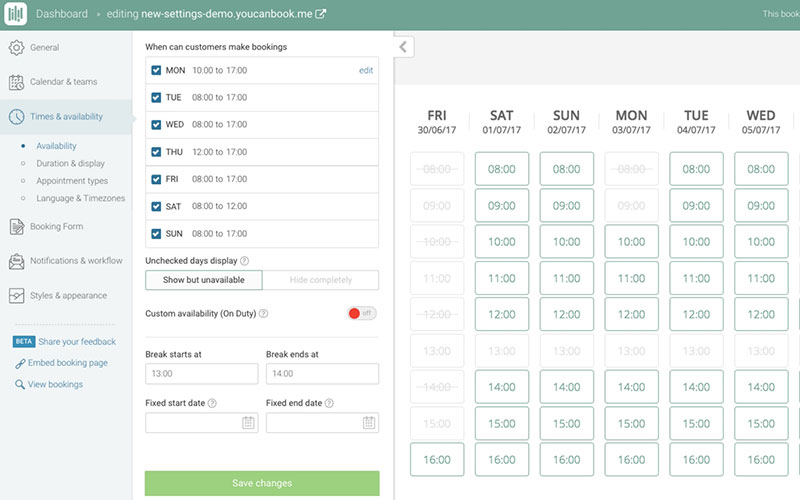
YouCanBookMe's free plan stops at 30 bookings a month, 1 calendar and 1 booking page, and it carries a "Powered for free" button on booking pages and emails (YouCanBookMe pricing page).
Individual gives you 2 calendars, 2 booking pages and unlimited bookings. Professional goes to 6 calendars and 10 booking pages and adds Zapier and automated workflows. Team brings round robin, roles and centralized billing.
Prices change by currency and billing term (10% off on yearly billing, 20% off on two-year billing), and every paid plan starts with a 14-day trial of all features. Check the live page before comparing it with Appointlet's $9 or $12.
The free plan already connects Zoom, Teams and Meet and takes Stripe payments, and the Team plan adds round robin. Against that sit the 30-booking cap, the branding button on free pages and SMS at extra cost on every plan.
Which features does each tool lock behind a higher plan?
Among Appointlet, Amelia and Trafft, only Appointlet puts calendar sync and video meeting links on its free plan, and each tool places payments, group bookings and routing at a different level.
| Feature | Appointlet | Amelia | Trafft |
|---|---|---|---|
| Payments | Stripe, PayPal on Premium | Square on Starter, Stripe and PayPal from Standard | Square on all plans, Stripe and PayPal from Growth |
| Calendar sync | Google, Office 365 on all plans | Standard and up (documentation) | Google, Outlook, Apple from Mini |
| Video meetings | Zoom, Meet, Teams, Webex on all plans | Zoom, Meet, Teams under calendar and meeting sync | Meet and Teams from Mini, Zoom from Growth |
| Group bookings | Premium | Starter and up | Mini and up |
| Client time zones | All plans | Lite and up | All plans |
| Customer data | CSV export of meetings, all plans | CSV customer import, Lite included | Import from Mini, export from Growth |
| Round robin routing | Premium | Not listed | Not listed |
| Branding removal | Premium | Not listed | Business only |
Sources are Appointlet's pricing page, Amelia's integrations documentation (updated September 24, 2026) and Trafft's pricing page (updated October 28, 2026). "Not listed" means the vendor's pricing material names no such feature.
Amelia's own sources disagree on calendar sync. The documentation places it on Standard and up, while the Starter card on the pricing page also lists calendar and meeting sync, so confirm the tier before buying Starter.
Appointlet's pages disagree on Salesforce. The pricing page lists it as an integration on every plan, while the integrations page (last modified December 2022) routes Salesforce through Zapier.
Zapier and webhooks decide whether bookings can feed a CRM or a spreadsheet, which makes workflow automation around bookings an upgrade item on both Appointlet and Trafft.
How to pick an Appointlet alternative for your use case
Match the job before the price. Team meeting scheduling points to Calendly or YouCanBookMe, service bookings with staff point to Trafft, Setmore or Acuity Scheduling, and a WordPress site you control points to Amelia.
Appointlet's navigation lists 8 use cases, from education and recruiting to property showings with several attendees at once. A meeting-link tool can replace that range for some teams. A service-booking tool covers less of it.
- If you mostly book meetings with outsiders, Calendly or YouCanBookMe.
- One to three staff selling services usually do fine on Setmore Free or Trafft Mini.
- Several locations point to Trafft Professional or Business, where locations are unlimited.
- Already running WordPress? Amelia, licensed per domain.
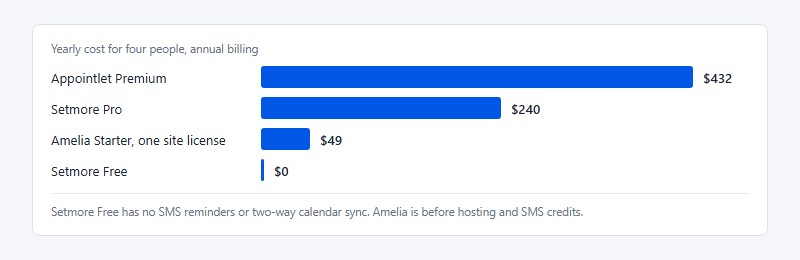
Run the numbers for four people. On Appointlet Premium that's $432 a year on annual billing. Four Setmore Pro users pay $240, and four Setmore Free users pay nothing but give up SMS reminders and two-way calendar sync.
Per-seat tools get pricier with every hire, while a per-domain license like Amelia's does not. The plugin only helps if a WordPress site already exists to run it.
When switching away from Appointlet does not pay off
Switching loses money when usage fits inside Appointlet's free caps, when the team relies on its routing and CRM setup, or when rebuilding costs more than the seat savings.
Staying put makes sense if meetings stay under the monthly cap and one scheduling page is enough. It also makes sense if the team distributes meetings by round robin on Premium, or if booking data already flows into a CRM that works.
A Stanford University testimonial on Appointlet's pricing page credits it with saving techs two to three minutes per ticket across more than 22,000 tickets a year. A ticket-driven support desk like that gains little from deposits, packages or service catalogs, which is what Amelia and Trafft add.
The Salesforce sync is the costliest piece for sales teams. Amelia and Trafft send booking data out through webhooks or an automation tool, so the sync gets rebuilt instead of moved.
On Amelia, upgrading a lifetime license is not a straight-forward process, according to the Amelia pricing page FAQ, so buy the tier you need on day one. On Trafft, custom domain and branding removal both sit on Business, and agencies that resell booking are pointed to a separate White Label Solution.
Meeting types, intake forms and buffers have to be recreated by hand, because the export in Appointlet's help center covers meeting data only. A free plan that fits beats any migration.
How to move from Appointlet to a new booking tool
Order matters more than speed here. Export before touching anything, and cancel Premium only after test bookings pass.
- Open the Meetings page as an admin or manager, filter the date range and export a CSV. Users with the member role see only their own meetings.
- Write down meeting types, durations, intake questions, buffers and prices, since these become services in the new tool.
- Authorize Google or Office 365, then the video tool, then the payment gateway. On Amelia, activate the license under Settings, then Activation, or paid options stay locked.
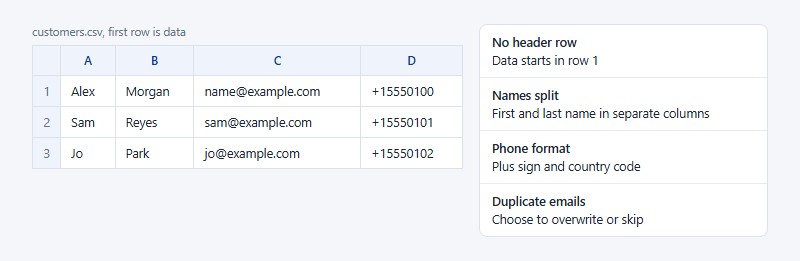
- Upload a CSV with no header row and first and last names in separate columns. Trafft and Amelia both ask whether to overwrite or skip duplicate emails.
- Recreate the reminder timing, then replace Appointlet embeds and scheduling links on the website and in email signatures.
- Run test bookings end to end before cancelling Premium, since service continues through the paid period.
Format rules decide which rows import. Trafft expects phone numbers with a plus sign and country code, and birth dates in the format set in General Settings, while Amelia skips badly formatted rows and offers a CSV of the failures to fix and re-upload.
Connect the calendar and video tools before inviting clients, and this walkthrough on how to integrate Zoom with Google Calendar covers the authorization steps.
Appointlet Alternatives FAQ
Does Appointlet offer a discount for schools and nonprofits?
Yes. Appointlet gives 25% off to accredited educational institutions and nonprofits. Contact support with proof of your organization's status to request it, according to the Appointlet pricing page.
Can I get a refund on Appointlet Premium?
Only in narrow cases. Appointlet's FAQ refunds a cycle in which you received no bookings, and nothing for earlier cycles.
The same page's header promises a 30-day money-back guarantee on all plans, which conflicts with that FAQ, so confirm the terms with support before paying for a year.
Does Amelia have a free trial?
No. Amelia sells no trial of its paid licenses, but the limited Amelia Lite plugin is free on WordPress.org and demos are available. Paid licenses carry a 15-day money-back guarantee.
Does Trafft take a commission on bookings?
No. Trafft takes no commission on bookings, and only the payment provider's standard fees apply, according to Trafft's homepage FAQ (November 2026).
Can Trafft run without WordPress?
Yes. Trafft is hosted software, so every plan includes a booking website and an embeddable form. The WordPress plugin is optional.
How do I move past Appointlet meetings into Amelia or Trafft?
The import tools in both vendors' documentation cover customers only, so past meetings are not documented as importable. Keep the CSV export from Appointlet's Meetings page as your meeting history record.
What Switching Away from Appointlet Costs in Year One
Switching pays off when payment method and seat count set the plan. One Appointlet Premium seat costs $108 a year on annual billing. Trafft Mini, which includes 3 users, costs $95.88 a year at $7.99 a month.
Price the plan around the payment gateway first, since it sets the tier, and then the seat count, which multiplies everything. SMS credits follow booking volume and matter least.
Cheaper entry tiers tend to lock out Stripe, so a business that must take Stripe payments pays for the next tier up.
This position was verified on November 4, 2026. It changes if Amelia's promotional prices end, or if Trafft's Growth price settles at $19.99 instead of $9.99.