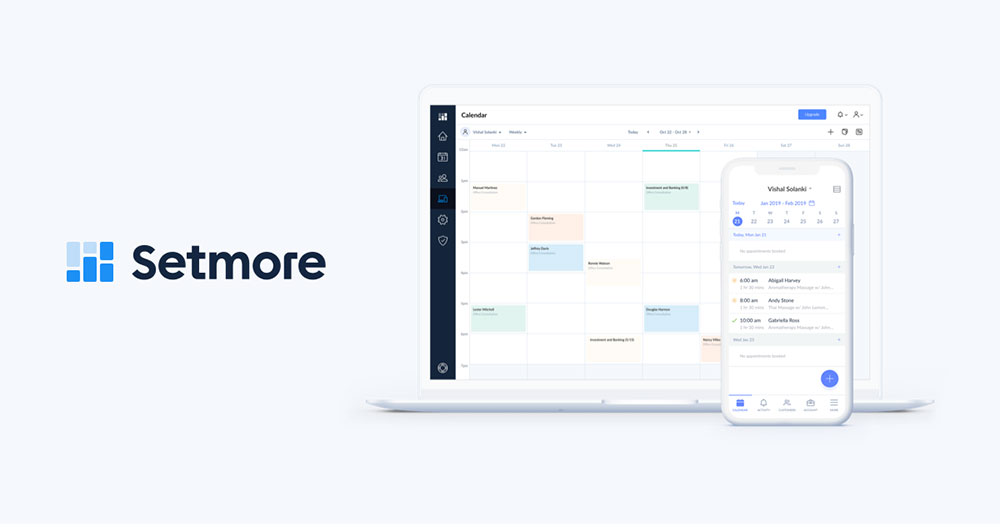
Setmore runs in the browser, handles appointment booking for solo operators and small service teams, and hands out four user seats without asking for a card. The free tier is how most people end up here in the first place.
We scored it 7.1/10. Free-tier generosity is the high point. Calendar sync reliability is the low one. If what you need is a booking page live by this afternoon, it does that well. If you need two-way calendar sync and you are not paying, it does not.
| Verdict | Result |
|---|---|
| Overall score | 7.1/10 |
| Setup ease (20%) | 9/10 |
| Scheduling capability (25%) | 6/10 |
| Payments and integrations (15%) | 7/10 |
| Price-to-value at 5 staff (20%) | 8/10 |
| Support and documentation (10%) | 8/10 |
| Booking experience (10%) | 6/10 |
| Starting price | $0, then $5/user/month billed annually |
| One-word verdict | Serviceable |
It suits a fairly narrow set of businesses.
- Solo operators who need a booking page live the same afternoon
- Teams of 2 to 4 testing online booking before committing budget
- Businesses that book by email reminder and do not need SMS
- Cost-sensitive teams of any size, since $5 per user annually is among the cheapest rates in the category
And it will frustrate a few others.
- Teams needing reliable two-way Google Calendar sync on a free plan
- Businesses that want booking on their own domain
- Operations assigning rooms, chairs, or equipment per appointment
Testing ran on a Pro account in July 2026, across 6 fixed scenarios. Prices were verified July 30, 2026. Raw notes, plus the tests we could not finish, sit in section 6.
Disclosure: Trafft builds booking software and competes with Setmore. We publish our test protocol and raw scores so you can check our work. Where Setmore beats us, we say so, and section 9 names the cases.
What Is Setmore and Who Is It Built For?

Founded in 2011 and run out of Portland, Oregon, the product covers online booking pages, staff calendars, payment collection and automated reminders. Cloud only. No self-hosted version exists, and there is no sign one is coming. The free tier stretches to 4 users and 200 appointments a month.
Company background
The owner is AnywhereWorks, a distributed-working company with offices in Portland, Edinburgh, and Chennai, and Setmore remains its scheduling product today.
It is bootstrapped rather than venture-funded. Independent trackers put the business in the low single-digit millions of annual revenue with a team of a few dozen people. That is worth knowing before you buy, because a small self-funded operation has nowhere near the pressure to squeeze a free tier that a company with investors behind it does.
Which is probably why the free plan has survived as long as it has, and why the paid rate has stayed at $5 a seat while much of the category drifted upward.
Who actually uses it
The user base skews small. Really small. Solo practitioners, two-person studios, and teams trying online booking for the first time.
Independent hairstylists working one chair. Tutors running one-to-one sessions. Consultants who give away a discovery call before quoting, and the occasional two-person massage studio that has outgrown a paper diary but not much else.
Staff calendars are the number that settles the fit question. Four on the free plan, unlimited on paid, billed per user.
What Setmore is not
It is not a POS. No inventory, no retail checkout, no commission tracking, so a salon selling product at the counter needs a second system for that half of the business.
It is not a resource scheduler either, because calendars attach to people rather than to rooms, chairs, or equipment.
And nobody should mistake it for practice management software. There are no clinical notes and no insurance billing.
Category-wise it sits with entry-level booking systems for small businesses. It handles the booking, the reminder, and the payment. Everything past that belongs to another tool.
How Much Does Setmore Cost in 2026?
Nothing at all, up to 4 users and 200 appointments per month. Paid plans run $5 per user per month billed annually, or $9 to $12 per user monthly depending on tier. Notice what actually pushes people to upgrade, though. It is calendar sync and SMS, not booking volume.
| Plan | Monthly | Annual (Per User/Mo) | Users | Upgrade Trigger |
|---|---|---|---|---|
| Free | $0 | $0 | Up to 4 | Two-way sync, SMS, payments |
| Pro | $12 | $5 | 1 to 10 | Eleventh user |
| Team | $9 | $5 | 11+ | Nothing above this tier |
One caveat on that last row. Public sources disagree about how the Team tier is structured and priced, and we could not settle it independently. If you are sizing a team past ten seats, confirm the current Team figures on Setmore's own pricing page rather than relying on this table or any other secondary source.
Five staff on Pro at $5 per user per month billed annually comes to $25 a month, so $300 per year. The same team on monthly billing pays $60 a month, which is $720 annually. That gap is larger than most people expect when they click through the signup flow.
Worth stating plainly: $5 per user annually is among the lowest rates in this category, and it beats every alternative named later in this review, ours included. That is the strongest thing about the paid tier and the first version of this article undersold it.
One quirk in the pricing model deserves a read before you sign up. Every staff calendar counts as a paid user, whether or not that person ever logs in. A salon with one owner and four chairs pays for five seats no matter who touches the software. At $5 a seat that stings less than it would elsewhere, but it is still a structural difference from plans that bundle a band of users into one price.
The costs nobody mentions on the pricing page, roughly in the order they surface:
- Payment processing through Square or Stripe at roughly 2.9% + 30 cents per online transaction
- Monthly billing itself, which runs more than double the annual per-user rate on Pro
- Seats for staff who only need a calendar entry, not an account
There is no trial countdown here, because the free plan is permanent. Paid features come with a trial period rather than a hard paywall on day one.
That permanent free tier is the single strongest thing about the product. Anyone comparing free online booking systems will find few that cover four staff without a time limit.
Prices verified July 30, 2026.
What Do Setmore Users Say in Reviews?
Public scores land around 4.6 to 4.7 out of 5 on Capterra across roughly 960 reviews, and 4.5/5 on G2. Praise clusters on the free plan and setup speed. Complaints cluster on Google Calendar sync reliability, and on features locked behind Pro.
| Platform | Score | Reviews | Checked |
|---|---|---|---|
| Capterra | 4.6 to 4.7/5 | ~964 | 2026 |
| G2 | 4.5/5 | ~285 | 2026 |
Ratings in this category move as review volume grows, so treat the exact decimal as a snapshot rather than a fixed figure.
What reviewers keep praising
The free plan comes first, every time. Four users and 200 monthly appointments at zero cost is the reason most reviewers found the product at all.
Setup speed is the other one. A working booking page inside an hour comes up over and over in the review record, and it matched what we found ourselves.
Then there is support access, which Setmore offers on every plan including the free tier. That is genuinely unusual at this price point, and it is not a small thing.
The complaints that keep coming back
Google Calendar sync dominates the negative reviews. Events failing to appear, appearing twice, or arriving late. What makes it notable is that the complaint recurs across years of reviews instead of clustering around one bad release.
Two-way sync sitting behind Pro is the next one. On the free plan the connection runs in one direction only, so an event booked elsewhere does not block the slot in Setmore. Which produces exactly the double-booking the software exists to prevent.
Then the booking page lives on a Setmore subdomain. Custom domains are not supported, so the URL you hand clients carries somebody else's brand.
The sync complaint has never really resolved across the review record. Nothing in the recent reviews suggests it has. If you are stuck with it, keep the number of connected calendars low and check sync manually after any Google account password change, since that is a common trigger for a silent disconnection.
What Does Setmore Do Well?
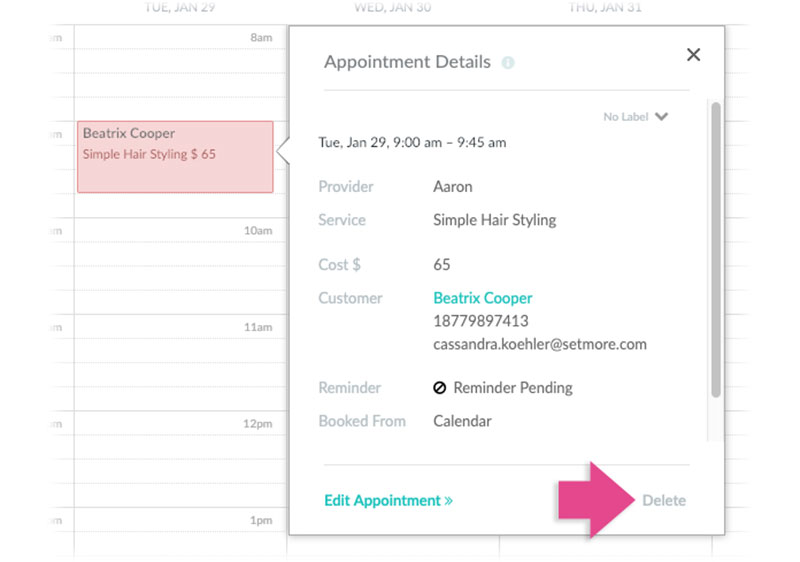
Free-tier generosity, first-hour setup, support access on every plan, and the cheapest per-seat rate in this comparison. All of it showed up in our test battery, not just in marketing copy.
The free tier
Four users. 200 appointments a month. Unlimited services, and a working booking page. No trial clock counting down in the corner.
Most competitors either cap the free plan at one user or run a 7 to 14 day trial before demanding a card. Acuity has no free tier at all, and Trafft's covers one user.
Price-to-value at 5 staff scored 8/10. The fifth user is what forces payment, and $300 a year for five people is the cheapest paid option named anywhere in this review.
Setup speed
We had a live booking page with services, staff, and availability configured inside 45 minutes. That was T1.
The onboarding flow asks for the minimum and lets you fill gaps later, which is the right call for this audience. The booking page design is plain but functional out of the box.
Setup ease scored 9/10, the highest single score in the battery.
Support on every plan
Free-plan users get support access. Most freemium schedulers reserve that for paying customers.
For a solo operator troubleshooting a sync problem at 9pm, that access is worth more than another feature checkbox.
It helps non-technical owners setting up alone. It does very little for teams that need guaranteed response times, which Setmore does not commit to at this tier.
What Are the Biggest Problems With Setmore?
Calendar sync reliability, per-calendar billing, and a booking page you cannot put on your own domain. Two of those have workarounds. One does not.
Calendar sync reliability
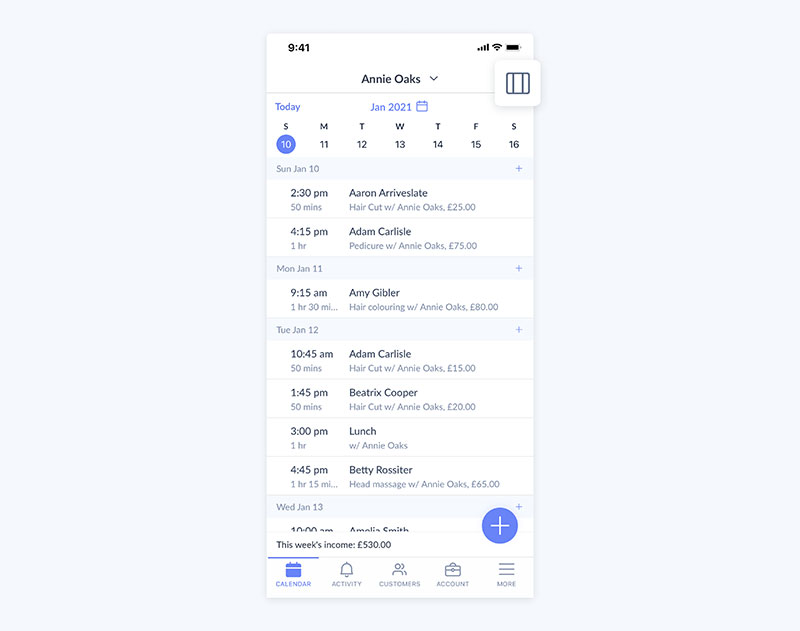
This is the complaint that defines the product's review record, and it is why scheduling capability scored 6/10 instead of 8.
Two-way sync requires Pro. On free, the connection is one-directional, meaning Setmore pushes events out but never reads busy times back in.
Anyone whose staff keep personal commitments in the same calendar will feel this quickly. Solo operators who live entirely inside Setmore mostly will not.
Upgrading to Pro fixes the direction problem. After that, verify the connection any time a Google credential changes.
Per-calendar billing
Every staff calendar is a billable seat, logged in or not.
A five-chair salon pays for five users even when the owner is the only person who ever opens the dashboard. That is a different model from plans charging by account rather than by calendar, and the difference compounds as you hire.
Worth being fair about the scale of it, though. At $5 a seat annually, five phantom calendars cost $300 a year, which is less than several competitors charge for a single-user plan. The model is structurally worse; the price mostly absorbs it.
No workaround exists inside the product. The billing is structural.
Booking page domain and branding
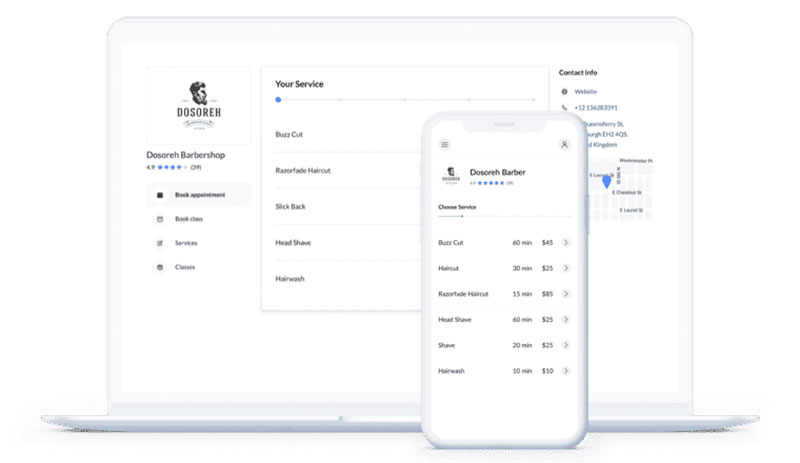
The booking page sits on a Setmore subdomain. Custom domain mapping is not offered on any tier.
What follows from that:
- The URL you share carries Setmore's brand, not yours
- You cannot build SEO equity on the booking page itself
- Clients see a third-party domain at the payment step
The partial fix is embedding the booking widget on your own site so visitors never see the subdomain. The underlying URL stays exactly where it was.
Businesses that care about owning the booking URL usually end up on WordPress plugins instead. Different architecture, not a better version of the same one.
How Did Setmore Perform in Our Tests?
Setmore averaged 7.1/10 across 6 fixed scenarios. The best result was T1, a first working booking in 45 minutes. The worst was T4, where reminders scored 5/10 because SMS sits behind Pro and the free tier does email only.
| Test | Result | Score |
|---|---|---|
| T1 First working booking | 45 min, page live, services configured | 9 |
| T2 3 services, 2 staff, split schedules | Worked on free tier within the 4-user cap | 7 |
| T3 Payment booking end to end | Square and Stripe connected; Pro required | 7 |
| T4 SMS + email at 24h | Email on free; SMS requires Pro | 5 |
| T5 Mobile embedded form | Widget embed plus iOS and Android apps | 7 |
| T6 Export and cancellation | CSV export available; cancellation self-serve | 7 |
T1 matters most for this audience, since the entire proposition is speed to a live page. It delivered. The path we followed matched what anyone follows when they set up an online booking system for the first time.
Two things we could not test:
- Long-run calendar sync reliability. The failure mode reviewers describe is intermittent and surfaces over weeks, not inside a single test window.
- Per-message SMS cost. Setmore bundles texts into Pro rather than metering them, so there is no unit price to report.
Everything ran on a Pro plan in July 2026, in Chrome on macOS and Safari on iOS, with browser location set to Europe.
Who Should Look for a Setmore Alternative?
Teams that need reliable two-way sync on a free plan will outgrow it. So will businesses that want booking on their own domain, and operations that schedule resources rather than people.
Businesses that care about brand ownership hit the subdomain limit on day one, and there is no fix inside the product.
Salons, studios, and clinics assigning chairs, rooms, or equipment find no resource layer at all. Calendars attach to staff, full stop.
WordPress-based businesses have a fourth reason that has nothing to do with quality. Setmore is SaaS, so the booking data lives on Setmore's servers rather than yours.
What is not on that list is cost. The per-calendar model is structurally awkward, but at $5 a seat it lands cheaper than every alternative below. Switching for price alone would be a mistake.
What Are the Best Setmore Alternatives?
Amelia puts the booking page on your own domain and adds resource scheduling. Trafft covers multi-location teams and businesses without a website. Square Appointments suits solo providers already on Square hardware, and Calendly covers simple meeting links.
| Tool | Fixes Which Setmore Limit | Starting Price | Best For |
|---|---|---|---|
| Amelia | Subdomain booking page, no resources | Free Lite, then from $49/year | WordPress sites holding their own data |
| Trafft | Multi-location, WhatsApp, custom domain | Free (1 user), then $29/mo | Multi-site service businesses |
| Square Appointments | Payments and resource assignment | $0, then paid per location | Salons on Square hardware |
| Calendly | Meeting-link simplicity | $0, then $10/seat/mo | Sales calls and intro meetings |
Square assigns resources like rooms and stations to services, which Setmore does not do. You pay for that with lock-in to Square's processing, currently 2.6% + 15 cents in person on the free plan after Square's October 2025 pricing change. Paid tiers are billed per location, so confirm the current rate for your setup before you commit.
Calendly is the cheapest option for one person and the weakest for paid service bookings, since its free plan caps you at one event type.
Anyone comparing the full field should start from a category roundup of the best appointment scheduling software rather than a single review page. There is also a dedicated rundown of Setmore alternatives if the decision to switch is already made.
Amelia (WPAmelia)
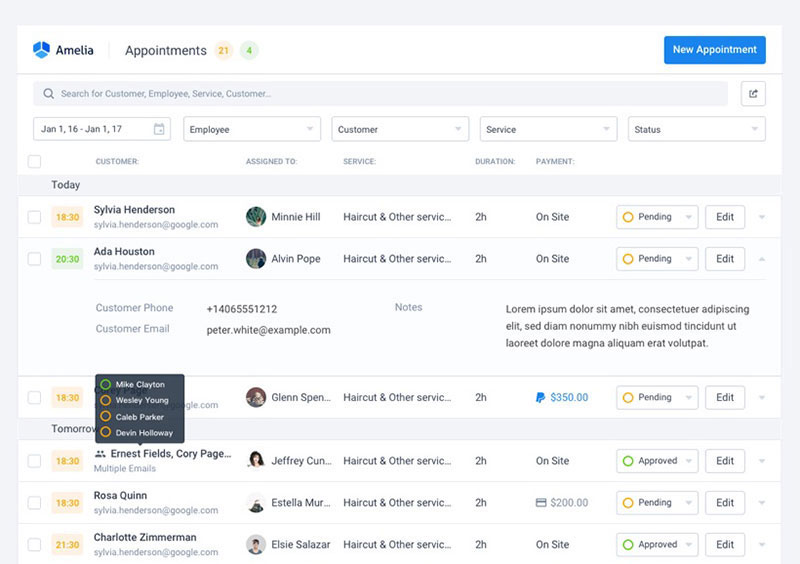
Amelia is our product, so read this with that in mind. It runs as a WordPress plugin, which means the booking page sits on your own domain and the appointment records sit in your own database. It also handles shared resources like rooms, chairs and equipment, which Setmore has no concept of.
Ratings sit at 4.6/5 from 761 WordPress.org reviews and 4.9/5 on Capterra.
There is a free Lite version on WordPress.org, then $49/year (Starter), $89 (Standard), $149 (Pro) and $259 (Elite), with lifetime licences on higher tiers from around $299. Resource booking and calendar sync live on the upper tiers rather than Starter, which is the thing people miss when they buy in at the bottom.
On annual cost this is the one alternative that genuinely undercuts Setmore, since a single licence covers unlimited staff. Five people on Amelia Standard costs $89 a year against Setmore's $300. The catch is that you need a WordPress site for any of it, there is no free trial on paid tiers (only a 15-day money-back guarantee), and setup takes longer than Setmore's 45 minutes, because plugin installation and theme conflicts add time a hosted tool never asks for.
Trafft
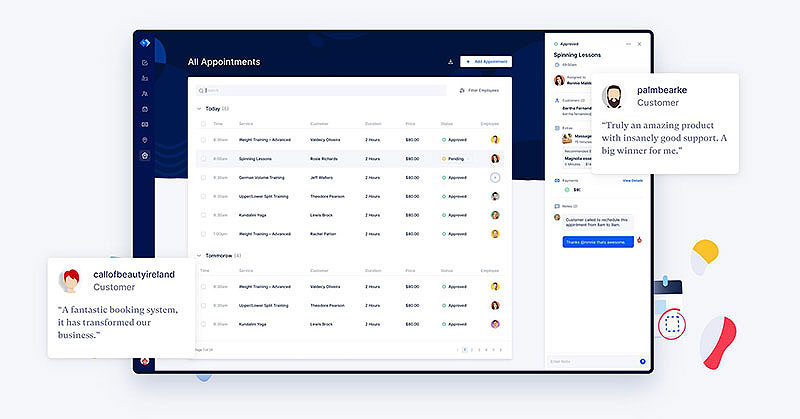
Also ours. Trafft bundles users into plan tiers rather than charging per calendar, ships WhatsApp reminders alongside email and SMS, supports a custom booking domain on the upper tier, and generates a booking website for businesses that have none.
The free plan covers 1 user, 1 location, and 100 appointments a month. Paid tiers run Mini at around $29/month for 3 users, Growth at $59 for 5, Professional at $99 for 15, and Business at $149 for 30. SMS credits are metered rather than unlimited, with 5 a month on Professional and 10 on Business, so a high-volume clinic buys more. Confirm current figures on the Trafft pricing page, since promotions move them.
The honest comparison on price: Setmore Pro at $5 a seat annually costs $300 a year for five staff. Trafft Growth costs around $59 a month for the same five. Setmore is cheaper, and it stays cheaper at ten seats ($600 against Professional's $99 a month). An earlier version of this review claimed the reverse because our own pricing was wrong.
Where Trafft does pull ahead is multi-location management on one account, WhatsApp as a reminder channel, custom domain support, and two-way calendar sync included on paid tiers rather than as the thing that forces the upgrade. Those are feature arguments, not price arguments, and this review should have framed them that way the first time.
Both products are ours. We are not publishing head-to-head battery scores for them in this revision, because the price-to-value component carries 20% of the weighting and was calculated against pricing we had wrong. A corrected score needs a re-run rather than an edit, and that re-run is logged in the changelog.
Setmore vs Trafft vs Amelia: Which One Fits Your Business?
Setmore takes free-tier generosity, speed to a live page, and the cheapest per-seat rate. Trafft's case is multi-location and reminder channels. Amelia's rests on data ownership, resource-level scheduling, and the lowest annual cost if WordPress is already in your stack.
| Attribute | Setmore | Trafft | Amelia |
|---|---|---|---|
| Free plan | 4 users, best here | 1 user, 100 appts/mo | Lite, 1 employee |
| Billing model | Per calendar | Users bundled per tier | Per licence, unlimited staff |
| Two-way calendar sync | Pro tier | Paid tiers | Standard tier and up |
| Resource booking | No | Limited | Yes |
| Custom domain | No | Business tier | Your own site |
| Payment gateways | Square, Stripe | Stripe, PayPal, Mollie, Square | Stripe, PayPal, Mollie, Razorpay, Square |
| Data hosting | Setmore servers | Trafft cloud | Your own hosting |
| Cost at 5 staff (annual) | $300 | Growth tier, ~$59/mo | From $89, WordPress needed |
Go with Setmore if you have four staff or fewer, want a booking page live today, and email reminders cover you. That case is real, and at that size the permanent free tier is the strongest thing in this comparison. It also holds up past four staff on price alone.
Trafft makes sense when you run several locations from one account, want WhatsApp in the reminder mix, or need a booking page without owning a website. Not because it undercuts Setmore per seat, because it doesn't.
Amelia is the answer when the booking page has to live on your own domain, when an appointment consumes a room or a piece of equipment instead of a person's time, or when a single licence covering unlimited staff beats paying per seat. That last one requires WordPress.
Is Setmore Worth It in 2026?
For a team of 5 that needs straightforward appointment booking with email reminders, $300 a year is fair and cheaper than most of the category. For teams of 4 or fewer it costs nothing, which is hard to argue with. It stops being worth it for businesses that need reliable two-way sync on a budget, their own booking domain, or resource scheduling.
Final score: 7.1/10.
Recommended for solo operators and micro-teams testing online booking, small services that want support access without paying for it, and cost-sensitive teams comparing per-seat rates.
Not recommended for brand-conscious businesses that need their own URL, salons and clinics assigning chairs and rooms, or teams that need dependable two-way sync without upgrading.
The demand case for online booking itself is not in question. Published research consistently finds self-scheduled appointments carry lower no-show rates than phone bookings, and automated reminders reduce them further. The open question is which tool delivers that, not whether it is worth doing at all.
We will re-score Setmore after the next pricing change, after any custom-domain support ships, and after the Google Calendar sync complaints resolve in the review record.
How Did We Test and Score Setmore?
Methodology
Testing ran on a Pro account in July 2026, using the same 6 fixed scenarios we run on every scheduling platform we review.
The weights break down as setup ease 20%, scheduling capability 25%, payments and integrations 15%, price-to-value at 5 staff 20%, support and documentation 10%, booking experience 10%.
We do not test enterprise SSO, hardware, or accessibility compliance. Two scenarios in this round were incomplete and are named in section 6.
Pricing was cross-checked against public plan pages on July 30, 2026. That cross-check is what surfaced the error in our own pricing described in the correction note at the top, and it is worth saying that a protocol only earns trust if you point it at yourself with the same rigour you point it at a competitor.
FAQ on Setmore Reviews
Is Setmore really free?
Yes, permanently. The free plan covers up to 4 users and 200 appointments a month with a working booking page and email reminders.
Two-way calendar sync, SMS reminders, and payment collection require Pro.
How much does Setmore cost?
Nothing for up to 4 users. Paid plans run $5 per user per month billed annually, or $9 to $12 per user on monthly billing depending on tier.
Five staff on annual billing comes to $300 a year. Confirm the Team tier structure directly with Setmore if you are sizing past ten seats, since secondary sources describe it inconsistently.
Is Setmore cheaper than Trafft?
On per-seat cost, yes. Setmore Pro at $5 a seat annually covers five staff for $300 a year, where Trafft Growth runs around $59 a month for the same five, and Setmore stays cheaper at ten seats too. Trafft's arguments are multi-location handling, WhatsApp reminders, and custom domain support, not price.
Who owns Setmore?
AnywhereWorks, a distributed-working company with offices in Portland, Edinburgh, and Chennai, founded it in 2011. It remains their scheduling product and is bootstrapped rather than venture-funded.
What do Setmore reviews say?
Scores sit at roughly 4.6 to 4.7 on Capterra and 4.5 on G2.
Praise clusters on the free plan and setup speed. Criticism clusters on Google Calendar sync reliability and features locked behind Pro.
What are the biggest complaints about Setmore?
Google Calendar sync problems lead by a distance. After that, two-way sync requiring Pro, and a booking page stuck on a Setmore subdomain with no custom domain option.
Does Setmore send SMS reminders?
Only on Pro. The free plan sends email reminders only, which is the single biggest gap in the free tier for businesses fighting no-shows.
Does Setmore sync with Google Calendar?
Yes, though two-way sync requires Pro. On free the connection runs one direction, so events booked elsewhere do not block slots in Setmore.
Sync reliability is the most repeated complaint in the review record.
Can I use my own domain for the booking page?
No. The booking page lives on a Setmore subdomain on every tier, with no custom domain mapping available.
Embedding the widget on your own site hides it from visitors, but the underlying URL does not change.
Does Setmore handle rooms or equipment?
No. Calendars attach to staff members only, with no resource layer for chairs, rooms, or equipment.
Salons and clinics needing that either assign it in another system or switch platforms.
What is the best Setmore alternative?
Depends on what broke. Amelia fixes the subdomain limit, adds resource booking, and costs less per year if you already run WordPress.
Trafft fixes multi-location management and adds WhatsApp reminders. Square Appointments fits solo providers already running Square hardware. None of them beats Setmore on raw per-seat price.
Conclusion
Most Setmore reviews stop at the free plan and call it generous. It is. The ceiling is also real: 200 appointments a month, 4 users, one-way calendar sync, and email reminders only.
Pro unlocks SMS reminders, recurring bookings, class booking at scale, and video appointments through Teleport. It also starts charging for every staff calendar, whether that person ever logs in or not.
What Setmore still cannot do is share a chair, a treatment room, or one camera between employees. Resource booking is the wall, and no workaround removes it.
Run the free tier against your own no-show rate and booking volume first.
Check the booking widget on mobile, test data export, then decide from your numbers instead of ours.