Three review sites, three different verdicts on the same software: 4.7 out of 5 from 3,653 reviewers on Capterra, 4.6 on G2, and 3.7 on Trustpilot's global profile.
Vagaro is cloud-based business management software for beauty, wellness and fitness businesses. Scheduling, point of sale, client records and card processing sit inside one subscription, with a consumer booking marketplace attached to it.
The spread between those scores tracks where each site gets its reviews. B2B platforms prompt people inside the product while they are actively using it. Trustpilot catches them at the moment a card gets charged for something they thought they had cancelled.
On price, Vagaro's support documentation, updated August 2026, puts the US base subscription at $23.99 a month for one bookable calendar, $10 for each additional calendar, and nothing extra for employees beyond the seventh paid licence.
What Is Vagaro and What Does It Do?
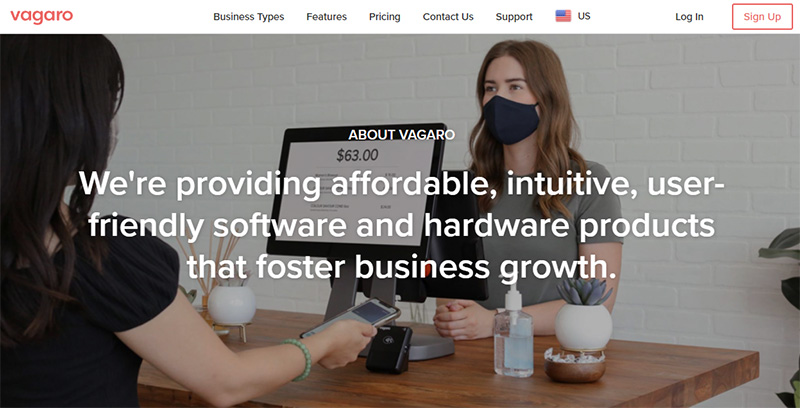
Two products are stacked here, and which one you think you bought changes how you feel about the bill. There is the pro software you log into every morning, covering the calendar, POS, client records, payroll and card processing. Then there is the Vagaro Marketplace, a consumer directory where clients search for a service near them and book it. Every paying business gets a listing on it.
Owners who treat it as a booking directory with software attached tend to rate it higher than owners who bought it purely as salon management software and never touch the marketplace.
Some background before you weigh any of the reviews.
- Founded in 2009 by Fred Helou, headquartered in Pleasanton, California
- FTV Capital backed the company in 2018, then led a round in November 2021 that valued Vagaro at $1 billion
- Vagaro acquired Schedulicity on 13 January 2025, absorbing a direct competitor and migrating its users across
- More than 87,000 businesses across the US, Canada, the UK and Australia run on the platform, according to Vagaro's own 2026 figure
- Vagaro Merchant Services is a registered ISO of PNC Bank, and the platform states PCI DSS and HIPAA compliance
The customer base skews small. G2 categorises 98.8% of its Vagaro reviews as small business, and Capterra puts 95% of its reviewers in the same bracket. That tells you who the software was built around: solo operators, booth renters, and shops with a handful of chairs.
A few things it is not. It is not scheduling-only software, so you are paying for POS, inventory, memberships and reporting whether or not you ever open those screens. It is not a clinical records system either. SOAP notes exist, but the charting layer is thin next to purpose-built practice software.
And it is not commission-free any more. That changed in July 2026. The plain marketplace listing is still free in the US, Canada and Australia, but Vagaro now runs an opt-in growth tool called Vera Fill My Books that charges a per-booking fee of 5% for returning customers and 20% for brand-new ones. UK accounts sit under a separate 20% new customer fee that applies to all new customer bookings.
Booth renters get their own tier of the product, with rent and fee collection built in. That is unusual in this price bracket, and it is a real reason chair rental setups end up on Vagaro rather than a cheaper scheduler.
Vagaro Ratings by Review Source
Vagaro rates between 3.7 and 4.7 out of 5 depending on which platform you read. The gap between those numbers is more useful than any single score.
| Source | Rating | Reviews | What the sample is |
|---|---|---|---|
| Capterra | 4.7 / 5 | 3,653 | Largest sample, long-tenured small businesses |
| G2 | 4.6 / 5 | ~379 | Mostly in-app prompted, 98.8% small business |
| Software Advice | 4.7 / 5 | Shared with Capterra | Same review pool, same skew |
| Trustpilot (global) | 3.7 / 5 | 690 | Billing, cancellation, marketplace fee and support disputes |
Capterra puts ease of use at 4.6 and customer service at 4.6, against an overall 4.7. Software Advice shares the same review pool and lists 4.6 for ease of use, 4.6 for value for money, 4.6 for customer support and 4.5 for functionality.
The Trustpilot distribution is worth reading rather than averaging. Of 690 reviews, 75% sit at five stars and 18% sit at one star, with almost nothing in between. That barbell shape is the real signal, not the mean.
Why do the numbers disagree so much? The B2B sites collect reviews inside the product from people who are mid-task and mostly content. Trustpilot collects them from people who went looking for somewhere to complain, or who were invited right after a good onboarding call.
The Trustpilot score has also moved. The global profile sat around 4.0 in spring 2026 and reads 3.7 as of September 2026, with a visible cluster of one-star reviews about the new marketplace booking fees, POS reliability and charges after cancellation. If you are reading an older roundup quoting 4.1 or higher, it is out of date.
Trustpilot labels Vagaro as a company that invites customers to review. That does not invalidate the score. It does explain why the invited reviews read more positively than the unprompted ones, and Vagaro's recent one-star pages are almost entirely unprompted.
What Vagaro Users Consistently Praise
Positive reviews cluster hardest around the client-facing booking experience. After that comes the breadth of what one subscription covers. Setup help gets named too, often by first name.
Features Reviewers Name Most Often
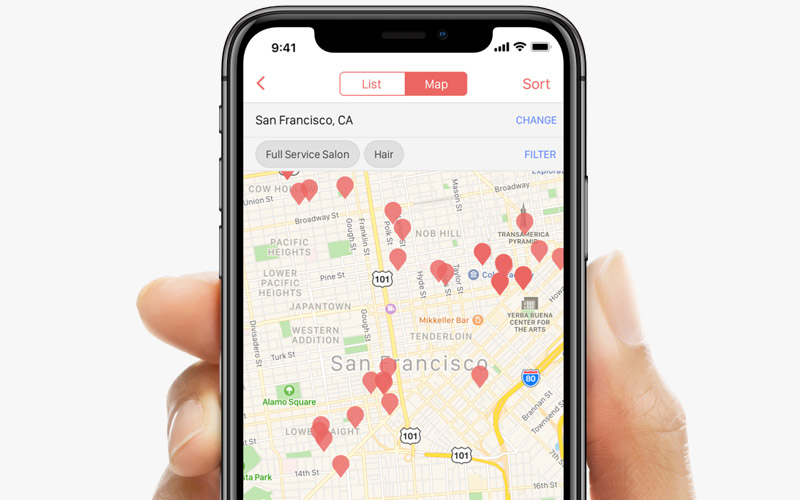
The drag-and-drop calendar and automated appointment reminders dominate five-star reviews on every platform. Owners frame the reminders as no-show prevention, not convenience, which is the more honest way to think about them.
- Online booking that works from Instagram, Facebook, Google and Apple Maps without extra setup
- Unlimited notifications and appointment reminders included in the base plan
- Card on file with automatic no-show and late cancellation charges
- Memberships, packages and gift certificates handled in the same checkout
- Reports that clients actually use at tax time
Vagaro publishes a case from Primp Skin Studio in Santa Rosa, California, where the owner describes appointments, sales and inventory sitting in one place. Vendor-published cases are directional, not independent, so read them that way.
Reviewers who came from a paper book or a standalone booking system for salons report the biggest jump in satisfaction. They are gaining a POS and a client database at the same time.
Praise That Comes With a Condition
Marketplace exposure gets named constantly, though the picture has shifted. The listing is still free in the US, Canada and Australia, but the discovery layer is now increasingly tied to paid placement through Vera Fill My Books.
Migration support is the other one. UK reviewers name individual staff who moved their data and built their site, and this is the single most consistent five-star theme on Trustpilot.
Feature breadth splits the room. Owners replacing three tools praise it. Owners who only needed one resent paying for the rest.
The pattern holds across sources. Vagaro scores well when it replaces a stack, and poorly when it replaces a calendar.
Appointment-based businesses write the warmest reviews. Salons, barbershops, nail studios and med spas all fit the way the calendar was designed, and the reminder tooling behaves like a dedicated appointment reminder app without a second subscription.
What Vagaro Users Consistently Complain About
Cost creep is the number one complaint, and it has nothing to do with the base price.
Reviewers praise the affordable entry tier in one sentence and describe a $100+ monthly bill in the next, once forms, text marketing, storage and a website are switched on.
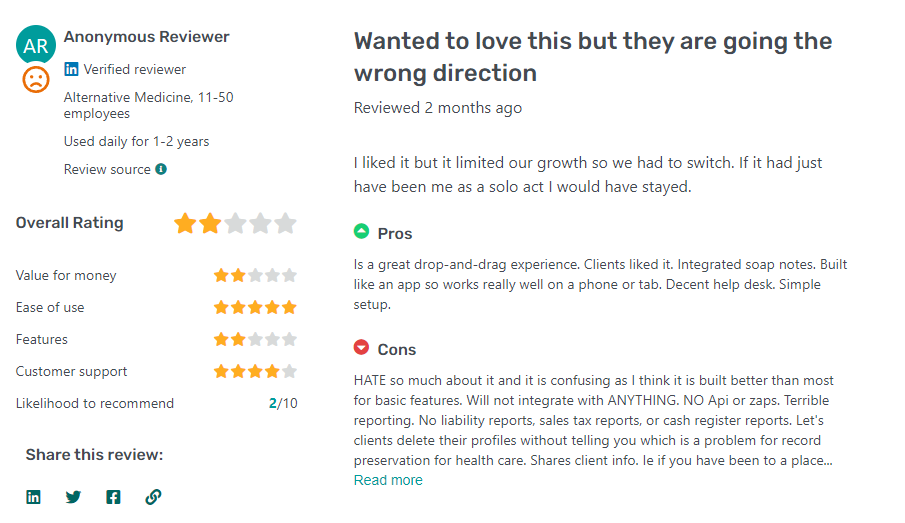
The marketplace booking fees are the fastest-growing complaint of 2026. UK salon owners report losing organic marketplace visibility after declining Vera Fill My Books, and a 20% cut on first-time bookings is simply unworkable on a high-ticket colour service. Hard to argue with the maths there.
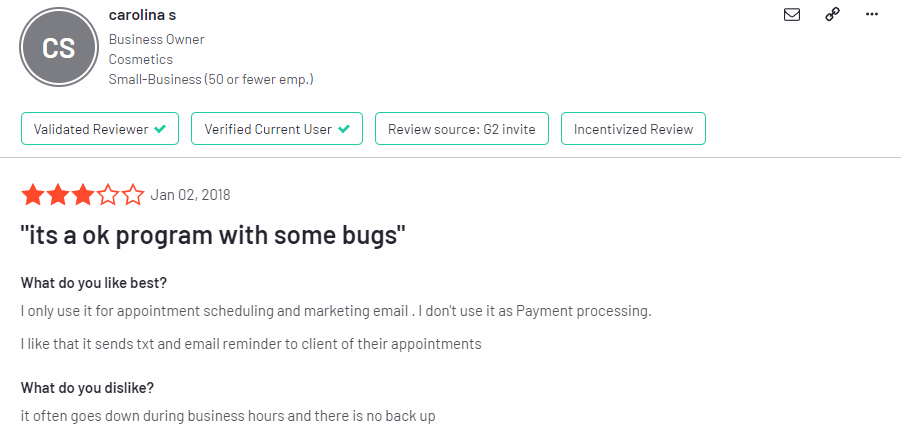
Speed at the front desk comes up on both Capterra and Trustpilot. Reviewers describe queues while screens load, plus crashes when creating appointments or editing service prices. Several 2026 reviews describe the PayPro hardware dropping offline mid-checkout, which pushes transactions onto the higher keyed-in rate.
App and web parity is uneven. The Vagaro Pro app is the weaker surface, and update regressions that change the calendar view are a recurring complaint.
Then there is billing after cancellation. Trustpilot carries multiple accounts of accounts staying billed after a trial was thought to be cancelled, or after a business closed.
Deposits are rigid too. They require the Online Shopping Cart add-on, and the amount is set per service rather than per appointment.
Support quality splits by department, which shows in the scores. G2 rates Ease of Use at 8.8 out of 10 but Quality of Support at 7.5, and the low scores cluster on billing disputes rather than how-to questions.
Multiple reviewers across Capterra and Trustpilot report being billed for the "free" card reader after cancelling early, in both US dollars and Canadian dollars. Vagaro's own promotion terms confirm the mechanism. Redeem the free reader and you agree not to cancel your account or deactivate card processing within 12 months, or you are charged for it. Vagaro also does not accept returns on card readers.
Where Vagaro earns the praise:
- Client-side booking is genuinely easy for non-technical customers
- One subscription replaces scheduling, POS, marketing and reporting
- Setup and migration help is real, and reviewers name the people who provided it
- The base plan covers more than most rivals include at the same price
Where it loses them:
- The advertised price is nowhere near the working price
- Marketplace discovery now carries a booking fee unless you stay off the growth tools
- Software speed degrades exactly when the salon is busiest
- Billing is easier to start than to stop
- The mobile experience trails the desktop one
How Much Does Vagaro Cost?
The US price is $23.99 per month for one bookable calendar, then $10 per month for each additional calendar up to seven paid licences. After the seventh, extra employees cost nothing. Vagaro labels the $23.99 a limited-time rate against a $30 list price.
A bookable calendar means anyone performing services who needs their own schedule. Front desk and admin staff do not count, which quietly makes Vagaro cheaper than per-seat rivals for shops with a receptionist.
Base pricing varies by country: $35 in Canada with $15 per extra calendar, £20 in the UK with £10 per extra calendar, and $45 in Australia with $15 per extra calendar.
The trial runs 30 days. Vagaro states there is no cancellation fee on the subscription itself.
| Setup | Base subscription | Common add-ons | Monthly total |
|---|---|---|---|
| Solo, 1 calendar | $23.99 | Forms, shopping cart | $43.99 |
| Small salon, 3 calendars | $43.99 | Cart, MySite, 1,000 texts | $93.99 |
| Full shop, 7+ calendars | $83.99 | Payroll, texts, MySite, forms, cart | $222.99 |
Those totals use Vagaro's published US add-on prices from its August 2026 support documentation, and they exclude card processing entirely.
What the Base Plan Covers
Included at every tier:
- Calendar, resource management and waitlists
- Point of sale, inventory tracking and invoices
- Memberships, packages and gift certificates
- SOAP notes and client tracking
- 1,000 marketing emails per month
- Vagaro Marketplace listing and booking widgets
- Unlimited appointment reminders and notifications
- Payroll reporting, timecards, and rent and fee collection
- Loyalty points, customer reviews and one free Premium Import
That list is wider than most competitors include at $24, and it is the honest basis for the value-for-money scores.
What Costs Extra
Forms and intake documents run $10 per month, separate from the SOAP notes already in the base plan. The Online Shopping Cart is another $10 per month and acts as the gateway to deposits and online cancellation fees, though it comes free in the UK.
Vagaro MySite, the website builder, is $20 per month, or $299 one-off if you want it designed for you. Vagaro Drive starts at $10 per month for photo and file storage. Vagaro Payroll costs $34 per month plus $5 per employee, runs on Gusto underneath, and is US only.
Text marketing is sold in credit blocks: $20 per month for 1,000 credits, $30 for 2,000, $50 for 4,000, $120 for 10,000.
A Branded App is $100 per month plus a $100 development fee, with $10 per month for each additional location. The Check-In App, Live Stream, Vera Receptionist, and APIs and webhooks are $10 per month each. QuickBooks and Xero integrations are also $10 per month each in the US, and considerably more in Canada and Australia.
Payroll is the one that keeps scaling. Calendar fees stop at seven, but the $5 per employee charge does not, so a 15-person shop pays $109 a month for payroll alone.
Compared against other hair salon platforms, Vagaro wins on entry price and loses on predictability. The bill depends on how many modules you switch on rather than how many people you employ.
Vagaro Payment Processing Rates and Fees
Vagaro splits merchants at $4,000 of monthly processing volume. The two sides of that line get different rates and different monthly costs.
Published US rates, per Vagaro support documentation updated August 2026:
- Under $4,000 a month, you pay 2.6% + $0.10 per swipe, dip or tap, with no monthly fee
- Over $4,000 a month, it drops to 2.29% + $0.19 per swipe, dip or tap, plus $10 per month
- Tap to Phone runs 2.6% + $0.16 on the small plan and 2.29% + $0.25 on the large plan
- Keyed-in transactions cost 3.5% + $0.19 on both plans
- Buy Now, Pay Later through Affirm is 6% + $0.30, charged to the business rather than the client
- FANF (Fixed Acquirer Network Fee) is nothing under $200 of monthly volume, then 0.15% of volume between $200 and $1,250
- The Mastercard location fee is $1.25 monthly, or $15 yearly
Vagaro's documentation contradicts itself on who pays those last two. The merchant plan article says the FANF and Mastercard location fees are absorbed by Vagaro for Small Merchants and passed on to Large Merchants. The US rates article says both are charged to small and large merchants. Ask which applies to your account before you budget for it.
Watch the keyed-in rate closely. Vagaro treats saved cards, online payments, recurring membership and package billing, and rent collection as keyed-in transactions. A business running memberships on card file therefore pays 3.5% + $0.19 on that revenue rather than the headline rate. Several 2026 reviews describe the same thing happening involuntarily when the card reader drops offline.
Vagaro's published US rate table does not break out American Express separately, so Amex is priced the same as Visa and Mastercard. Most processors charge more for Amex, so shops with an older or higher-spending clientele save real money there. That one rarely makes it into reviews and probably should.
The default batch cut-off is 3:00 PM Pacific (6:00 PM Eastern), and transactions batched before it are deposited one business day later. You can switch to a midnight Pacific cut-off. Instant and Same-Day Payouts are available for a fee.
Card on file is what makes the cancellation policy enforceable rather than decorative, since the no-show charge fires from the calendar without a second conversation.
Two things catch people out. Vagaro does not support surcharging clients for card fees at all, and recommends a cash discount instead as the compliant alternative. The Large Merchant plan is also billed forward, so disabling it mid-cycle still costs you the month.
Which Vagaro Add-Ons Are Worth Paying For
Buy the add-ons your workflow already needs, not the ones that sound useful during onboarding. Most shops end up paying for two or three of them and quietly ignoring the rest.
Worth it for most businesses:
- The Online Shopping Cart at $10 unlocks deposits and online cancellation fees, and pays for itself after roughly one prevented no-show
- Forms at $10 are necessary for waivers and intake in med spas, tattoo studios and anywhere with consent requirements
- Text marketing from $20 is the only channel with reliable open rates once your email list goes stale
Situational, and easy to overspend on:
- Vagaro MySite at $20 is worth it if you have no site, wasteful if you already run one that converts
- Vagaro Payroll at $34 plus $5 per employee deserves a comparison against Gusto direct first, since Vagaro runs on Gusto anyway
- Vagaro Drive from $10 only means anything if you do before-and-after photo work
Skip until the business demands it:
- The Branded App at $100/month plus $100 setup is hard to justify below several hundred regular clients
- Data Lake at $40 was built for multi-location reporting, not for a single shop
- Vera Receptionist at $10 needs a text plan underneath it to be useful
- E-Prescribe at $40 per doctor plus $5 per medical assistant is US only, and a clear sign the clinical layer is bought in rather than native
Vera Fill My Books is the one to model carefully. There is no subscription, only a per-booking fee of 5% on returning customers and 20% on new ones, collected as a deposit when the client books. On a $100 service, that is $20 gone before the client walks in. It works out only if those bookings genuinely would not have happened otherwise, and several UK reviewers report their organic marketplace visibility dropping after opting out, which makes that comparison harder than it should be.
If you already own a site you like, the money is better spent on filling the chairs than on rebuilding pages inside MySite.
Nobody mentions this during signup: email marketing, text marketing, Vagaro Drive, Vagaro Payroll, the QuickBooks and Xero integrations and the Large Merchant plan are all billed forward.
Turn any of them off on the second of the month and Vagaro still charges you at the end of that billing cycle, per its own support documentation. Cancel add-ons the day before your renewal date, not the day after.
Who Vagaro Works Best For
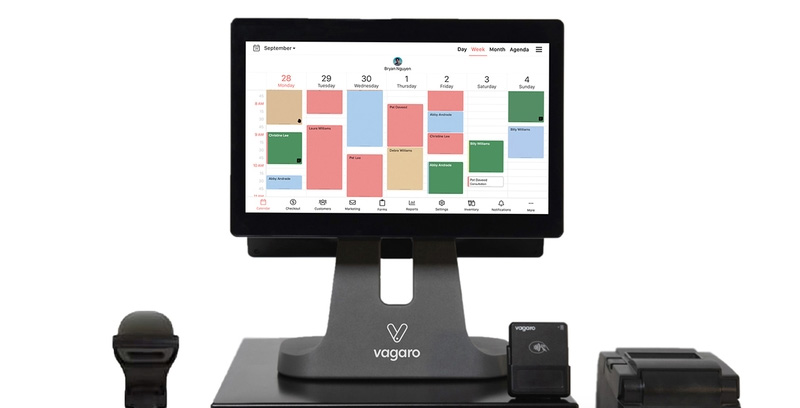
Vagaro fits appointment-based businesses with between one and seven service providers, in a single location, that want the software and the payments in the same account.
The per-calendar model is the reason. Once you pay for seven calendars, extra employees cost nothing, so a busy shop hits a ceiling that per-seat platforms never give you.
Solo operators and booth renters get the most obvious value. One calendar at the entry price buys a POS, a client database and a marketplace listing, which a standalone scheduler cannot match at that money.
Salons and spas running three to seven chairs are the sweet spot. The calendar ceiling and the included feature set line up with how the business actually runs.
Shops with a receptionist do well too, since front desk and admin staff need no bookable calendar. The headcount you pay for is smaller than your payroll.
Mixed service menus work fine. Tattoo studios, med spas and massage practices all sit comfortably on the same calendar structure as hair.
| Business shape | Calendars | Why Vagaro fits |
|---|---|---|
| Booth renter | 1 | Rent and fee collection built in |
| Small salon or barbershop | 3 to 5 | Marketplace listing plus POS in one bill |
| Full-team shop | 7+ | Calendar fees stop climbing |
Vagaro publishes a case from Rich in Flesh Tattoo in Livermore, California, where the owner credits the platform with the pace of the studio's growth.
Barbershops land well here for a specific reason. Walk-in heavy businesses need a waitlist and a fast checkout more than they need marketing automation, and both sit in the base plan. That is why Vagaro keeps turning up in shortlists for barber booking apps.
Multi-location operators can run it, but each site carries its own subscription at full rate. Shared client records, gift cards and memberships across locations are included, which is the actual argument for staying inside one vendor.
When Vagaro Is the Wrong Choice
Some businesses should look elsewhere, and the reasons are structural rather than a matter of taste.
Class-based studios with three or more instructors head the list. Vagaro was designed around one client in one chair for a fixed slot, and class capacity, packs and pick-a-spot all work like features added later rather than the core model.
Businesses that only need a calendar are the second obvious mismatch. Paying for inventory, memberships, payroll reporting and a POS you never open is worse value than a $10 scheduler, however good the bundle looks on paper.
High-volume, low-ticket operations lose on the per-transaction cents. When the average sale is small, those fixed cents matter more than the percentage, and a flat-rate processor usually wins.
Membership-heavy businesses take a quieter hit. Recurring billing on stored cards is treated as keyed-in and priced at 3.5% + $0.19, which is a meaningful margin loss if most of your revenue arrives that way.
Multi-site groups counting every dollar should do the arithmetic before signing. Each location is billed as its own subscription, so three sites with five providers each pay three base fees plus eight extra calendars before a single add-on is switched on.
Clinics needing real charting are the last group. Vagaro sells E-Prescribe through a ScriptSure partnership at $40 per doctor per month plus $5 per medical assistant, which tells you the clinical layer is bought in rather than native.
Studios running timetables rather than appointment books are the clearest mismatch of all, and a purpose-built class and group fitness tool handles capacity, packs and instructor substitutions without workarounds.
The same logic applies to practices that need clinical notes as the centre of the record rather than an attachment to a booking. If your compliance team asks about charting workflows first, look at medical scheduling platforms before this one.
Vagaro Compared to Trafft, Amelia, Fresha, Booksy, Square Appointments, GlossGenius and Mindbody
Vagaro has the lowest entry price among the marketplace platforms and the least predictable bill once add-ons stack up. The old "no commission" argument is much weaker now, because every consumer marketplace here charges for client acquisition in some form.
Trafft and Amelia sit outside that model entirely. If commission is the thing keeping you up at night, start there.
| Platform | Entry price | Pricing model | Best fit |
|---|---|---|---|
| Trafft | Free, then $29/mo | Per plan tier, by user count | Salons wanting a flat bill with no commission |
| Amelia | $49/year | Per-domain WordPress licence | Shops booking on their own WordPress site |
| Vagaro | $23.99/mo | Per bookable calendar, capped at 7 | Salons and spas, 1 to 7 providers |
| Fresha | $19.95/mo solo | $14.95 per bookable team member on Team | Solo pros wanting marketplace reach |
| Booksy | $29.99/mo | $20 per extra team member | Barbers who want everything included |
| Square Appointments | $0 to $149/mo | Per location, tiered | Shops already on Square hardware |
| GlossGenius | $24/mo | Per plan tier, by team size | US solo pros and small teams |
| Mindbody | $99/mo | Per location, quote above Starter | Class-based studios and gyms |
The two that don't touch your revenue
Trafft
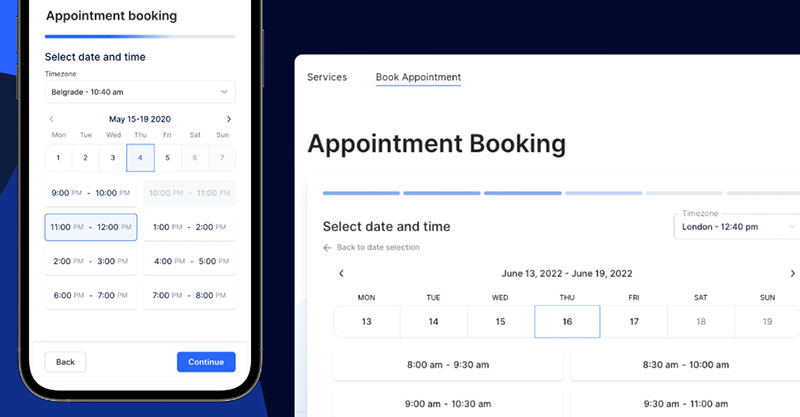
Free tier covers one user, one location and 100 appointments a month. Enough to test properly rather than click around a demo, and the demos cover the client-facing side.
- Plans: Mini around $29/mo for 3 users, Growth $59 for 5, Professional $99 for 15, Business $149 for 30 (current tiers).
- Annual billing: roughly 25% off.
- Commission: none. No add-ons, no hidden fees on top of the plan.
- Multi-location: unlimited on Professional and Business.
- Agencies: white-label option if you resell to salon clients.
What you give up is discovery. No consumer marketplace means nobody stumbles onto you the way they might on Fresha.
What you get back is a bill that looks the same in December as it did in March.
Amelia
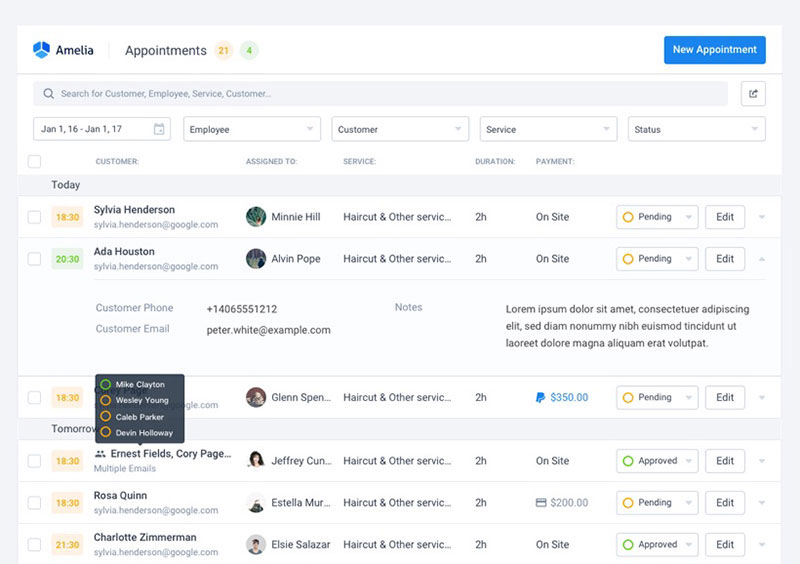
Different animal. It's a WordPress plugin, so it lives on your own site and you pay per domain, not per staff member.
- Plans: Starter $49/yr, Standard $89, Pro $149 for five domains, Elite $259 for unlimited (pricing page).
- Lifetime licences: available on the upper tiers.
- Commission: none. Your hosting, your client data, no percentage of anything.
Check the tier ladder before you buy. Multiple payment gateways start at Standard, and two-way Google Calendar sync, Zoom, and event tickets sit on Pro, which is where most working salons land.
Staff run the day from the WordPress backend, with the business mobile app covering the on-the-go view when your front desk person is moving between chairs.
Where the marketplace platforms land
Fresha
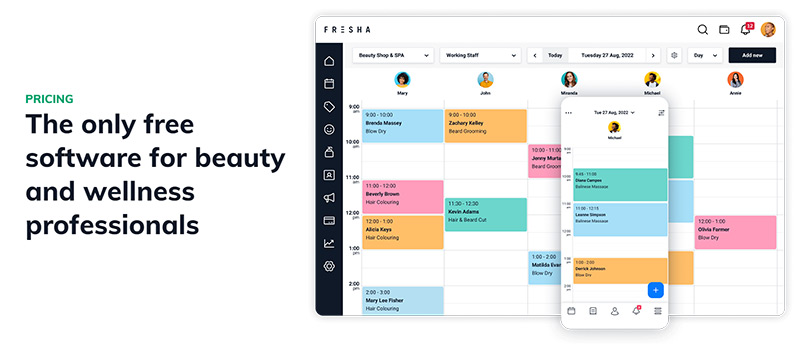
Ended its free plan in July 2026. Now $19.95 a month for a solo operator on Independent, or $14.95 per bookable team member on Team.
On top of that sits a one-time 20% new client fee with a $6 minimum on marketplace bookings. On a $25 service that minimum works out to an effective 24%.
Booksy

The opposite approach on the subscription. Genuinely all-inclusive, with marketing texts and appointment reminders bundled, so the add-on maths disappears.
The catch sits in Boost, its paid new-client acquisition programme. That's where the marketplace commission lives.
Square Appointments
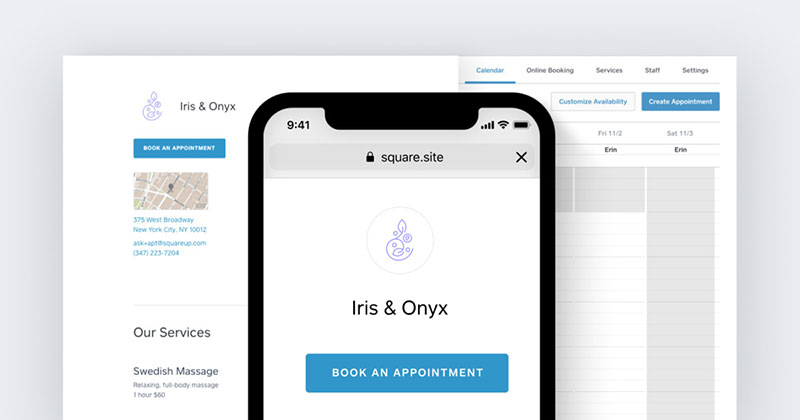
Three tiers: Free at $0, Plus at $49 per location, Premium at $149. Card-present rates run 2.6% + 15¢, 2.5% + 15¢ and 2.4% + 15¢ respectively.
No consumer marketplace, so no acquisition fee. Also no discovery.
GlossGenius
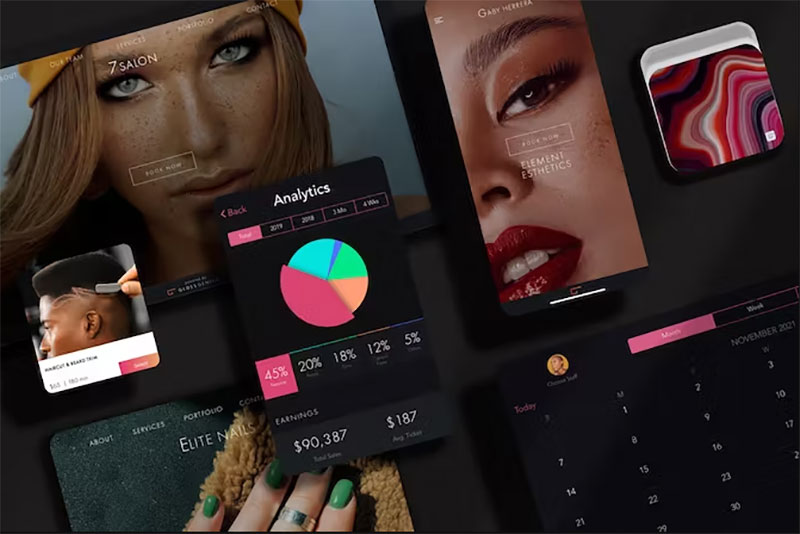
Standard $24 a month billed annually or $28 monthly, Gold $48 or $56, Platinum $148 or $168. Flat 2.6% on every card transaction and free data transfer when you switch.
US only, no marketplace.
Vagaro
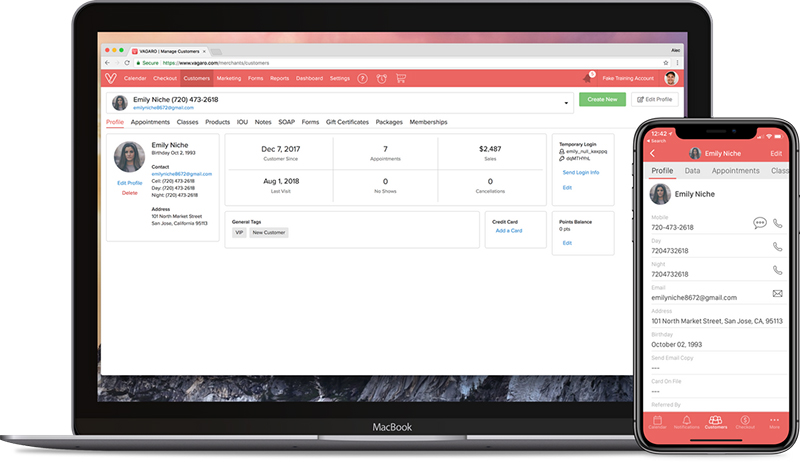
$23.99 a month for the first calendar, priced per bookable calendar and capped at seven. Fill My Books is opt-in and takes 20% on new clients it brings you. In the UK that 20% applies to all new clients, not just the ones from the marketplace.
Mindbody
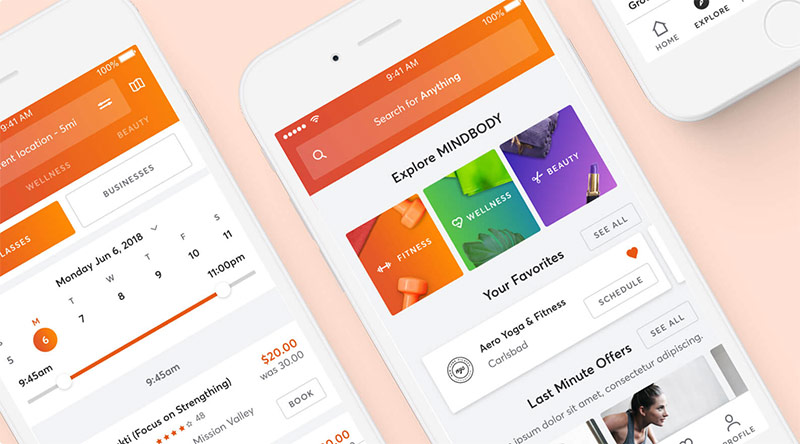
Starts at $99 per location on Starter. Both higher tiers are quote-only, which makes it hard to budget before you talk to sales.
Add roughly 2.99% + 30¢ card-present processing and a marketplace commission around 20%, capped at $30 per booking.
The honest read for a small salon
- Predictability: Booksy and GlossGenius still beat Vagaro.
- Entry price for a solo pro: Fresha wins.
- All-in-one depth: Vagaro beats all three once you need payroll, inventory and multi-location client sharing in one place.
- Cost of ownership: Trafft and Amelia beat the whole group, assuming you already have your own client flow.
Amelia is cheapest by a distance at $49 a year, if you're comfortable maintaining a WordPress site and can live without a staff app. Trafft is the middle ground: hosted, no plugin updates to babysit, no cut of your takings.
Anyone weighing the two consumer marketplaces should read a dedicated Vagaro and Fresha breakdown rather than the headline prices, because both changed their fee models in mid-2026.
Studios comparing against the class-first option are having a different argument entirely, and the Vagaro and Mindbody comparison turns on scheduling model rather than cost.
How to Test Vagaro During the Free Trial
The 30-day trial is long enough to be sloppy with, which is exactly the problem. Build the account in a fixed order and you will know by week two whether it works.
- Build the service menu first, with real durations and real prices, because everything downstream inherits from it
- Add bookable calendars for service providers only, and leave admin staff off
- Import the client list, then stop using your old system entirely
- Turn on Credit Card Processing and run three live transactions, including one keyed-in
- Publish the booking page and book yourself as a client from a phone
- Only then look at marketing, forms or a website
One trap costs you the trial outright. Activating Email Marketing, Text Marketing, the Yelp integration or Vagaro AI for Connect ends the free trial immediately and starts billing. So does redeeming the discounted hardware promotion. The Branded App can be activated during the trial, but it carries fees and the build usually outlasts the 30 days. Everything else is available inside the trial, including Forms, MySite, the Online Shopping Cart, Payroll, QuickBooks and Xero.
Vagaro's Import Team handles one free Premium Import per account, covering customers, inventory, future appointments, notes, services, memberships and packages. Send an Excel or CSV file and expect 3 to 5 business days. Subsequent premium imports carry a fee, though importing customers alone is always free.
Five things to test before day 30:
- Checkout speed at your busiest hour, not at 9am on a Tuesday
- A real deposit taken online, which requires the Online Shopping Cart
- A no-show charge against a stored card
- The Vagaro Pro app on the device your staff will actually use
- A report you rely on monthly, exported to Excel
Migration is where reviews turn sour. Imported appointments landing with wrong durations and imported prices arriving wrong are both documented in Capterra reviews, so check a sample of transferred bookings against your old calendar before you trust the import.
Setting up a service menu properly is the same work whichever platform wins, and it is worth reading a general guide on setting up an online booking system before you start clicking.
How to Cancel Vagaro and What Gets Charged
Cancellation lives in the account under Manage Subscription, and only the business account owner can do it. There is still no true pause. Vagaro's own documentation tells seasonal businesses to cancel and reactivate later.
- Export your reports and customer list first, one report at a time
- Go to Settings, then Manage Subscription
- Scroll to Cancel Subscription and select Cancel My Vagaro Subscription
- Give a reason, agree to the cancellation policy, and confirm
Once you confirm, every Vagaro Merchant Services account tied to the business closes as well, unless it is being used at another Vagaro business. Other locations stay live, since each carries its own subscription.
Reactivation is not free. An account closed voluntarily is charged the subscription again on reactivation, and an account closed for non-payment is charged the outstanding balance plus a $5 late fee ($5 in Canada and Australia, £5 in the UK).
The free card reader has conditions attached. The PayPro Go retails at $150 and is free when you sign up for Vagaro Merchant Services, but redeeming it commits you to 12 months of processing. Leave earlier and you are charged $150. Vagaro does not accept returns on readers, so sending it back is not an option.
Export before you cancel, not after. Vagaro's support documentation states plainly that if you forget your reports, you have to reactivate the account, pull them, and deactivate again, which triggers the reactivation charge.
Only the business owner can export the customer list. Booth renters leaving a shop cannot take the client records with them unless the owner runs the export.
Reports come out as Excel or PDF, run individually, and Excel export is web-only. Anyone moving to one of the other small business booking systems should budget an afternoon for exports, then check that appointments, customers, notes and inventory all came out before the account goes dark.
FAQ on Vagaro Reviews
Is Vagaro the same thing as the Vagaro Pro app?
No. Vagaro Pro is the business-facing app where you run the calendar, checkout and reports. The plain Vagaro app is the client-facing booking app your customers download. Both are free; the subscription covers the account behind them.
Does the Vagaro Marketplace charge a commission?
The listing itself is free in the US, Canada and Australia, and it pushes your availability to Google, Google Maps and Apple Maps. But since July 2026 the Vera Fill My Books growth tool charges 5% on returning customers and 20% on brand-new ones, collected as a deposit at booking. It is opt-in everywhere except the UK, where a 20% new customer fee applies to all new customer bookings.
What hardware do you need to run Vagaro?
None of it is mandatory. Vagaro sells the PayPro terminal at $380, the PayPro Mini tablet at $420, the dual-screen PayPro Duo at $800, and the PayPro Go card reader at $150, plus stands, scanners, printers and cash drawers. All are one-time purchases separate from the subscription, and the PayPro Go is free if you sign up for Vagaro Merchant Services and stay 12 months.
Does the Vagaro Pro app do everything the web version does?
Close, not identical. Exporting reports to Excel works on the web version only, while importing customers straight from your phone contacts is app-only. Front desk work runs fine on either; admin and reporting belong on desktop.
Which Vagaro Reviews Actually Apply to Your Business?
Reviews written by solo operators, booth renters and appointment-based salons with fewer than seven providers apply directly to your business, because that is the shape of business the platform was priced and built around. Reviews from class-based studios describe a different experience under the same name.
Anything written before July 2026 also describes a different pricing model, since that is when the marketplace booking fees arrived. Check the date on what you read.
Test in a fixed order: card volume, then provider count, then add-ons.
- Monthly card volume against the $4,000 merchant threshold
- How much of that volume is card-on-file or recurring, and therefore priced at 3.5%
- Bookable calendars against the seven-calendar cap
- Add-ons against what the base plan already covers
A shop crossing $4,000 in monthly volume with seven calendars reaches the cheapest per-provider cost Vagaro offers, since the lower processing rate and the calendar ceiling land together.
The trade is predictability. Flat-fee rivals bill an identical figure every month, while Vagaro bills whatever you switched on, at prices verified in September 2026.
Anyone still building a shortlist moves faster through a ranked roundup of appointment scheduling software.