The phrase gets thrown around loosely, so worth pinning down. Software is open source when its license actually hands over the source code, meaning a company can read it, change it, and run it on hardware it pays for, instead of renting a login to somebody else's closed platform.
Booking tools like Trafft and Amelia sit at one end of what people mean by the term. Odoo, ERPNext and SuiteCRM sit at the other, running the whole back office. The same two questions decide all of them: what the license permits, and what the software costs once it's actually running.
Scale is the part people underestimate, since "open source" still reads as "hobby project" to a lot of buyers. ERPNext's version 16 release in January 2026 shipped more than 50 features from over 600 contributors, according to Aurigait's 2026 review of the Frappe-built ERP.
Open-Source Business Software To Check Out
Ordered by function, not by a single "best overall" ranking. Scheduling tools sit at the top because that's the job most people are solving when they search this term, and back-office platforms follow grouped by what they actually do.
One honest note before the list starts: not everything here carries a true open source license.
Trafft and Amelia are proprietary products with a genuinely free tier and deep WordPress compatibility.
Most of the rest (Odoo, ERPNext, Dolibarr, SuiteCRM, Akaunting, Invoice Ninja, Mautic) ships under a real open license, GPL or AGPL or LGPL, which lets you read and modify the source yourself.
Cal.com is the partial exception worth flagging early. It built its reputation on an AGPL-3.0 license, then in April 2026 the company took its commercial product closed source and spun the open-source lineage off into a separate, MIT-licensed self-hosting edition called Cal.diy.
Anyone evaluating Cal.com today is choosing between a proprietary hosted product and a leaner open-source fork, not one AGPL codebase.
License type is called out in every entry below so you're not guessing.
Booking and scheduling software
| Tool | License / model | Starting price | Best for |
|---|---|---|---|
| Trafft | Proprietary, free plan | Free, paid from $7.99/mo | Standalone booking page, no site needed |
| Amelia | Proprietary, free Lite | Free Lite, paid tiers annual/lifetime | WordPress sites adding booking |
| Cal.com | Proprietary (hosted product); Cal.diy self-host fork is MIT | Free self-hosted (Cal.diy); hosted Teams from ~$15/user/mo | Developers who want deep API access, hosted or self-hosted |
Trafft, for service businesses that don't want to run a full website
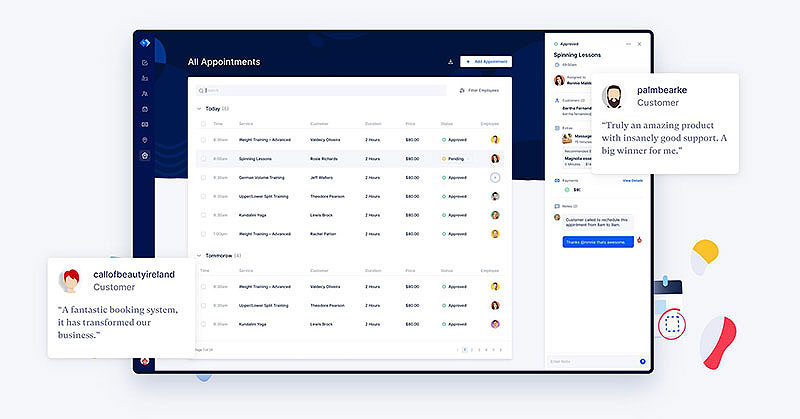
Built by the same team behind Amelia, but as standalone software rather than a plugin. Salons, clinics, anyone selling appointments who has no interest in maintaining a website. Trafft generates a working booking page on its own domain in a few minutes, so a business with no site at all can be taking bookings that same afternoon.
That makes it a fit for solo providers and small teams who never set up WordPress and want one of the more flexible booking systems for small businesses without building a site first.
What's in the box:
- Staff, location and service management
- Automated SMS and email reminders, including recurring appointments
- Stripe and PayPal payment collection at booking
- Google Calendar, Zoom and Google Meet sync
- Zapier, Mailchimp and Microsoft Teams integrations
There's a free plan, and paid tiers start at $7.99/month flat rate, per Capterra's 2026 pricing data. Flat rate, not per seat, which matters once you add staff.
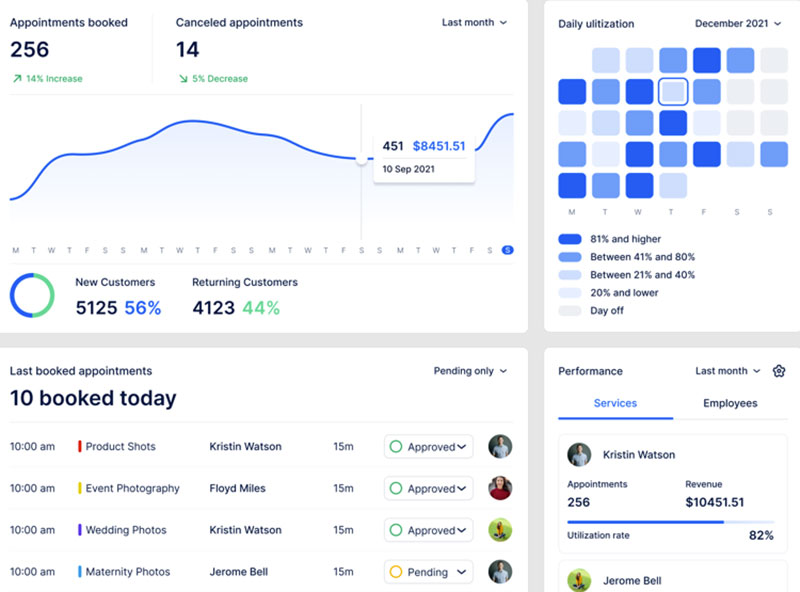
The free tier is permanent rather than a 14-day trial in disguise, and it connects to 10+ third-party tools without custom work. The catch is licensing. Core code isn't open, so it isn't yours to inspect or move to your own server, and several integrations sit on higher tiers.
Across Capterra and Research.com reviews, the setup flow and the reminder automation get consistent praise. The mobile app is noted as lighter than the desktop dashboard.
Most "open source" roundups skip Trafft entirely because it isn't OSI-licensed. Fair on a technicality. It's also one of the very few tools here with zero server maintenance attached, and for a one-person shop that's worth more than license purity.
Amelia (WPAmelia), for WordPress sites that already have traffic
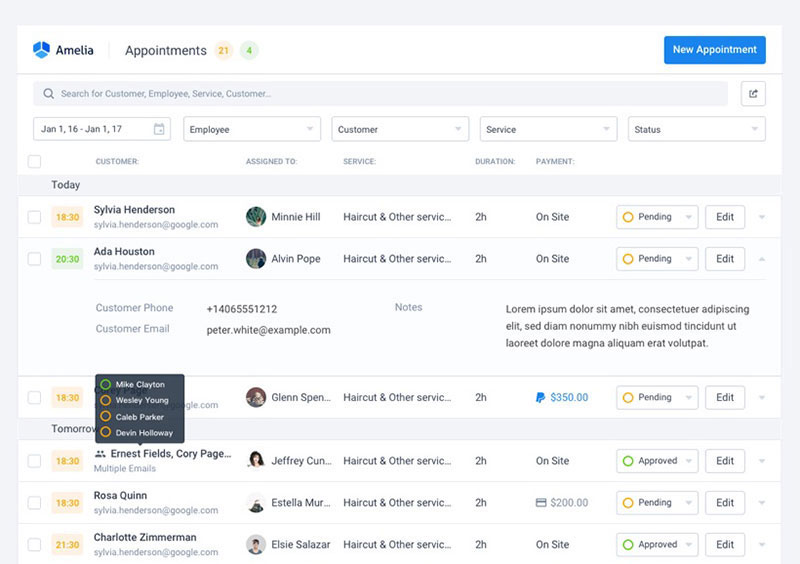
Amelia is a WordPress plugin that turns an existing site into a booking system for appointments and events. If the site already ranks and already gets traffic, sending people off to a third-party subdomain to book is a small, avoidable leak. Amelia keeps the whole thing on your own domain.
The events module is what separates it. QR-coded e-tickets sit alongside standard appointment booking, so it doubles as event scheduling software for workshops or classes rather than only handling one-on-one slots.
Core functionality:
- Shortcode-based booking widget for any page
- Custom pricing by duration, date, or group size
- Google Calendar sync and SMS/email notifications
- WooCommerce and Stripe payment support
- Events module with e-ticketing
A free Lite version lives on WordPress.org. Paid Standard, Pro and Elite tiers are billed annually or as a lifetime license, per wpamelia.com's live pricing page.
Native WooCommerce integration is the strong point, and the release cadence is genuinely active. Against that: the plugin code isn't published under an open license either, the fuller integration set sits on Pro rather than the entry tier, and staff and admins work through the WordPress backend rather than a dedicated mobile app.
Amelia Lite holds a 4.6/5 rating from 761 reviews on WordPress.org and 4.9/5 from 245 Capterra reviews, verified in Booknetic's 2026 independent Amelia review.
The events piece is the detail most comparison pages miss. Handling ticketed one-off events and recurring appointments in the same interface is rare in a booking plugin. Usually you end up bolting on a separate events tool and syncing two calendars by hand.
Cal.com, for developer-led teams that want deep API access (with a 2026 licensing change to know about)
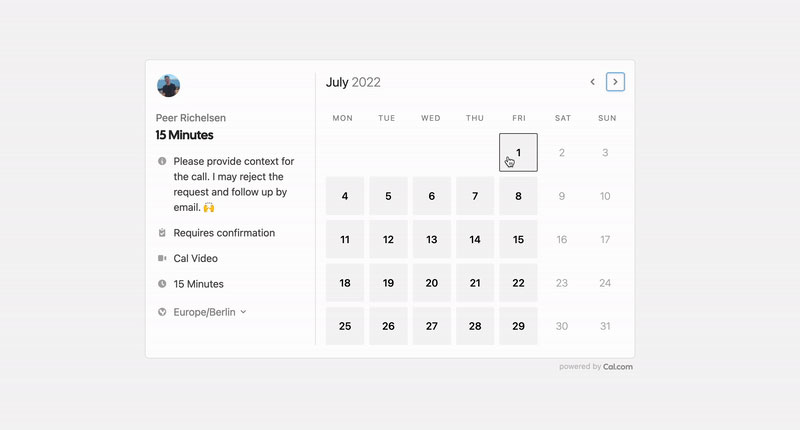
For about five years Cal.com was the default answer when a technical team wanted open source scheduling software under AGPL-3.0, self-hosted or run through the managed cloud with an API-first workflow. April 2026 changed that. The company moved its commercial product to a closed, proprietary license, citing the risk of AI tools scanning public code for vulnerabilities, and spun the free code off into a separate, MIT-licensed self-hosting edition called Cal.diy. Choosing Cal.com now means choosing between the proprietary hosted product and the leaner open-source fork.
Cal.diy's codebase still lives on GitHub under the permissive MIT license and can be self-hosted through Docker. The commercial Cal.com product is closed source and reachable only through the company's hosted plans, or a private repository for qualifying enterprise self-hosters.
On either path you get:
- Calendar sync across Google, Outlook and CalDAV
- Workflow automation for reminders and confirmations
- Stripe payments built into the booking flow
- Large third-party app and integration store
- Webhooks and a REST API for custom builds
A free individual tier covers one user with unlimited event types, and Cal.diy self-hosting costs nothing. On the hosted product, Teams plans start at roughly $15/user/month billed annually, Organizations at roughly $37/user/month, per Cal.com's published pricing as of August 2026.
Cal.diy remains a real, MIT-licensed codebase with an active GitHub community behind it, and REST plus webhook support is deep on both paths. The downsides are worth weighing honestly. Self-hosting Cal.diy takes actual server administration skill, and the company positions it for hobbyists rather than production businesses. Some enterprise features like SSO stay cloud-only. And the reversal itself is a data point about vendor intent.
Cal.com's own 2026 announcement frames the change as a response to AI-assisted vulnerability scanning of public codebases. Independent tech-press coverage from that period confirms the commercial product is now proprietary while Cal.diy carries the open-source lineage forward under MIT.
It earns a spot partly as a real-world illustration of a risk discussed further down this page. Five years of trust built on AGPL-3.0, reversed once the business case changed. Copyleft licensing is meant to guard against exactly that, and the fact that a vendor can still do it, simply by not releasing new versions of the open code, is worth knowing before you bet a workflow on any company's current license.
ERP platforms for full back-office control
Enterprise resource planning is where the term earns its name in the strict sense. Source code you can read, modify, and redistribute under the license terms.
What the platforms below have in common is one database underneath sales, inventory and accounting, instead of separate tools that need syncing at month end.
Odoo, for growing companies that want CRM, sales and inventory in one place
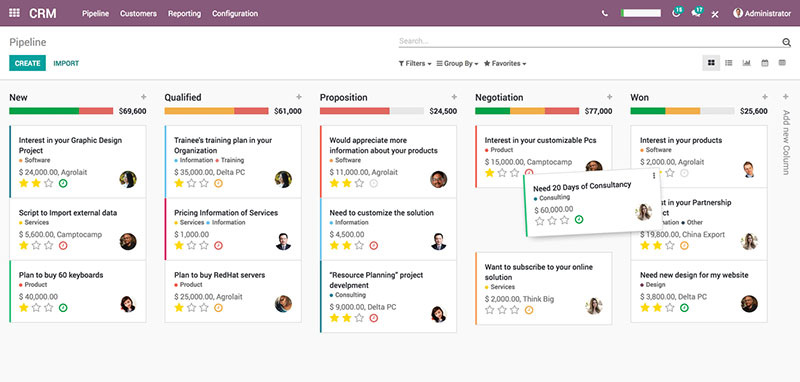
Odoo Community is a free, self-hosted ERP suite under an LGPL-3.0 license, covering CRM, sales, inventory and accounting.
It suits teams that already have someone technical who can run a server. For companies trying to bring purchasing under the same roof too, the ERP model can also help centralize indirect procurement alongside sales, inventory, and finance rather than leaving those purchases scattered across separate systems.
The modular app store is the part that actually changes how the software feels. Install a new app and its data links itself to everything already running, so a closed deal can trigger a delivery order with no integration work in between.
Main modules:
- CRM and sales pipeline
- Inventory and warehouse management
- Invoicing and basic accounting
- Project management and website builder
Community edition is free forever, self-hosted. Odoo Enterprise Standard runs from roughly $24.90 per user/month as a first-year promotional rate, with list price closer to $31/user/month on renewal, and pricing that also varies by region, per Octura Solutions' 2026 breakdown.
Full source access under LGPL-3.0, one of the largest open source app ecosystems in this category, and a single database tying modules together. On the other side, Community lacks Enterprise-only tools like Studio and multi-company support, and per-user Enterprise pricing climbs fast as a team grows, then renews above the sign-up rate.
Pricing audits published in 2026 found Odoo's Enterprise cost is quoted differently by country across roughly a dozen regional pricelists. The same plan is not the same price everywhere.
License cost really is zero on Community. What most comparisons gloss over is that the LGPL covers the code and nothing else. Hosting, upgrades, and implementation work all still need a budget line.
ERPNext, for manufacturers and distributors tired of per-seat bills
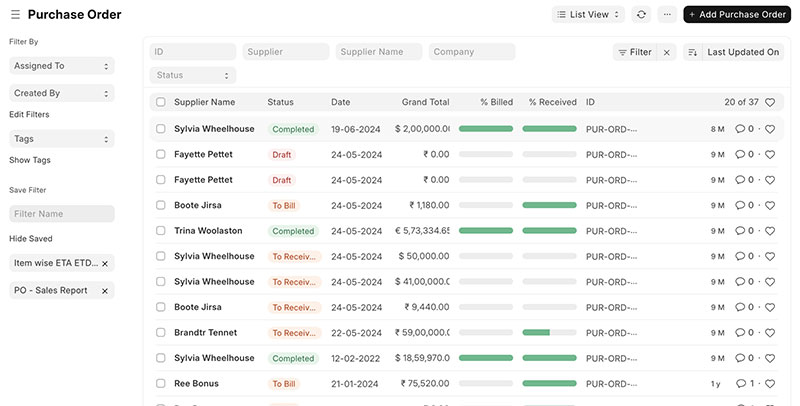
Fully open source under GPLv3, built on the Frappe framework, pulling accounting, inventory, manufacturing, HR and CRM into one system. It fits operations-heavy businesses that don't want the bill scaling with headcount.
Because those functions share one database, teams can also manage projects alongside operational and financial records without maintaining a separate system for every department.
Official Frappe Cloud hosting bills by compute usage rather than by seat. Adding staff doesn't add to the invoice, which is a structurally different deal from almost everything else in this category.
Coverage includes:
- Accounting and financial reporting
- Inventory and manufacturing (BOM, production planning)
- HR and payroll through Frappe HR
- Native mobile apps
The software license costs $0 under GPLv3. Official Frappe Cloud managed hosting starts at $5/month, per ERP Research's 2026 pricing guide.
Unlimited users on any hosting plan, full source access with no per-module fees, and a fast release cadence backed by a large contributor base. The interface feels less polished than commercial ERPs like NetSuite, and the partner ecosystem is smaller than Odoo's when you need jurisdiction-specific accounting.
Version 16, released in January 2026, shipped more than 50 new features from over 600 contributors, described by Aurigait's 2026 review as the most significant upgrade in the project's history.
The compute-based billing detail rarely makes it into ERP roundups. It's the single biggest structural difference from Odoo's per-seat Enterprise pricing, and the reason ERPNext gets cheaper relative to alternatives as a team grows.
Dolibarr, for freelancers who want ERP and CRM without the learning curve
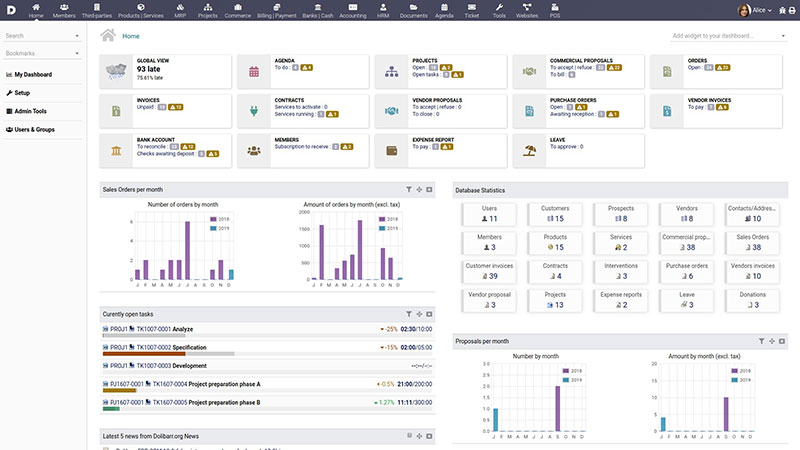
ERP and CRM in one lightweight, modular package under GNU GPL 3.0. Invoicing, inventory and customer records together, without hiring a consultant to configure any of it.
You activate only the modules you need, which keeps the interface simple even as the underlying feature set grows. That sounds like a small thing until you've watched someone open a full ERP for the first time.
Modules on offer:
- Invoicing with recurring billing
- Inventory and warehouse tracking
- Basic CRM and commercial proposals
- HR and point-of-sale modules
- DoliStore marketplace for add-ons
Self-hosted is completely free with unlimited users. Managed DoliCloud hosting runs from about 10 euros per user/month, per Softabase's 2026 review.
The install is genuinely simple compared to Odoo or ERPNext, there's no cost ceiling on users when self-hosted, and Softabase puts it at over 5 million downloads across 60+ countries. The CRM module is basic next to a dedicated CRM, and documentation still leans French-first even though the interface is multilingual.
Softabase's 2026 review points to more than 20 years of continuous development since the 2003 launch in Paris, with adoption concentrated across Europe, Latin America, and parts of Africa.
Odoo overshadows it in most comparisons. For a one-person business that needs invoicing plus basic customer records and nothing more, Dolibarr's simplicity is the selling point, not a limitation to apologize for.
CRM for teams that want to own their contact data
SuiteCRM, for teams with IT support and no appetite for per-seat fees
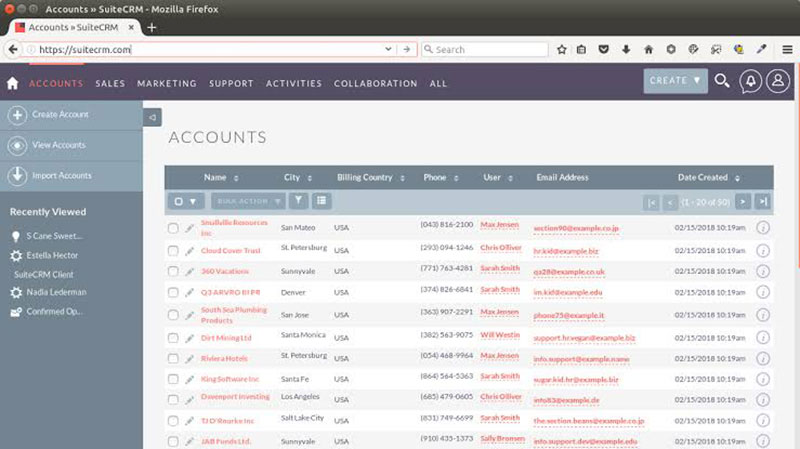
Fully open source under AGPL, covering contacts, pipelines, cases and quotes. It fits organizations that already have server admin support and want a Salesforce-style CRM without recurring per-seat charges.
Self-hosted Community edition has unlimited users and records, with nothing gated behind a seat count.
What it handles:
- Sales pipeline and opportunity tracking
- Case management and support tickets
- Quotes and workflow automation
- Reporting dashboards
Community edition is free with unlimited users. SuiteCRM Hosted managed plans start at $170/month for up to 10 users, per OpenSourceCRMS's 2026 pricing page.
Real AGPL license, no per-user fees ever on self-hosted, and deep customization through the module framework. The contact and pipeline tools hold up as free contact management software once you're set up to self-host. The interface looks dated next to modern SaaS CRMs, and configuration takes real time before anything is production-ready.
Reviewers across multiple 2026 write-ups describe SuiteCRM as "powerful, not polished." Most self-hosters accept that trade in exchange for control over their own data.
Zero seat cap is the number that matters. A 50-person sales team costs the same in licensing as a 5-person one, which flips the usual per-seat SaaS math completely.
Accounting and invoicing without per-seat fees
Akaunting, for freelancers who want accounting software they can actually inspect
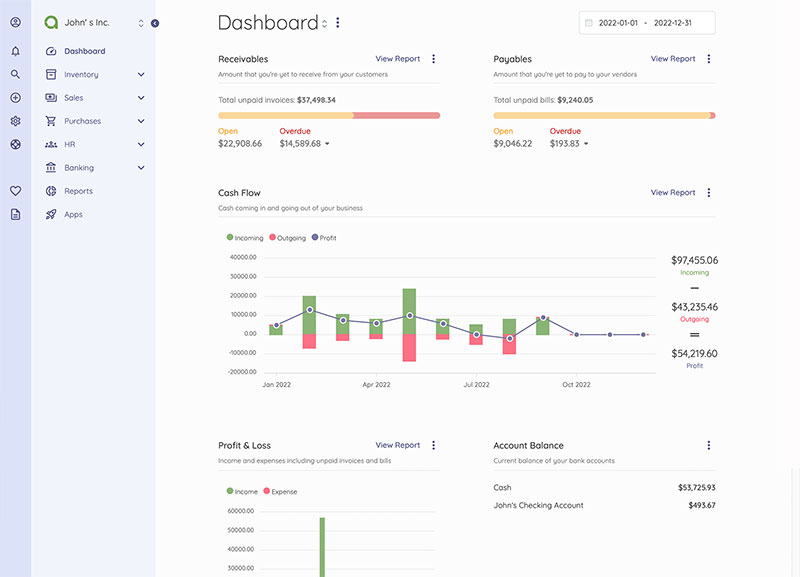
Self-hosted accounting for invoicing, expense tracking and reporting. It suits freelancers and very small businesses comfortable installing a LAMP stack in exchange for full code visibility and no per-invoice fees.
A built-in App Store lets you install modules from the admin panel, which is unusual for self-hosted accounting software. Normally that's an SSH session and a config file.
Feature set:
- Double-entry accounting
- Invoicing and expense/bill tracking
- Bank connections and multi-currency support
- Client portal for shared invoices
The self-hosted core is free under the Business Source License 1.1, which converts each version to full GPLv3 four years after that version's release, per OpenApps.pro's license breakdown.
You get full source visibility even before the GPLv3 conversion date, no per-invoice limits past the free tier's caps, and active community documentation. The free tier itself stops at 2 users, 1 company, and 1,000 invoices, and support is community forums only, with no phone or live chat.
Reviewers who eventually upgrade tend to cite those user and invoice caps as the reason they moved off the free tier, not missing features.
The Business Source License detail matters more than most reviews admit. This isn't pure GPL from day one the way Dolibarr is. It's a timed conversion license, and that's worth understanding before you build a workflow around it.
Invoice Ninja, for technical freelancers who want to own their invoicing data
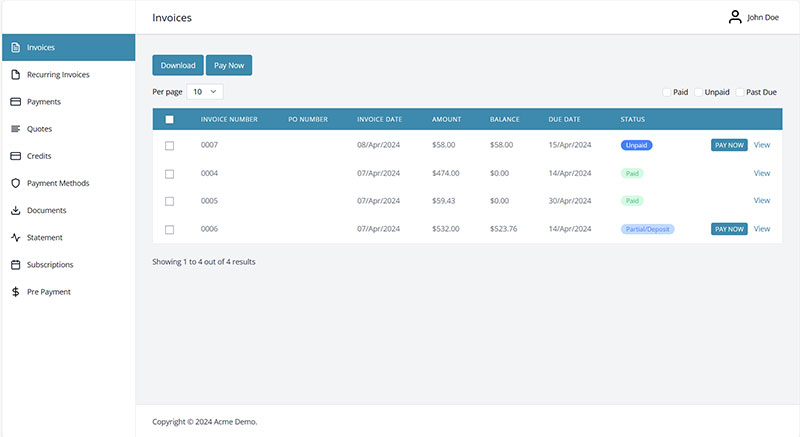
Source-available invoicing and time tracking built on Laravel. Recurring invoices, a client portal, payment gateways, no monthly fee, as long as you can self-host.
Feature parity between the free self-hosted version and the paid cloud version is close to total, branding aside. That's rarer than it sounds.
What ships:
- Recurring invoices and quotes
- Time tracking tied directly to invoices
- Client portal for approvals and payments
- Stripe, PayPal, and GoCardless payment gateways
- Multi-currency and multi-company support
Self-hosted is free and unlimited. Removing Invoice Ninja branding costs a small annual fee, and hosted Ninja Pro runs roughly $10 to $14/month, per third-party 2026 pricing comparisons.
No feature gating on self-hosted installs, wide payment gateway support out of the box, and active development on the v5 codebase. Visual polish trails newer invoicing SaaS tools, and reporting and template options are limited next to QuickBooks-tier software.
User reviews describe switching a small agency's billing to the self-hosted version as a straightforward way to delete a recurring software line item outright.
Most "free invoicing tool" lists bury the one real catch. Branding removal is effectively the only paid feature on a self-hosted install. Everything else, client portal included, ships free on your own server.
Marketing automation on your own server
Mautic, for marketing teams that want automation without the enterprise bill
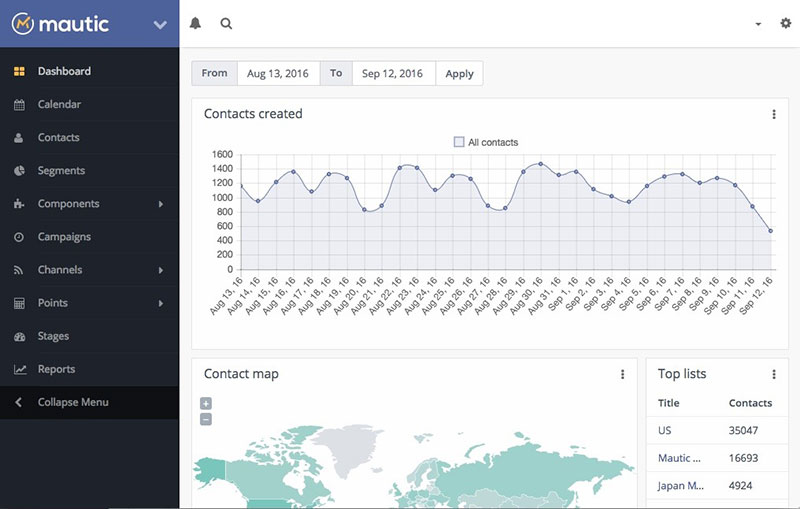
GPLv3-licensed, self-hosted marketing automation covering email campaigns, lead scoring and multi-channel workflows. It targets technical marketing teams that want parity with tools costing hundreds a month.
The platform is especially relevant when blogging, landing pages, and email nurture campaigns all feed the same lead-scoring workflow instead of operating as disconnected marketing activities.
Full campaign and lead-scoring functionality with no per-contact fee is unusual at any price point in this category, where contact-tier pricing is the industry norm.
Core tools:
- Email campaign builder and landing pages
- Lead scoring and behavioral triggers
- Multi-channel campaign management
- Plugin marketplace with 100+ extensions
The self-hosted core is free. Total running cost is hosting plus an SMTP provider, typically $20 to $100+/month, with managed cloud and SaaS-style hosting available from third-party providers, per 2026 reviewer write-ups.
No per-contact or per-user fee ever, full source-level access for compliance audits, and an active community-built plugin marketplace. Setup and ongoing maintenance take real DevOps time, performance needs tuning at scale, and there's no official vendor support line to call when something breaks at 2am.
Teams migrating from platforms billing $300 to $500 a month describe Mautic's feature set as comparable once the server-side setup is finished, according to 2026 reviewer write-ups.
The detail that actually changes the decision is time, not money. Teams without in-house DevOps capacity often find the free software costs more in setup hours than the subscription would have cost in cash.
When self-hosted open source is not the right fit
None of this is a universal upgrade over paid SaaS. Self-hosting moves cost from a subscription line onto your own calendar, and that trade only pays off under specific conditions.
- No one on the team can manage a server, apply security patches, or handle backups
- The business needs a guaranteed support SLA rather than community forums
- Compliance requirements call for vendor certifications a self-hosted community edition doesn't carry
- Speed to launch matters more than long-term licensing cost, and a hosted trial needs to go live today
In any of those cases, the proprietary fully-hosted picks on this list (Trafft, Amelia) or a managed cloud tier of the open source ones (Frappe Cloud, DoliCloud, or Cal.com's hosted plan for its now-proprietary product) usually make more sense than a bare self-hosted install.
What Is Open Source Business Software?
The defining part is the license, not the price. Code gets published under terms that let anyone read it, change it, and run it on their own servers.
That's a different thing from "free" software, which only means no price tag. It's also different from "source-available" software, where you can view the code but face restrictions on what you're allowed to do with it.
In practice you'll run into three tiers:
- Open source: code is public, the license permits modification and redistribution (Odoo, ERPNext, Dolibarr, SuiteCRM, Mautic, and Cal.diy, the MIT-licensed self-hosting spin-off of Cal.com)
- Source-available: code is public, commercial use or redistribution carries limits (Akaunting under the Business Source License)
- Proprietary with a free tier: core code stays closed, but a permanent free plan exists (Trafft, Amelia, and, since April 2026, Cal.com's own commercial/hosted product)
The list above spans all three. The distinction starts mattering once you get to licensing and cost.
What License Types Apply to Open Source Business Software?
Copyleft Licenses: GPL, AGPL, and LGPL
Copyleft licenses require modified versions to stay open if you redistribute them. The variants differ mainly in how they treat software delivered over a network rather than shipped as a download.
- GPL (GNU General Public License) covers Dolibarr and ERPNext, and requires source disclosure if you distribute a modified copy
- AGPL (Affero GPL) closes the network loophole in GPL and covers SuiteCRM, so running a modified version as a hosted service still triggers disclosure. Cal.com's commercial product was AGPL-3.0 until April 2026, when the company moved it to a closed license and open-sourced only a separate, MIT-licensed edition (Cal.diy) going forward
- LGPL (Lesser GPL) is the more permissive option Odoo Community uses, letting other software link to the code without open-sourcing the whole product
The AGPL clause is the one vendors watch most closely. It's what stops a competitor from quietly reselling a modified fork as a closed SaaS product.
Permissive and Source-Available Licenses: MIT, Apache 2.0, and BSL
MIT and Apache 2.0 carry no copyleft obligation at all. Anyone can take the code, modify it, and sell a closed product built on top of it.
| License | Redistribution rule | Seen in |
|---|---|---|
| MIT | No obligation to open-source changes | Common in supporting libraries; also Cal.diy, Cal.com's post-2026 self-hosting fork |
| Apache 2.0 | No obligation, includes a patent grant | Common in enterprise-grade projects |
| Business Source License | Converts to GPLv3 after a fixed term | Akaunting |
Akaunting's Business Source License is the outlier among the "open" tools here. Free self-hosted use is capped at 2 users, 1 company, and 1,000 invoices, until each version converts to full GPLv3 four years after its own release, per OpenApps.pro's 2026 license breakdown.
How Does Self-Hosted Deployment Work For Open Source Business Software?
Self-hosted deployment means installing the software on a server you control instead of logging into a vendor's cloud account. Underneath very different interfaces, most of these tools want much the same infrastructure.
Typical server requirements:
- A LAMP or LEMP stack (Linux, Apache or Nginx, MySQL/MariaDB, PHP) for Dolibarr, SuiteCRM, Akaunting, and Invoice Ninja
- A Python or Node runtime with a database cluster for Cal.diy (Cal.com's self-hosted edition) and the Frappe framework behind ERPNext
- Enough RAM and CPU headroom for background jobs, since most of this software queues emails, reminders, and reports
Deployment shapes are simpler than the requirements list makes it look.
Self-hosting proper means renting a VPS, installing the software, and owning uptime, backups and scaling entirely. Managed cloud means the vendor runs the infrastructure for a fee, as with Frappe Cloud for ERPNext or DoliCloud for Dolibarr. Hybrid setups self-host the core app but offload specific pieces, transactional email or file storage, to a managed service.
Cal.com and ERPNext both ship an official managed option precisely because self-hosting well takes ongoing operational time, not a one-time install. For Cal.com specifically, since the April 2026 license change, self-hosting means running Cal.diy, a separate and more limited MIT-licensed edition, rather than the commercial codebase.
How Does Open Source Business Software Handle Integrations And APIs?
REST APIs and webhooks are the baseline across this entire category. Every tool here exposes some form of API, though depth varies a lot between a booking plugin and a full ERP. Those APIs also matter when a company needs to connect specialist systems such as IT ticketing software to CRM, ERP, or automation workflows without manually copying records between tools.
- Payment gateways: Stripe, PayPal, and GoCardless show up across scheduling, accounting, and invoicing tools alike
- Calendar sync: Google Calendar, Outlook, and CalDAV appear in Trafft, Amelia, and Cal.com
- Automation platforms: Zapier and Make connect most of these to the rest of a business's stack without custom code
- App marketplaces: DoliStore, Odoo Apps, and Mautic's plugin directory extend core functionality without touching the source
Wire those pieces together and most of this software doubles as business automation software, not a single-purpose tool.
Connector polish is where the trade-off shows up. Proprietary SaaS platforms tend to ship more one-click integrations, while open source tools lean on generic webhooks and community-built connectors that occasionally need a nudge.
How Much Does Open Source Business Software Actually Cost?
License, hosting, and implementation are three separate cost lines. Conflating them is the most common budgeting mistake with this software. The same distinction matters when a team is trying to build a SaaS business, because infrastructure, support, third-party services, and engineering all contribute to SaaS COGS even when part of the underlying software stack is open source.
License Cost
License cost is genuinely zero across every fully open source tool on this list.
Odoo Community, ERPNext, Dolibarr and SuiteCRM all let you download, install and run the software without a licensing fee, regardless of user count. Cal.com no longer fits cleanly in that group. Since April 2026 its commercial product is closed source, and the free-to-self-host option is Cal.diy, a separate and more limited MIT-licensed edition rather than the full Cal.com codebase.
That zero covers the code itself. Nothing more.
Hosting And Infrastructure Cost
Hosting is where the first real bill shows up, and it varies a lot by platform.
The published figures:
- Frappe Cloud (ERPNext) starts at $5/month for shared hosting, per ERP Research, 2026
- DoliCloud (Dolibarr) runs from about 10 euros per user/month, per Softabase, 2026
- SuiteCRM Hosted starts at $170/month for up to 10 users, per OpenSourceCRMS, 2026
- Odoo Enterprise Standard runs from roughly $24.90 per user/month as a first-year promotional rate, per Octura Solutions, 2026
Self-managed VPS hosting for any of these typically lands between $10 and $100 a month, depending on traffic and how many background jobs the server is chewing through.
Implementation And Support Cost
Implementation is the least predictable line item, and usually where the "it's free" pitch falls apart.
A lean ERPNext go-live can run in the low thousands of dollars in year one for a micro-business on shared cloud hosting with minimal configuration. A fully customized deployment for a larger team commonly runs $20,000 and up, according to multiple 2026 ERPNext implementation-partner cost guides.
Support splits the same way. Community forums cost nothing and move at their own pace. Paid support contracts or implementation partners add a recurring or one-time fee on top of whatever hosting already costs.
Is Open Source Business Software Cheaper Than Proprietary SaaS?
Usually cheaper, not automatically, and the answer depends on which of three models you're comparing against.
| Dimension | Proprietary SaaS | Open Core | Self-Hosted Open Source |
|---|---|---|---|
| License cost | Per-seat, recurring | Free core, paid add-ons | $0, no seat cap |
| Hosting responsibility | Vendor-managed | Vendor or self-managed | Fully on you |
| Customization depth | Limited to vendor settings | Deep, within paid tiers | Unlimited, full source access |
| Support model | Included SLA | Paid tiers, community below that | Community forums by default |
Salesforce Sales Cloud starts at $25 per user per month in 2026 on its entry Starter Suite tier, climbing to $350/user/month at the Unlimited tier (Salesforce raised Enterprise and Unlimited pricing roughly 6% in August 2025, so some older comparison sites still show the prior $330 figure), per Salesforce's own published pricing as checked in mid-2026.
SuiteCRM's self-hosted Community edition costs the same whether a team has 5 users or 50. There's no per-seat charge at all.
Per-seat SaaS pricing compounds with headcount in a way self-hosted licensing structurally can't. Where open source loses the argument is implementation time, and the in-house technical skill it quietly assumes you already have.
How Do You Choose Open Source Business Software For Your Business Function?
The right pick depends on which function needs solving, not on which tool has the longest feature list.
Scheduling And Booking
If bookings are the whole problem, an ERP is wild overkill.
- Already running WordPress: Amelia embeds booking directly into existing pages
- Want a standalone booking page instead: Trafft skips the WordPress dependency entirely
- Want deep API access and don't mind a proprietary hosted product, or are comfortable self-hosting the leaner Cal.diy fork: Cal.com fits
Teams built around consultant scheduling software specifically tend to lean toward Cal.com or Trafft over a generic calendar app, since both handle payment collection at the point of booking.
ERP And Back-Office Operations
Odoo, ERPNext and Dolibarr all connect sales, inventory and accounting in one database, but they fit different team sizes.
Dolibarr suits a freelancer or a five-person shop that needs invoicing and basic stock control.
Odoo and ERPNext make more sense once a business runs multiple departments that have to share the same customer and inventory records.
CRM And Contact Management
SuiteCRM is the only dedicated CRM here, which makes the decision simpler than it looks.
The real question isn't SuiteCRM versus another open source CRM. It's whether a standalone CRM is needed at all once Odoo or Dolibarr already ship one built in.
Accounting And Invoicing
Akaunting and Invoice Ninja overlap, but they solve different problems. Akaunting is the better fit for ongoing bookkeeping, expense tracking and financial reporting. Invoice Ninja works better for a freelancer whose main need is sending and tracking invoices with time-based billing attached.
Marketing Automation
Mautic stands alone in this category on the list, so the decision is less about Mautic versus a competitor and more about whether the email and lead-scoring needs justify the DevOps overhead of running it.
How Much Customization Does Open Source Business Software Allow?
Source code access and easy customization are not the same thing. Reading the code doesn't mean a business owner can safely change it without breaking something three modules away.
Two paths exist across this list.
Without a developer, module and plugin systems like Odoo's app store or DoliStore let you add functionality by installing a package. No code involved. The same principle is familiar to WordPress users, where many themes and plugins can change a site's appearance and functionality without requiring edits to the underlying core.
With a developer, core workflow changes, custom reports and deep UI work on ERPNext, SuiteCRM or Mautic generally need someone who can read PHP, Python, or the platform's templating language.
If the goal is to design a website around a highly customized workflow rather than rely on standard modules, that's also the point where it can make sense to hire a web development team instead of treating the work as a weekend configuration project.
A realistic threshold: a non-technical owner can usually handle configuration and module installs. Genuine customization work belongs to a small in-house dev team, not a weekend.
Who Maintains Open Source Business Software And How Are Security Updates Handled?
Maintenance responsibility splits along the same line as hosting. Whoever runs the server is the one who has to apply the patch.
Self-Managed Patching
On a self-hosted install, security updates don't arrive on their own. Someone has to track releases, test the update, and apply it.
Patchstack, a WordPress-focused CVE Numbering Authority, assigned 7,007 CVEs in 2025, the large majority tied to WordPress plugins and themes. A useful reminder that self-hosted, plugin-based software carries real exposure when patches sit unapplied.
You do get full control over when and how updates roll out, and no forced upgrade will break an existing customization overnight. The cost is that patching becomes someone's actual job rather than a background task, and a missed update sits open until somebody notices.
Vendor-Managed Patching
Managed cloud tiers hand patching back to the vendor for a monthly fee. Frappe Cloud, DoliCloud, and Cal.com's hosted plan all apply security updates on their own schedule without asking the customer to do anything.
Updates apply without manual intervention, and the odds of running a known-vulnerable version drop. It costs more than self-hosting, and update timing sits outside your control, which can surface compatibility issues with existing customizations at inconvenient moments.
How Do You Migrate To Open Source Business Software Without Losing Data?
Migration risk lives almost entirely in the data, not in the new software.
- Audit the current system: list every data type in use (customers, invoices, inventory, appointment history) and where it lives
- Export everything: pull data out in CSV or the most complete format the old system offers
- Clean before importing: fix duplicate records and inconsistent formatting before any of it enters the new database
- Stage the import module by module: load customer records first, then transactions, rather than importing everything at once
- Run both systems in parallel: keep the old system live for a defined window to catch mismatches
- Cut over and decommission: switch fully once the parallel run shows no discrepancies
The most common failure point isn't the import. It's migrating before mapping which fields in the old system have no equivalent in the new one.
When Does Open Source Business Software Not Make Sense?
Worth repeating in plainer terms, because the free-software pitch is persuasive. Self-hosting trades a subscription line for your own hours, and there are situations where that's simply a bad trade.
- No one on the team can manage a server, apply patches, or handle backups
- The business needs a guaranteed support SLA, not a community forum
- Compliance requirements call for a vendor certification a community edition doesn't carry
- Speed to launch matters more than long-term license savings, and something needs to go live today
In those situations, a proprietary pick with a real support line, or a managed cloud tier of the open source options above, fits better than a bare self-hosted install.
Browsing a broader list of apps for small business owners is a reasonable next step if none of the tools above fit the constraint you're actually working around.
FAQ on Open-Source Business Software
Is open source business software really free, with no hidden costs?
The license itself costs nothing on tools like Odoo Community, ERPNext, or SuiteCRM. Hosting, implementation, and any paid support still apply, so "free" covers the code, not the total cost of running it day to day.
Is open source business software secure?
Security depends on who patches it, not on the license. A self-hosted install is only as safe as its last update, while a managed cloud tier like Frappe Cloud or Cal.com's hosted plan applies fixes on the vendor's schedule instead.
Do open source tools get regular updates without a vendor pushing them?
Yes, through community releases rather than a forced vendor rollout. ERPNext and SuiteCRM both ship on public release cycles, so a business can update on its own timeline instead of waiting on a subscription-tier upgrade schedule. Cal.com is a partial exception since its April 2026 license change. The hosted product now updates on the vendor's own schedule like any SaaS tool, while the separate Cal.diy community edition continues to release openly on GitHub under MIT.
Can you hire someone else to run your open source software for you?
Yes. Frappe Cloud, DoliCloud, and Cal.com's hosted plan let a vendor manage the server, while independent partners handle installation, customization, and support for Odoo, Dolibarr, and SuiteCRM on a project or retainer basis.
What happens if the project or maintainer behind an open source tool disappears?
A copyleft license like GPL or AGPL lets anyone fork the code and keep maintaining it, which is why Dolibarr and SuiteCRM have stayed active for years under community stewardship, unlike a shuttered proprietary vendor that simply shuts off access. Cal.com's 2026 shift to closed source is a reminder that this protection only covers code already released under the open license. A vendor can still stop releasing new versions openly going forward, as Cal.com did when it kept future development private and open-sourced only a reduced spin-off.
What Should You Check First Before Choosing Open-Source Business Software
Three checks before adoption, and none of them are about features. Who will administer the server once it's running. Whether the license permits the redistribution the business actually plans to do. And whether a managed cloud tier removes the whole question for less than the internal time would cost.
- Confirm who administers the server
- Check license terms against planned redistribution
- Price the managed cloud tier before self-hosting
A fifty-user team on Salesforce's Starter Suite pays $15,000 a year in license fees alone, well past ERPNext's typical low-thousands first-year total for a small deployment.
That gap assumes someone in-house already knows how to run a server. Add a support contract or an implementation partner, and part of the savings disappears.
Anyone who lands on Trafft or Amelia as the scheduling pick can move directly into how to set up an online booking system, since the same server and license questions apply either way.