Picktime is an appointment scheduling software for businesses and other organizations. It is a tool for streamlining the entire booking process.
Many love it for setting up meetings, reservations, conferences, lectures, and other engagements.
Picktime is also for you if you want to provide better service to your clients. The free version offers many features, such as:
- Unlimited appointments
- Up to three team members
- Work with two locations
- A range of in-app integrations
In this article, you will find a collection of Picktime reviews. These highlight its different features so that you can decide if it’s the right option for you.
What is Picktime?
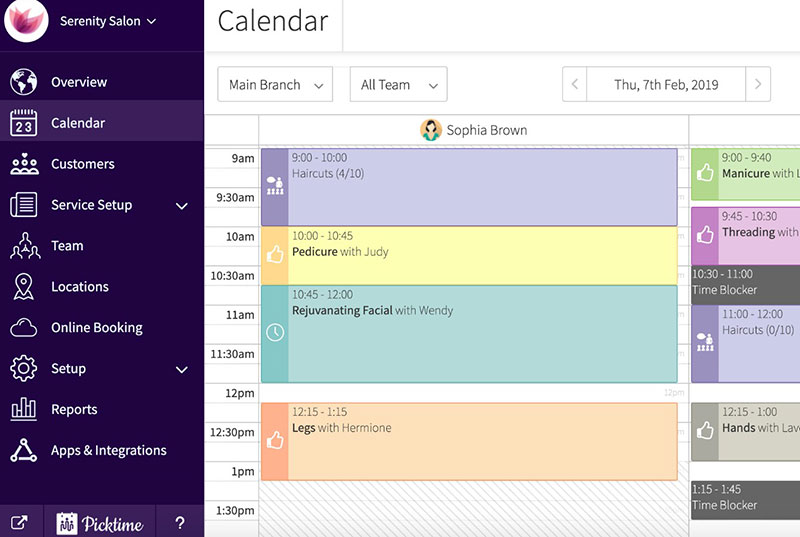
Picktime is an online booking system. You can access it by going to their official website.
There you can register with your Facebook or Google account, or another email address. Once you have generated your account, you can add customers and team members.
After that, you can start scheduling appointments. You can also set office hours for each of the team members.
Picktime is great for business owners or professionals that want a simple but effective scheduler.
It enables you to create and manage your appointments. As a result, you can make optimal use of your time and business opportunities.
Among Picktime's clients, you find:
- Chiropraktoren
- Carpet cleaners
- Dentists
- Fitness gyms
- Legal offices
- Physical therapists
- Psychologists
- Spas and salons
As the list above shows, anyone in the service industry can use Picktime.
Many large enterprises do too. They schedule appointments with employees, job applicants, clients, and consultants.
Picktime unites meeting scheduling, calendar, customer, and staff management in one place.
Picktime Features
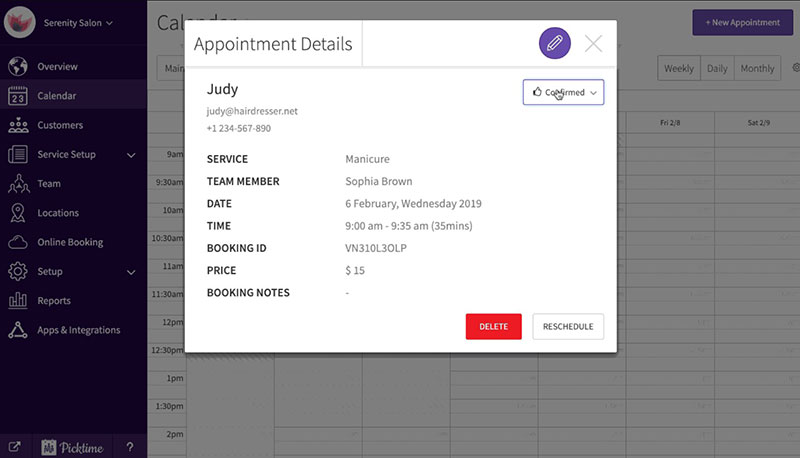
Published Picktime reviews reveal many interesting features. These features are versatile and fulfill the needs of different types of businesses.
Picktime is a very comprehensive scheduling software solution. Its management options will increase booking efficiency and remove many communication problems.
- Schedule meetings. Picktime's primary purpose is to schedule appointments. Use it to arrange classes, meetings, online interviews, and other important matters.
- Set recurring appointments. When you create an appointment you can set it to ‘recurring’ or ‘single event’. You can select whether it repeats daily, weekly, or monthly. On the same screen, you can set the time and duration, and other meetings or customer information.
- Online Booking. This interesting feature lets you send out an online booking link. Customers can follow the link and indicate the time and date of their preference. The customer cannot create an appointment, they can only give their preference.
- Multiple locations und time zone conversion. The free version facilitates two business locations, whereas Premium versions support more. There is an automatic time zone conversion function based on the clients' locations.
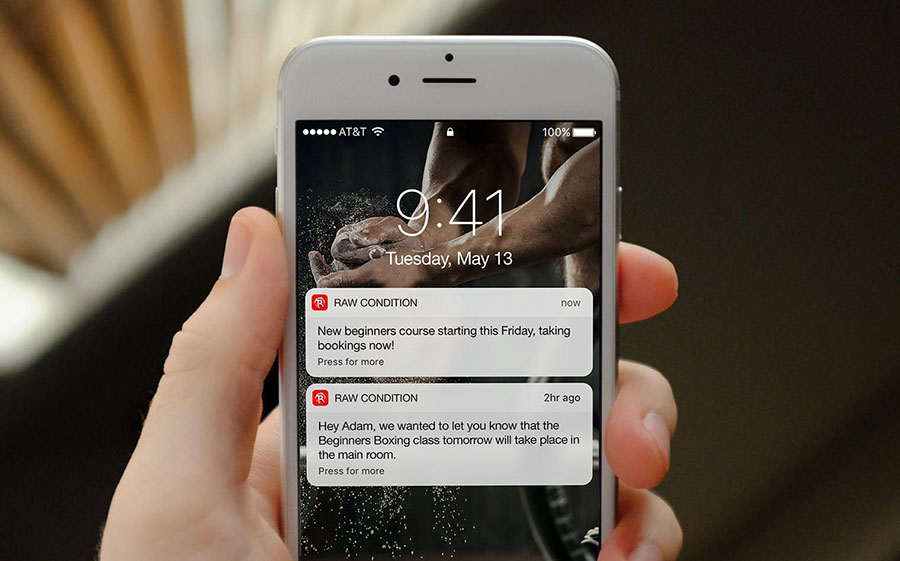
- Automatic Reminders. Sending out reminders will help to decrease the number of no-shows.
- In-depth Reports. Picktime can generate detailed reports on any aspect of your business activities. You can arrange them by month, week, day, or custom date range.
- Synchronization. Picktime has an in-app calendar that syncs with your personal calendars. It supports Outlook, Office 365, iCloud, Exchange, and Google Calendar. It will sync immediately every time you add an appointment.
- Online Payments. The appointment scheduling platform lets you request a booking deposit, payment in advance, or payment after. Picktime integrates with payment providers like Paypal, Square, and Stripe. Another handy feature is the option to offer subscription-based pricing.
Those were some of Picktime's most interesting features. But there is much more.
Below is a brief summary:
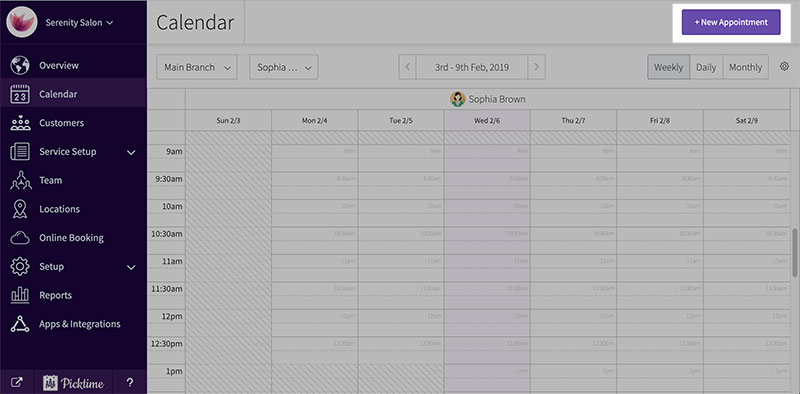
- Appointment scheduling
- Booking page
- Booking widget
- Calendar synchronization
- Class bookings
- Dashboard overview
- Email alerts
- Invoice generation
- Customer management
- Manage staff
- Multiple location access
- Online calendar
- Picktime reviews
- Print agenda
- Recurring appointments
- Reports
- SMS reminders
- Online payments
Benefits
Easy Access and Notifications
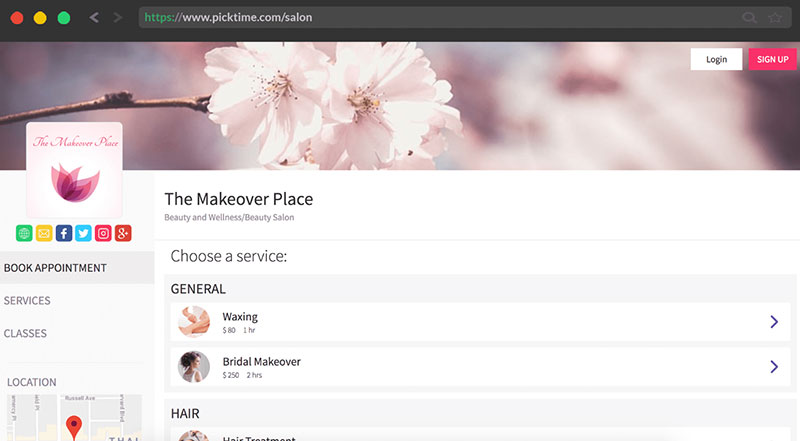
With Picktime, everything is accessible in one online booking system. You can check your availability using your desktop computer, or while on the go from a mobile phone.
You can share your availability with your client via a booking page. They can show their preference and they will receive notifications.
That is an important feature because it will reduce the number of missed appointments. That enables businesses to be more time-efficient.
However, should the need arise, you can reschedule or cancel a meeting or appointment. This is fast and easy and takes only a few clicks.
Customizable Calendar
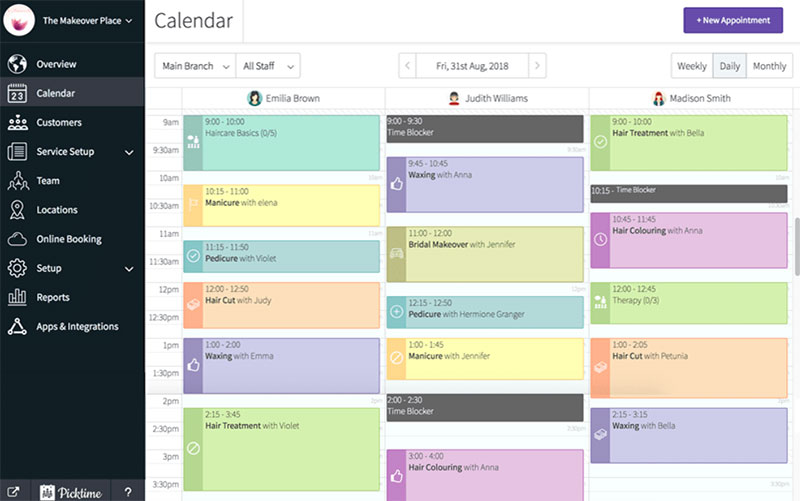
The main purpose of Picktime is to book and manage appointments, but that is not all it does. It enables businesses to develop a complete scheduling system.
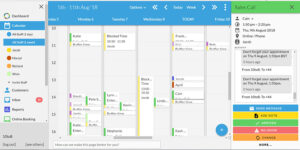
Das online calendar is central to this and it is accessible anywhere, at any time. Users can get an overview of what their day looks like and arrange and rearrange meetings.
You can also block out certain time slots that you need for personal matters. That helps all team members to maintain a healthy work-life balance.
Modern Appointment Setting Approach
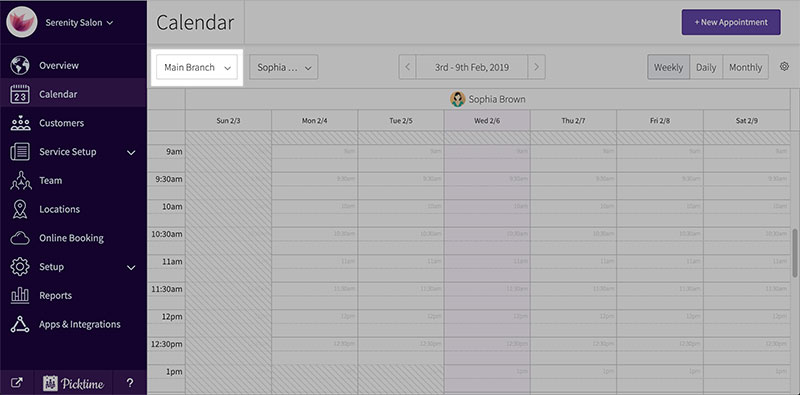
Scheduling appointments in the traditional way is a lot of work. So, it’s logical to try to find easier, more efficient ways of scheduling.
Especially as meetings and other engagements play a key role in business management.
Picktime takes away much of the stress by taking over a large part of the administrative work. Its tools are powerful, intuitive, and available 24/7.
Mehrere Standorte
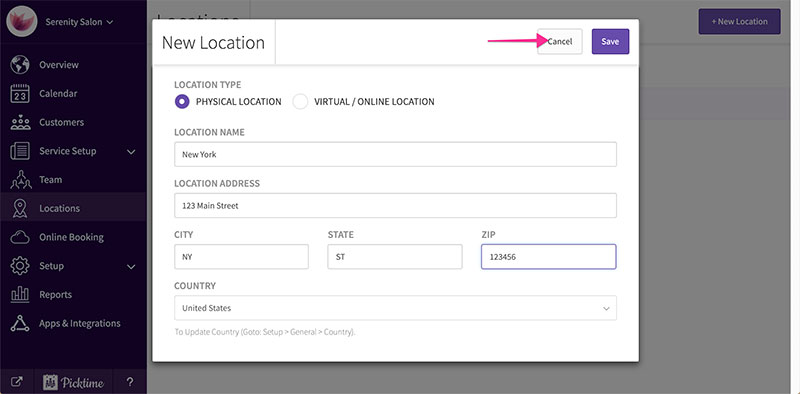
From the dashboard, you can manage the appointments of up to two offices. It can check the client's location to see which of the two is most convenient.
Three Users for Free
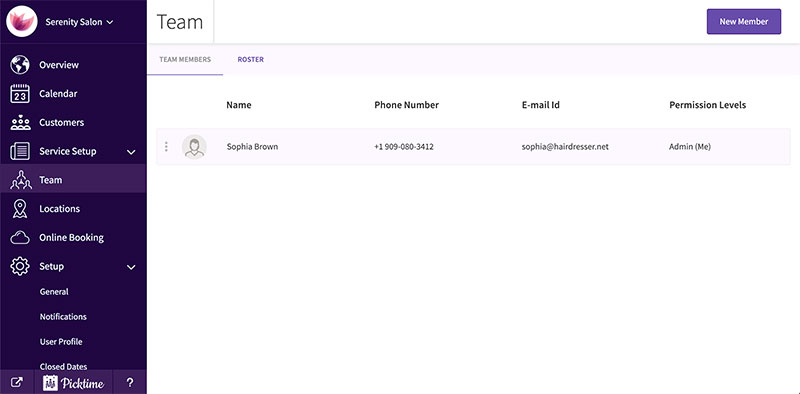
With Picktime's free version, you can add up to three users. That is more generous than other similar free appointment scheduling software platforms.
Schedules for Other Team Members
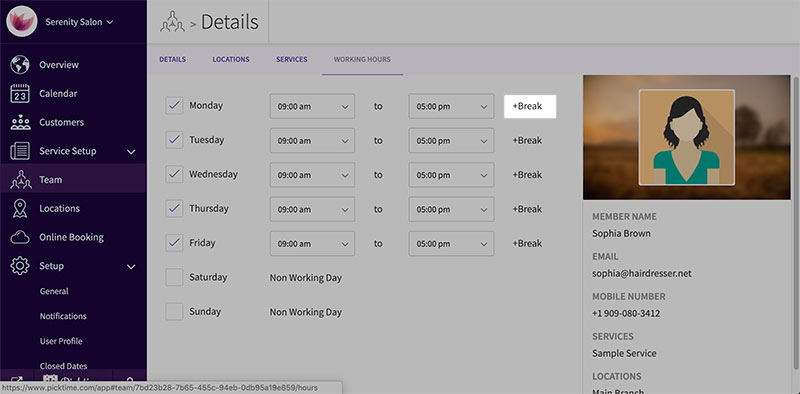
Picktime has a feature for managing the schedules of other team members. In this case, you can take account of their availability, including holidays.
Editing their schedules is quick and effortless. You can do it whenever the need comes up, like when someone calls in sick.
You can make the adjustments and then print or publish them in only a few minutes. Thus, everyone knows what they are doing and when.
Customer Management
The customer management feature contains customer data. You need that for setting up successful marketing campaigns.
Picktime provides fast access to this. It further allows you to import and export new data whenever you want.
Customers have the option to create a personal account. Among other things, this enables them to keep track of their appointments with you.
Market Familiarity
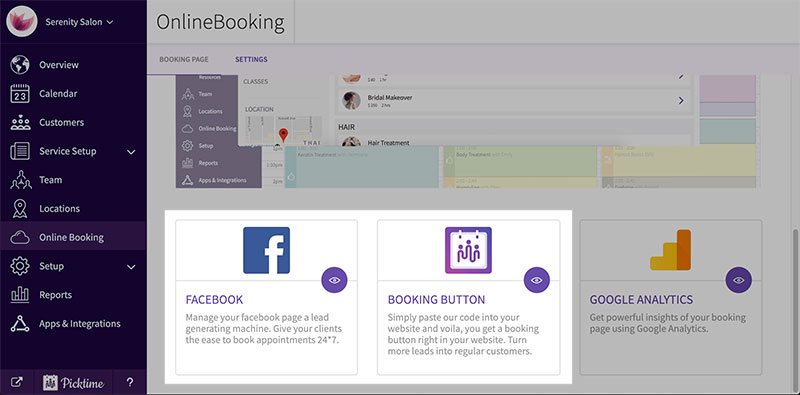
Making appointments is not the only thing a business nees to do. The Picktime appointment scheduling platform helps you to connect and engage with customers.
You can fortify the relations you already have with clients. By collecting certain information, you can always give them the best service and offer the best promotions.
What Picktime Lacks
A lot of Picktime reviews are positive and talk about the many awesome free features. However, the free version is not complete.
Suggested improvements include adding integrations for SMS providers and video conferencing platforms. Picktime does have these, but they are only available in the premium plans.
The free version also limits class bookings. In addition, it lacks customization options for emails and text message reminders.
Picktime Pricing
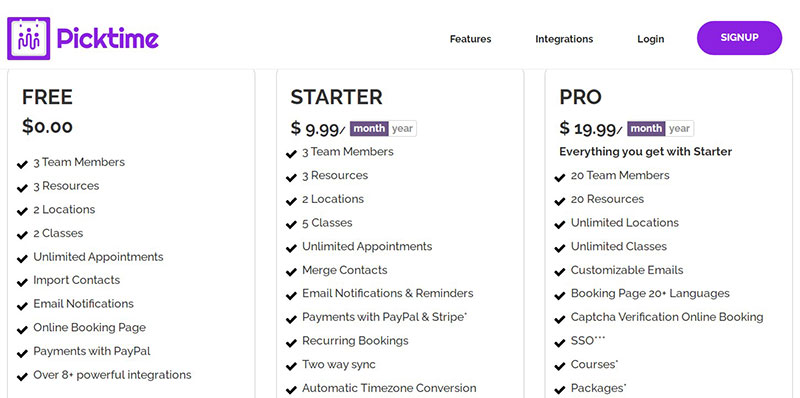
Picktime was completely free on its initial release in 2017. The scheduling software has since added different paid plans.
For most small businesses, the free version is robust enough. The paid Starter and Pro plans include more features and allow more users and class bookings.
Still, the free plan is a great place to start. When your business grows you can always go for one of the premium plans.
Prices are:
- Starter - $9.99 per month
- Pro - $19.99 per month
Picktime Reviews Bottom Line
Picktime has been around for a few years but it continues to grow. Picktime reviews are enthusiastic about what this appointment scheduling software can do.
It is robust, and the free option has the tools to cover the needs of a small business. As a reminder, Picktime offers these main features:
- Online payments
- Booking forms
- Invoicing
- Automated email reminders
- Accept deposits
A business with two locations and few employees will enjoy using this scheduling software. The location access, workforce optimization, and staff scheduling features are excellent.
Get an even better app to use
Organisiert zu bleiben war noch nie so einfach.
Sie können Ihr Unternehmen jetzt mit einer einzigen, leistungsstarken Software verwalten und Ihre Marke ausbauen, die all Ihre Termine im Griff behält, Ihre Kunden organisiert und Ihr Geschäft florieren lässt.
Trafft ist perfekt für Geschäftsinhaber, die ihre Buchungsabwicklung sowohl für ihre Mitarbeiter als auch für ihre Kunden optimieren müssen.
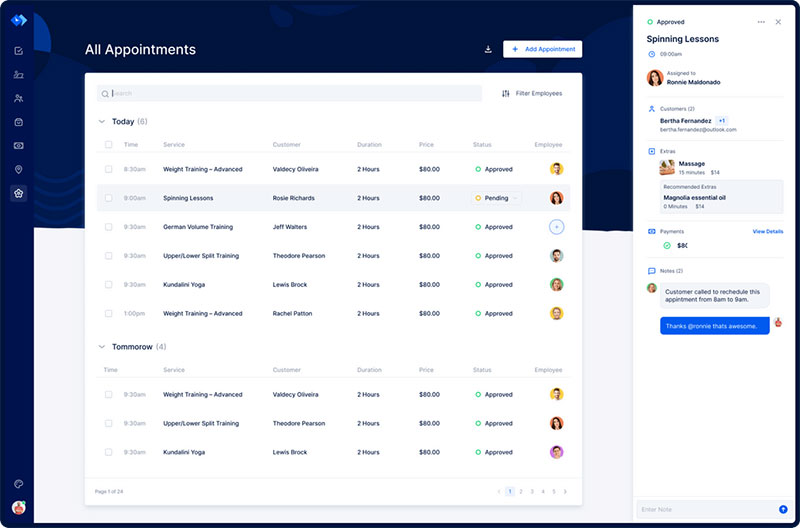
Trafft übernimmt alles für Sie, selbst das Senden automatisierter E-Mail- oder SMS-Erinnerungen an Ihre Kunden. Nichterscheinen? Ab sofort kein Thema mehr!
Die Trafft-Buchungssoftware passt sich verschiedenen Branchen an und sorgt für ein reibungsloses Online-Buchungserlebnis sowie eine effiziente Mitarbeiterverwaltung.
Möchten Sie mehr erfahren? Besuchen Sie Die großartigen Funktionen von Trafft um zu sehen, was dir fehlt.
If you enjoyed reading this article about Picktime reviews, you should read this one on Calendly vs Microsoft Bookings.
We also wrote about a few related subjects like Youcanbook.me reviews, Findtime vs Calendly, Glofox reviews, Acuity or Calendly, Picktime vs Clendly, und therapy scheduling software.