There are two great scheduling apps: vCita and Acuity Scheduling. Which one is the best? As always, that depends on your needs.
This article breaks down the characteristics of both. It compares Acuity Scheduling vs vCita.
Study their features and decide which ones meet your needs best.
Both options have similar pricing and offer options for expanding their functionalities. Yet, there are small differences that may be significant at the individual level.
vCita vs Acuity Head to Head
vCita
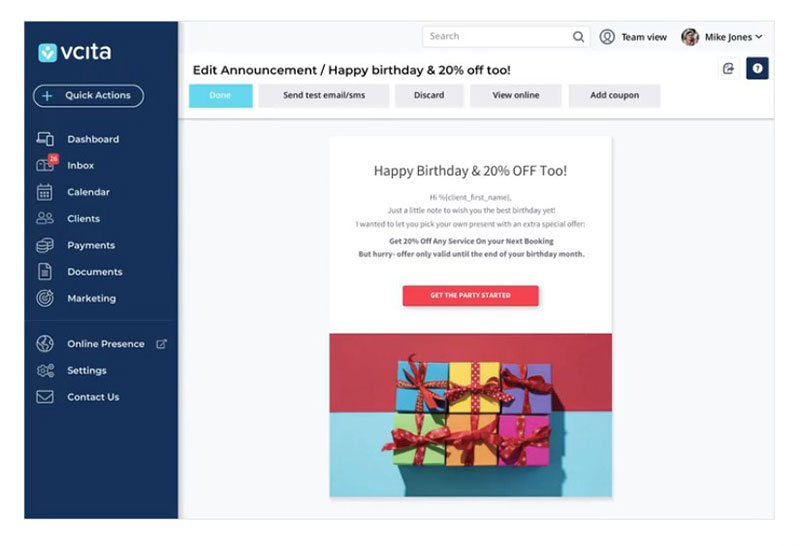
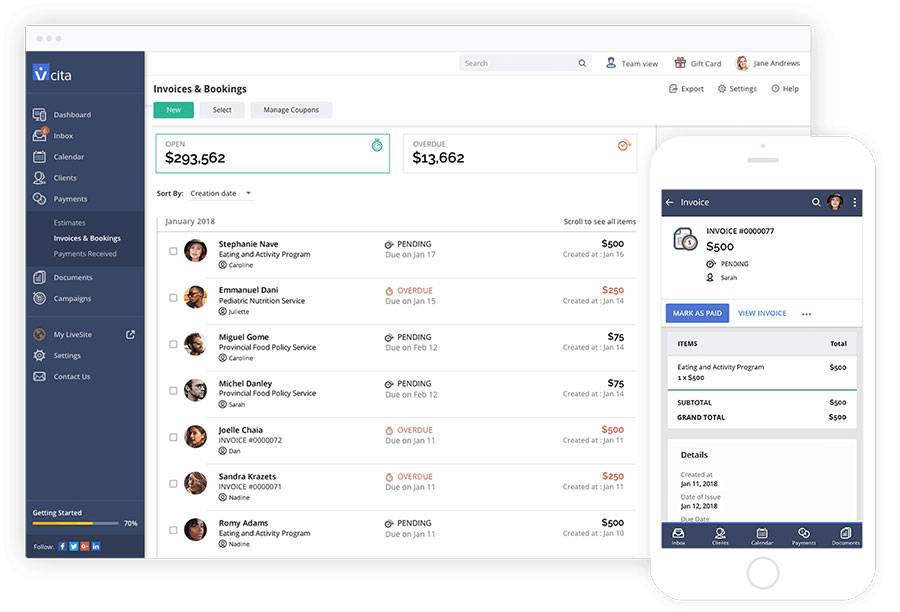
vCita is a very complete software solution for businesses. It includes various scheduling features, customer relation management, payments, und document sharing.
That is great for the business owner and also for current and potential clients. It will be easier for them to reach you.
It is especially suited for B2C companies that depend a lot on appointments. The CRM feature brings the contact information of all clients into one place.
That facilitates contact by SMS, email campaigns, online scheduling, and client payments.
Acuity Scheduling
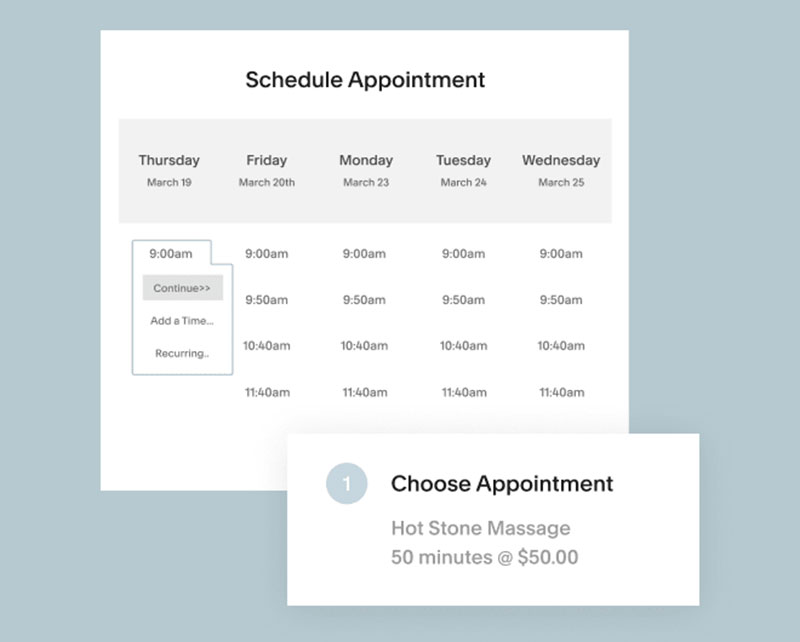
Acuity Scheduling is an outstanding online tool for booking and managing appointments.
It is particularly easy to use thanks to the intuitive user interface. This is helpful for both users and clients.
It integrates with many popular management tools for accounting, CRM, marketing, time administration. Acuity is very adaptable, which makes it perfect for any kind of business.
It is most suitable for those that offer online classes, consulting, or similar appointment-based services. The flexibility that Acuity offers also makes it suitable for businesses of any size.
Acuity is well worth the time and money to get it up and running and configured to do what is needed. A correct configuration helps the user to get the best out of this platform.
It will automate scheduling tasks and match the design of the brand.
Scheduling Options
Both choices offer a variety of powerful scheduling options.
vCita
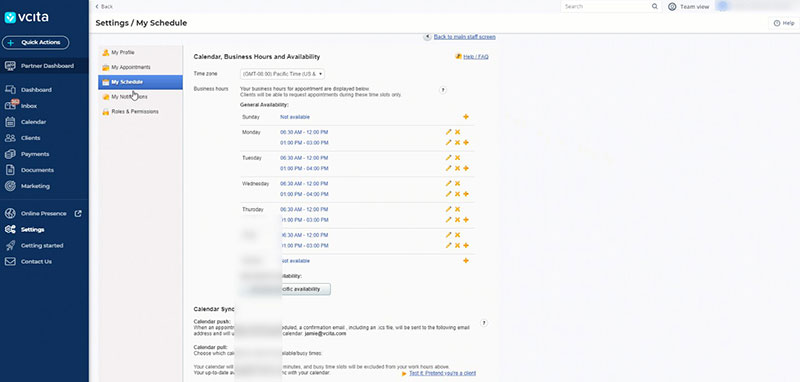
vCita integrates with Google Calendar. Users can also add a booking widget to their website if they want to.
vCita offers two main functionalities. The first one shows customers your availability.
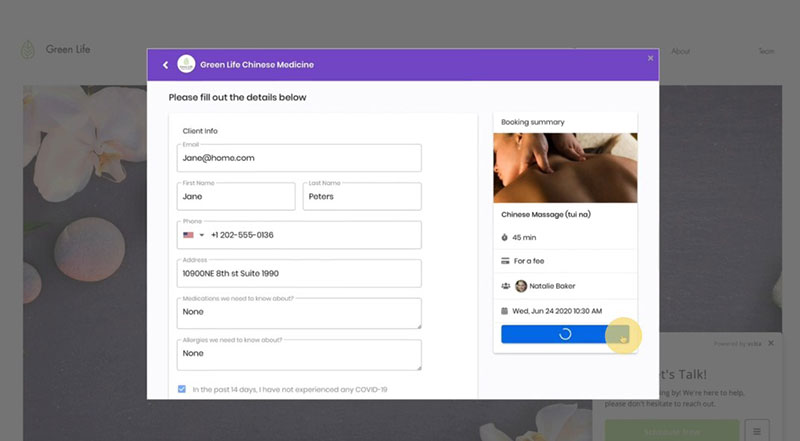
The second functionality allows you to manage the appointments. Among the adjustable settings are slot length, business hours, and lunch hours.
The Client Portal makes it very easy for clients to book their appointments. You can choose to receive email notifications or only messages in the app.
Acuity
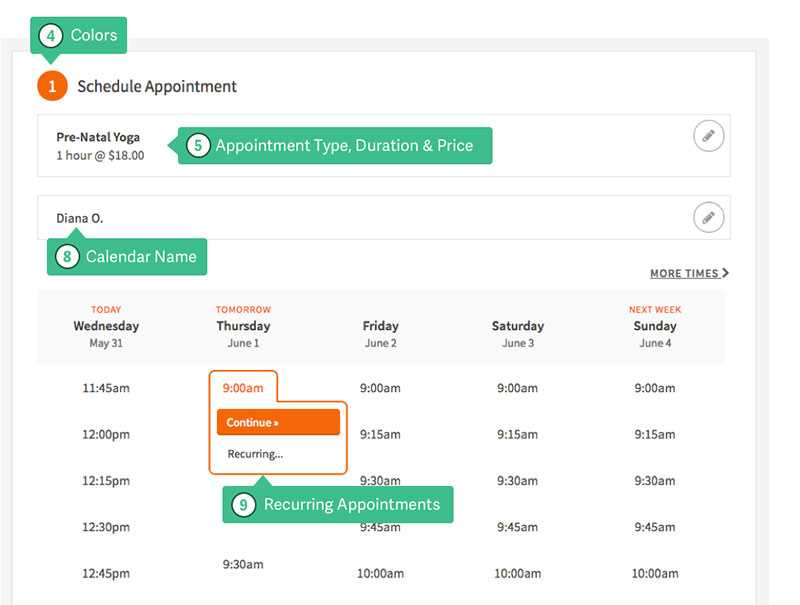
Acuity revolves around the calendar feature. It is very easy to use thanks to the drag-and-drop feature.
To change the time, drag the block to a different time slot. This immediately updates the appointment information.
You can exclude certain time slots for lunch or preparation for the next appointment. It is also possible to make group bookings with a predefined number of participants.
Customers will see real-time availability. That makes booking appointments very reliable and simple for them.
They can book recurring appointments or include themselves on a waiting list.
You can assign specific colors to different types of services. The color-coding helps to get a quick overview of the bookings.
Funktionen
Both products offer different features to expand the capabilities of the basic subscription. Having a closer look at these features highlights the differences between them.
vCita
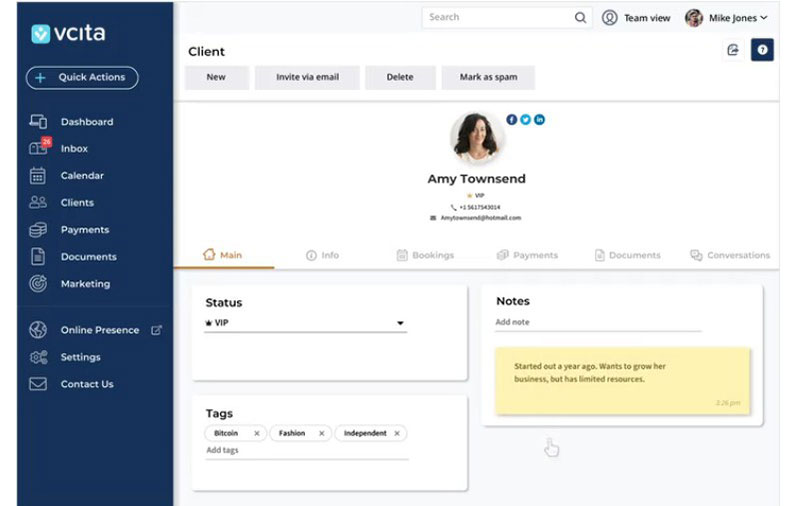
vCita's strong point is its extensive client relationship management features. These CRM features target the needs of smaller and medium-sized businesses.
The vCita app works on all browsers, which makes it usable on desktops, and Android and iOS devices. There is no desktop application available, which causes some minor inconveniences.
Below is a summary of vCita's main features:
- Automated scheduling
- Calendar syncing
- Client information database
- Confirmations and reminders
- Group appointment scheduling
- Mobile Access
- Multi-Location
- Online Bookings
- Online Payments
- Repeating Appointments
Acuity Scheduling
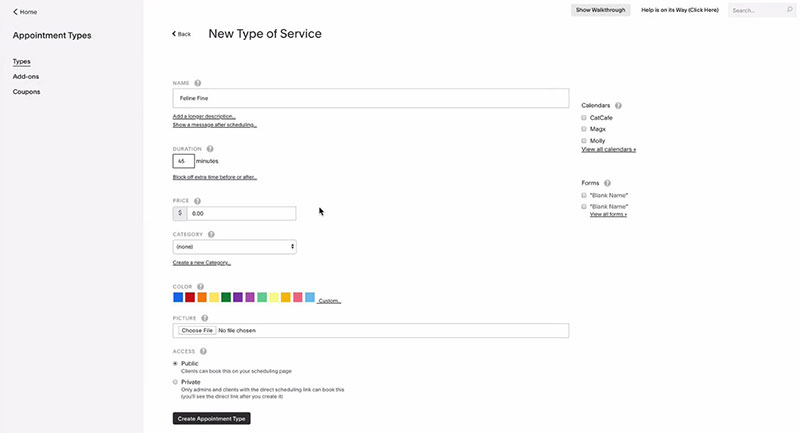
Acuity Scheduling is a little different. Its focus is on customization and automation.
It is the perfect tool for saving time in scheduling and managing appointments.
Its main features are:
- Automated Scheduling
- Calendar syncing
- Client database
- Confirmations and reminders
- Group scheduling
- Mobile access
- Multi-location
- Online bookings
- Online payments
- Recurring appointments
- Venue booking
Preise
vCita
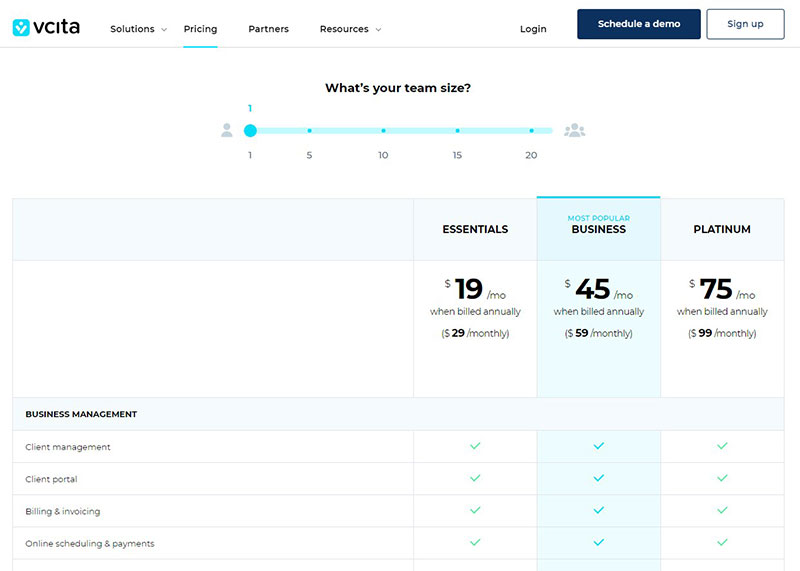
vCita offers different subscription packages:
- Das Essentials package.
The cost of the basic package is $19 per month. It includes online appointment scheduling and payments.
For other features, you will need to purchase the Business package or higher.
- Das Business package.
This has a fee of $45 per month. This option includes email and text message marketing, analytics, coupons, and client tags.
- Das Platinum package.
This is the most complete deal with a price tag of $75 monthly. It caters to the needs of larger teams and focuses on internal management.
It allows five simultaneous logins and gives access to priority customer support.
Acuity Scheduling
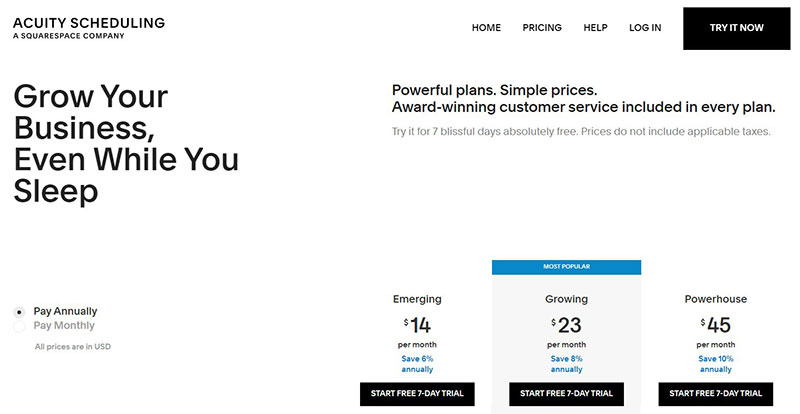
Acuity Scheduling offers four plans with different characteristics. All of them have a seven-day free trial.
- Das Emerging Plan.
This is the most basic plan. It costs $14 or $15 per month, depending on whether you pay annually or monthly.
It includes online client scheduling, unlimited appointments, reminders, follow-ups, time zone conversion. Online payments are possible through PayPal, Square, or Stripe.
Acuity has integration with Zoom and Google Meet.
- Das Growing plan.
This option costs $23 or $25 per month, depending on the payment form. It also includes SMS reminders, appointment packages, memberships, and gift cards.
- Das Powerhouse plan.
This has a monthly fee of $45 or $50. The plan includes automatic time zones conservation for multiple clients.
Benefits
Both Acuity Scheduling and vCita make booking and managing appointments much more efficient.
They have optimized calendars, online payment options, and have tools for marketing.
They enable clients to book their own appointments online, wherever they are, and at any time.
vCita
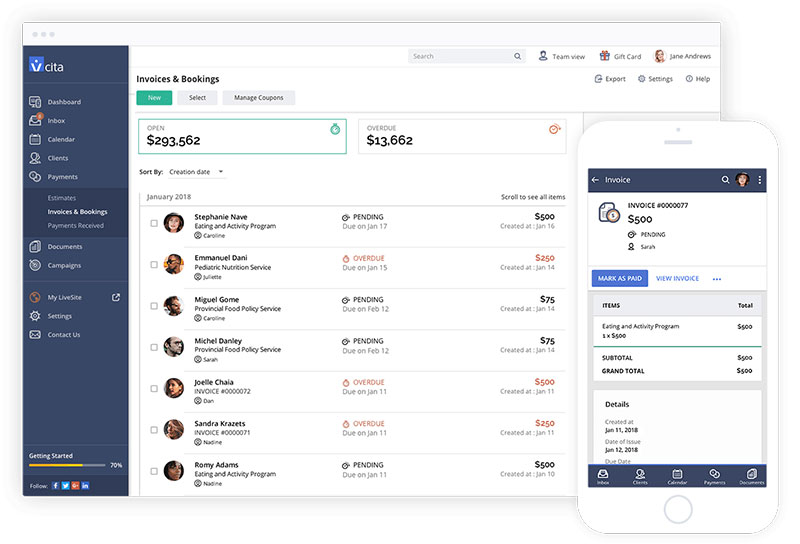
vCita has advanced billing and invoicing features. You can choose to add a business logo and include its branding.
Payments with vCita are easy and reliable through one of the well-established online payment gateways. It offers the LiveSite functionality that helps to boost conversion rates.
All these features motivate website visitors to take action. The application is responsive, and creating a landing page is fast and easy.
With the online booking page in place, managing clients is easy. The business will take care of itself so you can focus on dealing and communicating with clients.
Once clients enter the website, they have the means to make appointments and get in touch with you. There is an inviting call to action button that will generate even more bookings.
Acuity Scheduling
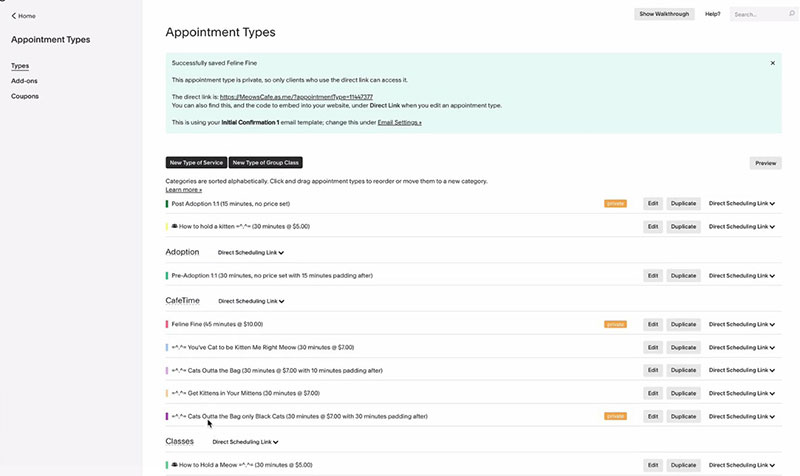
Acuity Scheduling saves time for users, colleagues, and clients. It makes staying on top of appointments fast and easy.
Its integrations with various business applications help with this matter.
By embedding the scheduler into your website, visitors can make appointments whenever they want. The scheduler syncs immediately with other apps, like iCloud, Outlook, and Google Calendar.
Manage virtual meetings through integrations with Join.me, GoToMeeting, and Zoom. Other useful integrations into Acuity Scheduling include:
- MailChimp
- AWeber
- Constant Contact
- MadMimi
- Zapier (More than 500 other apps)
Apply custom CSS to display everything with your company's style and logos.
Acuity offers Freshbook and QuickBooks integration. This helps you to stay on top of money flow, invoicing, and saves clients' credit card details.
Acuity handles payments from Authorize.net, PayPal, Square, Stripe, and other portals.
Clients can choose to add a tip to their bill in appreciation for the services they received. They can even choose to use coupons for discounts.
Acuity also allows you to create appointment packs for loyal customers. There are options for workshops, group classes, and organizing large seminars.
In the online store, website visitors can find classes, packages, and other products. The analytics function helps you to stay on top of time use and overall performance.
Conclusion on vCita vs Acuity Scheduling
There are few differences between vCita vs Acuity Scheduling.
Both are easy to set up and to work with, and they both have a mobile app. Also, in terms of customization and scheduling, their performance is very similar.
When it comes to integrations, Acuity Scheduling is a little more advanced than vCita.
On the other hand, vCita scores better on robustness, marketing tools, and CRM. It is an excellent tool for small B2C businesses that handle many appointments.
Email and SMS marketing options, website widgets, and client portals make both choices very useful. The automated features allow business owners to increase the number of leads.
What’s more, they can manage them adequately. This gives you more time to focus on interacting with clients.
Get an even better app to use
Organisiert zu bleiben war noch nie so einfach.
Sie können Ihr Unternehmen jetzt mit einer einzigen, leistungsstarken Software verwalten und Ihre Marke ausbauen, die all Ihre Termine im Griff behält, Ihre Kunden organisiert und Ihr Geschäft florieren lässt.
Trafft ist perfekt für Geschäftsinhaber, die ihre Buchungsabwicklung sowohl für ihre Mitarbeiter als auch für ihre Kunden optimieren müssen.
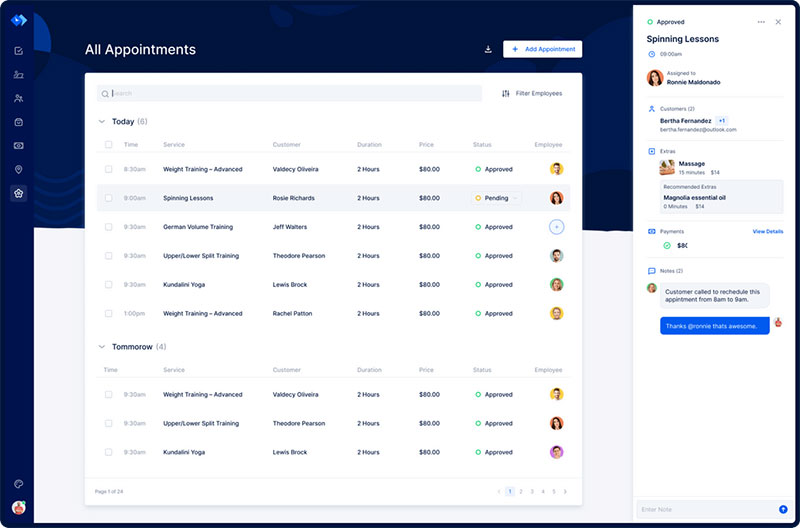
Trafft übernimmt alles für Sie, selbst das Senden automatisierter E-Mail- oder SMS-Erinnerungen an Ihre Kunden. Nichterscheinen? Ab sofort kein Thema mehr!
Die Trafft-Buchungssoftware passt sich verschiedenen Branchen an und sorgt für ein reibungsloses Online-Buchungserlebnis sowie eine effiziente Mitarbeiterverwaltung.
Möchten Sie mehr erfahren? Besuchen Sie Die großartigen Funktionen von Trafft um zu sehen, was dir fehlt.
If you enjoyed reading this article with vCita vs Acuity, you should read about these Calendly alternative apps.
We also wrote about a few related subjects like Scheduleonce reviews, Vagaro vs Acuity, Schedulicity reviews, Schedulicity vs Acuity, Zoho Bookings vs Calendly, und Honeybook alternative apps.