
Scheduling a meeting with multiple attendees can be a logistical challenge, but there are easy ways to overcome it. In this comprehensive guide, we'll explore the three best methods to streamline the process and ensure seamless coordination for your group meetings.
From leveraging popular calendar apps to diving into dedicated scheduling tools and harnessing the power of communication platforms, we're about to teach you how to become an effective meeting coordinator. So, whether you're a project manager with a global team or a business professional scheduling client meetings, these tried-and-true methods will change the way you schedule and manage meetings with multiple attendees.
Benefits of Effective Scheduling for a Meeting with Multiple Attendees
But what's in for you? Let's explore the benefits of effective scheduling for a meeting with multiple attendees:
- Effective time management
By synchronizing calendars and finding mutually convenient time slots, the process maximizes productivity without wasting valuable hours. This leads to better time management.
Explore how poor time management can make your business suffer.
- Increased productivity
Streamlined scheduling directly contributes to heightened productivity levels. When you plan meetings efficiently, multiple attendees can focus on the agenda at hand, fostering a conducive environment for meaningful discussions and actionable outcomes.
- Fewer scheduling conflicts
When you're scheduling a meeting with multiple attendees, there is a higher chance of scheduling conflicts.
- Better team collaboration
It promotes a collaborative atmosphere within the team. Attendees can engage in discussions with a clear understanding of each other's availability, fostering a sense of unity and shared responsibility towards common goals.
- Boosted morale and engagement
Efficient scheduling contributes to a positive work environment. Team members appreciate the consideration given to their time, leading to increased morale and a higher level of engagement during meetings. This, in turn, contributes to a more vibrant and motivated team.
- Strategic alignment with your business goals
Effective meeting scheduling with multiple attendees aligns with broader business objectives. By ensuring that key stakeholders are present and focused during critical discussions, organizations can achieve more strategic alignment, making meetings integral components of overall success, particularly in the context of remote communication.
#1 Way to Schedule a Meeting with Multiple Attendees
Calendar apps have become indispensable tools for businesses who want to streamline their processes. Because of that, calendar apps are one of the best ways to schedule a meeting with multiple attendees. There is one better way we've explored in the next section, but calendar apps are the foundation.
Overview of popular calendar apps suitable for scheduling group meetings
Several calendar apps stand out for their features catering specifically to scheduling group meetings. Some popular choices include:
- Widely used for its intuitive interface and seamless integration with other Google Workspace tools.
- Allows users to create events, set reminders, and invite multiple participants to meetings effortlessly.
Microsoft Outlook Calendar
- A robust option, especially for organizations using Microsoft 365.
- Offers features like shared calendars, meeting suggestions, and integration with Microsoft Teams for virtual meetings.
Apple Kalender
- Ideal for users within the Apple ecosystem, offering synchronization across Macs, iPhones, and iPads.
- Facilitates easy scheduling and event management, supporting collaboration for Apple users.
Step-by-step guide on how to schedule a meeting for multiple attendees using a calendar app
- Open the Calendar app
Launch the chosen calendar app on your device, whether it's Google Calendar, Outlook, Apple Calendar, or another.
- Create a new event
Select the option to create a new event or meeting within the app.
- Enter event details
Fill in essential details such as the meeting title, date, and duration and include a meeting minutes template and any other necessary documents. Specify whether it's a recurring appointment if needed.
- Add multiple attendees
Invite participants by entering their email addresses. Most calendar apps provide an option to check their availability before finalizing the meeting time.
- Set reminders and notifications
Configure reminders and notifications to ensure participants are well-prepared for the meeting.
- Save or send invitations
Save the event, and if applicable, send invitations to participants. Calendar apps often offer the option to include meeting details directly in the invitation.
#2 Best Way to Schedule a Meeting with Multiple Attendees
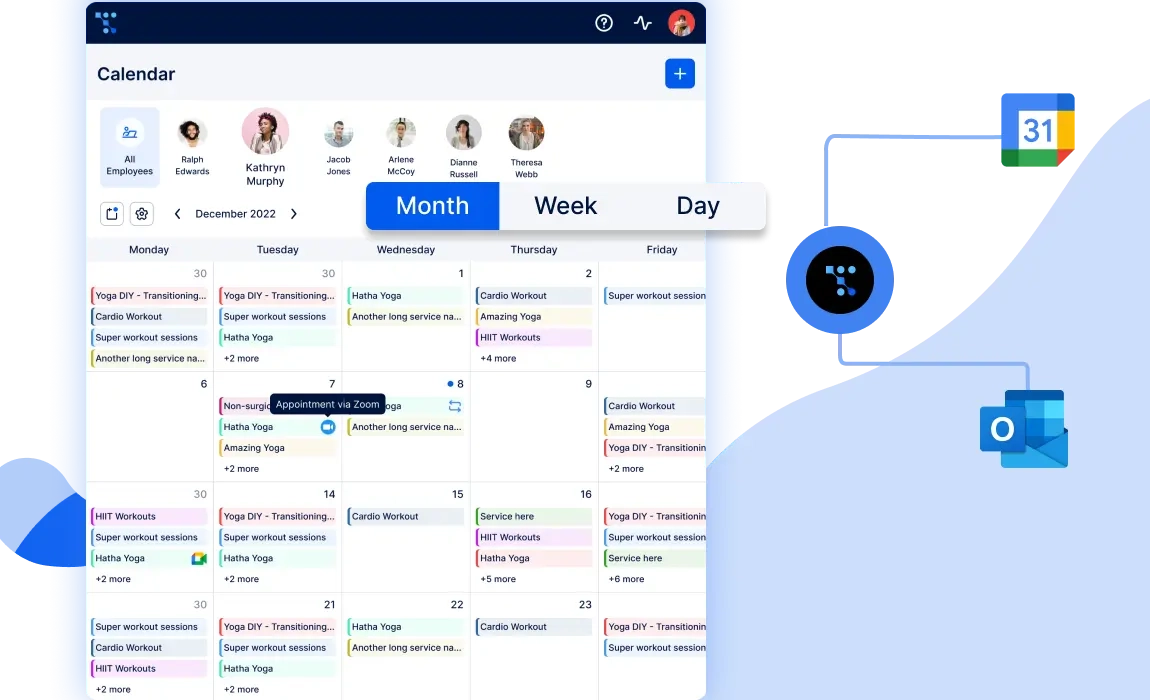
In the pursuit of more sophisticated and tailored solutions for scheduling meetings with multiple attendees, scheduling tools have emerged as powerful assets for businesses.
Trafft is the best free booking software you can use to schedule meetings with multiple attendees. It has two-way sync and integrations with your favorite calendar apps - Google, Outlook, and Apple Calendar.
If you're tired of scheduling headaches, missed appointments, and administrative chaos Trafft is your ticket to seamless, efficient, and stress-free meeting scheduling with multiple attendees. Here's why Trafft is the ultimate solution for businesses of all sizes:
- Trafft stands out as the go-to appointment scheduling software based on customer reviews, feature-to-cost ratio, customization, and flexibility. It offers a rich array of basic and advanced features designed to streamline scheduling, optimize repetitive tasks, and create high-converting booking websites.
- Trafft's platform is engineered to minimize errors, leaving no room for no-shows or Doppelbuchungen. Experience the reliability that ensures your schedule remains organized and efficient, allowing you to focus on what matters most – growing your business.
- Perfect for businesses with multiple branches or locations, Trafft allows you to manage appointments seamlessly across different places.
- Connect with clients effortlessly using native integrations with Zoom and Google Meet, making scheduling virtual meetings a breeze.
- Harness the power of Trafft's insightful dashboards to gather essential metrics for informed business and marketing decisions.
- Ensure you always get paid on time with Trafft's integrated payment processing. No more chasing payments or worrying about no-shows affecting your bottom line.
- Choose how you share your booking page – whether through a booking QR code, an embeddable form on your website, or a simple link. Trafft adapts to your preferences.
Affordable Plans, Unparalleled Free Features
Trafft offers plans tailored to fit the needs and budgets of all service businesses. Even better, there's an unparalleled free plan that provides superior features, setting Trafft apart from the competition.
Pricing: Free for up to 5 members; paid plans start from $29 per month.
Exceptional ratings:
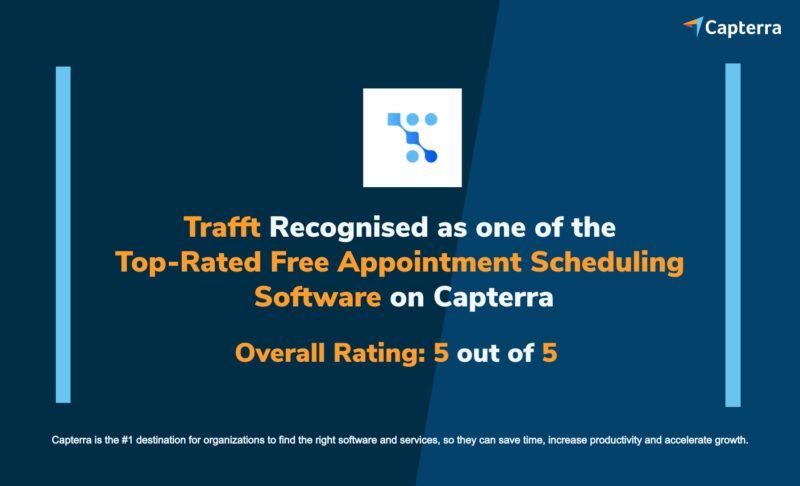
- 5/5 on Capterra
- 4.7 on G2
- Excellent on TrustPilot
- 5/5 on GetApp
Trafft goes beyond scheduling meetings with multiple attendees; it also offers you security and financial stability. Integration with payment processing tools like Paypal, Mollie, Stripe, and Authorize.net ensures you get paid on time, every time. Trafft even automates invoices, saving you time and hassle.
With Trafft's insightful dashboard, you'll always know where you stand in terms of revenue and profit. Automated email & SMS reminders and booking confirmations streamline communication, ensuring clarity and reducing misunderstandings.
If you're ready to transform how you schedule meetings with multiple attendees, start using Trafft for free now! Whether you're a solo entrepreneur or managing a team, Trafft's feature-rich, user-friendly platform is your key to unlocking efficiency, growth, and financial success. Don't miss out – sign up for Trafft today and revolutionize the way you schedule meetings with multiple attendees!
#3 Way to Schedule a Meeting with Multiple Attendees
As the workplace becomes increasingly reliant on effective communcation, platforms with integrations have become extremely important in optimizing the meeting with multiple attendees coordination process. This method leverages the collaborative nature of these platforms to streamline scheduling and enhance overall efficiency. Let's see how they work:
- Communication platforms provide a unified space for team collaboration, eliminating the need to switch between different tools.
- Communication platforms like Slack, Microsoft Teams, and Google Workspace facilitate real-time collaboration. Team members can discuss and finalize meeting details within the same interface where they communicate daily.
- Integration with calendar apps allows instant access to team members' schedules directly within the communication platform. This minimizes the effort required to check availability and reduces the risk of scheduling conflicts.
- Many platforms enable users to send meeting invitations seamlessly, eliminating the need to switch to a separate email or calendar application. This creates a more cohesive and time-efficient scheduling process.
Microsoft Teams
- Integrates with Outlook Calendar, providing a seamless transition between team communication and scheduling.
- Offers features like scheduling meetings, sending invitations, and even conducting virtual meetings within the platform.
- Trafft's free booking software integrates with Outlook Calendar and Microsoft Teams for scheduling and holding meetings of all types!
Google Workspace
- Integrates with Google Calendar and Google Meet and provides an easy way to schedule meetings with multiple attendees.
- Trafft integrates with Google Meet and Google Calendar to easily schedule, manage, and hold meetings while avoiding scheduling conflicts thanks to two-way sync.
Tips on leveraging communication tools for efficient scheduling
- Leverage the chat-based features of these platforms to discuss meeting details, share agendas, and gather input from team members in real-time.
- Encourage team members to update their status and availability on the communication platform, making it easier for others to identify suitable meeting times.
- Some platforms offer automation features that can assist in scheduling tasks. Explore and implement automation where possible to further streamline the process.
- Create dedicated channels for specific projects or teams, where discussions and scheduling-related communication can take place in an organized manner.
How Businesses Have Improved Productivity Using Booking Software
Here's a closer look at how businesses have successfully improved their productivity by adopting the methods we've discussed with booking software:
- Many businesses have reported a significant increase in efficiency when adopting calendar apps for meeting scheduling. These tools provide a centralized platform, making it easy for teams to coordinate and avoid scheduling conflicts.
- Calendar apps with collaborative features enhance communication among team members. Quick access to shared calendars ensures everyone stays on the same page, minimizing misunderstandings and missed meetings.
- Businesses that embraced dedicated scheduling tools experienced notable time savings. These tools automate various aspects of the scheduling process, reducing the back-and-forth communication often associated with finding suitable meeting times for multiple attendees.
- The flexibility and customization options offered by dedicated tools allow businesses to tailor their scheduling processes to fit specific needs. Integration with other business tools enhances overall workflow efficiency.
- The combination of communication and scheduling features fosters improved collaboration. Teams can discuss agenda items, share documents, and schedule meetings—all within a single platform, fostering a collaborative work environment.