







A fully booked calendar is a good problem to have, until you start turning clients away.
This update is about keeping that demand instead of losing it. Trafft now has a waiting list, so a full time slot no longer means a lost customer. You can also connect Trafft to Claude, ChatGPT, or another AI assistant and manage your bookings by chat.
Here's what's new:
- Waiting list: let customers line up for fully booked slots
- AI Assistants: manage appointments, customers, and coupons from Claude, ChatGPT, or another AI assistant
Waiting list
When a popular slot fills up, most customers simply leave. Then someone cancels, the slot opens again, and nobody knows about it.
With the new waiting list, customers can join a queue for a fully booked time slot instead of walking away.
How it works for your customers
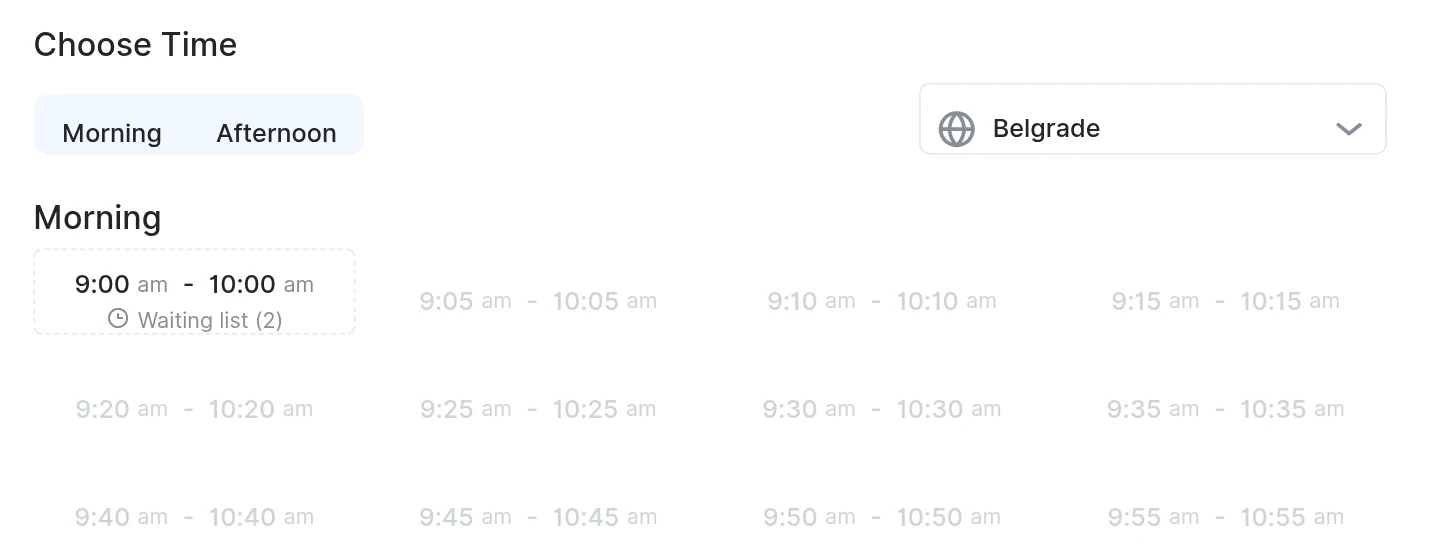
- A full slot shows a clock icon and a label like "Waiting list (2)", so customers can see how many people are already waiting.
- They pick the slot, click Join waiting list, and get a confirmation with their position. No payment is taken at this point.
- When a spot opens, everyone on the list gets an email with a booking link. Their details are already filled in, and the first person to confirm gets the spot.
How you control it
- Turn on the waiting list per service, under the service's Advanced settings.
- Set a waiting list capacity, the maximum number of people who can wait for one slot. It can be higher than the service's own capacity.
- Optionally limit how many people one customer can bring.
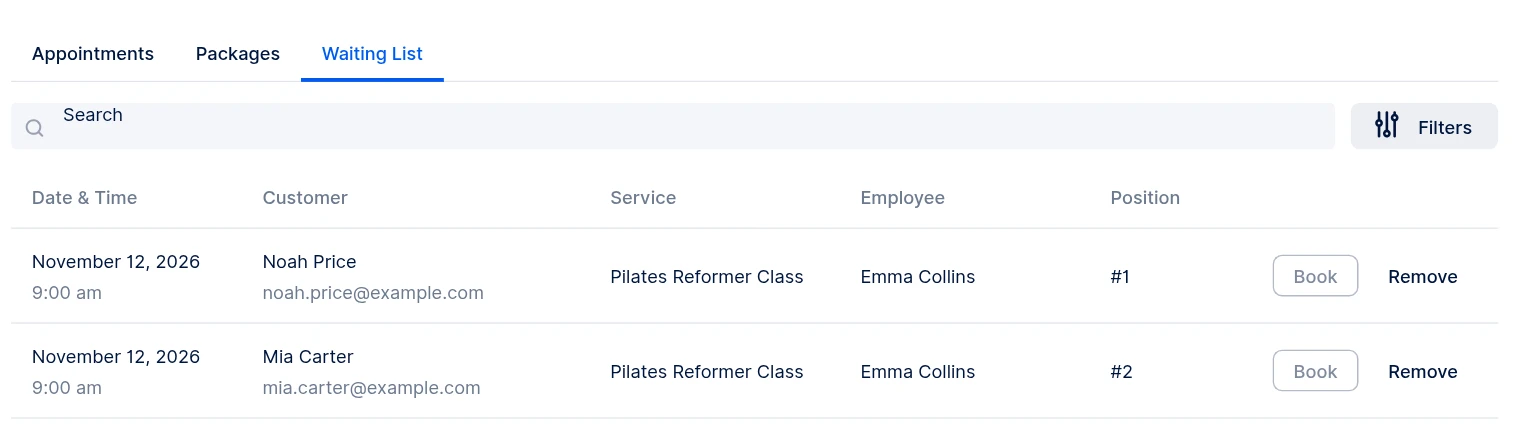
- See everyone who's waiting under Appointments → Waiting List, with their position. Once a slot is free, you can book a customer straight from the list, or add a customer to the list yourself.
Why it matters: Cancellations stop turning into empty chairs. A spot that opens up goes to someone who already wants it, and you don't have to call around to fill it.
The waiting list is available on the Professional and Business plans.
AI Assistants: manage Trafft by chat
Checking tomorrow's schedule, rescheduling a client, setting up a Black Friday coupon: small tasks, but each one means logging in and clicking through the dashboard.
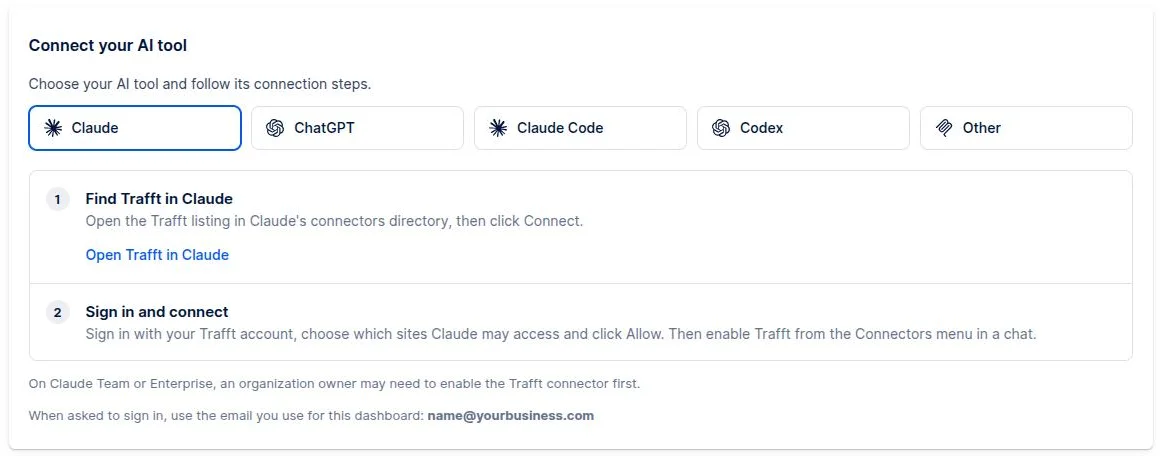
Now you can connect Trafft to Claude, ChatGPT, or any other AI assistant that supports remote MCP servers, and handle those tasks by chat. You sign in with your Trafft account once, choose which sites the assistant can access, and you're set.
Once it's connected, you can ask your assistant to:
- Manage appointments: see what's booked for a day or a week, find free slots, and book, reschedule, or cancel
- Manage customers: search, add, and update customer details
- Manage coupons: create a coupon for a promotion, update it, or remove it
- Look up services, employees, and locations
The assistant works within the same rules as your dashboard:
- It uses your own user permissions, so an employee account gets employee-level access.
- Bookings follow your normal rules. Conflicting slots, times outside working hours, and over-capacity bookings are rejected.
- Permanent deletions need your confirmation.
- Every change appears in the appointment's Activity Log under your name.
Why it matters: The quick admin tasks that used to mean opening the dashboard now take one message, from wherever you already work.
AI Assistants is available on all plans, including Free.
Read the setup guide for Claude, ChatGPT, Claude Code, and Codex
What’s next
The waiting list has been one of the most requested features on our feature board, and we built it based on that feedback. Keep voting and sharing ideas at features.trafft.com. That's how we decide what to build next.
Already on Professional or Business? Turn on the waiting list in your service settings and connect your AI assistant today. On another plan? Upgrade to Professional to add the waiting list. New to Trafft? AI Assistants works on every plan, including Free, so you can start for free.