Tiempo limitado Tiempo limitado
Caiga en el crecimiento empresarial
Hasta 20%Off
Con un código de descuento BFCM70
Hasta 20%Off
Aprovecha la oferta
RESUMEN DE CARACTERÍSTICAS E INTEGRACIONES
  • Todas las funciones
    Todas las funciones

    Notificaciones, Zonas horarias, Extras, Cupones, Reembolsos y más

  • Todas las integraciones
    Todas las integraciones

    Whatsapp, Paypal, Teams, Zoom, Zapier, Google Calendar y más

  • Reservar con Google
    Reservar con Google

    Acepta reservas a través de la Búsqueda y Maps de Google

  • Complemento de WordPress
    Complemento de WordPress

    Añade el formulario de reservas de Trafft a cualquier página de tu sitio web de WordPress

    Recursos
  • Blog de Trafft
    blog-2
    Blog de Trafft

    Consulta la información más reciente sobre las tendencias de la industria y obtén asesoramiento para administrar un negocio de servicios en línea

  • Guías y documentación
    documentos-2
    Guías y documentación

    Obtén una explicación detallada de cómo funciona cada función e integración de Trafft

  • Nuestra Historia Nuestra Historia

    Lee sobre la historia, la misión y los valores que compartimos de Trafft

  • Relación con Inversores Relación con Inversores

    Contáctanos si estás interesado en invertir en Trafft

  • Socios afiliados Socios afiliados

    Únete a nosotros en nuestro viaje para ayudar a las empresas de servicios a prosperar a través de la automatización

  • ¿Por qué Trafft ¿Por qué Trafft

    Obtén más información sobre por qué deberías elegir Trafft

  • Socios Socios

    Asóciate con Trafft y expande tu alcance en el mercado

  • Contáctenos Contáctenos

    No dudes en ponerte en contacto si tienes alguna pregunta o sugerencia

Características
RESUMEN DE CARACTERÍSTICAS E INTEGRACIONES
Recursos
    Recursos
  • Blog de Trafft

    Consulta la información más reciente sobre las tendencias de la industria y obtén asesoramiento para administrar un negocio de servicios en línea

    blog-2
    Blog de Trafft
  • Guías y documentación

    Obtén una explicación detallada de cómo funciona cada función e integración de Trafft

    documentos-2
    Guías y documentación
Sobre nosotros
  • Nuestra Historia Nuestra Historia

    Lee sobre la historia, la misión y los valores que compartimos de Trafft

  • Relación con Inversores Relación con Inversores

    Contáctanos si estás interesado en invertir en Trafft

  • Socios afiliados Socios afiliados

    Únete a nosotros en nuestro viaje para ayudar a las empresas de servicios a prosperar a través de la automatización

  • ¿Por qué Trafft ¿Por qué Trafft

    Obtén más información sobre por qué deberías elegir Trafft

  • Socios Socios

    Asóciate con Trafft y expande tu alcance en el mercado

  • Contáctenos Contáctenos

    No dudes en ponerte en contacto si tienes alguna pregunta o sugerencia

Trafft Hacks: How to Translate Your Booking Website

Inicio» Blog» Trafft Hacks: How to Translate Your Booking Website
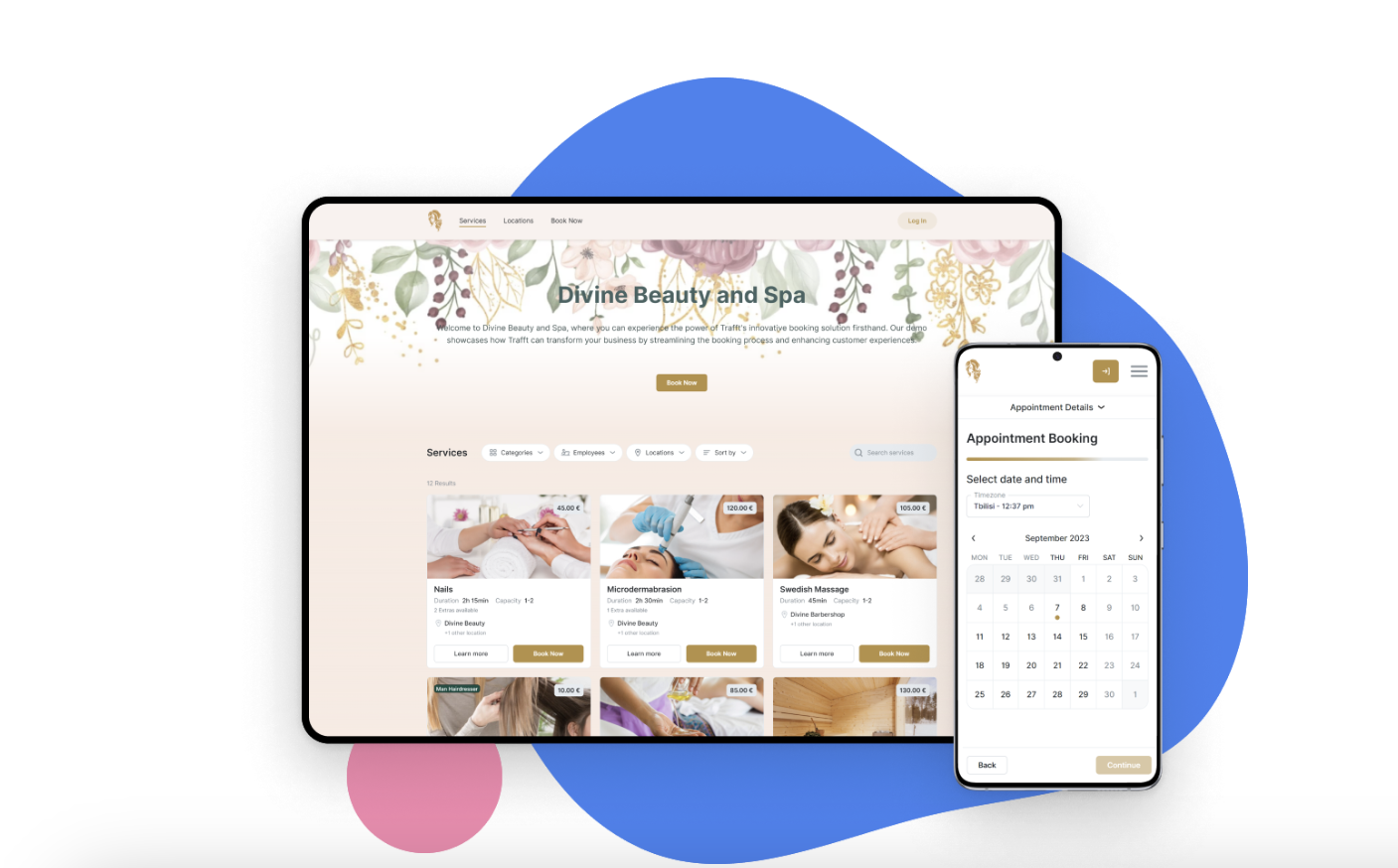
Two people working together on translating trafft booking website into different languages

As more businesses try to expand their services beyond their country's borders, language may be the limiting factor. Translating your booking website into other languages can expand your reach and make your services available to wider audiences.

Trafft appointment booking website comes in English as a default language but can be easily translated into one of the 31 currently available languages. This includes German, French, Italian, Arabic, and many more.

How Can You Change the Default Language on Your Booking Website?

If you want to change the default language and translate your booking website, here are the necessary steps:

  1. Log into your Trafft account
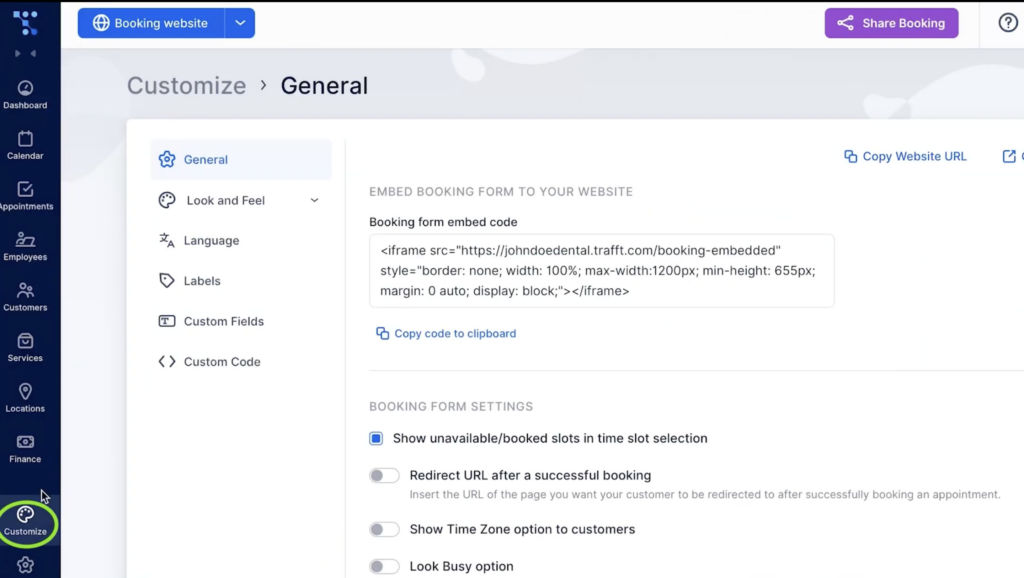
  2. Select the Customize tabGeneral settings for customizing Trafft's booking website
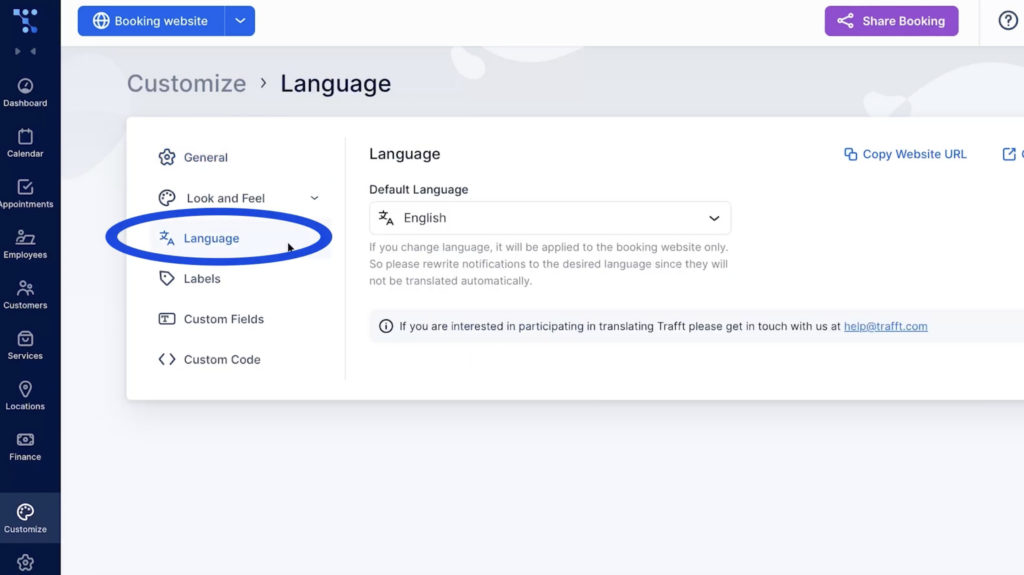
  3. Choose the Language option Setting up default language option in Trafft
  4. Select one of the available languages from the drop-down menu.

After you save the changes, you can go back to the booking website, and your new language should be there.

How Can You Make Your Booking Website Multilingual?

Changing the default language will also modify the displayed language for your customers. However, if you want to give your clients an option to choose the language they prefer, you can do so as well. Here are the steps you should take:

1. Log into your Trafft account and go to the Settings tab.
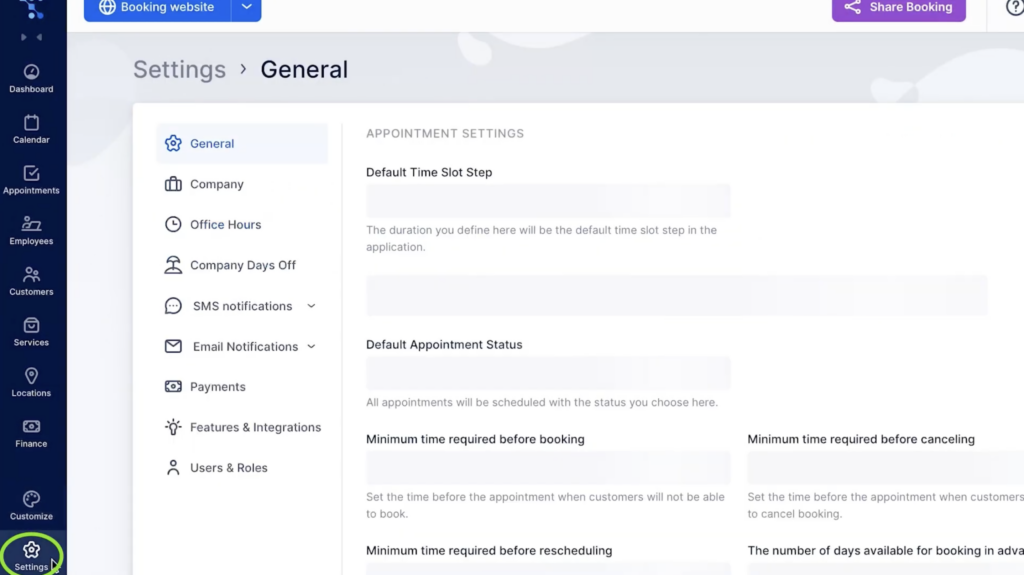
General Settings in Trafft's account

2. Then select Features & Integrations
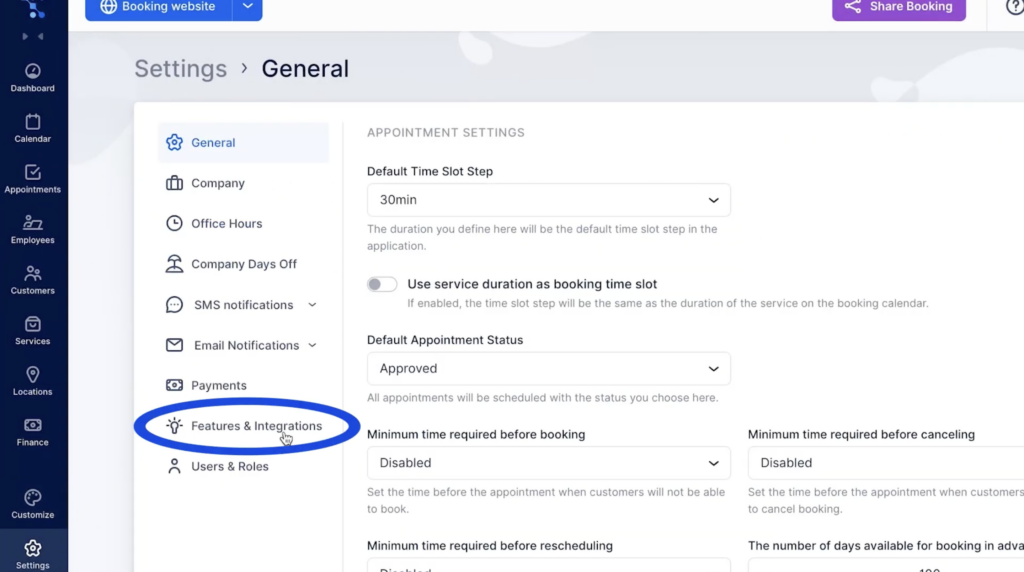
Features and Integrations available for the Trafft booking website

Scroll down and find Soporte multilingüe. Enable this feature by pressing the Activate button.
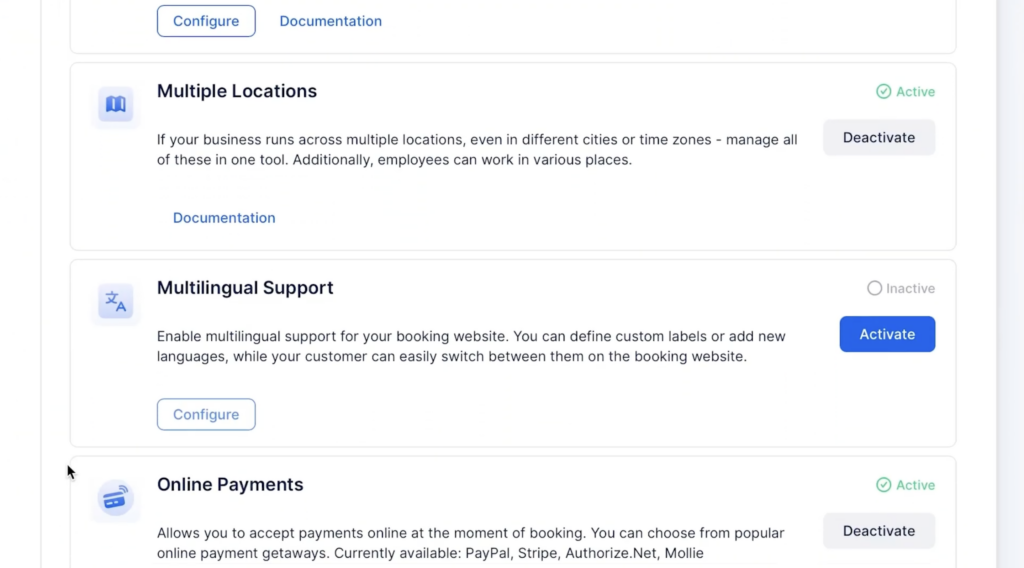
Multilingual support available for a booking website

Go back to Customize and choose the Language option. Here, you can set your default language and also choose additional languages.
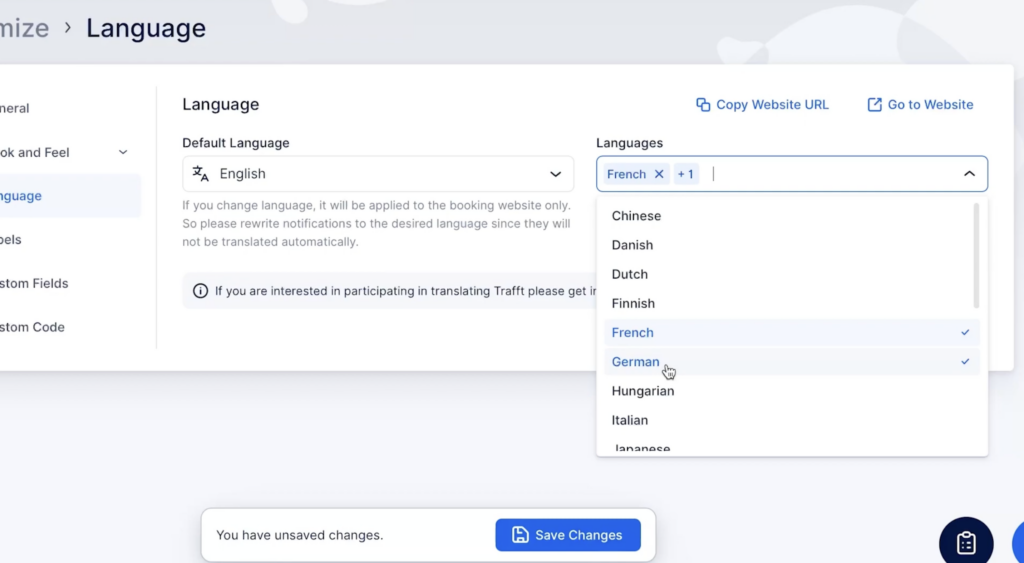
Additional languages in Trafft

After saving these changes, your customers will have the flexibility to choose their preferred language seamlessly throughout the booking process. All they have to do is select the language from the drop-down menu on the booking website.
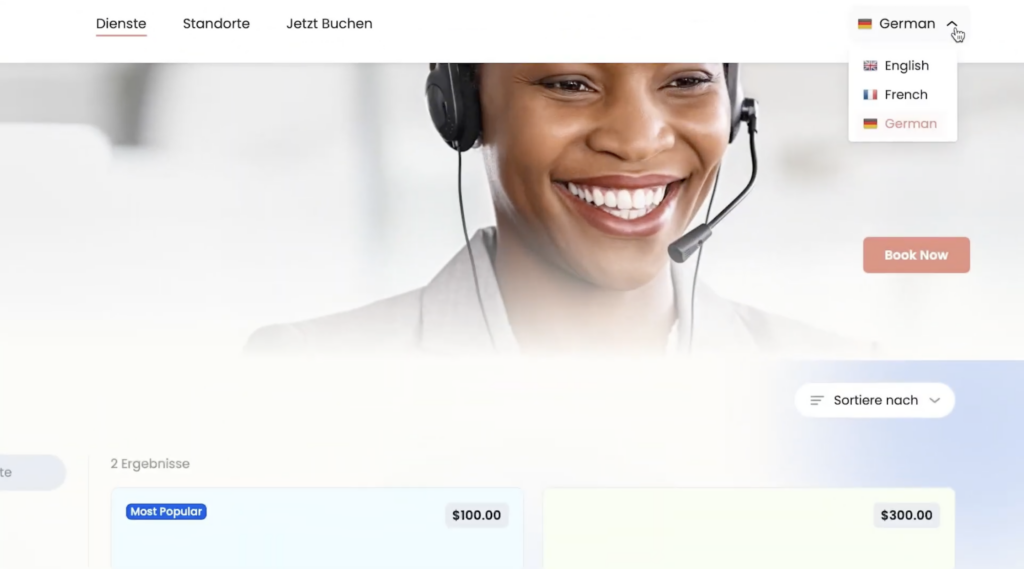
Example of multiple language options on a booking website

Keep in mind that the changes will apply exclusively to your booking website.

How to Change the Language of Notifications

The default notification language is only available in English as of right now, but you can customize it and input any language you want. Here is how to do so:

1. Go into Settings and then select Email Notifications
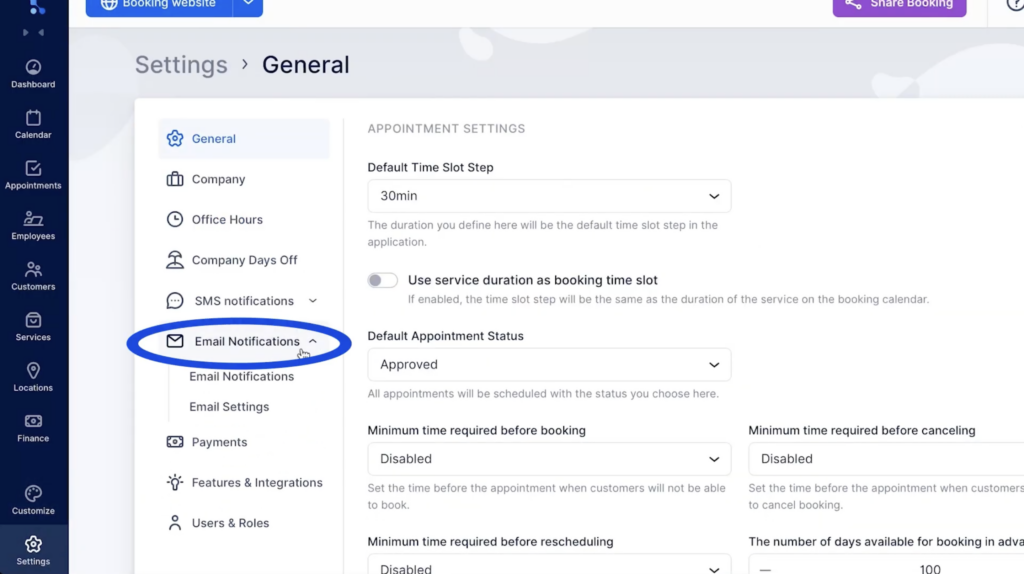
Setting up different languages for email notifications

Click on the Translate button, and input different text for every language you selected to appear on your booking website.
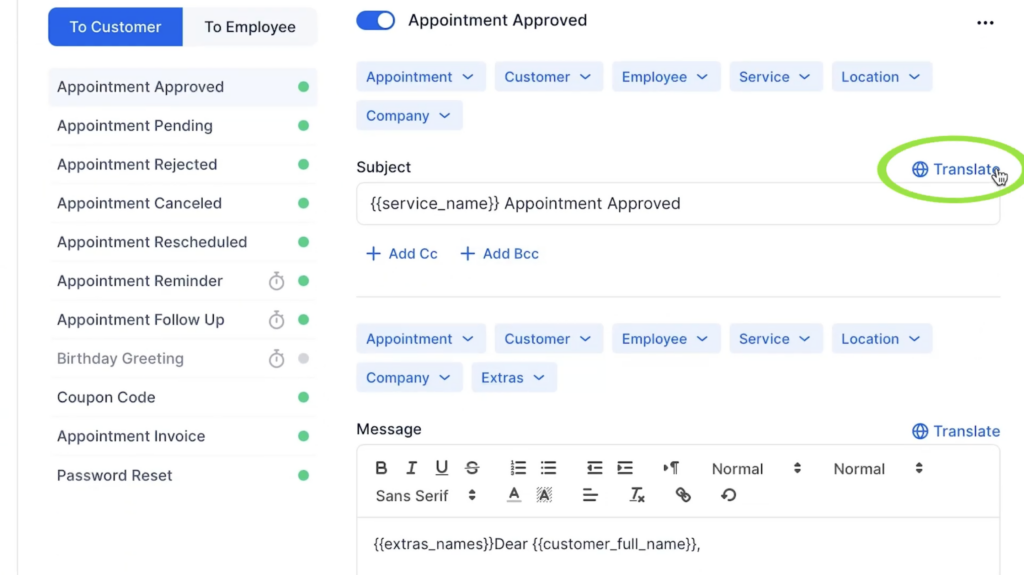
Translate option in Trafft for enabling notification on multiple languages

Having trouble following these instructions? Explore our detailed documentation or watch our quick video tutorial to learn how to set everything up.

Happy scheduling!

Pruébalo gratis